> ## Documentation Index
> Fetch the complete documentation index at: https://docs.conduktor.io/llms.txt
> Use this file to discover all available pages before exploring further.
# Local admin and user management
> Create and manage local admin users in Conduktor Console. Add users via the UI, config file, or environment variables.
## Configure local admin and users
When you first start Conduktor Console, a **local admin** will be created using the credentials you provided. This admin account allows you to make some actions like creating users and groups, connecting clusters or giving permissions, in order to initialize your instance before onboarding users.
You can add new users via the Console UI, the configuration file or through environment variables.
### Add users in Console UI
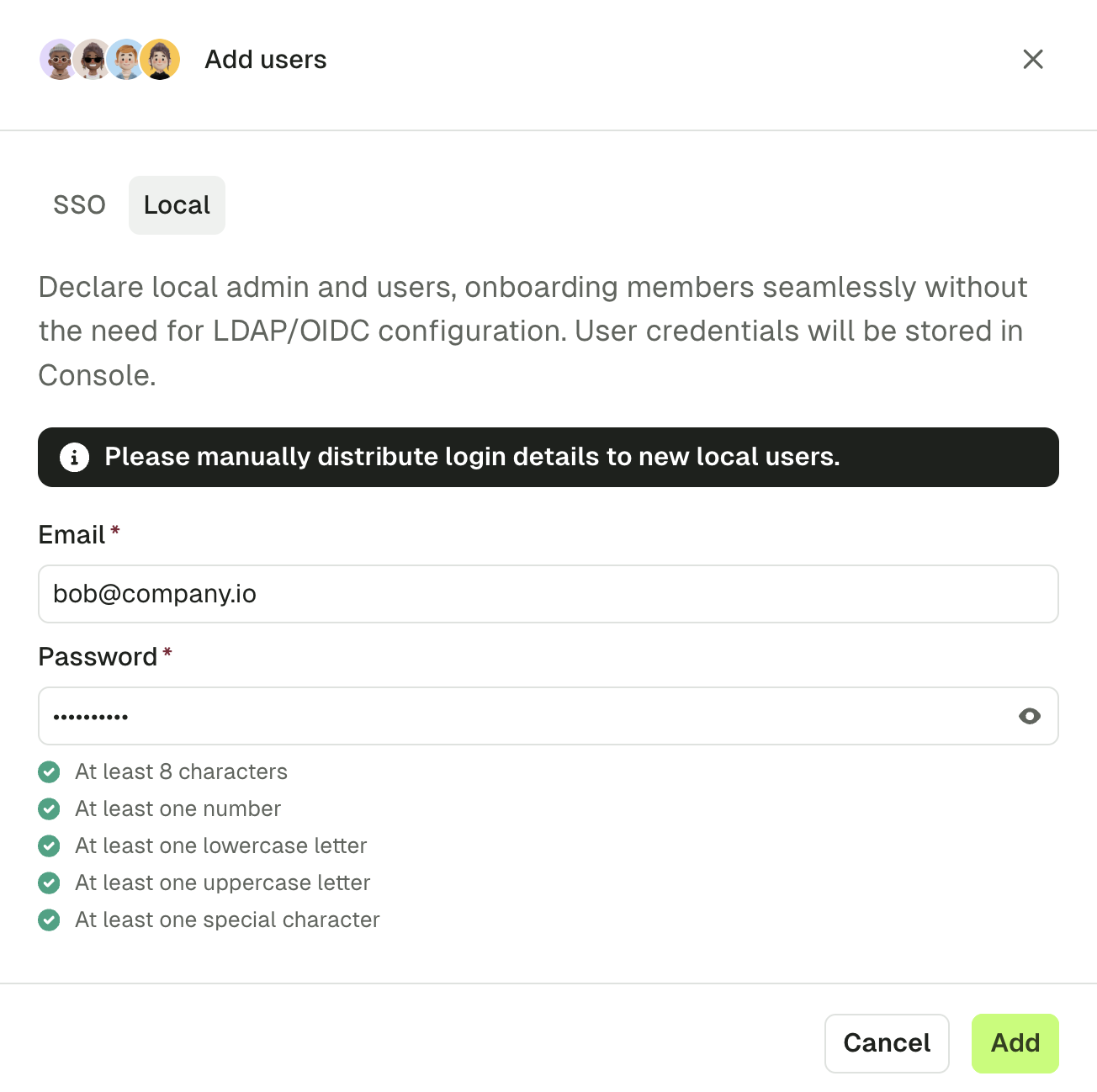
In Console, got to **Settings** > **Users** page and click **Create members** at the top-right.
Select **SSO** or **Local**:
* SSO: if you already have SSO configured, see how to [manage user permissions before first login](#manage-user-permissions-before-first-login)
* Local: add add users via basic email/password authentication
Enter user's email address and click **Add**.
 You can later to add users from an IAC approach using the [ConsoleGroup component](/guide/reference/console-reference#consolegroup).
#### Configuration example
Here's an example of adding an administrator `admin@conduktor.io` with two local users `alice@conduktor.io` and `bob@conduktor.io`:
```yaml title="platform-config.yaml" theme={null}
admin:
email: admin@conduktor.io
password: admin-secret
auth:
local-users:
- email: alice@conduktor.io
password: alice-secret
- email: bob@conduktor.io
password: bob-secret
```
```json theme={null}
CDK_ADMIN_EMAIL="admin@conduktor.io"
CDK_ADMIN_PASSWORD="admin-secret"
CDK_AUTH_LOCAL-USERS_0_EMAIL="alice@conduktor.io"
CDK_AUTH_LOCAL-USERS_0_PASSWORD="alice-secret"
CDK_AUTH_LOCAL-USERS_1_EMAIL="bob@conduktor.io"
CDK_AUTH_LOCAL-USERS_1_PASSWORD="bob-secret"
```
### Configure SSO
In addition to these local admin and users, you can set up **Single Sign-On (SSO)** so your users can log in using your company **LDAP** or **OIDC** identity provider.
This feature only works after setting up Console to use your identity provider as SSO. To be guided through the steps, please select your identity provider.
### Manage user permissions before first login
For the user to appear in the users list in Console, they have to log in first. To ensure appropriate access, you can **configure permissions before their first login**. To do that:
* Go to the **Users** page and click **Create members**.
* Select **SSO** and enter the email of the user you want to add, then click **Add**.
* You can also add them to a group. Go to the **Groups** page, select the group and click **Add members**.
### Local account config properties
| Property | Description | Environment variable | Mandatory | Type | Default value |
| ----------------------------- | ------------- | -------------------------------- | --------- | ------ | ---------------------- |
| `auth.local-users[].email` | User login | `CDK_AUTH_LOCALUSERS_0_EMAIL` | true | string | `"admin@conduktor.io"` |
| `auth.local-users[].password` | User password | `CDK_AUTH_LOCALUSERS_0_PASSWORD` | true | string | `"admin"` |
You can later to add users from an IAC approach using the [ConsoleGroup component](/guide/reference/console-reference#consolegroup).
#### Configuration example
Here's an example of adding an administrator `admin@conduktor.io` with two local users `alice@conduktor.io` and `bob@conduktor.io`:
```yaml title="platform-config.yaml" theme={null}
admin:
email: admin@conduktor.io
password: admin-secret
auth:
local-users:
- email: alice@conduktor.io
password: alice-secret
- email: bob@conduktor.io
password: bob-secret
```
```json theme={null}
CDK_ADMIN_EMAIL="admin@conduktor.io"
CDK_ADMIN_PASSWORD="admin-secret"
CDK_AUTH_LOCAL-USERS_0_EMAIL="alice@conduktor.io"
CDK_AUTH_LOCAL-USERS_0_PASSWORD="alice-secret"
CDK_AUTH_LOCAL-USERS_1_EMAIL="bob@conduktor.io"
CDK_AUTH_LOCAL-USERS_1_PASSWORD="bob-secret"
```
### Configure SSO
In addition to these local admin and users, you can set up **Single Sign-On (SSO)** so your users can log in using your company **LDAP** or **OIDC** identity provider.
This feature only works after setting up Console to use your identity provider as SSO. To be guided through the steps, please select your identity provider.
### Manage user permissions before first login
For the user to appear in the users list in Console, they have to log in first. To ensure appropriate access, you can **configure permissions before their first login**. To do that:
* Go to the **Users** page and click **Create members**.
* Select **SSO** and enter the email of the user you want to add, then click **Add**.
* You can also add them to a group. Go to the **Groups** page, select the group and click **Add members**.
### Local account config properties
| Property | Description | Environment variable | Mandatory | Type | Default value |
| ----------------------------- | ------------- | -------------------------------- | --------- | ------ | ---------------------- |
| `auth.local-users[].email` | User login | `CDK_AUTH_LOCALUSERS_0_EMAIL` | true | string | `"admin@conduktor.io"` |
| `auth.local-users[].password` | User password | `CDK_AUTH_LOCALUSERS_0_PASSWORD` | true | string | `"admin"` |