> ## Documentation Index
> Fetch the complete documentation index at: https://docs.conduktor.io/llms.txt
> Use this file to discover all available pages before exploring further.
# Conduktor component overview
> Conduktor platform components: Console for Kafka management UI, Gateway as Kafka proxy, Cortex for monitoring, and CLI for automation.
Conduktor Platform consists of these components:
* [Console](#console): The centralized UI-based control plane for managing Kafka.
* [Gateway](#gateway): A network proxy for Apache Kafka, complete with an extensible and dynamic plugin mechanism that can be used to add technical and business logic on top of your existing Kafka deployment.
* [Cortex](#cortex): The monitoring component for Conduktor Platform that runs in the background.
* [Conduktor CLI](#conduktor-cli): Our Command Line Interface that lets you automate operations.
## Gateway
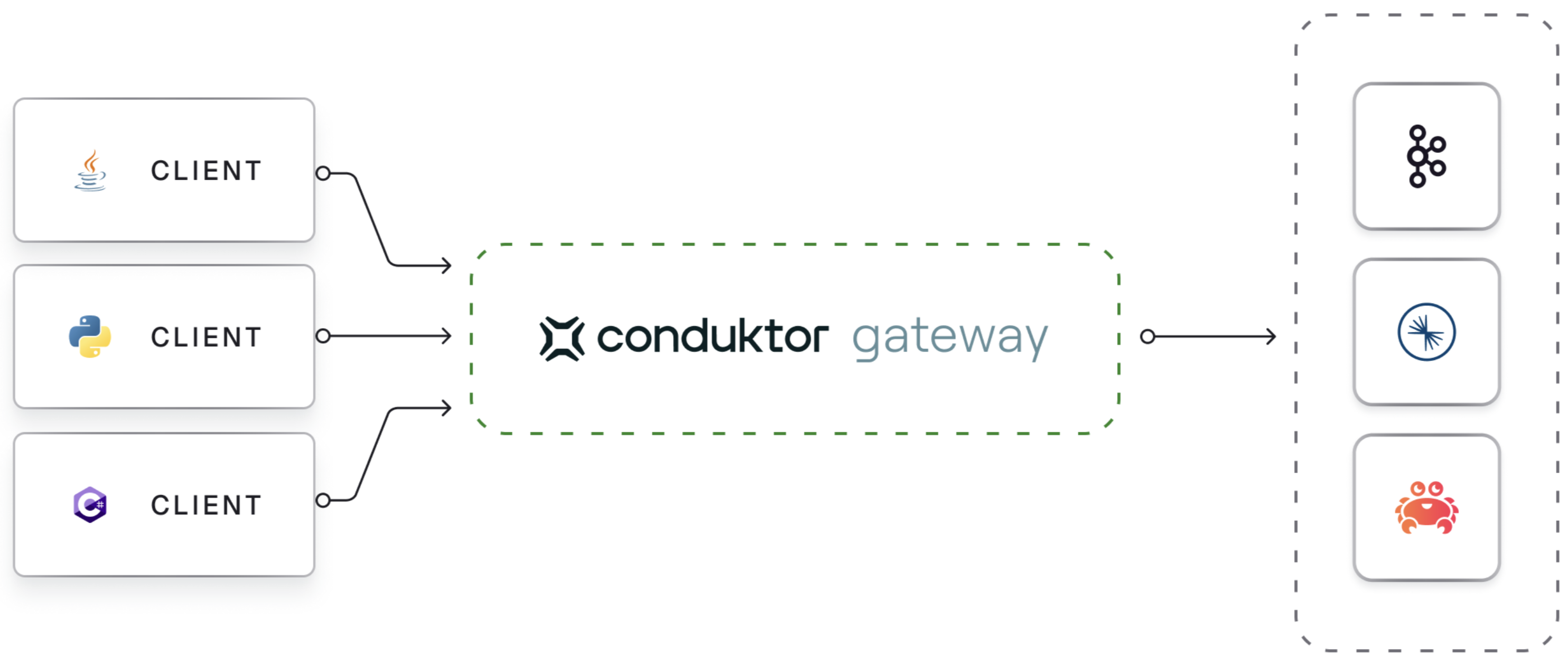
Conduktor Gateway is deployed between your client applications and existing Kafka clusters. As it's Kafka protocol compliant, there are minimal adjustments required for clients other than pointing to a new bootstrap server.
 ### Gateway benefits
This can be used to provide functionality that is not available in Kafka natively, such as:
* **Centrally configure encryption** at the field-level or full payload.
* **Mask sensitive data** and define access control.
* **Set granular RBAC controls**.
* **Leverage multi-tenancy**.
* **Empower development teams** with self-service governance.
Supports all Kafka providers (Confluent, AWS MSK, Redpanda, Aiven, Apache Kafka).
### How it works
Gateway acts as a Kafka-compliant middle layer between clients and Kafka clusters.
#### Authentication
Supports multiple security protocols:
* PLAINTEXT
* SSL
* SASL SSL
* mTLS
#### Interceptors
Use Interceptors to add logic like encryption or filtering. Manage through [API](https://developers.conduktor.io/?product=gateway) . [More on Interceptors](/guide/conduktor-concepts/interceptors)
#### Processing flow
```mermaid theme={null}
flowchart LR
A[User App]
subgraph G [Gateway]
direction LR
Auth[Authentication & Authorization]
subgraph I [Dynamic interceptor pipeline]
direction LR
I1(Plugin priority: 1 interceptor)
I2(Plugin priority: 10 interceptor1 & interceptor2)
I3(Plugin priority: 42 interceptor)
I1 <--> I2 <--> I3
end
subgraph Core [Core features]
direction TB
LT(Logical Topics)
VC(Virtual clusters)
end
Auth <--> I
end
subgraph K [Main Kafka cluster]
B1(broker 1)
B2(broker 2)
B3(broker 3)
B1 === B2 === B3
end
A <--> Auth
I <--> Core
Core <--> K
```
## Related resources
* [Conduktor in production deployment overview](/guide/conduktor-in-production/)
* [Contact support](https://www.conduktor.io/contact/support)
* [Give us feedback/request a feature](https://conduktor.io/roadmap)
### Gateway benefits
This can be used to provide functionality that is not available in Kafka natively, such as:
* **Centrally configure encryption** at the field-level or full payload.
* **Mask sensitive data** and define access control.
* **Set granular RBAC controls**.
* **Leverage multi-tenancy**.
* **Empower development teams** with self-service governance.
Supports all Kafka providers (Confluent, AWS MSK, Redpanda, Aiven, Apache Kafka).
### How it works
Gateway acts as a Kafka-compliant middle layer between clients and Kafka clusters.
#### Authentication
Supports multiple security protocols:
* PLAINTEXT
* SSL
* SASL SSL
* mTLS
#### Interceptors
Use Interceptors to add logic like encryption or filtering. Manage through [API](https://developers.conduktor.io/?product=gateway) . [More on Interceptors](/guide/conduktor-concepts/interceptors)
#### Processing flow
```mermaid theme={null}
flowchart LR
A[User App]
subgraph G [Gateway]
direction LR
Auth[Authentication & Authorization]
subgraph I [Dynamic interceptor pipeline]
direction LR
I1(Plugin priority: 1 interceptor)
I2(Plugin priority: 10 interceptor1 & interceptor2)
I3(Plugin priority: 42 interceptor)
I1 <--> I2 <--> I3
end
subgraph Core [Core features]
direction TB
LT(Logical Topics)
VC(Virtual clusters)
end
Auth <--> I
end
subgraph K [Main Kafka cluster]
B1(broker 1)
B2(broker 2)
B3(broker 3)
B1 === B2 === B3
end
A <--> Auth
I <--> Core
Core <--> K
```
## Related resources
* [Conduktor in production deployment overview](/guide/conduktor-in-production/)
* [Contact support](https://www.conduktor.io/contact/support)
* [Give us feedback/request a feature](https://conduktor.io/roadmap)