> ## Documentation Index
> Fetch the complete documentation index at: https://docs.conduktor.io/llms.txt
> Use this file to discover all available pages before exploring further.
# ksqlDB management — Conduktor Console
> Manage ksqlDB clusters from Conduktor Console. Run streaming SQL queries, browse streams and tables, and control access with RBAC.
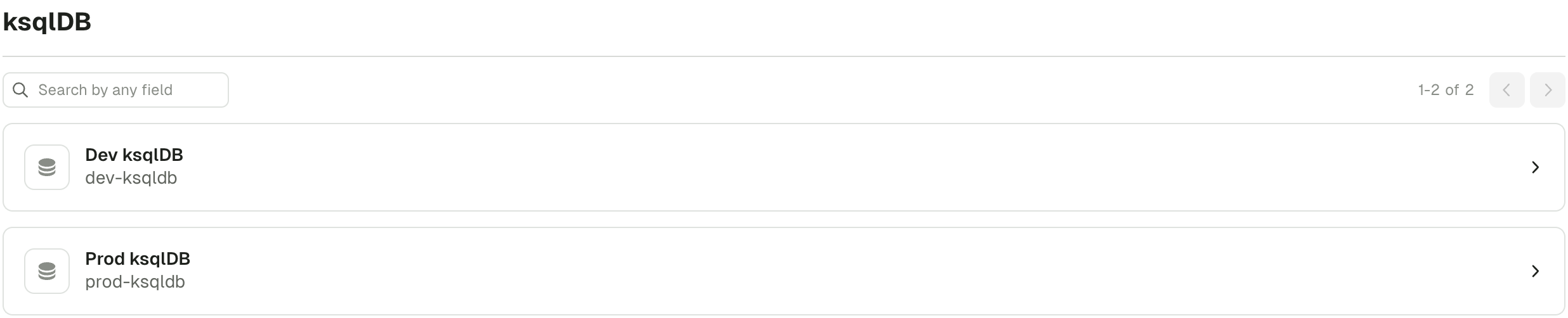
In Console, the ksqlDB home page shows the list of ksqlDB clusters, if any have been configured.
 Configure [RBAC](/guide/conduktor-in-production/admin/set-up-rbac) to restrict access to certain clusters.
Click the required ksqlDB entry to see the the details, such as:
* version
* number of streams
* amount of tables
* number of queries
The page consists of several tabs that let you visualize all the currently running queries and write your own or executes statements.
* [Streams and tables tabs](#streams-and-tables-tabs) let you view and manage the running streams and tables.
* [Queries tab](#queries-tab) shows all the queries currently running on the selected ksqlDB cluster.
* [Editor tab](#editor-tab) lets you run queries and execute statements.
By default, the **Streams** tab will be open, allowing you to view and manage all the streams and related topics, key/value formats as well as the number of read/write queries. Click on a row to see the details for each stream.
## Streams and tables tabs
These two tabs are similar but show different resources. The **Streams** one shows the result of `CREATE STREAM` statements and the **Tables** one is about `CREATE TABLE` statements.
The details include:
* name of the stream/table
* topic that this steam/table write data into
* key and value formats
* number of ksqlDB queries that write into this stream/table
* number of queries that read from this stream/table
You can **click an item to view its details** or delete the selected stream/table by clicking on the **trash can**.
### Streams and tables details page
This page consists of three tabs:
* **Fields** shows the structure (name and type) of the selected stream/table.
* **kSQL** displays the exact kSQL statement running behind the scenes.
* **Metrics** provides runtime statistics for the topic backing the selected stream/table.
Click **Terminate** at the top of the page to delete the stream/table. You'll be prompted to confirm your choice as it can't be undone.
## Queries tab
This tab shows all the currently running queries the selected ksqlDB cluster. The table shows:
* Query ID.
* Output topic: the topic into which the query is writing to.
* Type: either **Persistent** for the queries originating from `CREATE` statements or **Push** for queries executed by users in the query editor or via calls to `/query-stream` endpoint.
Click on the query to see field details (name and type) and the source KSQL code. Click **Terminate** at the top of the page to delete the stream/table. You'll be prompted to confirm your choice as it can't be undone.
## Editor tab
This tab lets you run queries and execute statements.
### Run a query
To run a `Push` or `Pull` query, select **Run a query**, paste or type the required commands and click **Run**. This will send requests to the `/query-stream` endpoint of ksqlDB.
You can change the **start from** to be **earliest** or **latest**.
The records will appear at the bottom in the **Results** section.
### Execute a statement
To run a sequence of SQL statements, select **Execute a statement**, paste or type the required scripts and click **Run**.
The `/ksql` endpoint of ksqlDB will be used.
Look out for a success or fail alert at the bottom of the screen.
Configure [RBAC](/guide/conduktor-in-production/admin/set-up-rbac) to restrict access to certain clusters.
Click the required ksqlDB entry to see the the details, such as:
* version
* number of streams
* amount of tables
* number of queries
The page consists of several tabs that let you visualize all the currently running queries and write your own or executes statements.
* [Streams and tables tabs](#streams-and-tables-tabs) let you view and manage the running streams and tables.
* [Queries tab](#queries-tab) shows all the queries currently running on the selected ksqlDB cluster.
* [Editor tab](#editor-tab) lets you run queries and execute statements.
By default, the **Streams** tab will be open, allowing you to view and manage all the streams and related topics, key/value formats as well as the number of read/write queries. Click on a row to see the details for each stream.
## Streams and tables tabs
These two tabs are similar but show different resources. The **Streams** one shows the result of `CREATE STREAM` statements and the **Tables** one is about `CREATE TABLE` statements.
The details include:
* name of the stream/table
* topic that this steam/table write data into
* key and value formats
* number of ksqlDB queries that write into this stream/table
* number of queries that read from this stream/table
You can **click an item to view its details** or delete the selected stream/table by clicking on the **trash can**.
### Streams and tables details page
This page consists of three tabs:
* **Fields** shows the structure (name and type) of the selected stream/table.
* **kSQL** displays the exact kSQL statement running behind the scenes.
* **Metrics** provides runtime statistics for the topic backing the selected stream/table.
Click **Terminate** at the top of the page to delete the stream/table. You'll be prompted to confirm your choice as it can't be undone.
## Queries tab
This tab shows all the currently running queries the selected ksqlDB cluster. The table shows:
* Query ID.
* Output topic: the topic into which the query is writing to.
* Type: either **Persistent** for the queries originating from `CREATE` statements or **Push** for queries executed by users in the query editor or via calls to `/query-stream` endpoint.
Click on the query to see field details (name and type) and the source KSQL code. Click **Terminate** at the top of the page to delete the stream/table. You'll be prompted to confirm your choice as it can't be undone.
## Editor tab
This tab lets you run queries and execute statements.
### Run a query
To run a `Push` or `Pull` query, select **Run a query**, paste or type the required commands and click **Run**. This will send requests to the `/query-stream` endpoint of ksqlDB.
You can change the **start from** to be **earliest** or **latest**.
The records will appear at the bottom in the **Results** section.
### Execute a statement
To run a sequence of SQL statements, select **Execute a statement**, paste or type the required scripts and click **Run**.
The `/ksql` endpoint of ksqlDB will be used.
Look out for a success or fail alert at the bottom of the screen.