> ## Documentation Index
> Fetch the complete documentation index at: https://docs.conduktor.io/llms.txt
> Use this file to discover all available pages before exploring further.
# Kafka ACLs and service accounts
> Manage Kafka service accounts and ACLs in Conduktor Console. View permissions per principal, create ACLs, and integrate with Confluent, Aiven.
Console lets you manage service accounts and ACLs (Access Control Lists).
What you see on the **Service Accounts** page will depend on whether you have [configured a Kafka provider, such as Confluent or Aiven](#provider-integrations).
## View service accounts and manage ACLs
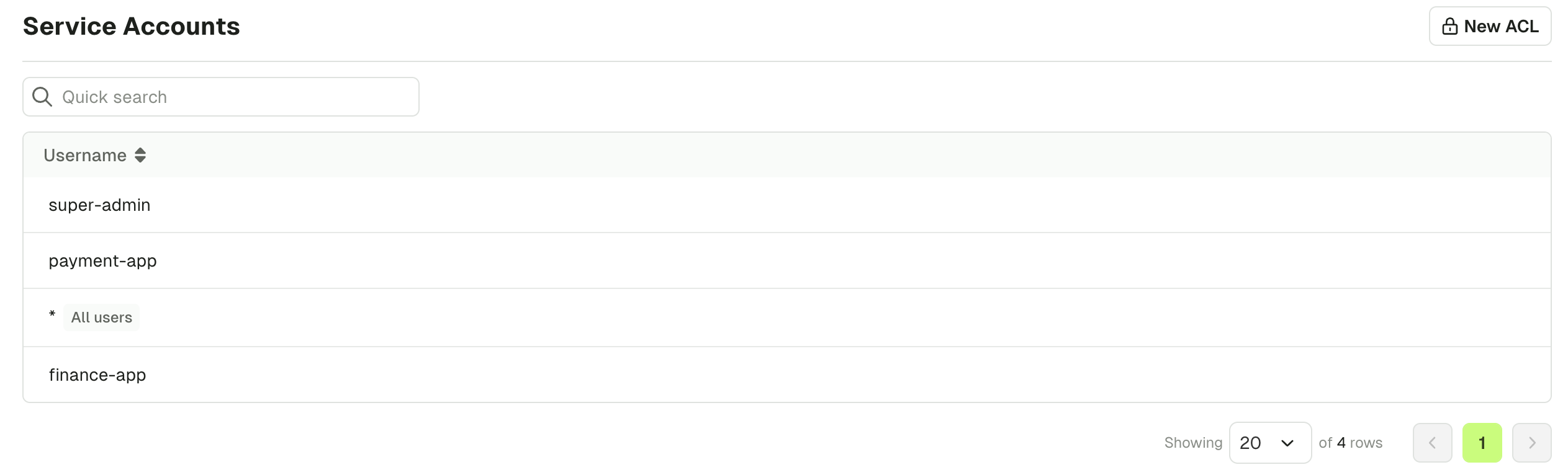
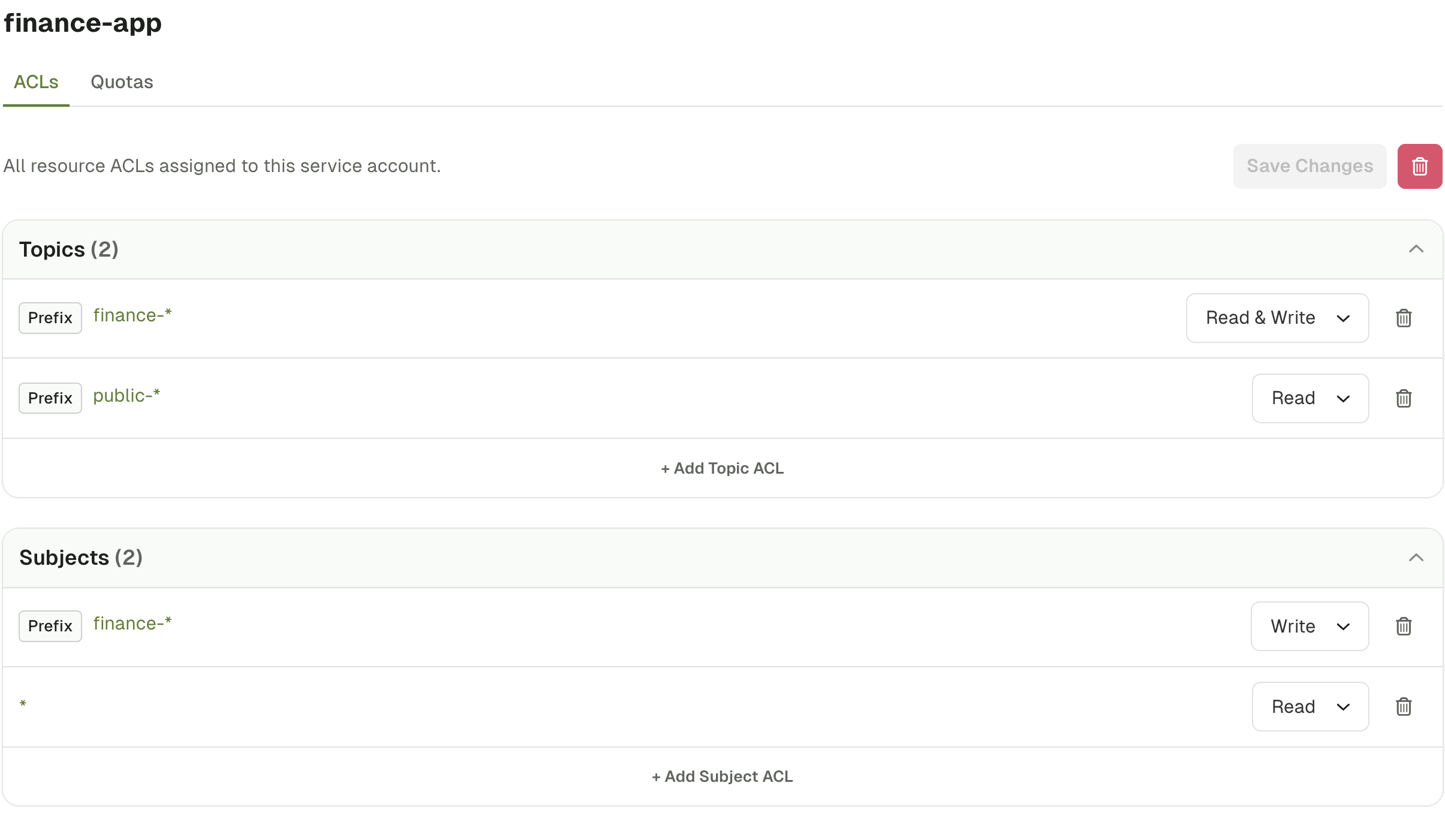
The **Service Accounts** page in Console offers a powerful design that aggregates ACLs to principal granularity. This lets you easily understand all the resource ACLs assigned to each service account.
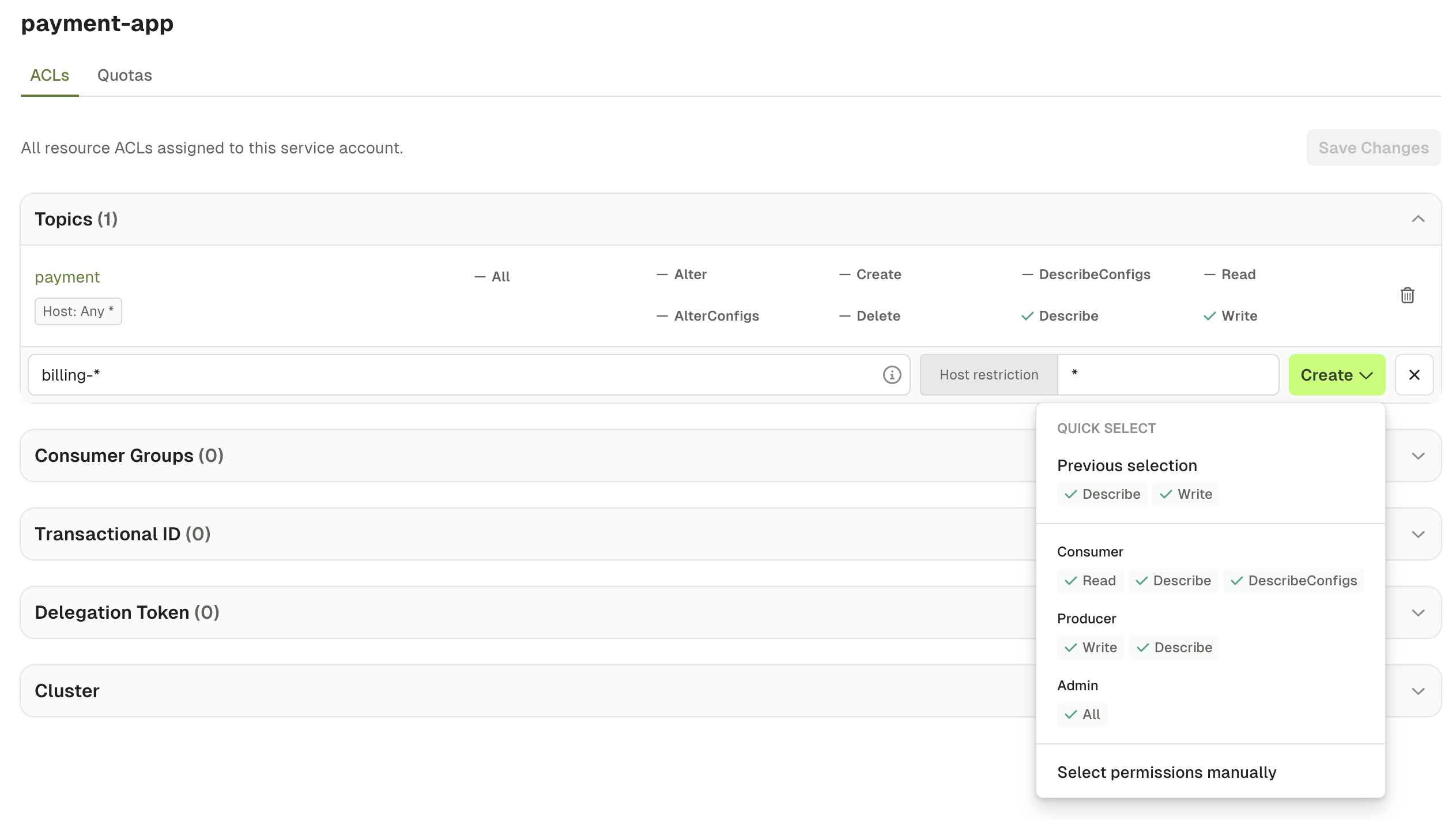
 After selecting a service account, you can **edit** existing ACLs and **add new** resource ACLs. When you create new ACLs for a resource, you can:
* Use pre-configured permissions (e.g. Consumer, Producer, Admin)
* Manually define permissions
To manually edit permissions, select the operation and choose **Allow**, **Deny** or **Not Set**.
After selecting a service account, you can **edit** existing ACLs and **add new** resource ACLs. When you create new ACLs for a resource, you can:
* Use pre-configured permissions (e.g. Consumer, Producer, Admin)
* Manually define permissions
To manually edit permissions, select the operation and choose **Allow**, **Deny** or **Not Set**.
 ## Provider integrations
Connect your Kafka provider to manage their benefits directly in Conduktor Console. The additional functionality you get from connecting your provider is made possible via their APIs.
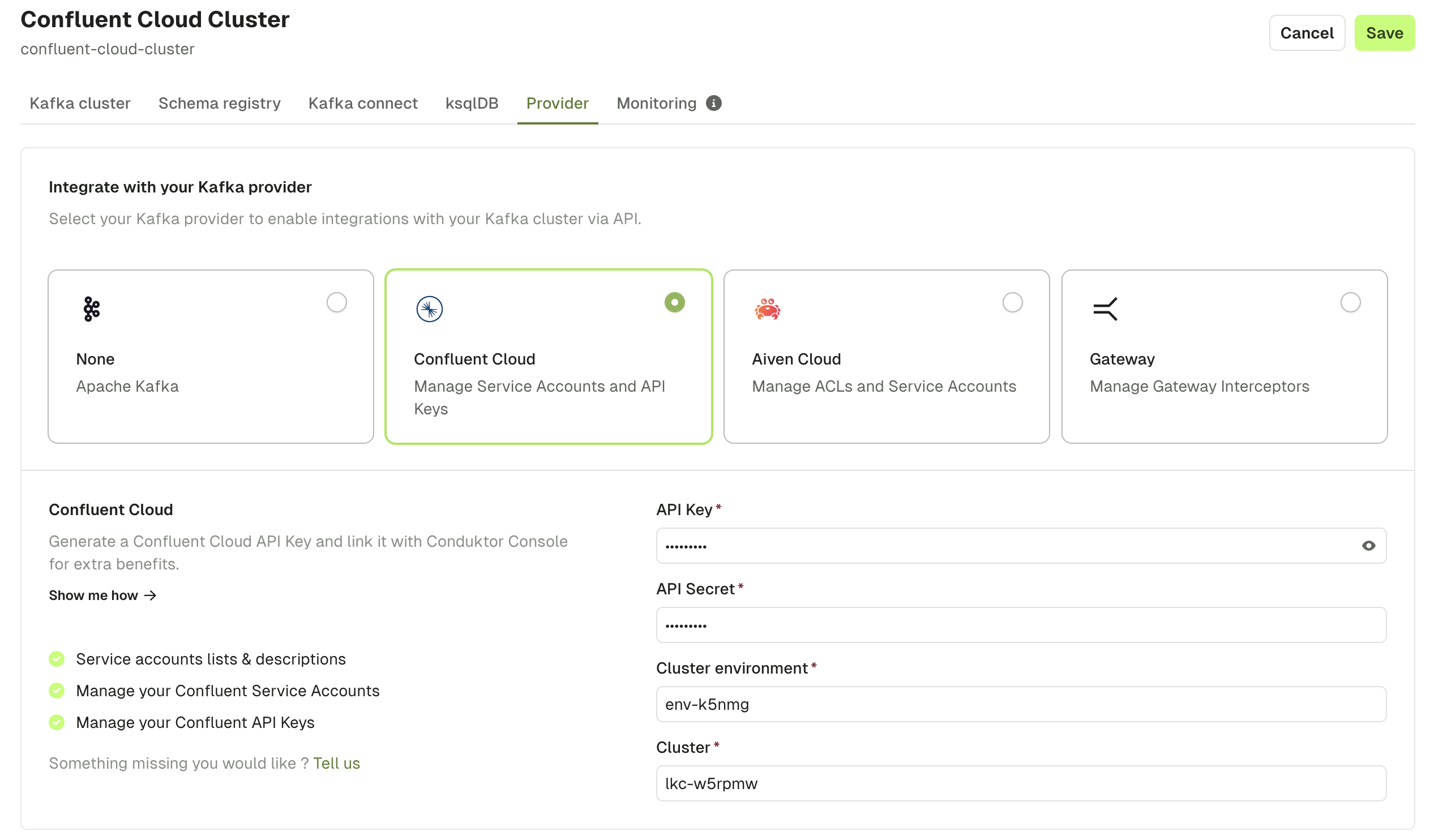
To use Kafka provider service account functionality, you have to configure the provider. Go to **Settings** > **Clusters**, select a cluster and use the **Provider** tab.
## Provider integrations
Connect your Kafka provider to manage their benefits directly in Conduktor Console. The additional functionality you get from connecting your provider is made possible via their APIs.
To use Kafka provider service account functionality, you have to configure the provider. Go to **Settings** > **Clusters**, select a cluster and use the **Provider** tab.
 ### Confluent Cloud
When configuring Confluent Cloud as your provider, ensure you use [Confluent Cloud API keys](https://docs.confluent.io/cloud/current/access-management/authenticate/api-keys/api-keys.html) scoped to `Cloud resource management`.
To enable visibility of topic size metrics, ensure that [the API key is scoped](https://docs.confluent.io/cloud/current/monitoring/metrics-api.html#create-an-api-key-to-authenticate-to-the-metrics-api) to the `MetricsViewer` role.
Once you have configured Confluent Cloud as your [provider](#provider-integrations), you can:
* Manage service accounts and ACLs
* Manage API keys
To manage Confluent Cloud resources when connected to a Confluent Cloud Kafka cluster, go to the **Service Accounts** page.
### Confluent Cloud
When configuring Confluent Cloud as your provider, ensure you use [Confluent Cloud API keys](https://docs.confluent.io/cloud/current/access-management/authenticate/api-keys/api-keys.html) scoped to `Cloud resource management`.
To enable visibility of topic size metrics, ensure that [the API key is scoped](https://docs.confluent.io/cloud/current/monitoring/metrics-api.html#create-an-api-key-to-authenticate-to-the-metrics-api) to the `MetricsViewer` role.
Once you have configured Confluent Cloud as your [provider](#provider-integrations), you can:
* Manage service accounts and ACLs
* Manage API keys
To manage Confluent Cloud resources when connected to a Confluent Cloud Kafka cluster, go to the **Service Accounts** page.
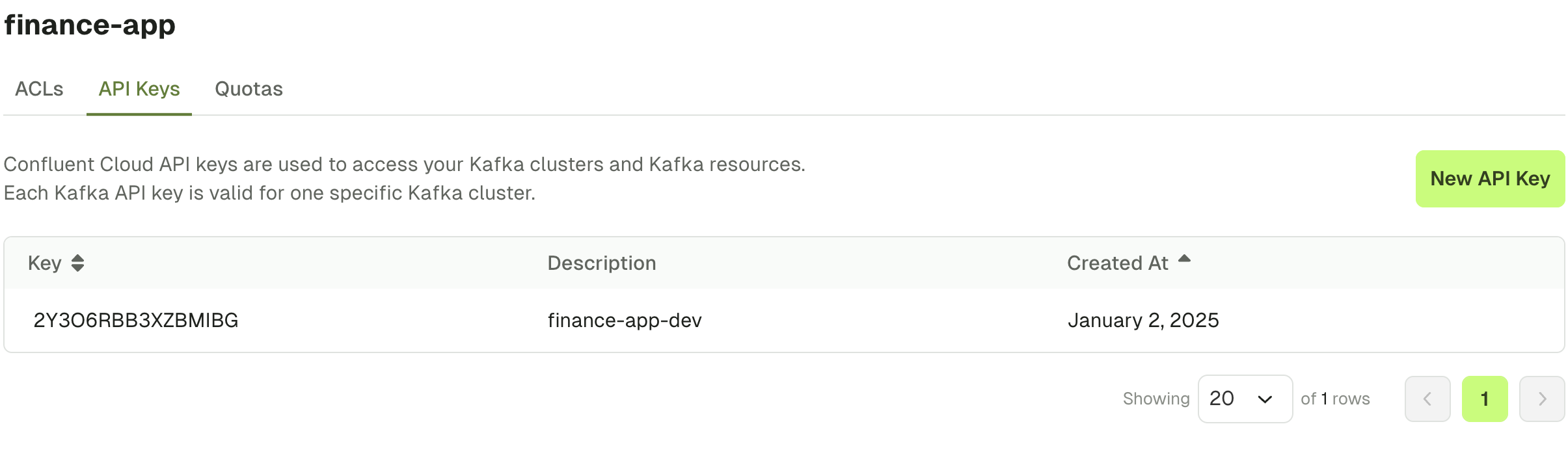
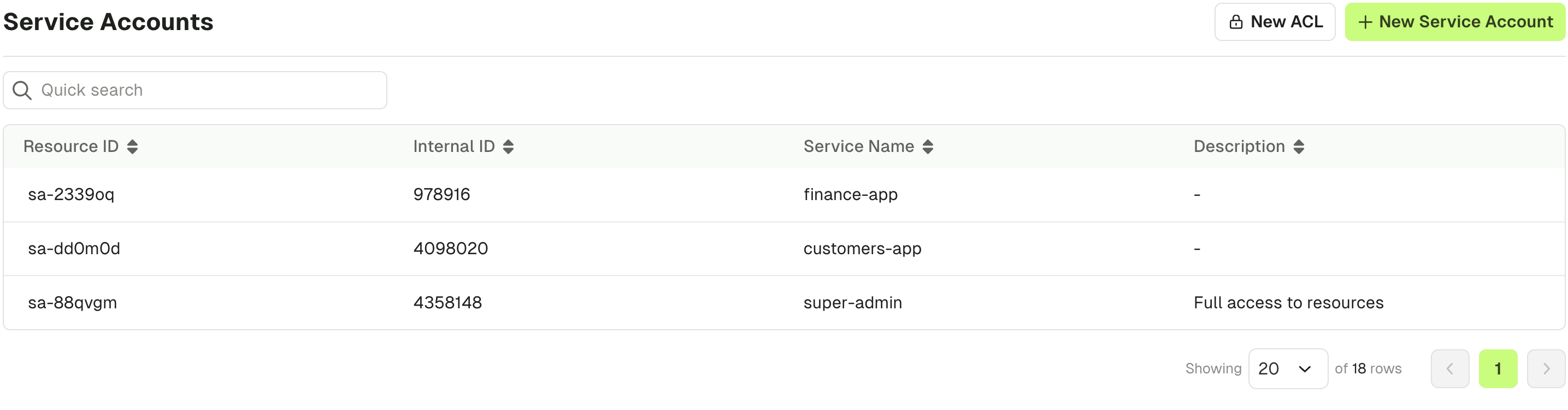 You can **list** and **create API Keys** associated with a Confluent Cloud service account:
 ### Aiven
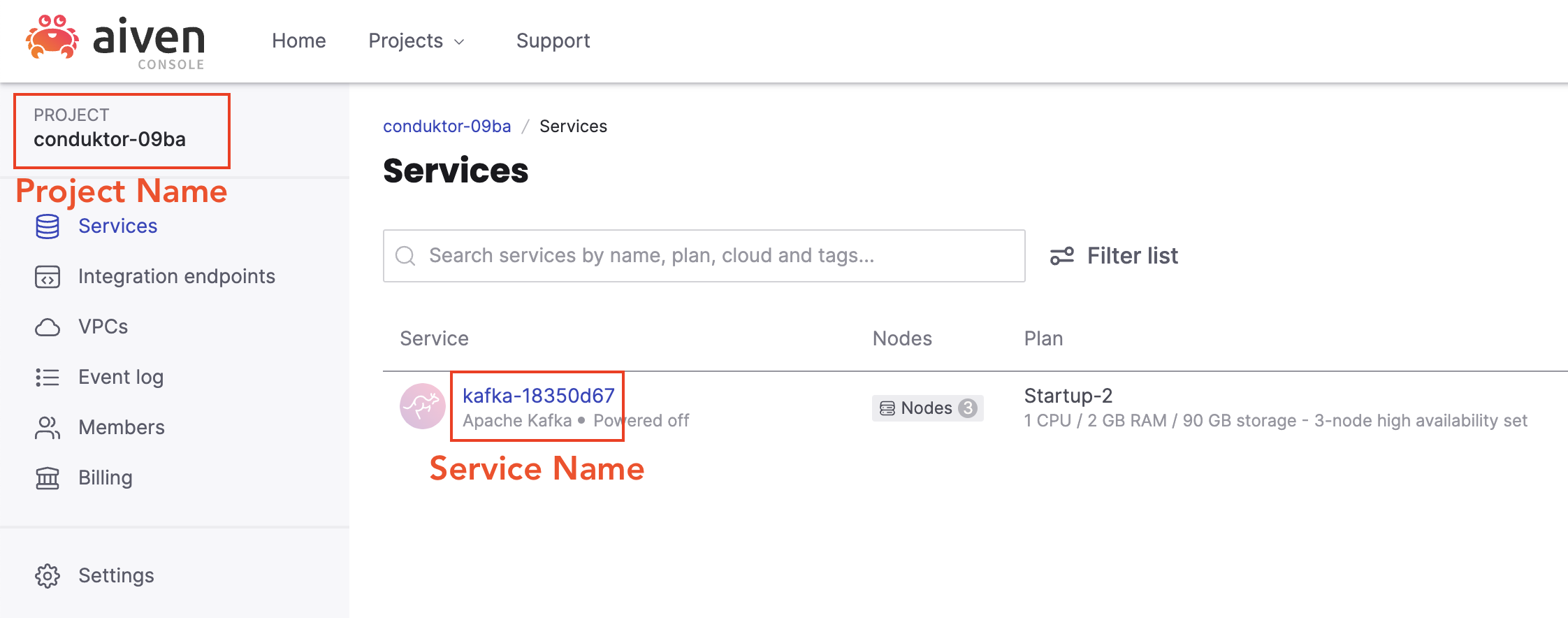
When configuring Aiven as your [provider](#provider-integrations), you can generate your API token following [this guide](https://aiven.io/docs/platform/howto/create_authentication_token) , and get the **project name** and **service name** fields in the below locations from within the Aiven console.
### Aiven
When configuring Aiven as your [provider](#provider-integrations), you can generate your API token following [this guide](https://aiven.io/docs/platform/howto/create_authentication_token) , and get the **project name** and **service name** fields in the below locations from within the Aiven console.
 Once you have configured Aiven as your [provider](#provider-integrations), you can:
* Manage service accounts
* Manage ACLs
To manage Aiven resources when connected to an Aiven Kafka cluster, go to the **Service Accounts**.
You'll see the list of your Aiven users and their associated Aiven ACLs.
Once you have configured Aiven as your [provider](#provider-integrations), you can:
* Manage service accounts
* Manage ACLs
To manage Aiven resources when connected to an Aiven Kafka cluster, go to the **Service Accounts**.
You'll see the list of your Aiven users and their associated Aiven ACLs.
 ## Related resources
* [Gateway service accounts](/guide/conduktor-concepts/gateway-service-accounts)
* [Gateway authentication and authorization](/guide/conduktor-concepts/gateway-authentication-authorization)
* [Give us feedback/request a feature](https://conduktor.io/roadmap)
## Related resources
* [Gateway service accounts](/guide/conduktor-concepts/gateway-service-accounts)
* [Gateway authentication and authorization](/guide/conduktor-concepts/gateway-authentication-authorization)
* [Give us feedback/request a feature](https://conduktor.io/roadmap)