

Overview
By default, Self-service creates Kafka ACLs for both application instances and application instance permissions for an associated service account. For Confluent Cloud clusters, as of Console v1.38, you can instead manage service accounts through Confluent Cloud RBAC role-bindings. This provides the added benefit of provisioning permissions for the subject resources via schema registry RBAC role bindings. Console v1.37 introduced the concept ofChild Resources. This enables the implicit provisioning of a subject permission when a topic permission is created either via ownership in an application instance or through an ApplicationInstancePermission (also known as an approved Topic Request in the UI).
For example, a topic request that seeks write access to another ApplicationInstance’s topic will result in the associated application instance’s service account receiving a DeveloperWrite and DeveloperRead role binding.
Enable role bindings
Go to your Confluent Cloud cluster provider’s settings.When configuring Confluent Cloud as your provider and providing the necessary API key and secret, make sure to use a Confluent Cloud API key that’s scoped to
Cloud resource management with sufficient permissions to manage role bindings.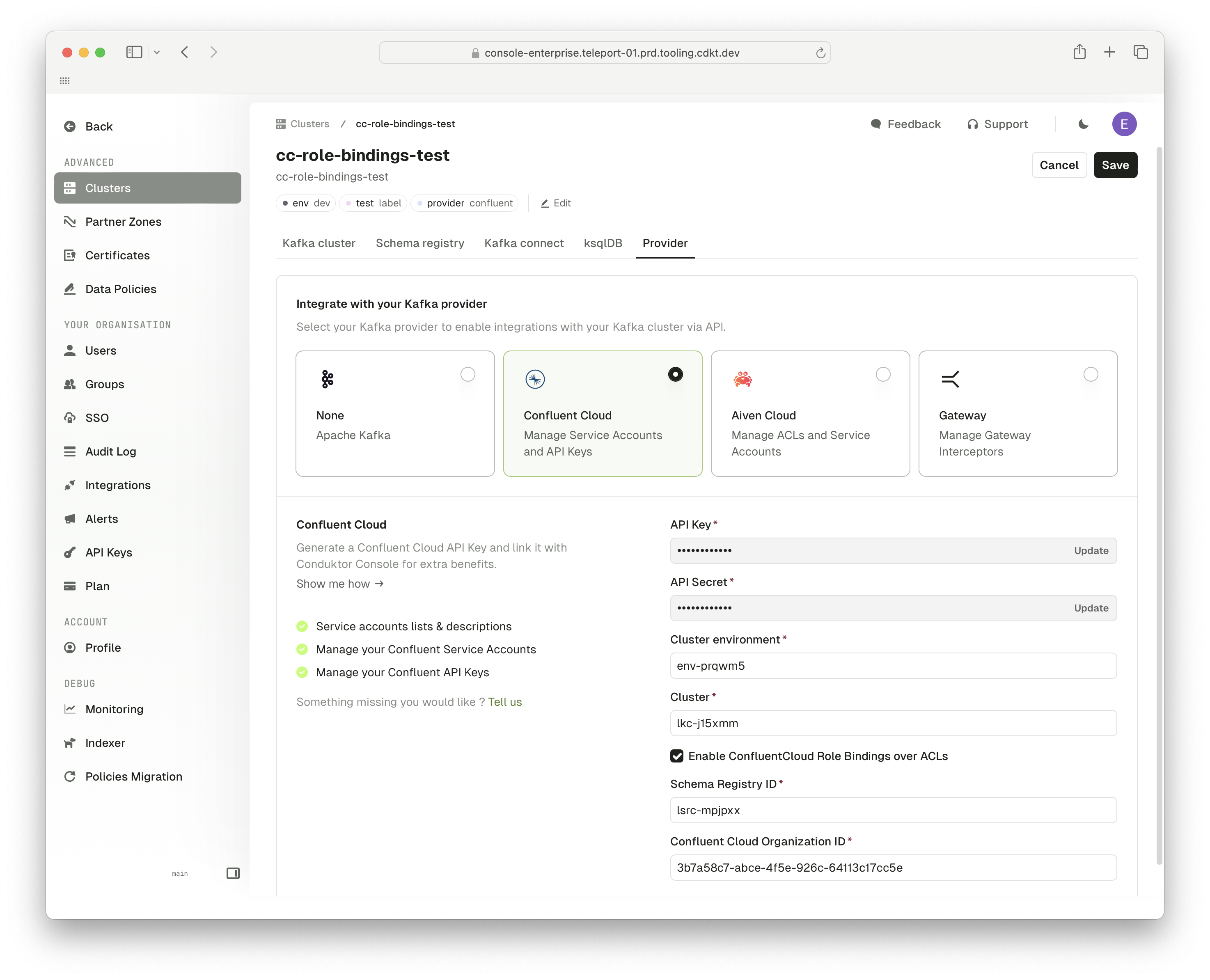
Validate the migration
After approving a topic request or applying an ApplicationInstance/ApplicationInstancePermission, open Console and go to Service account page. From there, you should see the relevant role bindings that have been created for the relevant resources.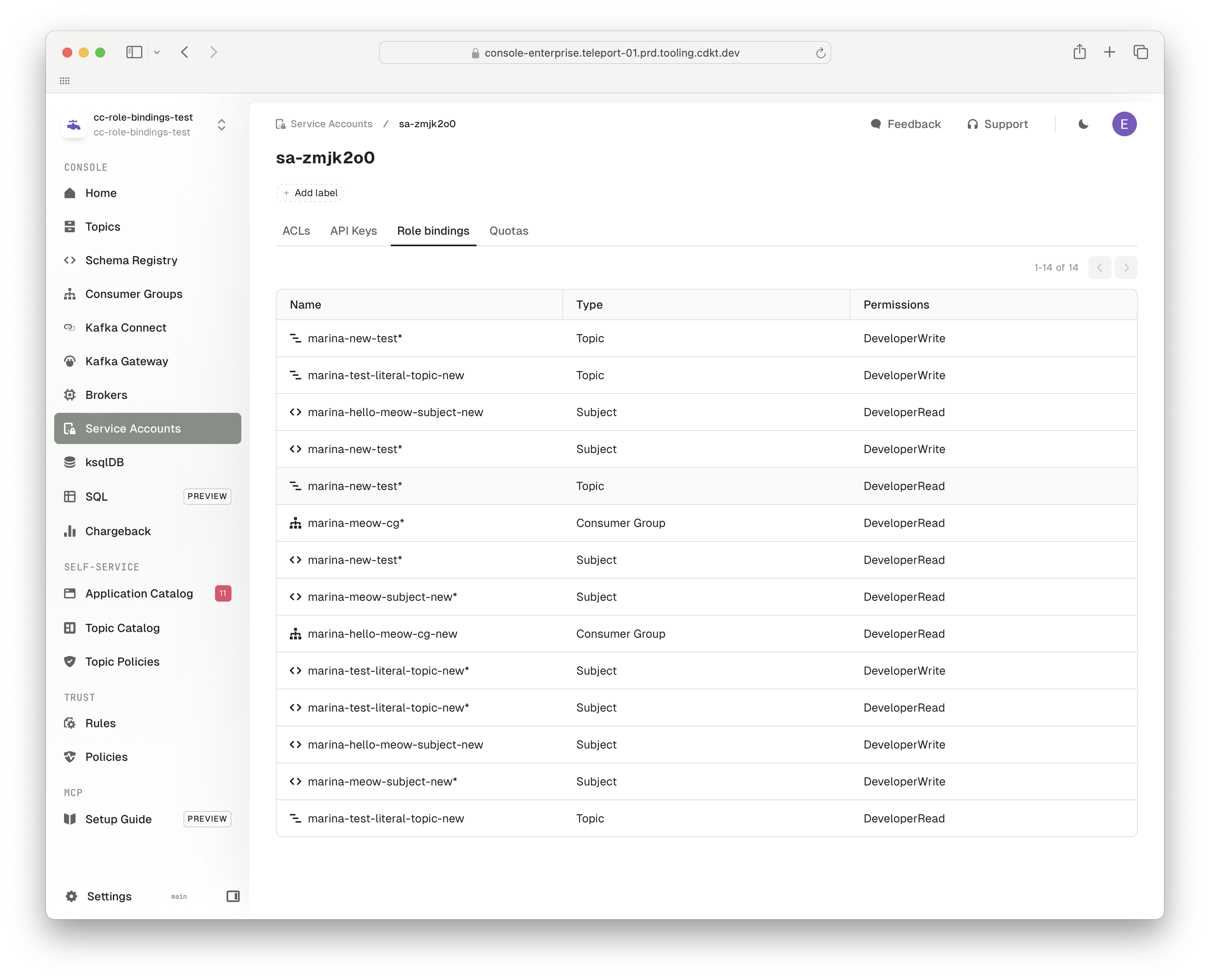
Troubleshoot
What will happen to my previously created ACLs when this is enabled?
What will happen to my previously created ACLs when this is enabled?
Previously created ACLs will not be deleted when you enable role bindings but future applications of resources will result in only the role bindings being created for the relevant service accounts.
How do I retroactively provision role bindings for my existing Self-service resources?
How do I retroactively provision role bindings for my existing Self-service resources?
You’ll need to fetch all your existing ApplicationInstancePermissions and ApplicationInstances and re-apply them. First, run
conduktor get ApplicationInstance and conduktor get ApplicationInstancePermission, save the output to a .yaml file and then run conduktor apply -f <saved-file>.yaml.How do I fix a 403 error when I approve a request?
How do I fix a 403 error when I approve a request?
Console creates role bindings for every application instance on a cluster where you enable them, with the Confluent Cloud API key configured for the cluster. When you approve a request, Console creates a
DeveloperRead role binding for read access, or DeveloperWrite and DeveloperRead for write access, for the recipient’s service account on the topic. If the cluster has a Schema Registry ID configured, Console also creates one on the matching subject prefix.If the error comes from Confluent Cloud (ConfluentCloud Downstream Error), the API key isn’t allowed to create role bindings at one of these scopes. Give the owner of the API key the right to manage role bindings in the cluster’s environment, check that the recipient’s spec.serviceAccount is a Confluent service account ID (sa-...), then approve the request again. If the error comes from Console instead, the user who approves doesn’t have the permission to grant access on the application instance.The request stays pending until the approval succeeds.