

Learn more: Conduktor Gateway The product overview: what Gateway does and the problems it solves.
Gateway benefits
This can be used to provide functionality that is not available in Kafka natively, such as:- Centrally configure encryption at the field-level or full payload.
- Mask sensitive data at the proxy layer.
- Enforce governance and traffic control policies — rate limits, data quality rules, topic creation constraints.
- Leverage multi-tenancy with Virtual Clusters and topic concentration.
- Empower development teams with self-service governance.
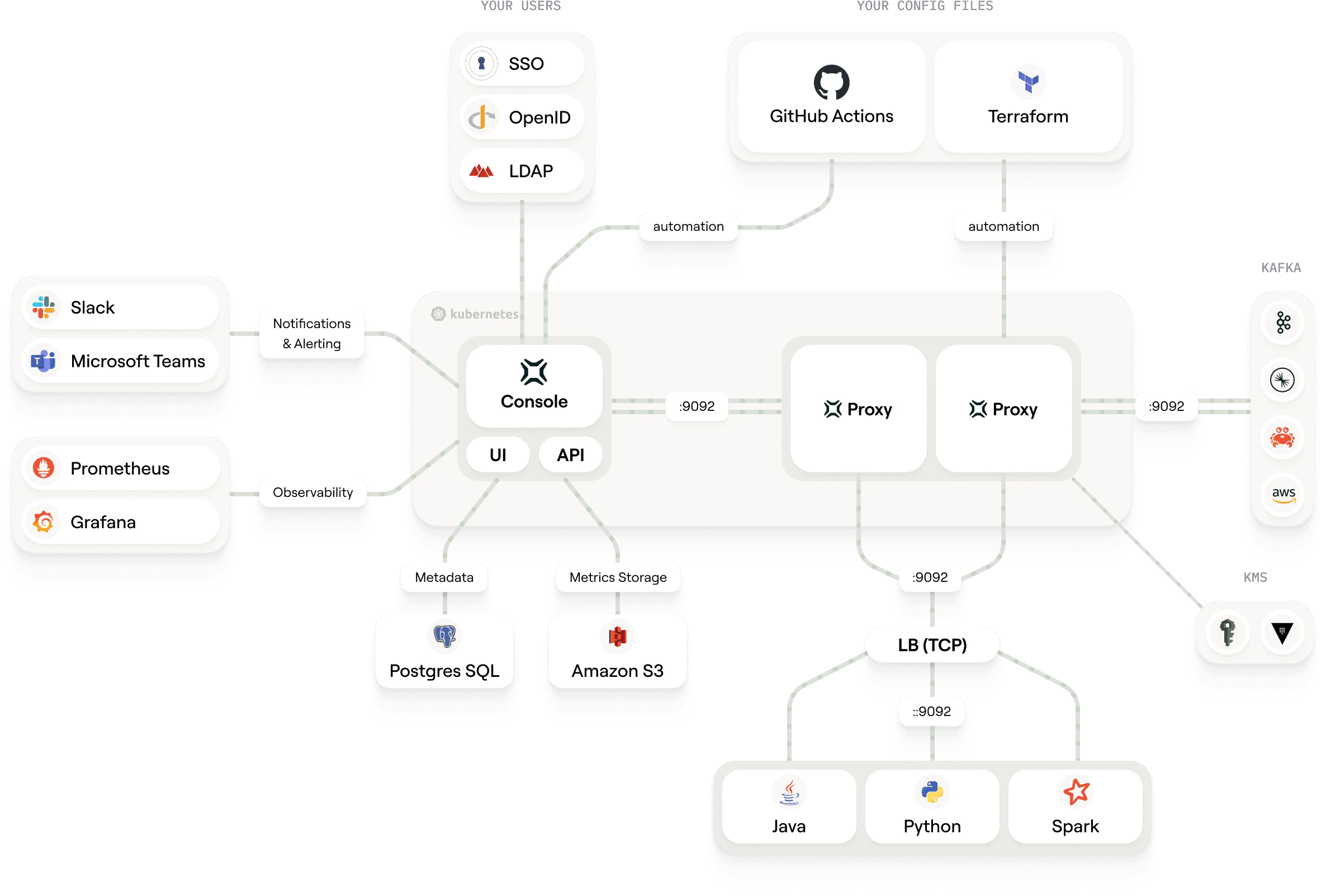
How it works
Gateway acts as a Kafka-compliant middle layer between clients and Kafka clusters.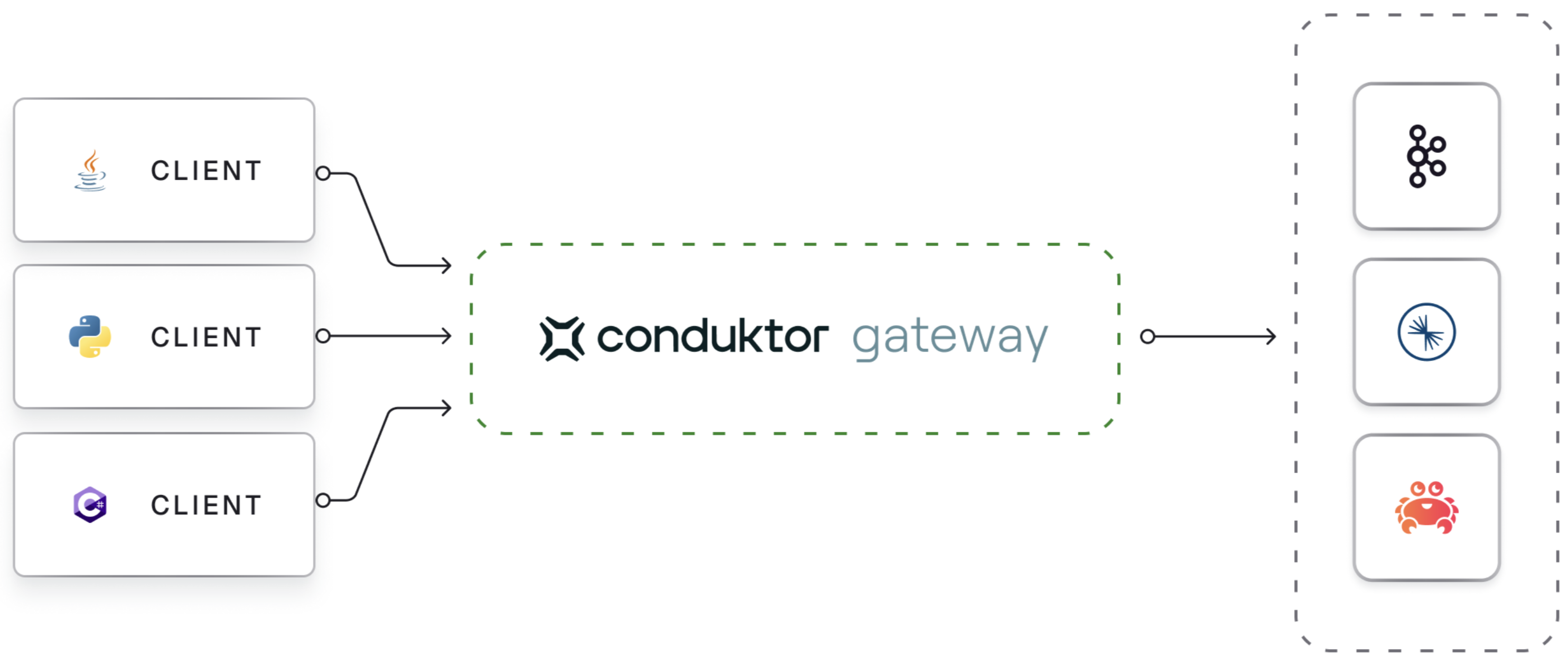
Authentication
Supports multiple security protocols:- PLAINTEXT
- SSL
- SASL SSL
- mTLS