

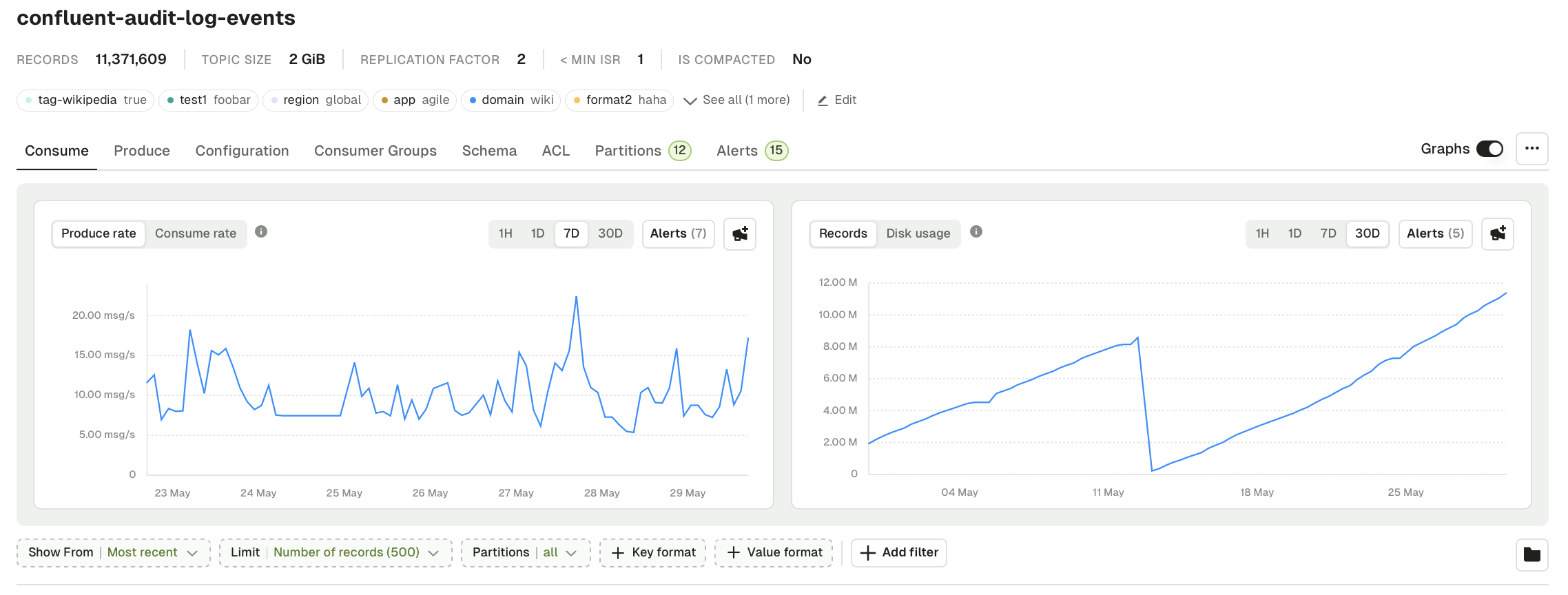
Use the Insights dashboard to identify infrastructure risks related to replication factors, partition distribution, and data skew across your topics.
Prerequisite
Deploy and configure Cortex to enable monitoring and seamlessly integrate it with your existing systems.Ops monitoring
Operations monitoring enhances understanding of your Kafka infrastructure health, allowing you to monitor:- cluster health state,
- partitions health state,
- topic activity, storage,
- and more.
Application monitoring
Application monitoring enhances your understanding of your Kafka applications, by monitoring:- consumer group states and
- consumer group lag
Monitoring metrics
Troubleshoot
Why don't I see brief data spikes in my long-term graphs?
Why don't I see brief data spikes in my long-term graphs?
This happens because of automatic time interval increases for performance optimization:This shows data over a 30 day range with one minute step intervals, ensuring that brief spikes are not averaged.
- 30 day views use eight hour step intervals
- 7 day views use two hour step intervals
- Shorter views use smaller step intervals
Using high-resolution queries may impact performance. Assess the performance trade-offs in your own Grafana instance and adjust the range/step size accordingly.