

Overview
A common pattern in event-driven architectures is to run a Kafka Streams application that reads a topic, keeps only the records a downstream team needs, removes a sensitive field, and writes the result to a second topic. It works, but it adds real operational overhead for what is, at heart, just a filter and a projection. Watch how a read-time topic view compares to a single message transform (SMT), Kafka Streams or Flink:
This tutorial replaces that application with a Conduktor Gateway Topic View: a live, read-only SQL projection of a physical Kafka topic that does not copy any data.
You’ll:
- Run a Kafka Streams transformer that reads a global
orderstopic, keeps only French orders, removes theemailfield, and writes the result toorders_fr_kstreams. - Replace it with a Topic View
orders_fr_viewthat expresses the same filter and projection as one SQL statement, with no application to build or run and no additional storage requirements. - Migrate the downstream consumer to the view so it picks up exactly where the transformer left off, using the correct
group.idand starting offset, with no reprocessing and no data loss.
This migration simplifies operations by moving regional filtering and PII removal into the Gateway.
Prerequisites
- Docker and Docker Compose (bundled with Docker Desktop).
-
A Conduktor license key, exported as an environment variable:
-
Clone the demo repository this tutorial follows step by step:
Stage 1 — Set up
Build and start the “before” world:
- Kafka — a single broker, holding the source topic
ordersand the derived topicorders_fr_kstreams(three partitions each). - Kafka Streams transformer — the app being retired, compiled locally from
transformer/by--build. - Producer / consumer — the
clicontainer. Itsproduce-orders.shandconsume-downstream.shscripts stand in for the upstream producer and downstream consumer used throughout the tutorial. - Conduktor Console + Postgres — the UI and its database, used here to inspect topics and consumer groups.
- CLI
- Console
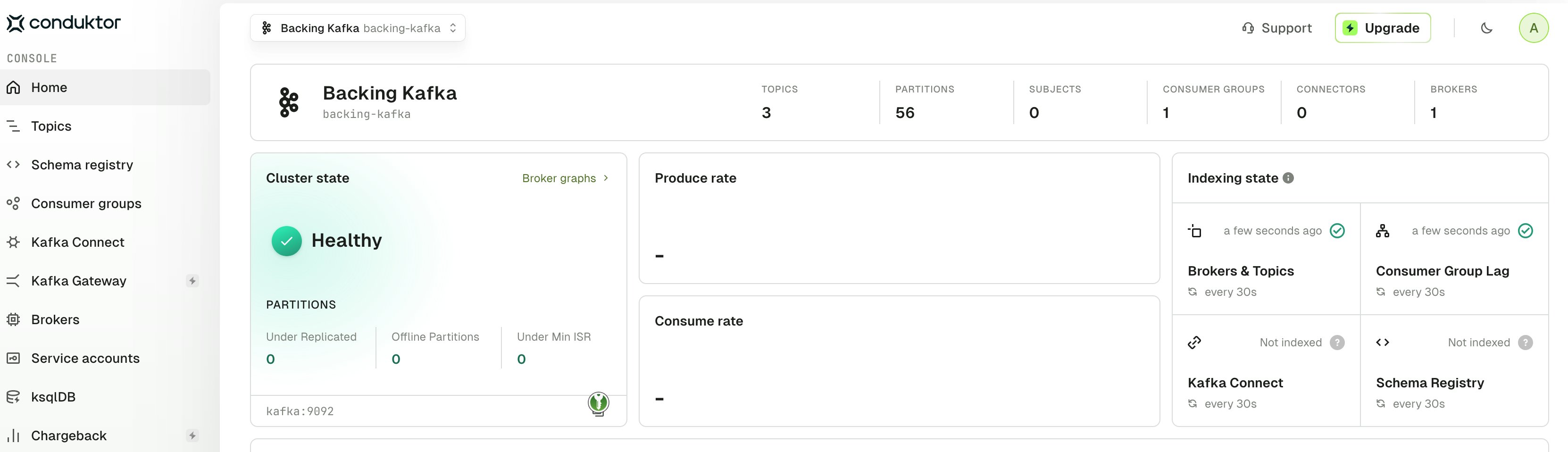
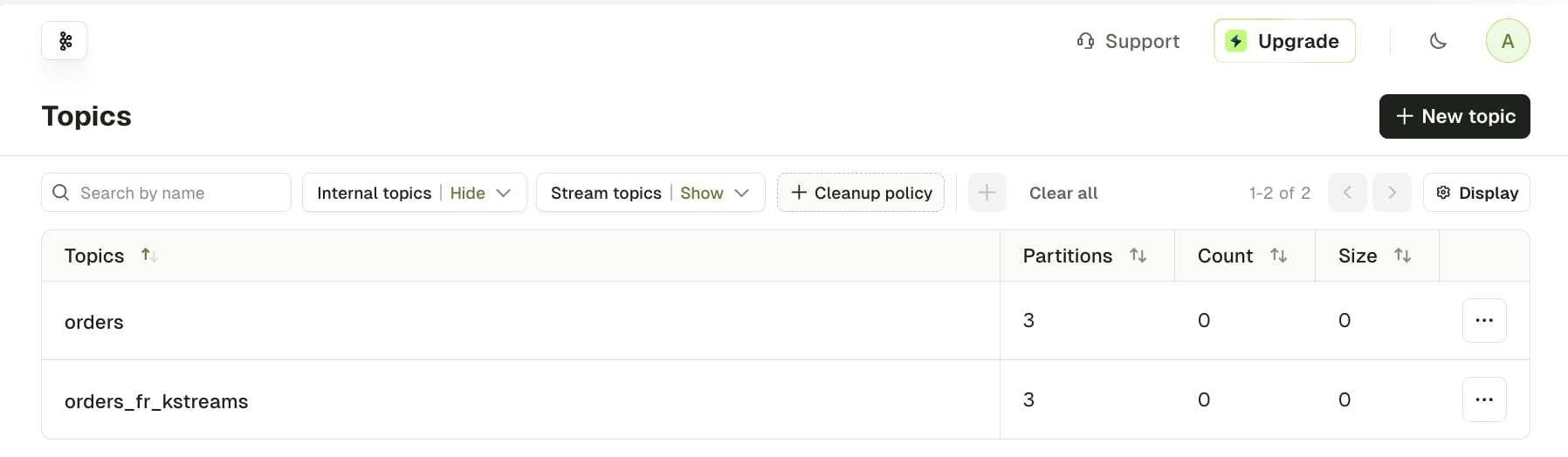
Stage 2 — The “before” world

orders, each with an orderId key separated from the payload by |:
fr-fulfillment consumer, read the derived topic:
email removed:
See it in Console
See it in Console
In Console, open 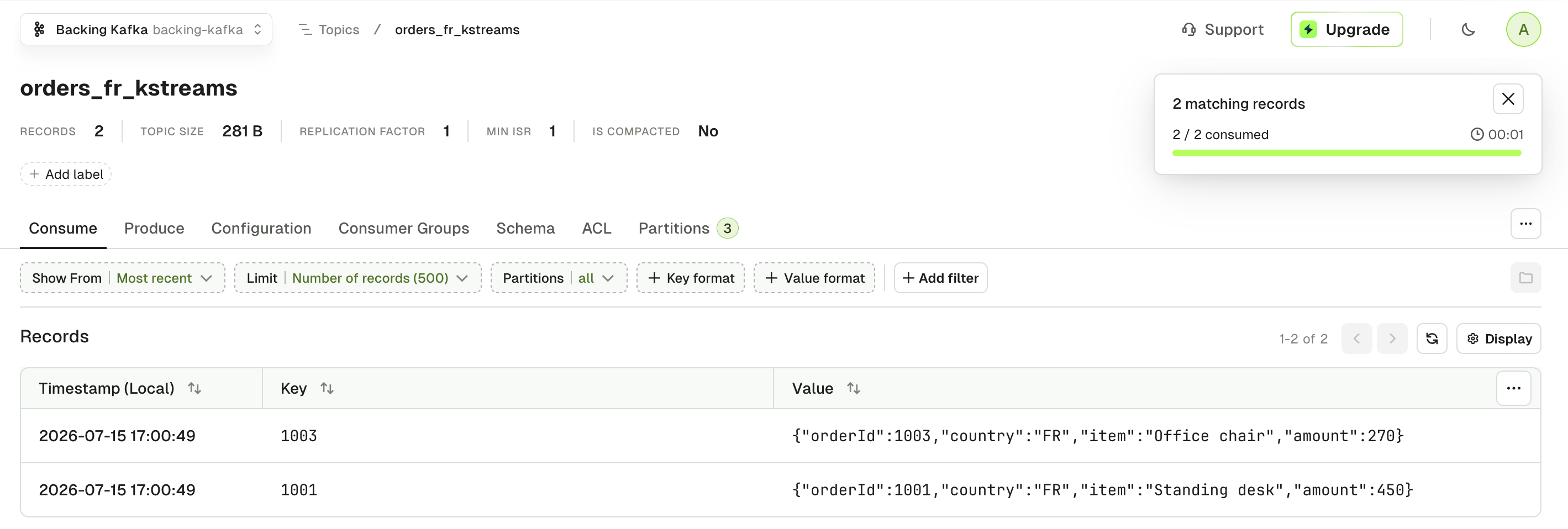
orders_fr_kstreams on the backing-kafka cluster and browse its messages. You will see the same two French orders, without email.orders, keeps only country = FR, drops email, and writes to orders_fr_kstreams. The whole service exists to run these few lines from the transformer topology:
TransformerTopology.java
Stage 3 — Switch to the Gateway
Make sureCONDUKTOR_LICENSE_KEY is exported (the Gateway needs it), then run the switch script from the repo root:
- Stops the transformer.
- Starts the Gateway.
- Waits for the Gateway to report healthy.
- Restarts Console so it re-probes the now-live Gateway.
kafka, cli, console, and postgres keep running. All Kafka data is preserved, including the orders topic and its committed offsets.

- CLI
- Console
Stage 4 — Create the Topic View
Register the view with a single call to the Gateway’s admin API:topic-view/orders_fr_view.json:
orders_fr_view.json
onError controls what the Gateway does when a record can’t be transformed (for example, non-JSON bytes the SQL can’t parse):
DROP, used here, drops the failing record and continuesFAIL_FETCHfails the fetch for that partition instead — see Error handling.
orders_fr_view, a read-only projection applied to the physical orders topic on every consume call.
See it in Console
See it in Console
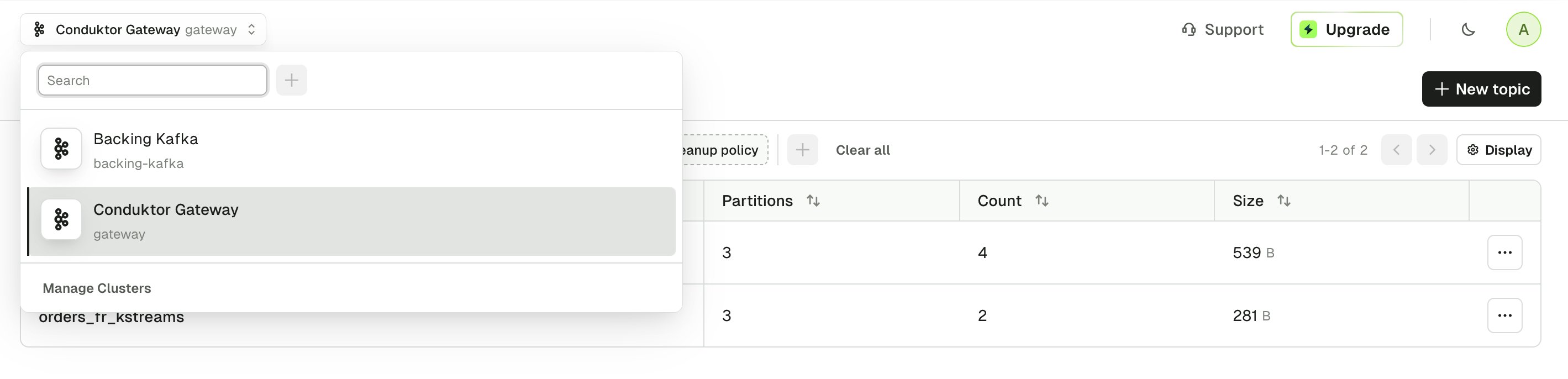
Console can browse the topic view like any other topic. Switch to the Conduktor Gateway cluster and open 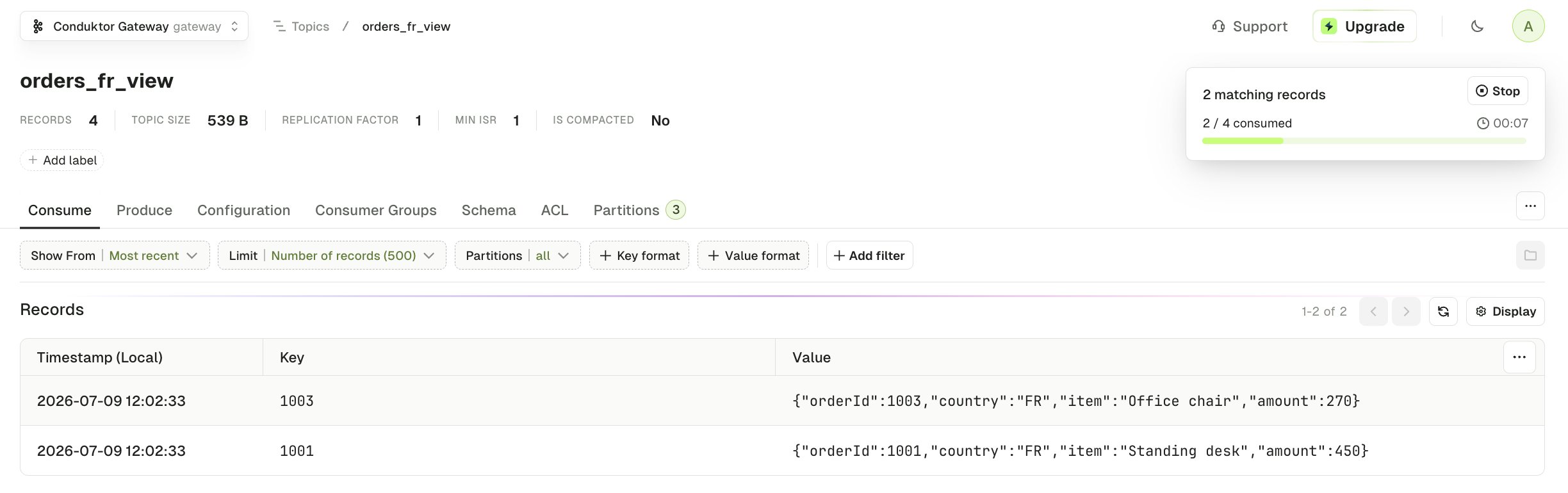
orders_fr_view. You will see the French orders so far (1001 and 1003), with email projected away.
Stage 5 — Migrate the downstream consumer
Now switch the downstream consumer so it resumes exactly where it left off. Three rules of thumb:- Producers don’t stop for a migration — the source keeps growing, so seeding at
latestskips whatever arrived in between. - The starting offset must be final — a stopped, drained pipeline gives a position that won’t move under you.
- Continuity comes from the old position — starting where the old pipeline left off carries the same records forward, with no gap and no repeats.
Create backlog on the source topic
First, make the producer-side risk concrete: the switch stopped the transformer, but not the upstream producer. It keeps writing toorders while you migrate:
orders beyond the point the transformer reached. orders-transformer is the transformer’s own consumer group, and its lag makes that visible:
CURRENT-OFFSET is where the transformer stopped reading; LOG-END-OFFSET is where orders is now. The group hasn’t advanced even though new records arrived — a running transformer would have consumed them within seconds, so the lag confirms it has stopped. Partition 0’s two unread records are part of the backlog the new consumer must pick up.
Notice partition 2 isn’t listed at all: the transformer never committed an offset there, so the group has no entry for it — yet partition 2 of orders does hold unread records from the second batch. That invisible partition is the trap the migration has to handle — it must seed every partition, defaulting a never-committed one to 0, or those records would be silently skipped.
See it in Console
See it in Console
Console shows the same two partitions under Consumer Groups → 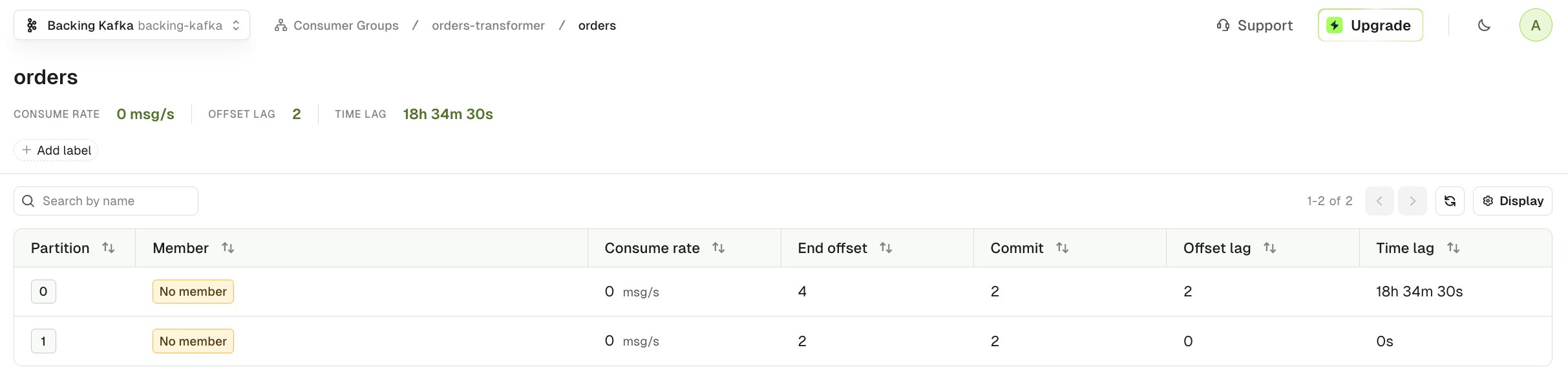
orders-transformer → orders on the backing-kafka cluster. Like the CLI, it lists only the partitions the group has committed to, so the never-used partition 2 doesn’t appear here either.Confirm the old pipeline is drained
Next, make sure the old pipeline’s final position is stable. Because the transformer is stopped, it will have published no new messages to theorders_fr_kstreams topic.
- CLI
- Console
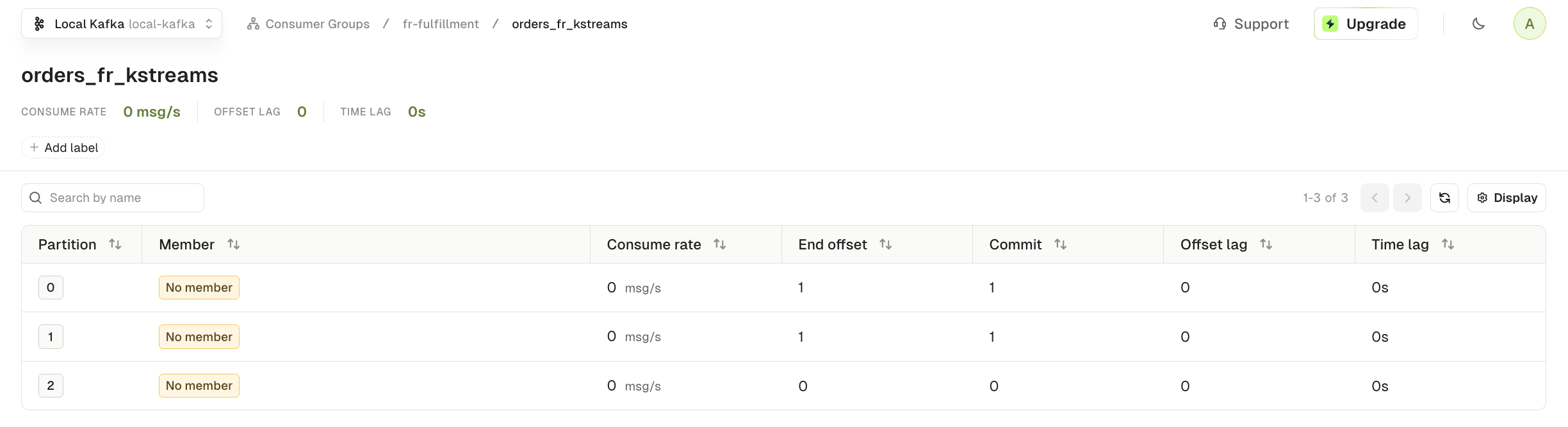
LAG is 0 on every partition. Combined with the stopped transformer above, that tells you the old derived-topic pipeline is fully caught up and no new records can still arrive on orders_fr_kstreams.
Understand the view’s offset model
With backlog present and the old pipeline stable, the remaining question is which offset space the view should resume from. The view resumes at a position on the input topic,orders. Two facts lead there — take them in order.
1. The old topic’s offsets don’t line up.

orders_fr_kstreams, renumbered from 0. So fr-fulfillment’s committed offsets there (0–3) trace back to scattered orders offsets (1, 3, 5, 7) — they can’t tell the view where to resume.
2. The view shares the orders offset axis.

orders, including the US and DE ones the filter removes — a filtered-out record still occupies an offset, so the FR records keep their orders positions with no renumbering. The resume position is therefore just an orders offset, and the group that already tracks it is the Kafka Streams app’s, orders-transformer.
Because fr-fulfillment already drained everything the transformer produced to orders_fr_kstreams, orders-transformer’s committed position on orders is the right place for the view consumer to resume.
Name the topic view consumer group correctly
To prevent collisions between Topic Views that share the same underlying topic, the Gateway requires any consumer group that commits offsets against a Topic View to include the view name in itsgroup.id, delimited by ::.
For this tutorial we set the Topic View name as a prefix:
orders_fr_view:: is the required prefix. The remainder is free-form, so this tutorial keeps the existing group name, fr-fulfillment, unchanged. Without the prefix, the Gateway rejects operations on the consumer group:
The required
group.id prefix is a temporary limitation. We plan to remove it once the Gateway supports the KIP-848 consumer group protocol.Run the migration
With all three rules of thumb satisfied, you can seed the new consumer:- Producers don’t stop — the batch-2 backlog is sitting unprocessed on
orders, waiting for the new consumer. - The starting offset must be final — the transformer is stopped and
fr-fulfillmentis drained, so nothing moves under the migration. - Continuity comes from the old position —
orders-transformer’s committed offset onordersis where the view consumer resumes.
migrate-consumer.sh seeds a target group from a source group’s committed offsets. In this case, the source is the transformer’s group on orders, and the target is the new consumer on orders_fr_view.
Run it with the required Topic View group name:
NEW-OFFSET column is the position the script set for the new group on each partition, copied straight from orders-transformer’s committed offsets on orders: partitions 0 and 1 resume at 2, where the transformer stopped, and partition 2 at 0.
Partition 2 matters. The transformer never read from it during batch 1, so it had no committed offset — but the script still seeds it at 0 rather than leaving it to auto.offset.reset, so the batch-2 record waiting there isn’t skipped.
See the full script, with inline comments on each decision, in scripts/migrate-consumer.sh.
Inspect the migrated group — the batch-2 backlog now shows as lag on the new group:
- CLI
- Console
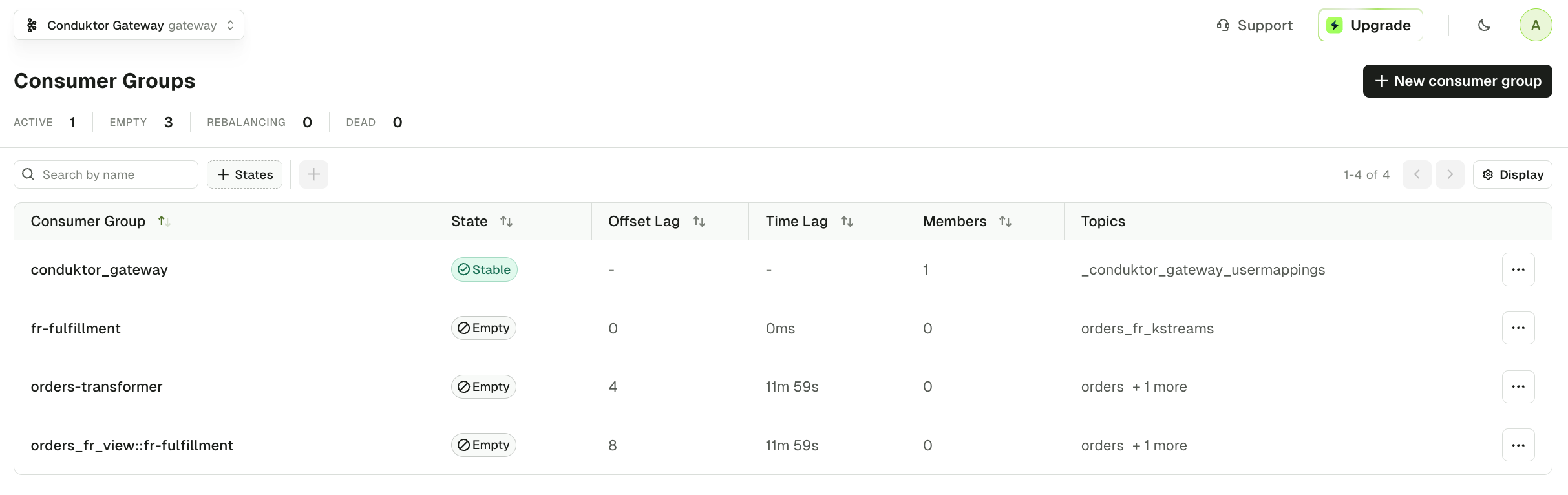
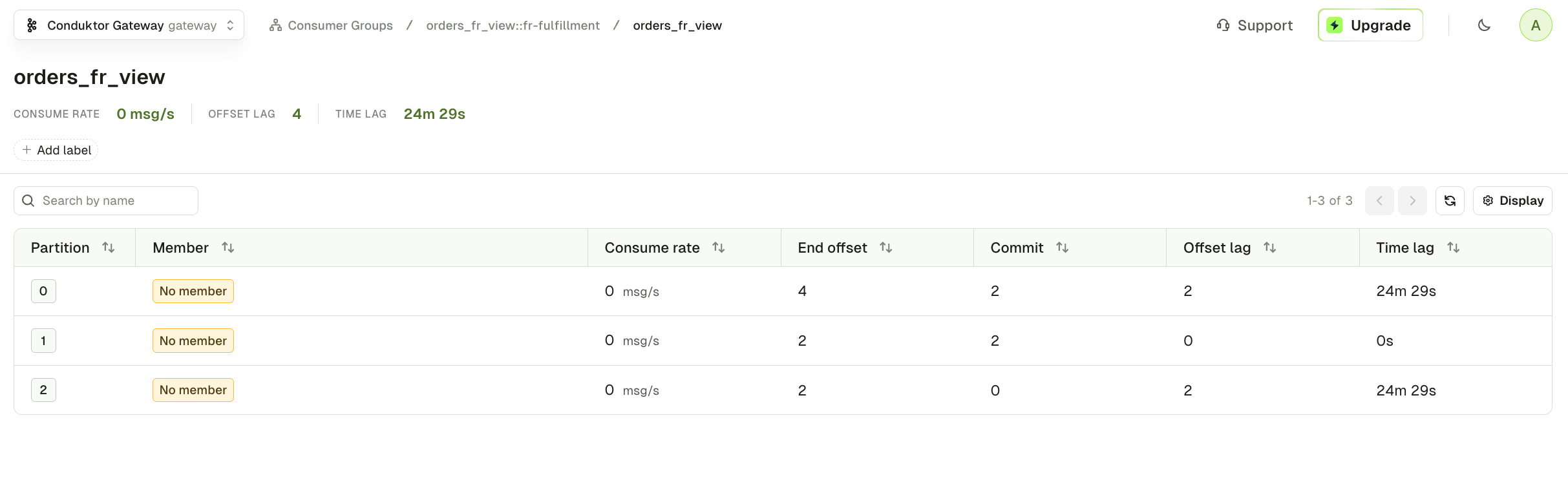
2, 2, and 0 on partitions 0, 1, and 2; the four batch-2 records beyond those offsets show as LAG, which consuming in the next stage drains.
Stage 6 — The “after” world

2001 and 2003, with email removed.
- No reprocessing — the batch-1 FR orders (
1001,1003) are not re-read. The consumer resumed at the transformer’s committed offset. - No loss — the new FR orders still came through.
2003landed on the partition the transformer never used, which was seeded at0; starting atlatestwould have skipped both new orders. - No transformer service — the same FR-only, PII-stripped output now comes from a single SQL view at read time.
Stage 7 — Clean up
-v also drops the Kafka and Postgres volumes for a clean slate.
Conclusion
You replaced a Kafka Streams application with a single SQL Topic View and migrated its downstream consumer without reprocessing or data loss. A few things worth carrying forward:- A Topic View is a live projection, not a copy. The Gateway applies the SQL on every consume call against the physical topic, so there is no derived topic to store or keep in sync.
- View consumers live in the input topic’s offset space. Migrate them by seeding the new group from the transformer’s committed offsets on the input topic, not from a downstream topic’s independent offsets.
- Consumer groups targeting a Topic View need the
viewName::group prefix. It’s how the Gateway keeps two different Topic Views from overriding each other’s offsets.
- Topic Views and logical topics — the full concept, including the SQL surface and error handling.
- Set the consumer group ID — reading from one or more views.