

Overview
Chargeback enables organizations to track and allocate costs associated with Kafka topics by tracking storage and partition use. This feature, introduced in Console v1.41.0 does not require Gateway (unlike Chargeback with Gateway). It collects metrics directly from Console’s metadata indexer which queries topic and partition information from your clusters.Prerequisites
Chargeback without Gateway requires Console (v1.41.0 or above).Environment variables
| Environment variable | Type | Default | Description |
|---|---|---|---|
CDK_CHARGEBACKV2_ENABLED | Boolean | false | Set to true to enable Chargeback with and without Gateway |
CDK_CHARGEBACKV2_METRICSUPDATEFREQUENCY | Long (seconds) | 3600 | Frequency of metrics collection (default: 1 hour) |
- Lower frequency (e.g., 30 minutes): more granular data, higher resource usage
- Higher frequency (e.g., two hours): less granular data, lower resource usage
- Default: one hour
Enable Chargeback without Gateway in Console
- Enable the feature flag and optionally set the metrics update frequency.
- bash
- docker compose
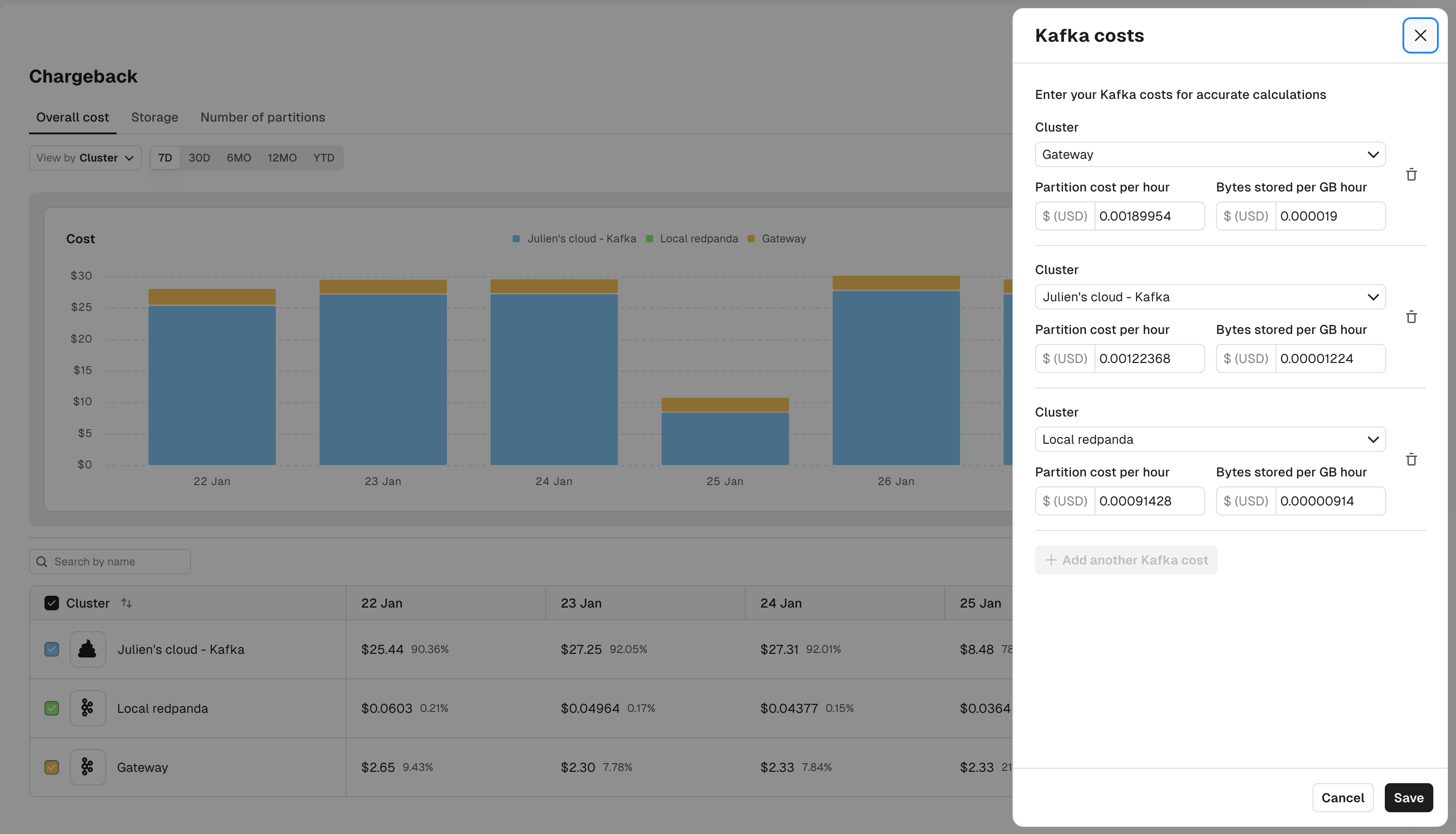
- Configure cost rates.
- Grant user permissions.
PlatformChargebackManage permission assigned.
Console shows all cluster cost attribution regardless of whether the user has access to that cluster.
Console begins collecting metrics immediately after enabling, but data will only appear after the first collection interval (default: one hour).