

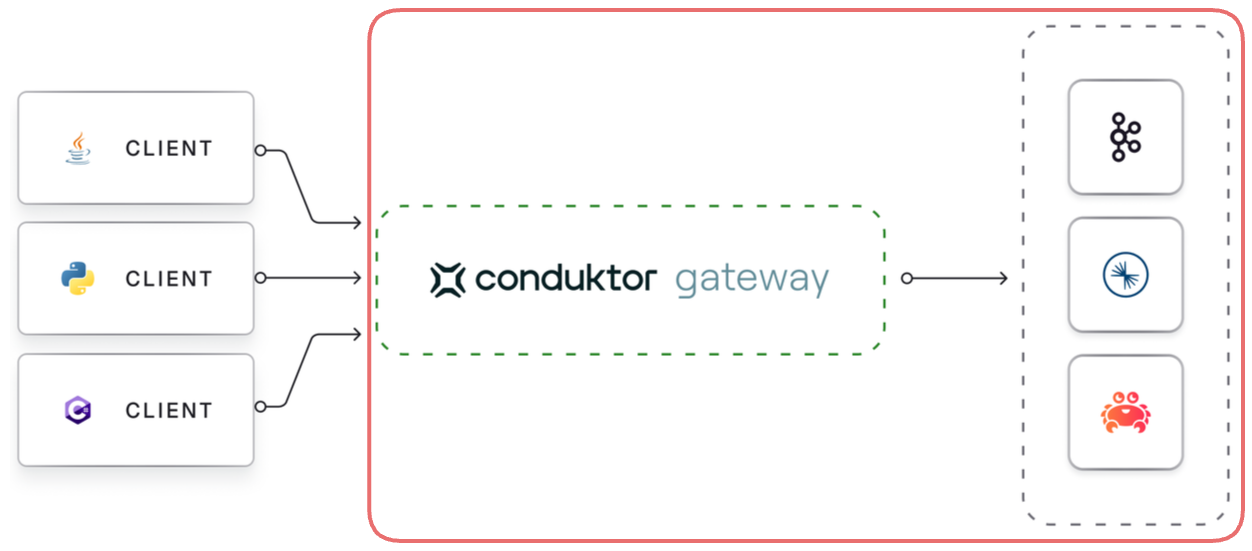
KAFKA_ are mapped to configuration properties for connecting Gateway to the Kafka cluster.
As Gateway is based on the Java-based Kafka-clients, it supports all configuration properties that Java-clients do.
Kafka configuration properties are mapped to Gateway environment variables as follows:
- Add a
KAFKA_prefix - Replace each dot,
., with an underscore,_ - Convert to uppercase
bootstrap.servers is set by the KAFKA_BOOTSTRAP_SERVERS environment variable.
Supported protocols
You can use all the Kafka security protocols to authenticate Gateway to the Kafka cluster;PLAINTEXT, SASL_PLAINTEXT, SASL_SSL and SSL.
These can be used with all SASL mechanisms supported by Apache Kafka: PLAIN, SCRAM-SHA, OAuthBearer, Kerberos etc. In addition, we support IAM authentication for AWS MSK clusters.
In the following examples, we provide blocks of environment variables which can be provided to Gateway, e.g. in a docker-compose file, or a helm deployment.
Information which should be customized is enclosed by < and >.
PLAINTEXT
Kafka cluster without authentication or encryption in transit,PLAINTEXT.
In this case you just need the bootstrap servers:
SSL
mTLS
Kafka cluster with mTLS client authentication.SASL_PLAINTEXT
Kafka cluster with SASL_PLAINTEXT security protocol but no encryption in transit, supporting the following SASL_MECHANISMs.SASL PLAIN
SASL SCRAM
OAuthBearer (client secret)
SASL_SSL
Kafka cluster that uses SASL for authentication and TLS (formerly SSL) for encryption in transit.PLAIN
Kafka cluster with SASL_SSL and PLAIN SASL mechanism.Confluent Cloud with API key/secret
This example can be seen as a special case of the above.SASL SCRAM
SASL GSSAPI (Kerberos)
OAuthBearer (client secret)
OAuthBearer (client assertion)
Rather than a shared client secret, the Gateway can authenticate to the Kafka cluster with a signed JWT assertion (KIP-1258).allowed.files list via JAVA_OPTS:
AWS MSK cluster with IAM
Service account and ACL requirements
Gateway connects to the backing Kafka with its own service account. What else that account needs depends on the security mode you run:- In Kafka-managed mode, clients present their own credentials and Gateway reuses them to reach Kafka, so each client inherits the ACLs of its own service account on the backing cluster
- In Gateway-managed mode, Gateway reaches Kafka with its own service account for every client, so that account also needs every permission your Gateway users rely on
Read,WriteandDescribeConfigson Gateway’s internal topics, which default to the_conduktor_${GATEWAY_CLUSTER_ID}_prefixCreateon those topics, or on the cluster, unless you pre-create them all withcleanup.policy=compacton the state topicsReadon theconduktor_${GATEWAY_CLUSTER_ID}-fleetmembership group, or on the group set inGATEWAY_GROUP_IDDescribeon the physical topics behind alias topics and topic viewsWriteandCreateon the topics Gateway writes its own records to: the audit log, the observability Interceptor (chargeback) topic, and the violation and dead letter topics of your data validation policies
DescribeandDescribeConfigson the physical topics, plusCreateandAlterConfigsfor auto-managed rulesDescribeConfigson the cluster, if clients create concentrated topics without a partition countReadon the physical topics behind rules that still set the deprecatedoffsetCorrectness, and a prefixedReadACL on consumer groupconduktor_${GATEWAY_CLUSTER_ID}-logical-offsets-, or${GATEWAY_GROUP_ID}-logical-offsets-when you set that variable