

Learn how Kafka producers send data to topics in 12 minutes Producers are applications that write data to Kafka topics. Understanding how producers work, including message keys, serialization, and partitioning, is essential for building reliable data pipelines. What you’ll learn:Documentation Index
Fetch the complete documentation index at: https://docs.conduktor.io/llms.txt
Use this file to discover all available pages before exploring further.
- How producers send messages to Kafka topics
- How message keys affect partitioning and ordering
- The structure of a Kafka message
- How serialization converts data to bytes
Kafka producers
Once a topic has been created with Kafka, the next step is to send data into the topic. This is where Kafka producers come in. Applications that send data into topics are known as Kafka producers. Applications typically integrate a Kafka client library to write to Apache Kafka. Excellent client libraries exist for almost all programming languages that are popular today including Python, Java, Go, and others.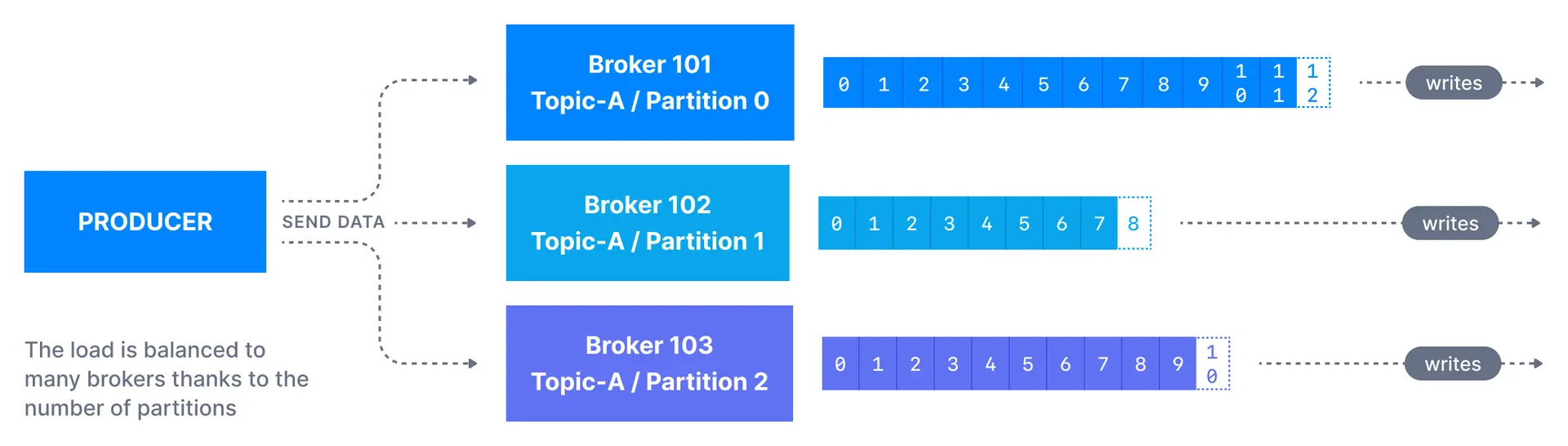
Message keys
Each event message contains an optional key and a value. In case the key (key=null) is not specified by the producer, messages are distributed evenly across partitions in a topic. This means messages are sent in a round-robin fashion (partition p0 then p1 then p2, etc… then back to p0 and so on…).
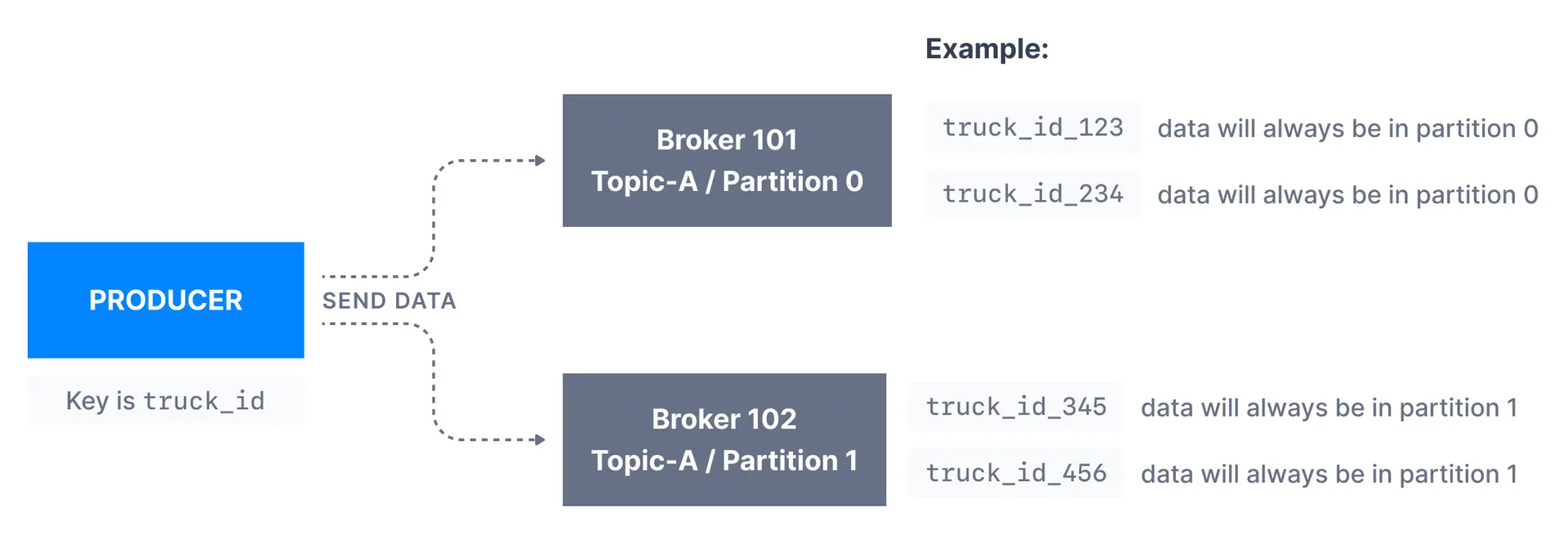
If a key is sent (key != null), then all messages that share the same key will always be sent and stored in the same Kafka partition. A key can be anything to identify a message - a string, numeric value, binary value, etc.
Kafka message keys are commonly used when there is a need for message ordering for all messages sharing the same field. For example, in the scenario of tracking trucks in a fleet, we want data from trucks to be in order at the individual truck level. In that case, we can choose the key to be truck_id. In the example shown below, the data from the truck with id truck_id_123 will always go to partition p0.
When to use message keys
| Use case | Key recommendation |
|---|---|
| Order processing | Order ID (keep all events for an order together) |
| User activity tracking | User ID (maintain user event sequence) |
| IoT sensor data | Device ID (preserve per-device ordering) |
| Log aggregation | No key needed (maximize throughput) |
| Metrics collection | No key needed (even distribution) |
Kafka message anatomy
Kafka messages are created by the producer. A Kafka message consists of the following elements: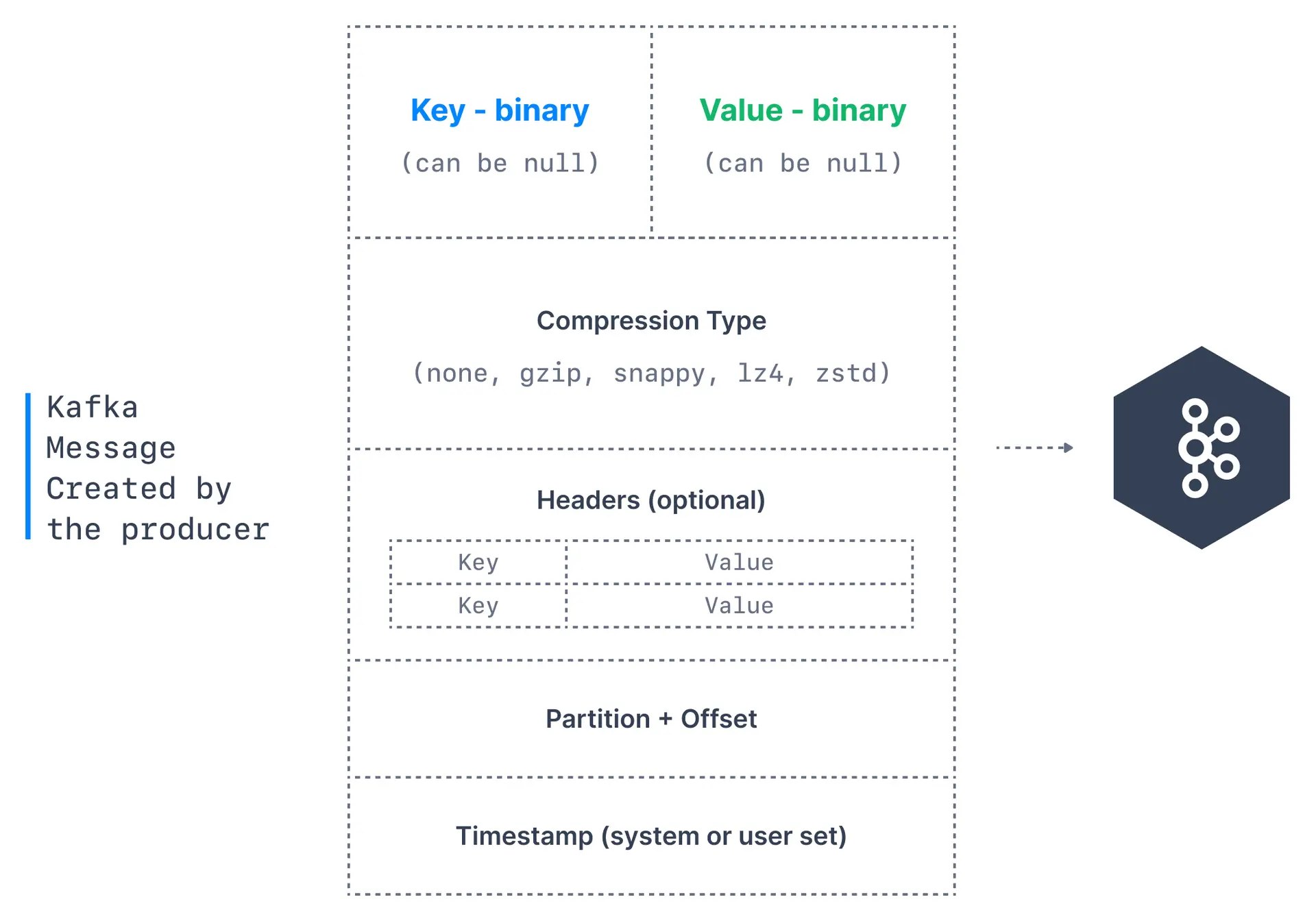
- Key. Key is optional in the Kafka message and it can be null. A key may be a string, number, or any object and then the key is serialized into binary format.
- Value. The value represents the content of the message and can also be null. The value format is arbitrary and is then also serialized into binary format.
- Compression Type. Kafka messages may be compressed. The compression type can be specified as part of the message. Options are
none,gzip,lz4,snappy, andzstd - Headers. There can be a list of optional Kafka message headers in the form of key-value pairs. It is common to add headers to specify metadata about the message, especially for tracing.
- Partition + Offset. Once a message is sent into a Kafka topic, it receives a partition number and an offset id. The combination of topic+partition+offset uniquely identifies the message
- Timestamp. A timestamp is added either by the user or the system in the message.
Kafka message serializers
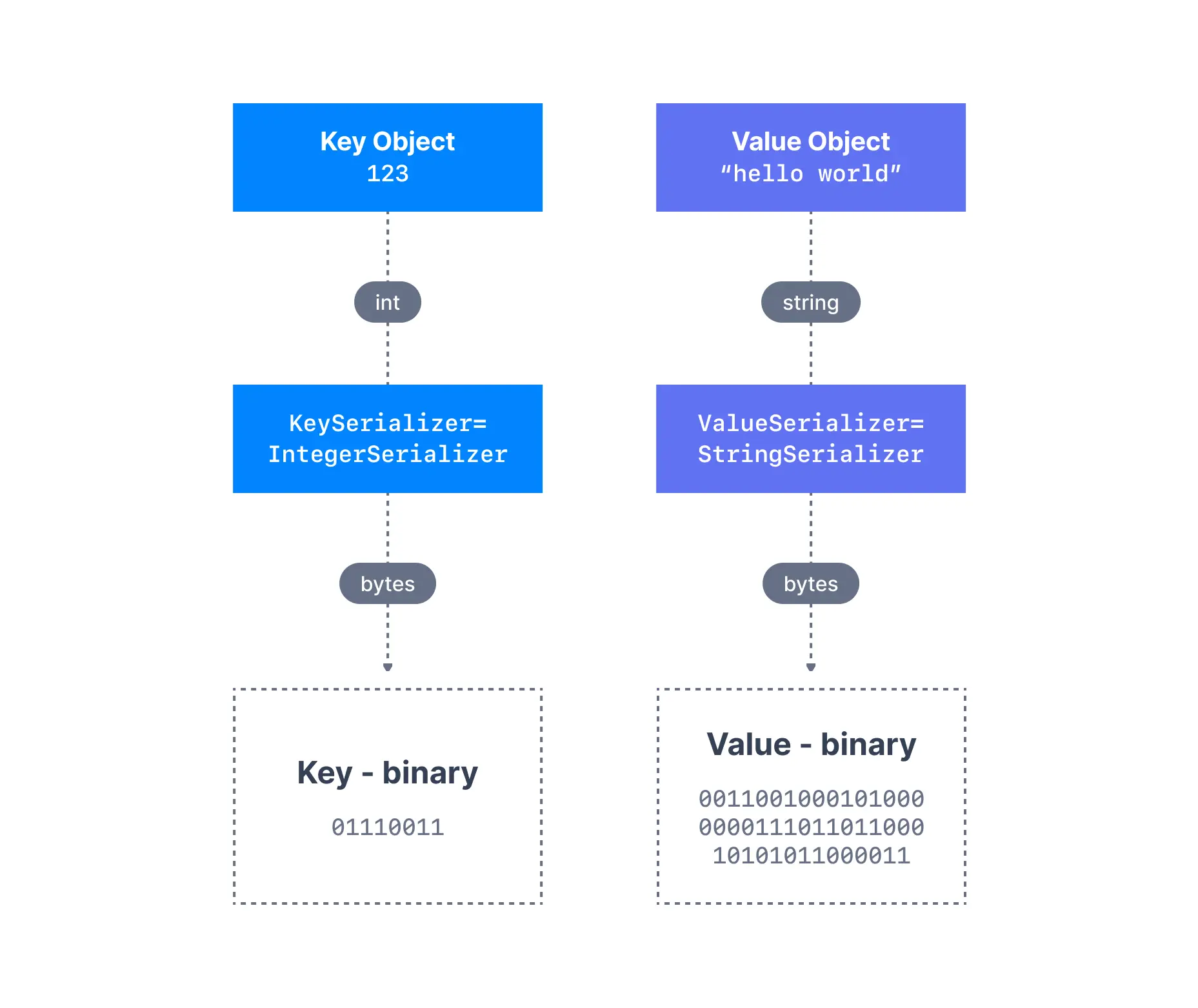
In many programming languages, the key and value are represented as objects, which greatly increases the code readability. However, Kafka brokers expect byte arrays as keys and values of messages. The process of transforming the producer’s programmatic representation of the object to binary is called message serialization. As shown below, we have a message with anInteger key and a String value. Since the key is an integer, we have to use an IntegerSerializer to convert it into a byte array. For the value, since it is a string, we have to use a StringSerializer.
Common serialization formats
| Format | Best for | Schema support |
|---|---|---|
| String/JSON | Flexibility, debugging | No built-in |
| Avro | Schema evolution, compact | Schema Registry |
| Protobuf | Performance, cross-language | Schema Registry |
Kafka message key hashing
A Kafka partitioner is a code logic that takes a record and determines to which partition to send it into.
partitioner.class, although it is not advisable unless you know what you are doing.
If you increase the number of partitions for a topic, the same key may hash to a different partition. This breaks ordering guarantees for existing keys.
See it in practice with ConduktorConduktor Console lets you produce messages to topics directly from the UI. Test different keys, values, and headers to see how messages are distributed across partitions.
Next steps
- Understand topic replication to learn about producer acknowledgments
- Learn about Kafka consumers to understand how data is read
- Explore producer batching to optimize throughput
- Configure producer acknowledgments for reliability