

Learn about Kafka topics, partitions and offsets in 10 minutes Topics are the fundamental unit of organization in Apache Kafka. Understanding how topics, partitions, and offsets work together is essential for building effective data streaming applications. What you’ll learn:Documentation Index
Fetch the complete documentation index at: https://docs.conduktor.io/llms.txt
Use this file to discover all available pages before exploring further.
- What Kafka topics are and how they organize data
- How partitions enable scalability and parallelism
- What offsets are and how they track message position
- How messages are ordered within partitions
Kafka topics, partitions and offsets
Beginner AdvancedWhat is a Kafka topic?
Similar to how databases have tables to organize and segment datasets, Kafka uses the concept of topics to organize related messages. A topic is identified by its name. For example, we may have a topic called logs that may contain log messages from our application, and another topic called purchases that may contain purchase data from our application as it happens.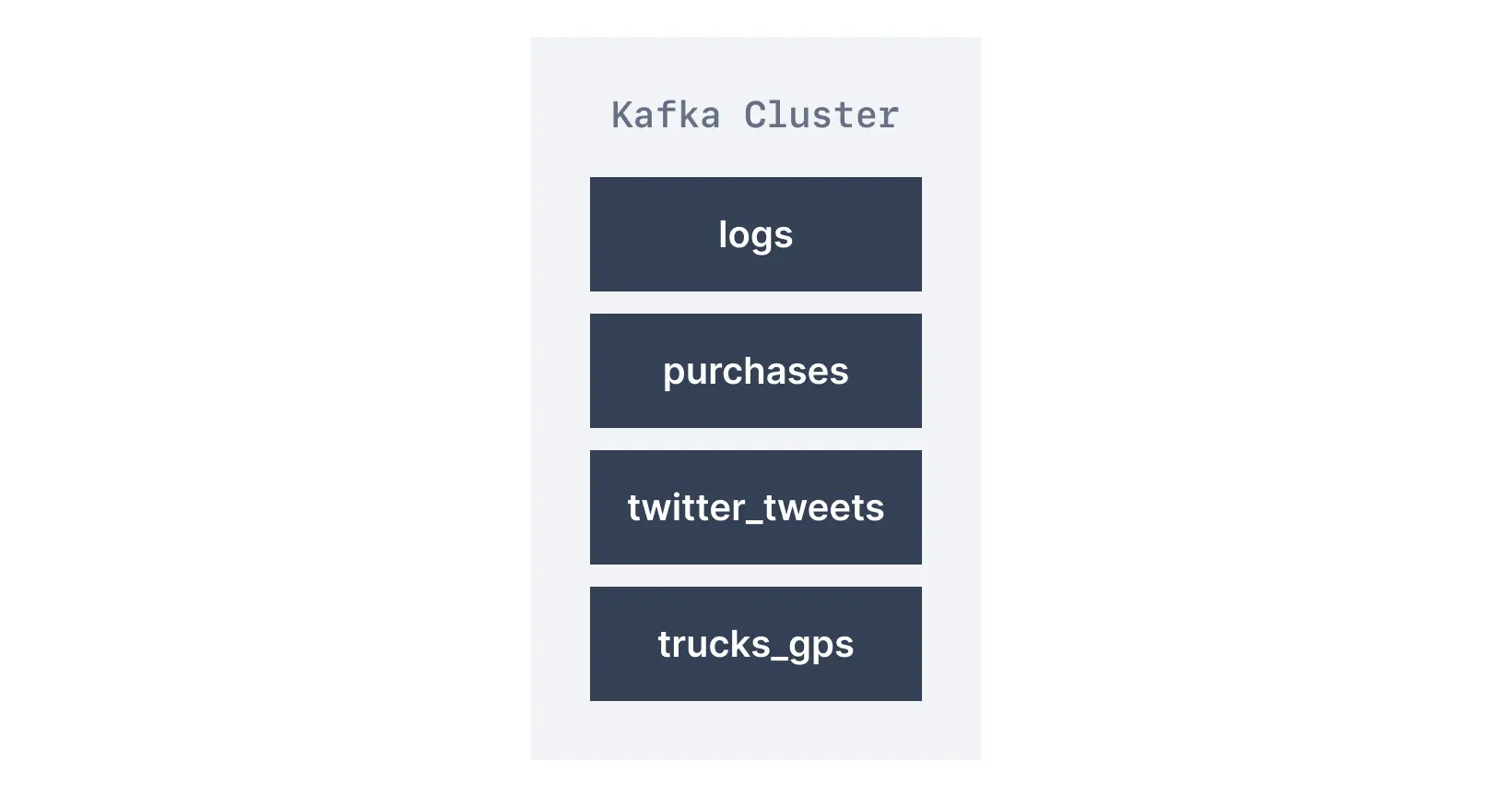
What are Kafka partitions?
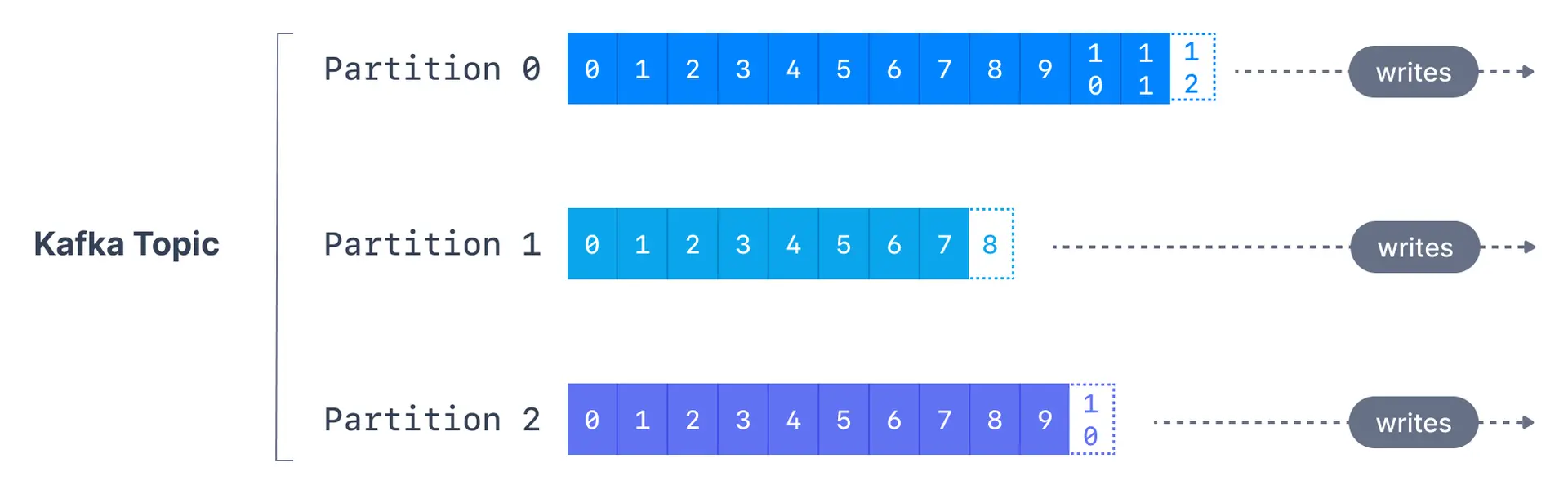
Topics are broken down into a number of partitions. A single topic may have more than one partition, it is common to see topics with 100 partitions. The number of partitions of a topic is specified at the time of topic creation. Partitions are numbered starting from0 to N-1, where N is the number of partitions. The figure below shows a topic with three partitions, with messages being appended to the end of each one.
Why use partitions?
Partitions serve two critical purposes:- Scalability: Data is distributed across multiple brokers, allowing the cluster to handle more data than a single server could
- Parallelism: Multiple consumers can read from different partitions simultaneously, increasing throughput
Kafka topic example
What are Kafka offsets?
Apache Kafka offsets represent the position of a message within a Kafka partition. Offset numbering for every partition starts at0 and is incremented for each message sent to a specific Kafka partition. This means that Kafka offsets only have a meaning for a specific partition, e.g., offset 3 in partition 0 doesn’t represent the same data as offset 3 in partition 1.
Even though we know that messages in Kafka topics are deleted over time (as seen above), the offsets are not re-used. They continually are incremented in a never-ending sequence.
Message ordering
Here is how message ordering works:| Scenario | Ordering guarantee |
|---|---|
| Messages with same key | Ordered (same partition) |
| Messages without key | Not ordered (round-robin) |
| Messages across partitions | Not ordered |
See it in practice with ConduktorConduktor Console provides a visual interface for creating and managing topics. Browse topic messages, view partition distribution, and monitor topic metrics in real-time.
Next steps
- Learn about Kafka producers to understand how data is written to topics
- Learn about Kafka consumers to understand how data is read from topics
- Explore topic configuration for advanced settings like retention and compaction