

Learn how Kafka stores data on disk with segments and indexes in 12 minutes Understanding Kafka’s storage internals helps you troubleshoot issues, tune configurations, and make informed decisions about segment sizing and retention policies. What you’ll learn:Documentation Index
Fetch the complete documentation index at: https://docs.conduktor.io/llms.txt
Use this file to discover all available pages before exploring further.
- How partitions are split into segments on disk
- The role of offset and timestamp indexes
- Segment configuration options and their impact
- How to inspect Kafka’s directory structure
Kafka topic partitions and segments
The basic storage unit of Kafka is a partition replica. When you create a topic, Kafka first decides how to allocate the partitions between brokers. It spreads replicas evenly among brokers. Kafka brokers split each partition into segments. Each segment is stored in a single data file on the disk attached to the broker. By default, each segment contains either 1 GB of data or a week of data, whichever limit is attained first. When the Kafka broker receives data for a partition, as the segment limit is reached, it will close the file and start a new one: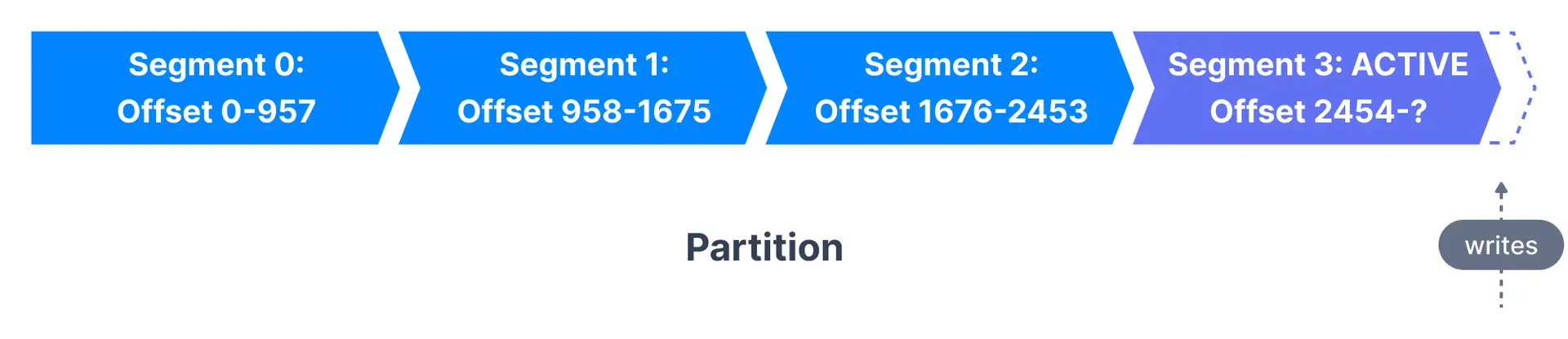
Segment configuration
| Configuration | Default | Description |
|---|---|---|
log.segment.bytes | 1 GB | Maximum size of a single segment |
log.segment.ms | 7 days | Time before closing segment if not full |
Kafka topic segments and indexes
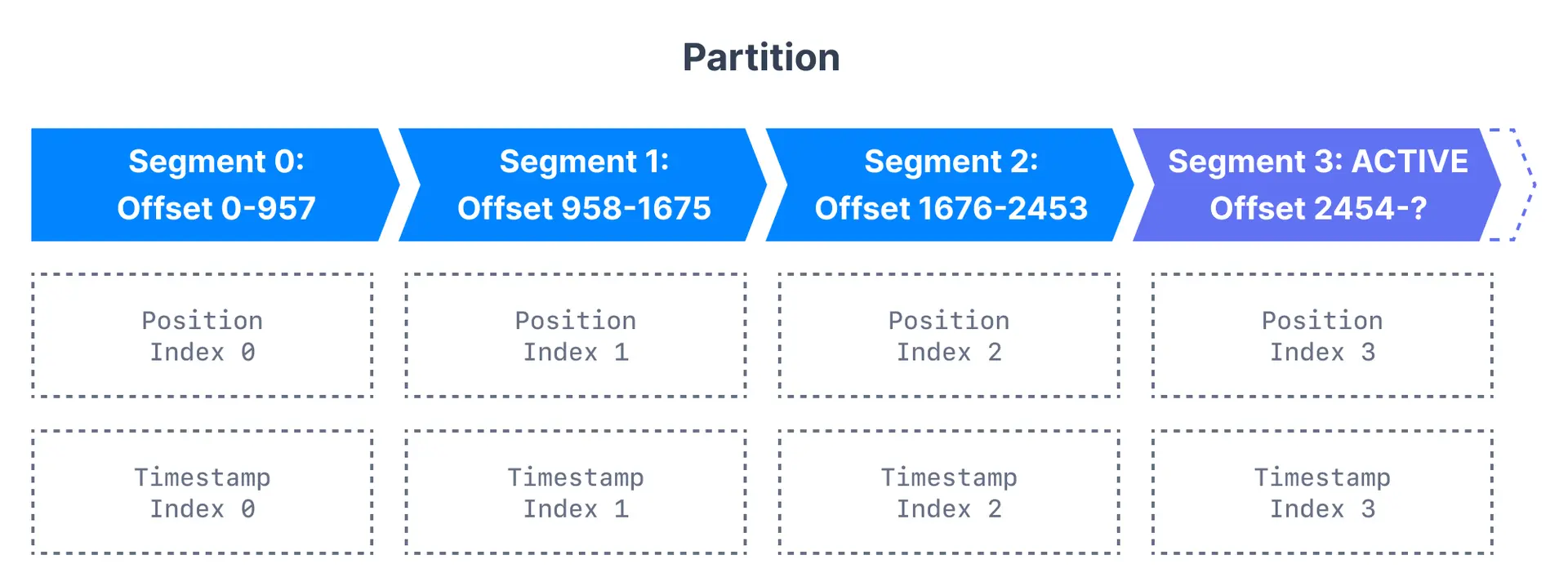
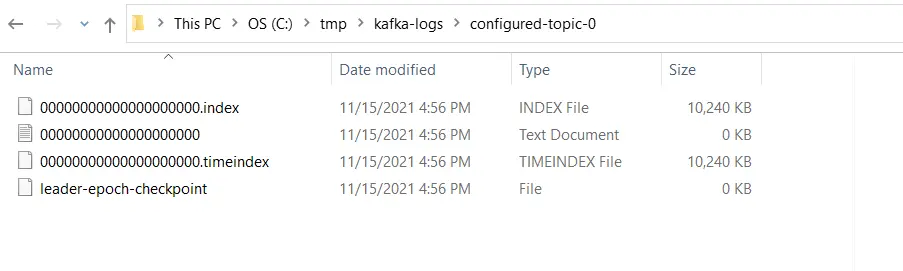
Kafka allows consumers to start fetching messages from any available offset. To help brokers quickly locate the message for a given offset, Kafka maintains two indexes for each segment:| Index type | Purpose | Use case |
|---|---|---|
| Offset to position | Maps offset to byte position in segment | Fast message lookup by offset |
| Timestamp to offset | Maps timestamp to nearest offset | Time-based message seeking |
Inspect the Kafka directory structure
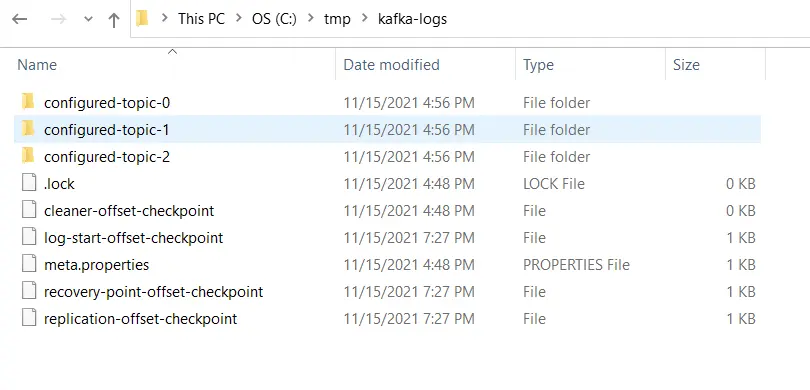
Kafka stores all of its data in a directory on the broker disk. This directory is specified using the propertylog.dirs in the broker’s configuration file. For example,
configured-topic has three partitions, each having one directory - configured-topic-0, configured-topic-1 and configured-topic-2.
Considerations for segment configurations
Let us review the configurations for segments and learn their importance.log.segment.bytes
As messages are produced to the Kafka broker, they are appended to the current segment for the partition. Once the segment reaches the size specified bylog.segment.bytes (default 1 GB), the segment is closed and a new one is opened.
Considerations:
- A smaller segment size means files have to be closed and allocated more often, reducing disk write efficiency
- Once closed, segments become eligible for cleanup based on retention policy
- Topics with low produce rates may need smaller segments to enable timely cleanup
- Very small segments increase open file handles, risking “Too many open files” errors
log.segment.ms
Specifies the time after which a segment should be closed (default 1 week). Kafka closes a segment when either the size limit or time limit is reached, whichever comes first. Considerations:- Time-based limits can cause multiple segments to close simultaneously, impacting disk performance
- Shorter times enable more frequent log compaction
Segment sizing decision guide
Next steps
- Configure log retention for time-based cleanup
- Understand log compaction for key-based retention
- Explore topic configuration CLI for more options