

Overview
In order to meet compliance regulations, Conduktor Console provides a Data Masking feature that enables you to obfuscate personal and sensitive data within the Console. As a Console administrator, you can secure and govern such data by creating Data Masking policies, so that users can’t see them.Data masking does not impact how the underlying data is stored. The data will only be masked within Console at runtime for specified users/groups only, the underlying Kafka data remains unchanged. To mask or encrypt the underlying Kafka data, use Conduktor Gateway.
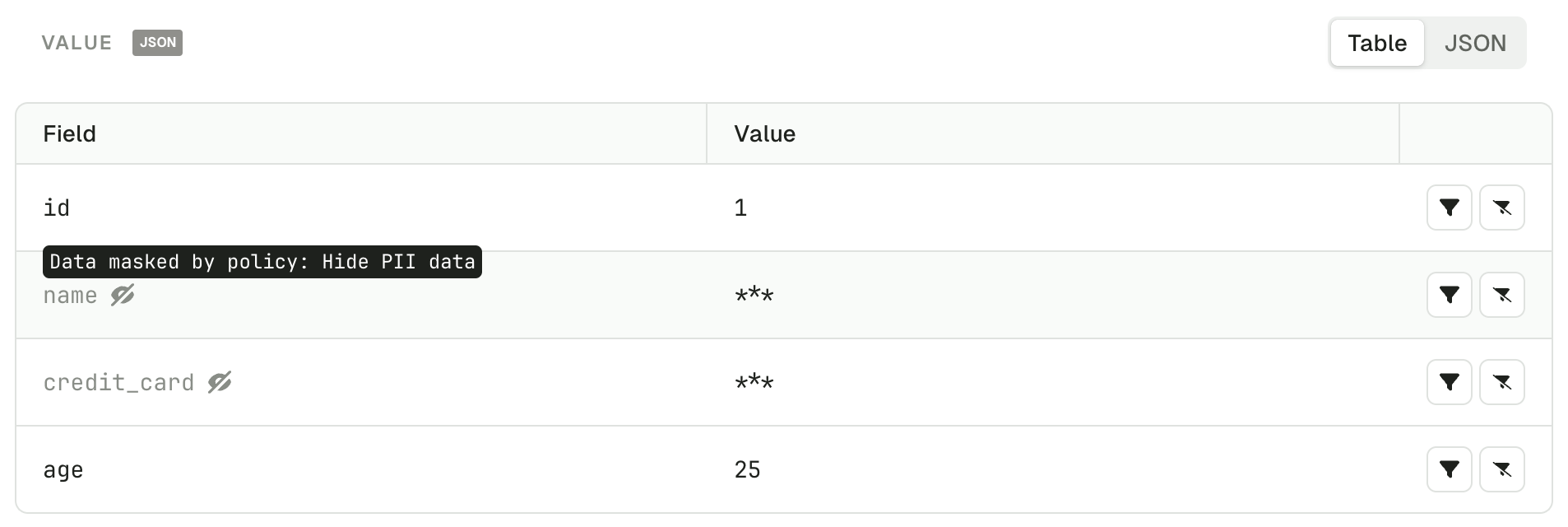
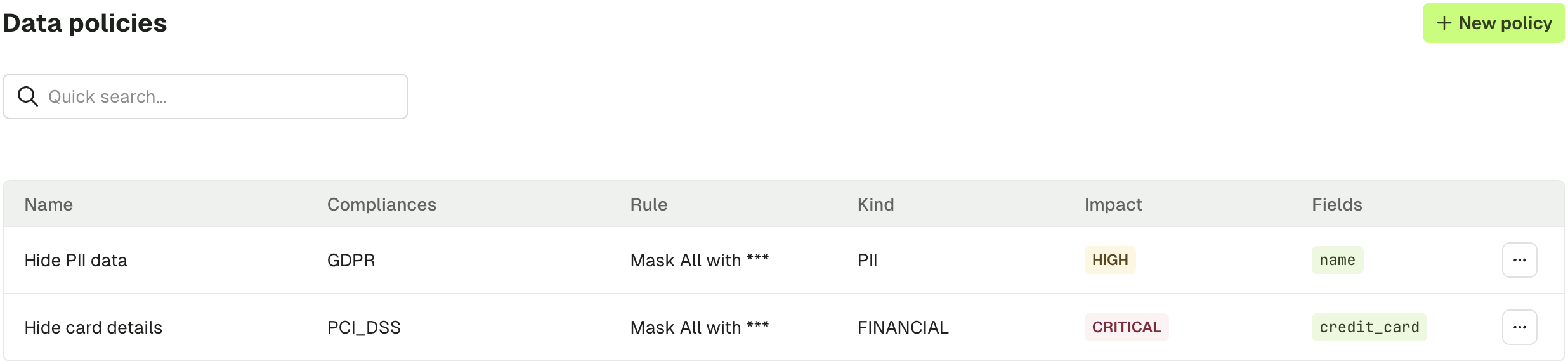
Create a data masking policy
In order to create a Data Masking policy and protect your data, go to Settings > Data Policies.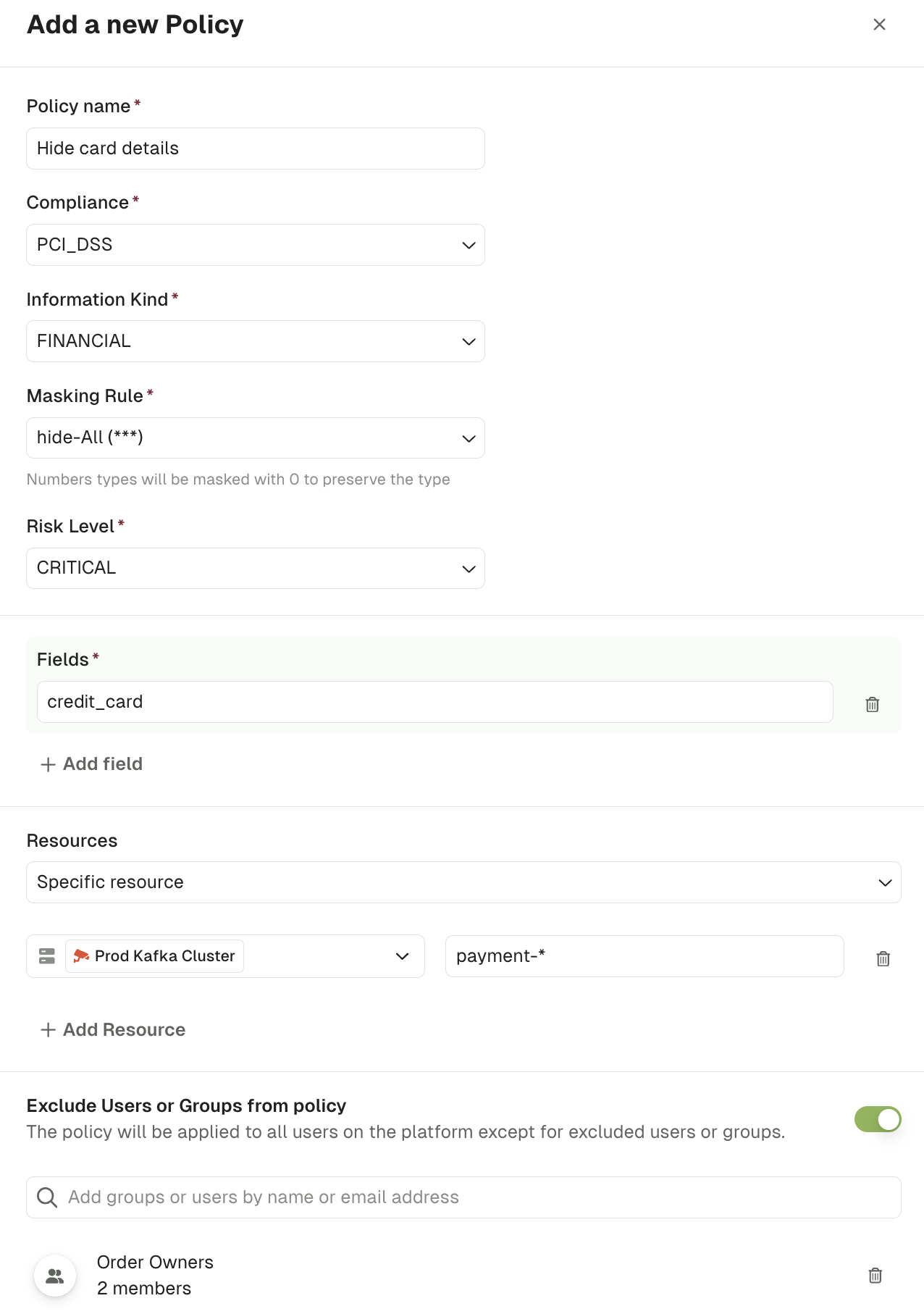
credit_card, for all the users except people from the group “Order Owners”, on the topic prefixed by payment- of the Prod Kafka Cluster.
Mask all fields
When you don’t know the message structure ahead of time, or want to mask everything by default and grant exceptions through RBAC, turn on Mask all fields. Console then applies the masking rule to every scalar value it finds in the message — strings, numbers, and booleans — at every nesting depth, including inside arrays.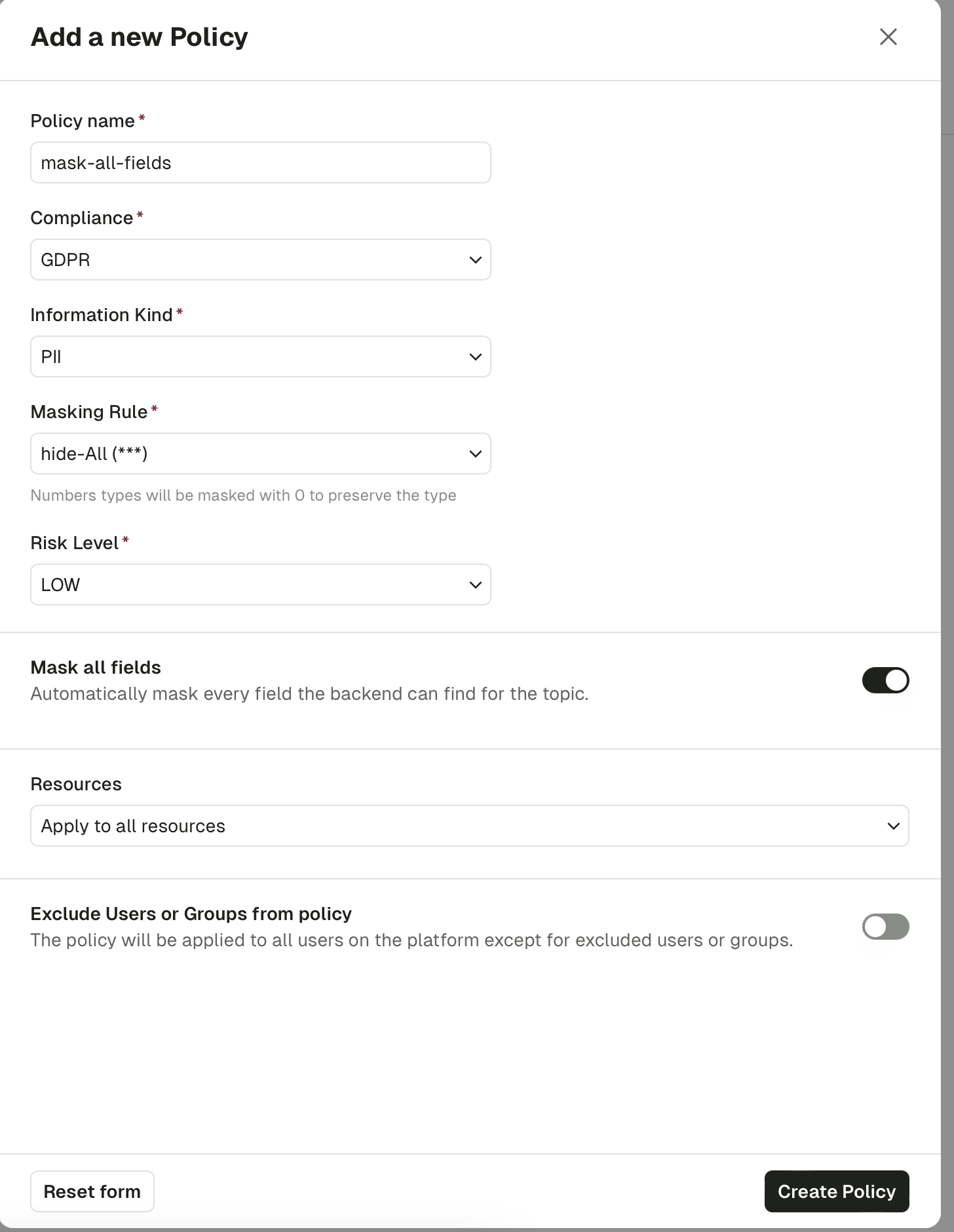
- Type preservation. Strings are replaced using the masking rule’s string (for example
***). Numbers are masked to0and booleans tofalse, so message schemas stay valid. - Per-field rules win. If another policy already targets a specific field with its own masking rule, that rule still applies; Mask all fields only fills in the unmasked gaps.
- Conflict detection. A Mask all fields policy conflicts with any existing policy whose scope overlaps and that targets specific fields. Two Mask all fields policies can coexist as long as their resource scopes are disjoint.
- Fields list. You can’t combine Mask all fields with an explicit fields list on the same policy — Console rejects the request if both are set.
Field path syntax
Fields are specified using dot-separated paths that match the structure of your JSON messages. The masking engine traverses your message and applies the rule when the path matches.Examples
Given the following message:Key rules
- Use dot notation to traverse nested objects (e.g.
address.city). - Arrays are traversed automatically — you do not need to specify indices. A path like
orders.totalapplies to thetotalfield in every element of theordersarray. - If a field name itself contains a dot, wrap it in backticks (e.g.
`audit.source`ormetadata.`audit.source`). - Paths must match exactly — wildcard or prefix patterns (e.g.
data_order*) are not supported.
Validate a policy
Once you have created a policy, you should validate it through the Conduktor Console.- Navigate to a topic that contains data where your policy should be applied
- Check that the expected fields are obfuscated using the appropriate masking rule