

Unsupported version release notes. See our support policy for details.
Fixes v1.35.2
- Improved performance of a database migration to ensure completion within the startup probe time limit
- Fixed a database deadlock issue caused by the indexer
Fixes v1.35.1
- Fixed an issue with creating Kafka Connect alerts through the UI
- Improved lag exporter performances
- Conduktor Scale:
- Quality of life improvements
- Fixes
Conduktor Scale
Resource policies now covers Subject and ApplicationGroup
Central platform teams can further define the ways of working for their teams by assigning resource policies for subjects and application groups. A few interesting use cases include:- Restricting application teams to only using Avro or enforce a specific compatibility mode, such as FORWARD_TRANSITIVE.
- Preventing application teams from adding members to application groups directly, directing them to use the external group mapping instead.
- Limiting the actions that can be performed in the UI by locking certain permissions.
Topic, Subject or Connector configured at Application level will be applied to all Application Instances under that Application.Revamped Application Catalog
The Application Catalog page has been completely redesigned to improve application discovery and team collaboration.The new application list page provides a unified view of all accessible applications with advanced search and filtering capabilities, including filtering by ownership and labels. Clear team ownership visibility, topic and subscription information, as well as hover cards showing instance details at a glance will help you find what you need quickly.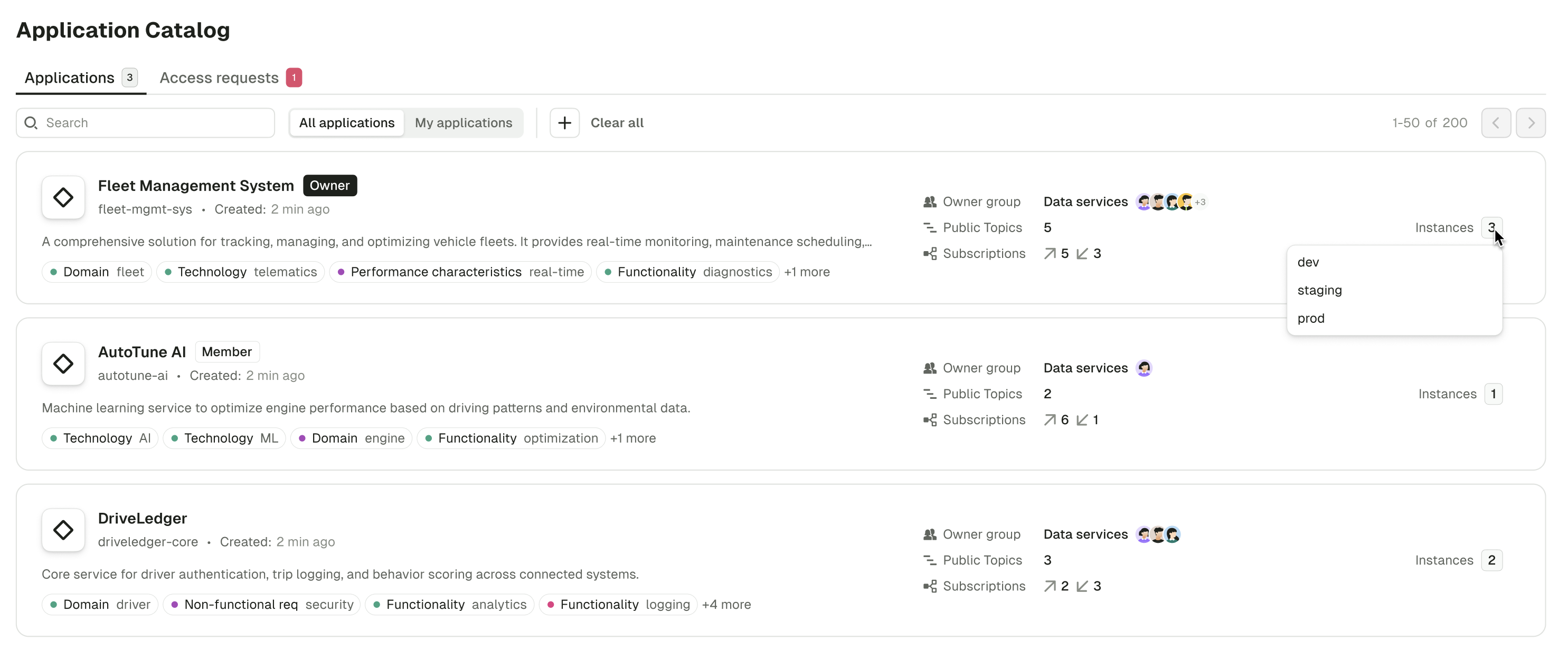
Topic-level consumer group lag alerts
Consumer group lag alerts now support topic-level scoping, allowing you to create more focused alerts for specific topics within a consumer group instead of monitoring the entire group.This makes it easier for teams sharing consumer groups who need topic-specific visibility.Quality of life improvements v1.35.0
- Added new fields to the onboarding page.
- CRUD operations for the labels added in the consumer group details page.
- Leading and trailing white spaces will now be printed as ”⎵” for display purposes and to provide more clarity to user. A tooltip will additionally be added to let users know when this is happening and to give them the “raw” value if they need it. The actual value will not be changed, this is just a visual helper.
- Improve container security context configuration on Conduktor Console and Cortex containers that allow to :
- run with different UID and GID than default
10001:0 - run unprivileged with all linux capabilities dropped
- run with different UID and GID than default
Fixes v1.35.0
- Fixed an issue where changing the cluster did not clear the search filter in consumer groups and topic pages.
- Fixed an issue where navigating to a schema registry with a name containing non-escaped characters such as
/would redirect to the home page. - Fixed an issue where the equality filter on JSON number fields wasn’t working correctly against large numbers in the topic consume view.
- The JSON view of a message in a topic no longer coerces large number fields to a string.
- Fixed an issue where the full message was not displayed correctly in the tooltip when hovering over it in the topic consume view table.
- Fixed an issue where the UI didn’t redirect to the correct cluster when switching Console instances.
- Fixed the logo in the onboarding page dark mode.
- The screenshot showing users how to find the project name and service name in Aiven Cloud is displayed correctly again.
- Fixed an error that would occur when no partitions were selected in Topics page filters.
- Fixed a bug that would cause service accounts with white spaces to not be accessible correctly.
- Cleanup data volume on start to ensure that old data is not re-used when using persistent volume between restarts.
Fixes v1.34.3
- Improved support of Kafka Connect from Confluent Cloud (more connector statuses supported, better error messages, fixed list of topics).
- Improved caching strategy of the RBAC model resulting in faster UI and API.
- Fixed dependencies vulnerable to CVE-2025-48734
Fixes v1.34.2
- Improved memory efficiency when consuming messages from Kafka
- Added support of audit log events related to the ApplicationInstancePermissionRequest and ResourcePolicy resources
Fixes v1.34.1
- Fixed an issue with selecting groups and Slack channels when creating alerts
- Fixed an issue with the license plan page for licenses containing the Trust product
- Conduktor Scale:
- Subscribe to application topics
- Conduktor Exchange:
- Quality of life improvements
- Fixes
- Known issue
Conduktor Scale
Kafka Connect policies
Central teams can now configure Self-service policies targeting Connector resources.targetKind are Connector and Topic.Subscribe to application topics
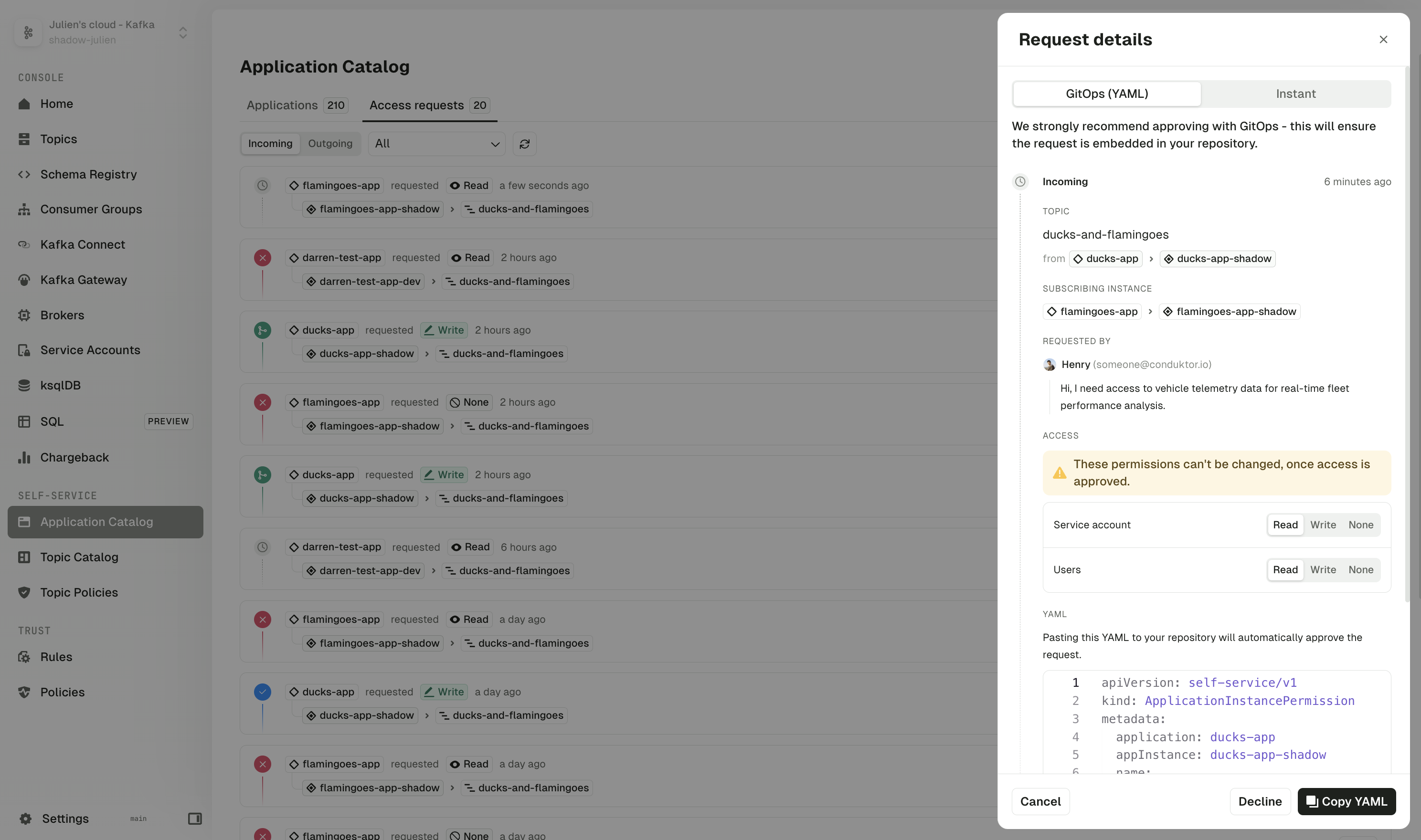
Application owners now have the ability to manage topic subscriptions across their organization.Using the Topic Catalog, owners can subscribe to topics outside of their own application, selecting from their list of applications and focusing only on valid instances that share the same Kafka cluster.The new interface provides flexible permission configuration, enabling read or write permissions for each subscription, as well as granular control over both user and service account permissions.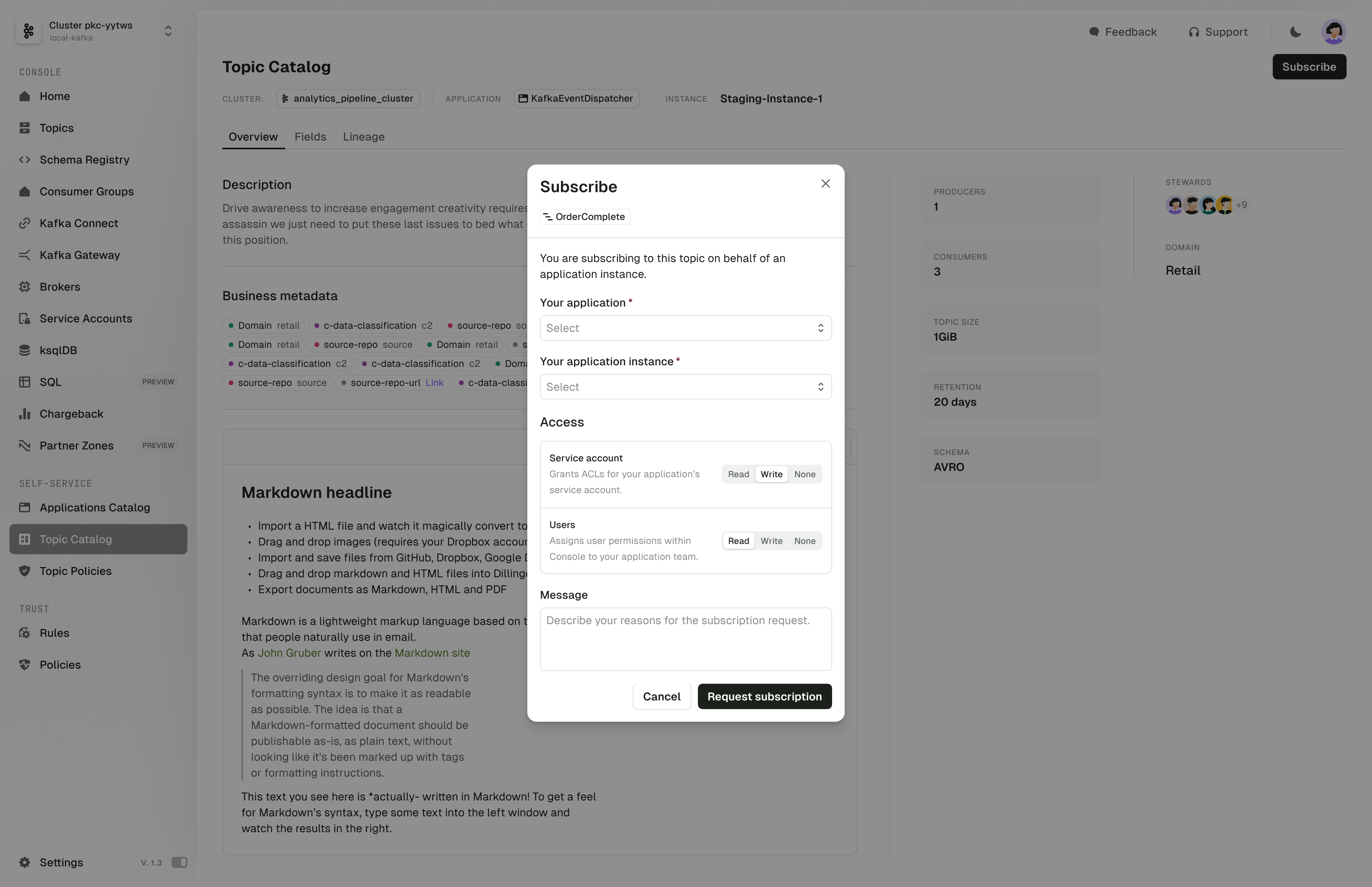
Conduktor Exchange
Extended authentication mechanisms for Partner Zones
Partner applications can now authenticate to your Partner Zones using client IDs & secrets managed by your OAuth/OIDC provider. The Partner Zone schema is changed to reflect the new authentication modes. This is a breaking change which should be updated as below:Quality of life improvements v1.34.0
- Added selectors for key and value formats on the single Kafka message page, enabling the use of custom deserializers.
- You can now see clusters referenced by each alert in the Settings > Alerts page.
Fixes v1.34.0
- To avoid timeouts when indexing consumer groups, added a new configuration variable to limit the number of consumer groups requested per describe query.
- Fixed an issue where in Topic Consume page, JQ filters against big numbers loses precision in Safari.
- Fixed an issue where messages with big number fields lose precision when being copied over to be reprocessed in the Topic Produce page.
- Fixed an issue where only the first 1,000 schemas were indexed
- Fixed an issue where opening a message with more than 1MB of data would freeze the UI because of the table view. It now defaults to the JSON view.
- Fixed an issue impacting Kafka Connect sink connectors where providing consumer override values as configuration would lead to a validation failure.
- Fixed an issue where deleted clusters were still present in the RBAC system, causing issues on the CLI api.
- Kafka config on huge numbers is now displayed correctly in the UI.
- Fixed an issue with Partition on topic details was not sorted correctly.
- Fixed an issue where lag wasn’t correctly calculated after a topic was deleted and recreated with the same name.
- The list of consumer groups in the topic details page using RBAC is now correctly displayed.
Known issue v1.34.0
In the Topic Consume view, equality filters (==) on JSON number fields aren’t working correctly when the number exceeds JavaScript’s safe integer limit of 2^53-1. Note that while range operators (>, <, >=, <=) still work with large numbers, there’s currently no workaround for exact equality filtering. We’ll address this in a future release.- Conduktor Scale:
- Conduktor Exchange:
- Quality of life improvements
- Fixes
- Known issue
Conduktor Scale
Kafka Chargeback - group by labels
Introducing labels for Chargeback - you can now filter and group Kafka usage by team, environment, project or business unit.Go to the Chargeback page, select the required service account and add relevant label(s). You can then use these labels to filter your view or usage reports and action as necessary.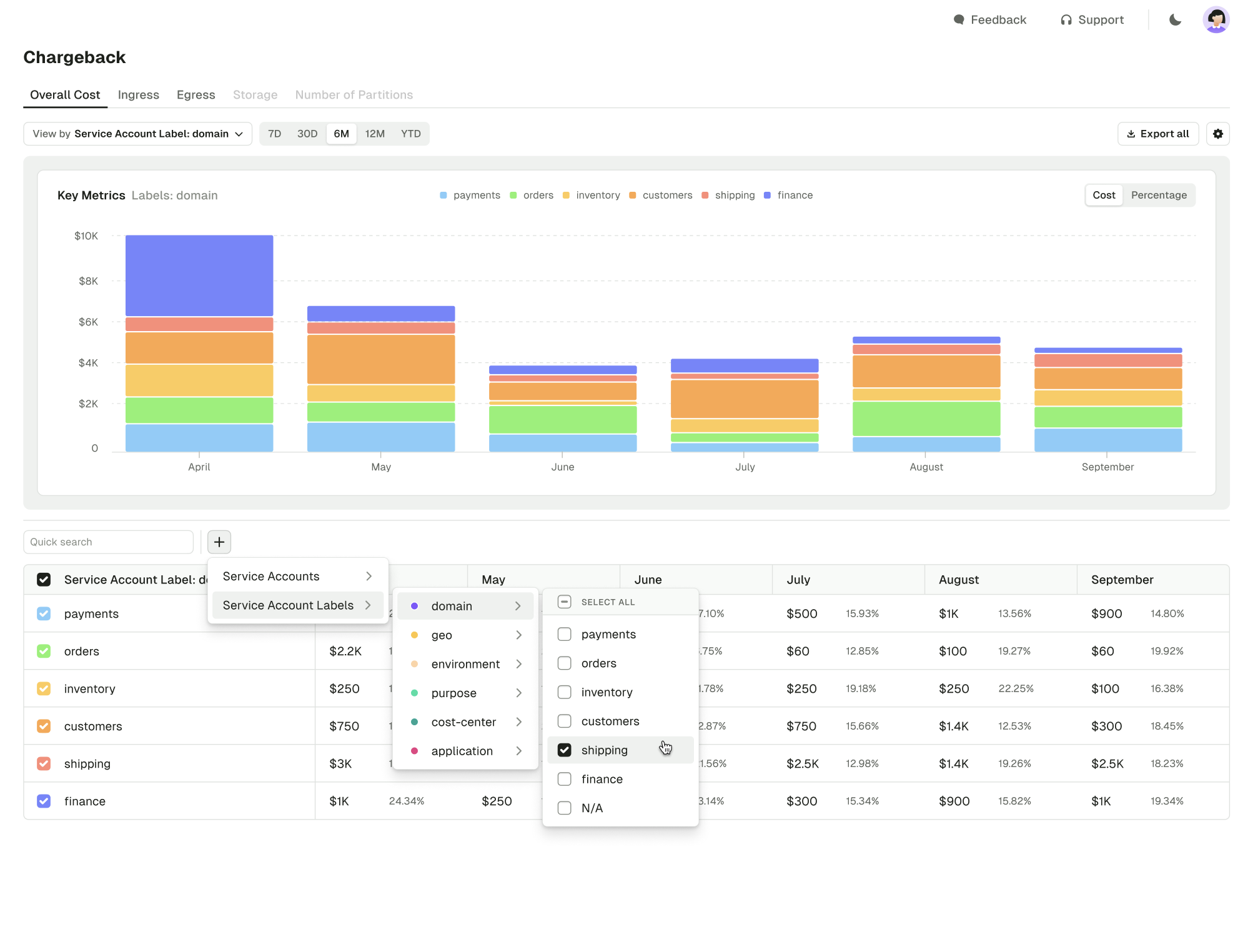
Self-service - improved cross-team access control
We’ve enhanced permission management for cross-team access. You can now assign different permissions to users in the UI from the Kafka service accounts, allowing for more precise access control.Here’s an example granting READ access to the service account and denying access to members of the application through Console:Support for Aiven service accounts
We’ve added the support for Aiven service accounts in our API and CLI.Here’s an example granting READ and WRITE access to theclick.event-stream.avro topic and its schema.Service account labels
You can now annotate all service accounts with Conduktor labels:- Any Kafka cluster
- Conduktor Gateway
- Confluent Cloud
- Aiven Cloud (currently using API/CLI only)
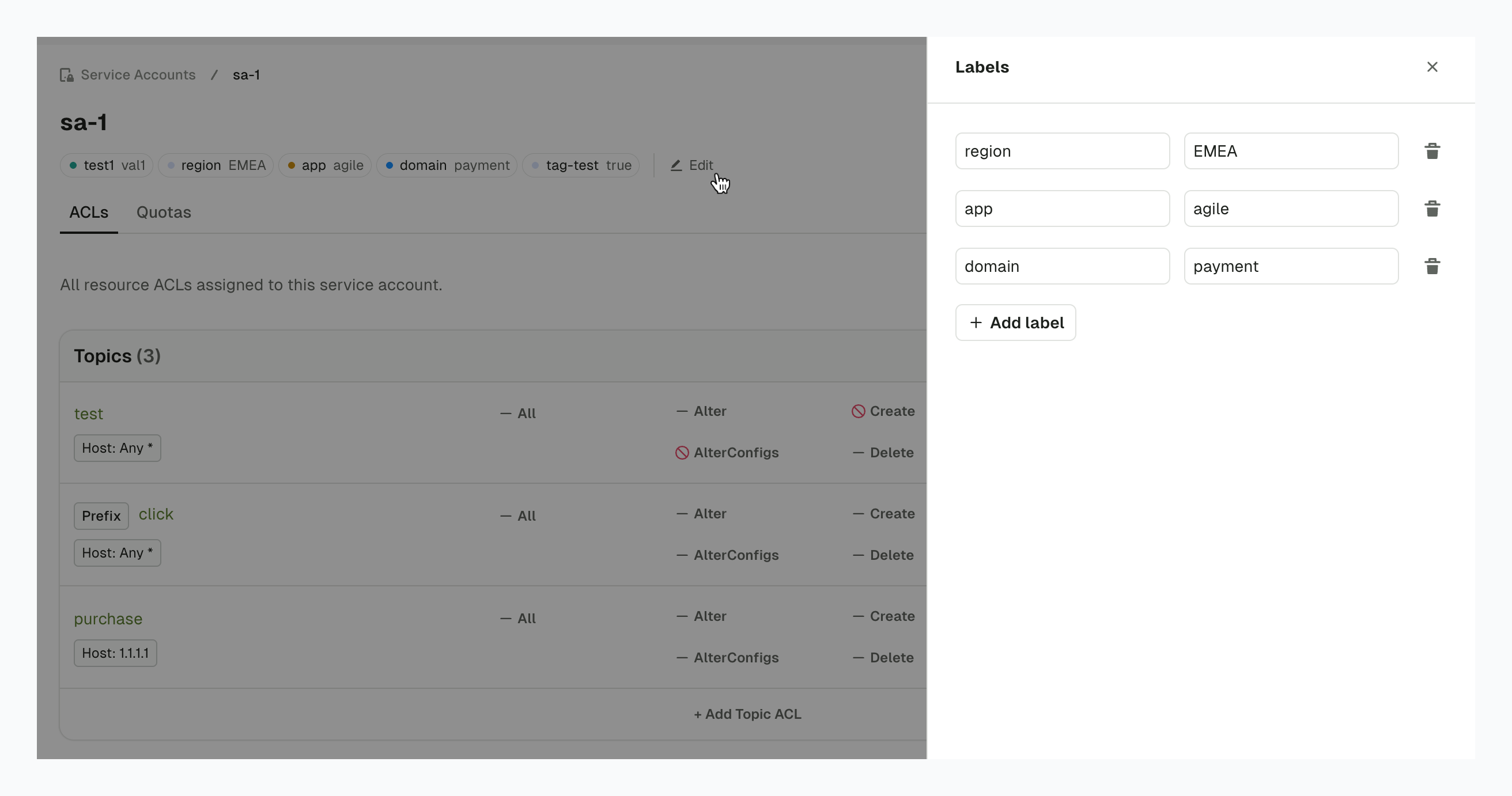
We’re working to add support for labels on all Conduktor resources.
Conduktor Exchange
Improvements to Partner Zones
Rename shared topics
You can now add aliases to the topics shared via Partner Zones. This prevents the sharing of any internal naming conventions or sensitive information, without replication.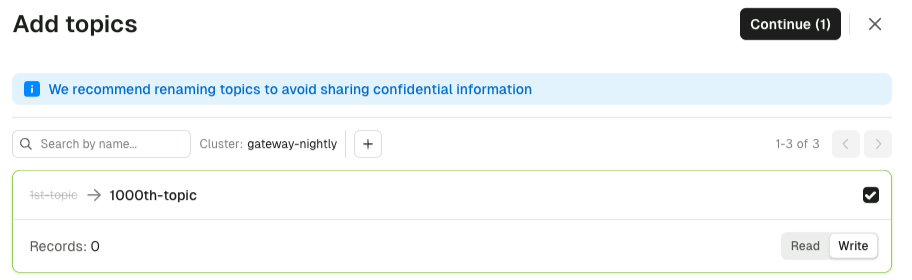
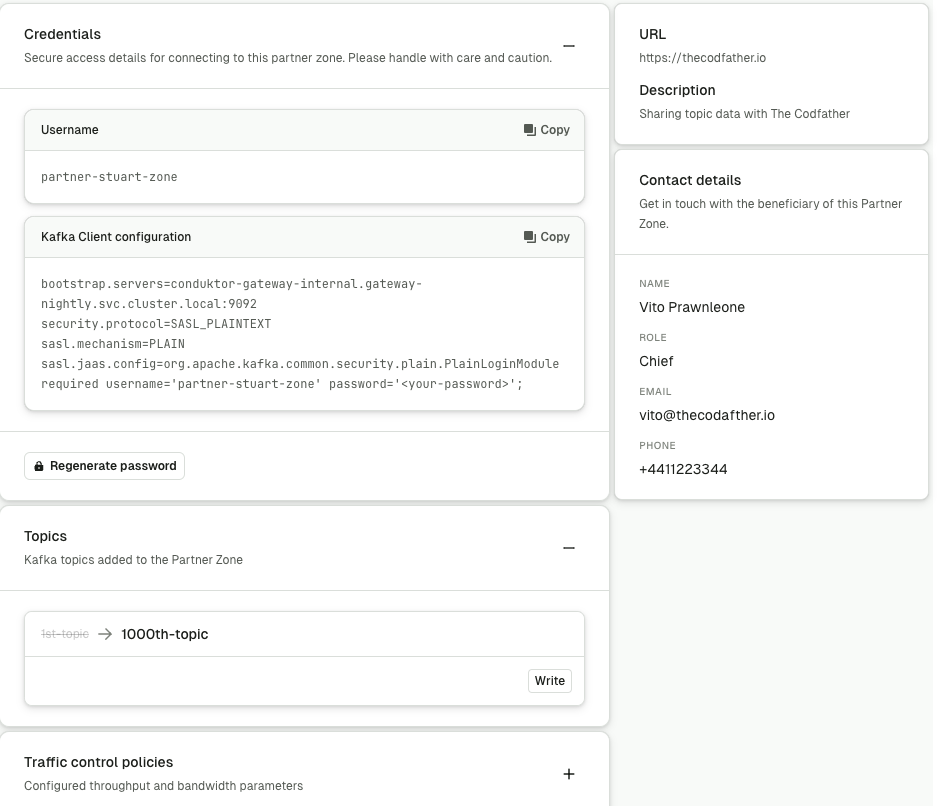
Modify Partner Zone details
Partner Zones can now be easily edited using the UI. You can edit the following:- name
- URL
- description
- contact information
- traffic control policy details
-
topics (add new or rename existing)
Quality of life improvements v1.33.0
- Add selectors for key and value formats on the single Kafka message page, enabling the use of custom deserializers.
- Creating resources owned by an Application Instance using an Admin API Key now bypasses Self-service topic policies.
Fixes v1.33.0
- Glue: improve deserialization of Avro schemas containing a nullable union
- Fixed an issue preventing the use of protobuf schemas with references
- Added a fallback mechanism to use the standard Kafka Connect API call when encountering an error on Confluent Cloud. If all attempts fail, the Confluent Cloud error message is now displayed to provide better clarity and troubleshooting information.
- Improved performance of API for applying users and groups with many permissions
- Errors thrown while producing to a topic are now properly displayed in the UI
- Fixed the computation of the controller of a KRaft cluster in the Brokers page
- Fixed an issue that prevented the storage of the NUL character in Kafka Connect error messages
- Failure to create the topic for audit log is now recorded in the logs
- Prevent Application Instance Token to be able to overwrite the Service Account permissions
- Update the database schema to not use ‘partition’ as a column name due to conflicts with SQL keywords on EnterpriseDB
- Align LDAP user retrieval behavior with binding/connection requests to resolve issues with federated Active Directory/LDAP where users aren’t found.
Known issue v1.33.0
In the Topic Consume view, equality filters (==) on JSON number fields aren’t working correctly when the number exceeds JavaScript’s safe integer limit of 2^53-1. Note that while range operators (>, <, >=, <=) still work with large numbers, there’s currently no workaround for exact equality filtering. We’ll address this in a future release.Fixes v1.32.1
- Fixed dependencies vulnerable to the following CVEs:
- Fixed an issue where web browsers would try to autofill Kafka Connect configuration form fields with saved passwords
- Breaking changes for Partner Zones
- Conduktor Scale:
- Conduktor Exchange:
- Quality of life improvements
- Fixes
- Known issue
Breaking changes for Partner Zones
Improvements to Partner Zones require Gateway 3.6.1 to be deployed with this release of Console.Conduktor Scale
Alert history
In the alert details page you can now also see the history of an alert’s status and notifications which may have failed to send.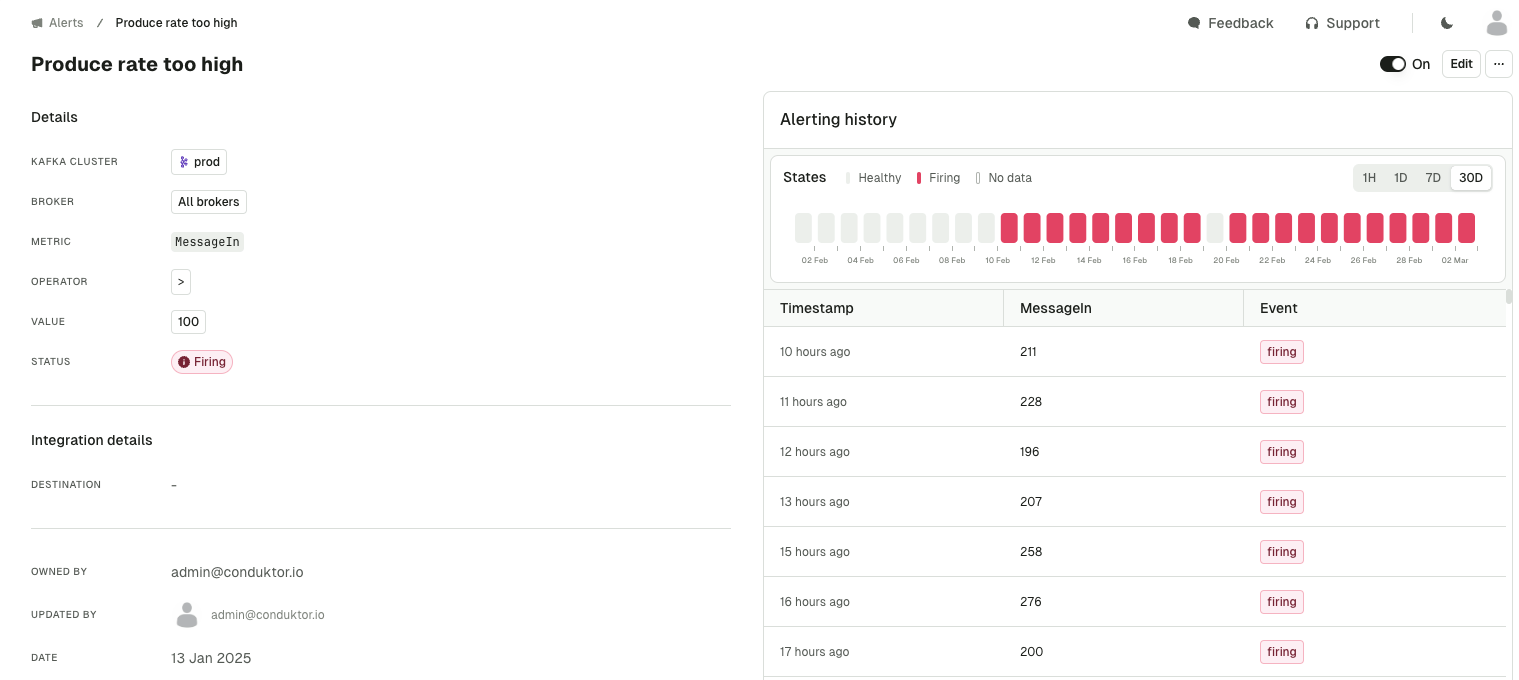
Audit logs
You can now view the new CloudEvents-based audit log events with enhanced filtering capabilities for the new resource and event types, including Conduktor platform triggered events.While legacy audit log events will stop being captured in this release, existing legacy events will remain accessible through a dedicated page until a future release.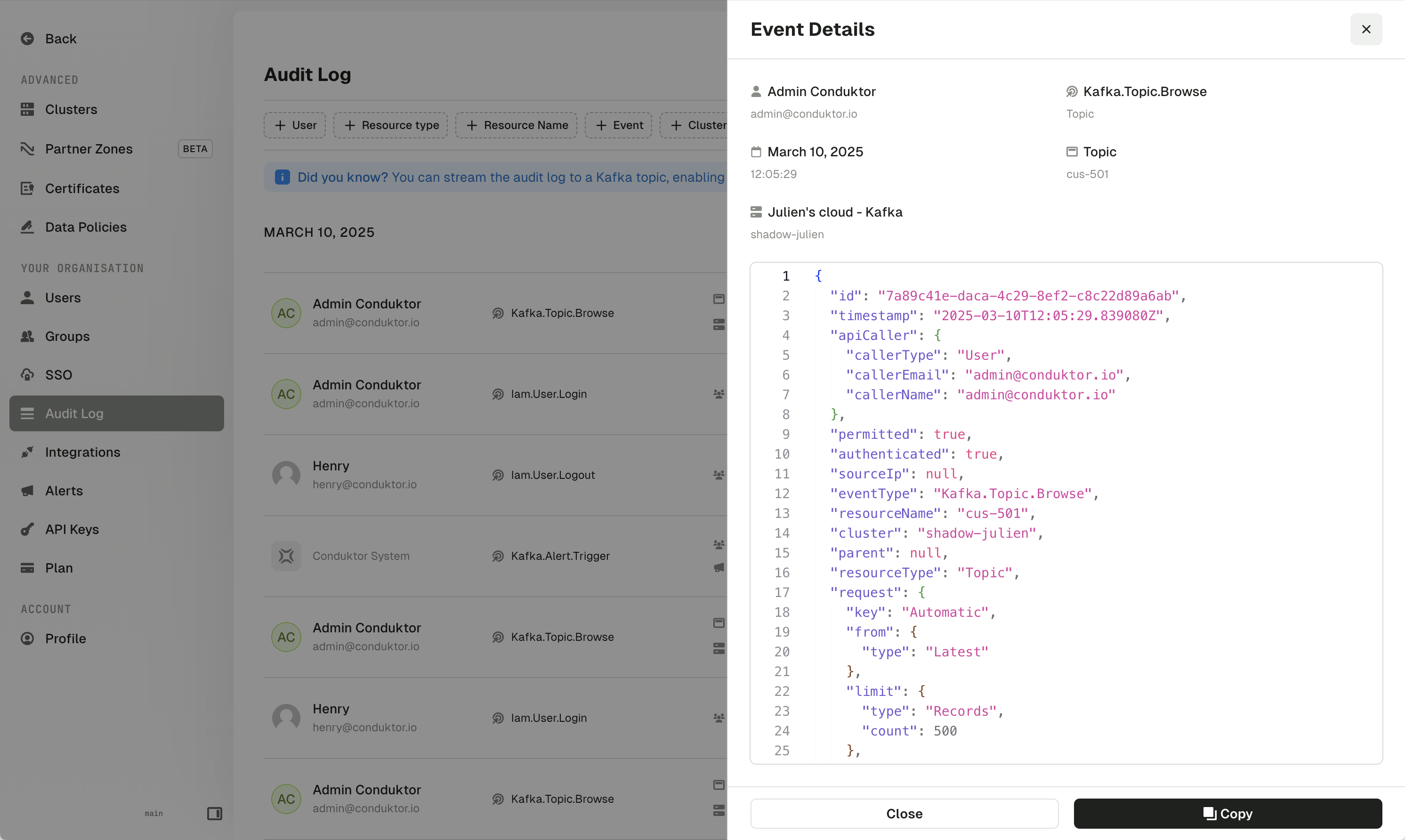
Service account labels
You can now edit labels on service accounts in plain Kafka clusters through the UI, in addition to the existing CLI & API support.Support for labels on Aiven and Confluent Cloud service accounts is coming soon.RBAC-aware menu
The left-hand menu is now RBAC (Role Based Access Control) aware, dynamically showing/hiding menu items based on users’ permissions. Hiding functionality that users don’t have access to makes onboarding easier and reduces confusion.In Console, menu items are shown based on the user’sResource access permissions on individual clusters, while the Settings menu items are shown according to the Service access permissions.Conduktor Exchange
Exchange is a new Conduktor product that enables you to share data securely with your external partners. Find out more about the Exchange product.Introducing Partner Zones UI
Partner Zones enable you to securely share your Kafka streaming data with external partners, without the need to replicate that data into a second, physical Kafka cluster.In this release we’re introducing the option to create Partner Zones using the Console UI in just few steps, including the ability to set traffic control policies.In upcoming releases we’ll be adding further enhancements, such as:- an ability to edit Partner Zone configurations
- the option to rename shared topics, securing your data even further by ensuring that no internal information is shared
Quality of life improvements v1.32.0
- Enabled the confirmation of resource deletion using the Enter key.
- Updated the connector restart button labels and toast messages to accurately reflect their behavior for Confluent Cloud connectors.
- Removed a legacy option to disable monitoring.
Fixes v1.32.0
- Fixed an issue where editing a schema registry subject would overwrite its compatibility mode with the global compatibility setting.
- Fixed an issue where creating an ACL for a service account with a duplicate name could override the existing ACL.
- Fixed an issue where you could not remove the last ACL and Save in the Service Account UI.
- Fixed an issue where the Kafka Connect failed task heatmap didn’t display data for days in 2025.
- Fixed an issue where the CLI would report incorrect actions taken (although the correct actions were shown when the
--dry-runflag was used). - When Azure Active Directory is used as an LDAP server, the
userPrincipalNamefield can now be set as the field containing the email address. - Fixed an issue where very large numbers would show rounded in the details view of a topic message (e.g.
7777705807840271771would display as7777705807840271000). - Fixed the UI issue where the option to reset a consumer group offset would disappear off the screen, if the partition count was too large.
Known issue v1.32.0
In the Topic Consume view, equality filters (==) on JSON number fields isn’t working correctly when the number exceeds JavaScript’s safe integer limit of 2^53-1. Note that while range operators (>, <, >=, <=) still work with large numbers, there’s currently no workaround for exact equality filtering. We’ll address this in a future release.Fixes v1.31.2
- Fixed prefixed ACLs not displaying correctly in the Service Account UI
- Fixed an issue where Service Accounts with no ACL were incorrectly shown in the UI
- Fixed an issue allowing creation of Service Accounts without ACLs
Known issues v1.31.2
- When removing ACLs in the Service Account UI, you cannot remove the last ACL
- As a workaround, you can remove that last ACL, then create a new ACL against a resource name that does not exist.
- We will address this issue in the next release
Console metrics performance and configuration
To address issues related to monitoring graph timeouts and OutOfMemory issues when Console is connected with large Kafka clusters, we’ve introduced a change to how metrics are collected in Console.This feature is currently optional but will be enabled by default in the next release.If you’re experiencing graph timeouts or OutOfMemory issues, upgrade to 1.31.1 and configure the following additional environment variables:Fixes v1.31.0
- Fixed dependencies vulnerable to the following CVEs:
- Resolved an issue related to SSL checks between the Console and Cortex where bad certificates caused communication issues
- Fixed an issue with user email addresses containing a
'character that blocked database migrations - Reduced the memory consumption and improved the performance of metrics under heavy load that prevented them from displaying
- Partner Zones: configuration updates are now applied correctly
- Partner Zones: partners can now utilize consumer groups
- Breaking changes:
- Conduktor Scale:
- Conduktor Exchange:
- Quality of life improvements
- Fixes
- Known issues
Breaking changes
Removed v1 alerts
Original alerts created in the Monitoring/Alerts section are no longer available.Changes to v2 alerts
V2 Alerts, that can be created since Console 1.28 on the dedicated resource page (Topics, Brokers, etc.) are still available and active, but have been migrated with the following rules:- Alerts have been automatically configured with the previously globally configured channel (Teams or Slack).
- Alerts have been assigned to the individual who created them.
Id of certificates
The Id of certificates in thepublic/v1/certificates API endpoints were modified to represent the fingerprint of the certificate.
It brings a more stable way to identify certificates in audit log and prevent multiple uploads of the same certificate.Conduktor Scale
- Enhanced alerting with webhooks support
- API and CLI support for service accounts
- Labels support for service accounts
- Self-service support for application managed service accounts
- Application group permissions now available on user permissions page
Enhanced alerting with webhooks support
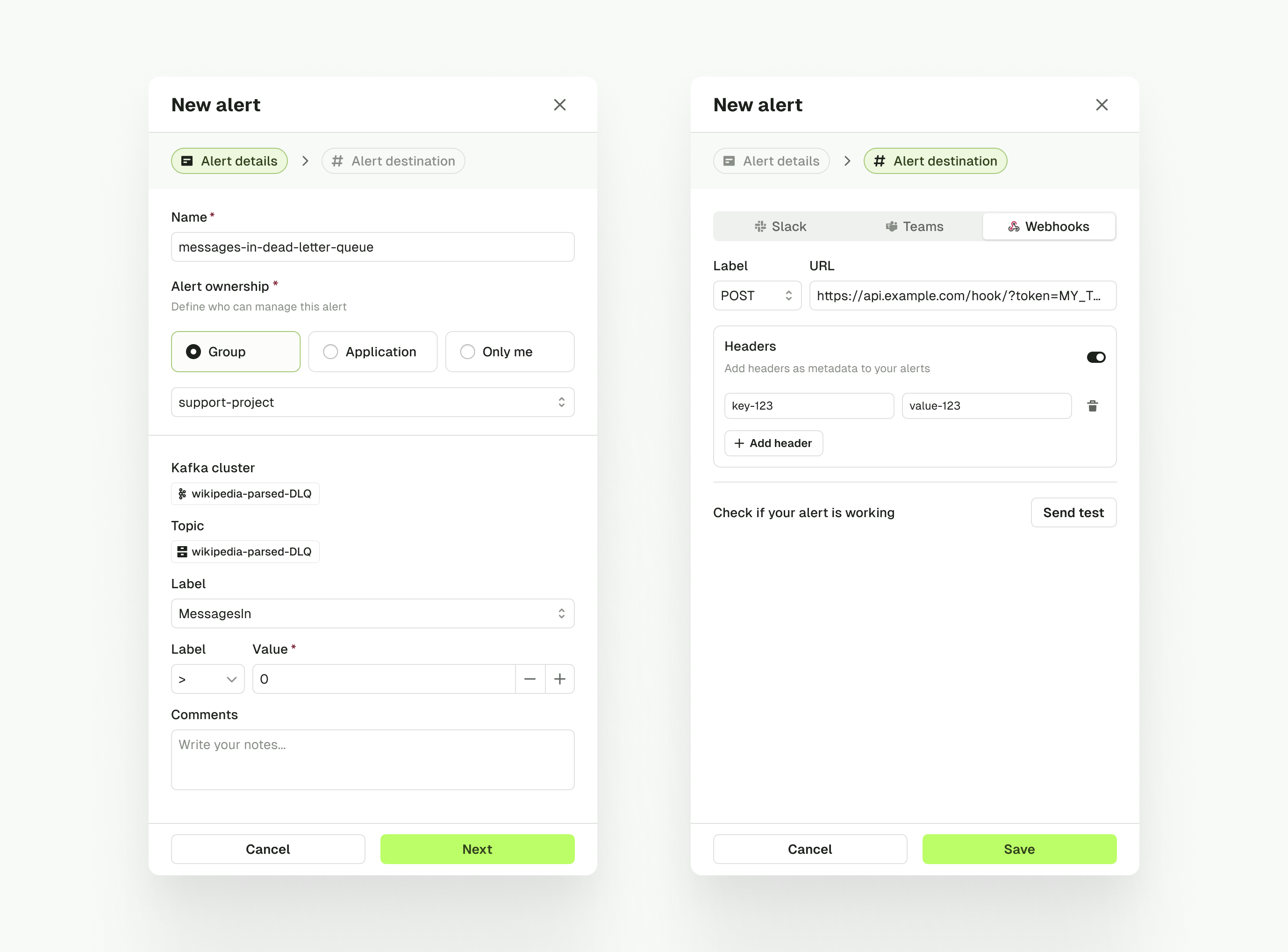
We have made significant improvements to the alerting system in Console. Here are some of the changes:- Alerts are now owned by individuals, groups, or applications
- We added Webhook destination to alerts notifications
- Destinations are now configurable per-alert
- API / CLI support for Alerts is now available
API and CLI support for service accounts
We’ve added support for Service Accounts in the API and CLI.DeclaringServiceAccount resource lets you manage the ACLs of a service account in Kafka.At the moment we only support Kafka ACLs (calls to Kafka APIs) but we plan to add support for Aiven ACLs in ServiceAccount resource in the future.Labels support for service accounts
We have added support for labels in the ServiceAccount resource.For now you can only edit labels throughServiceAccount resource in the API and CLI.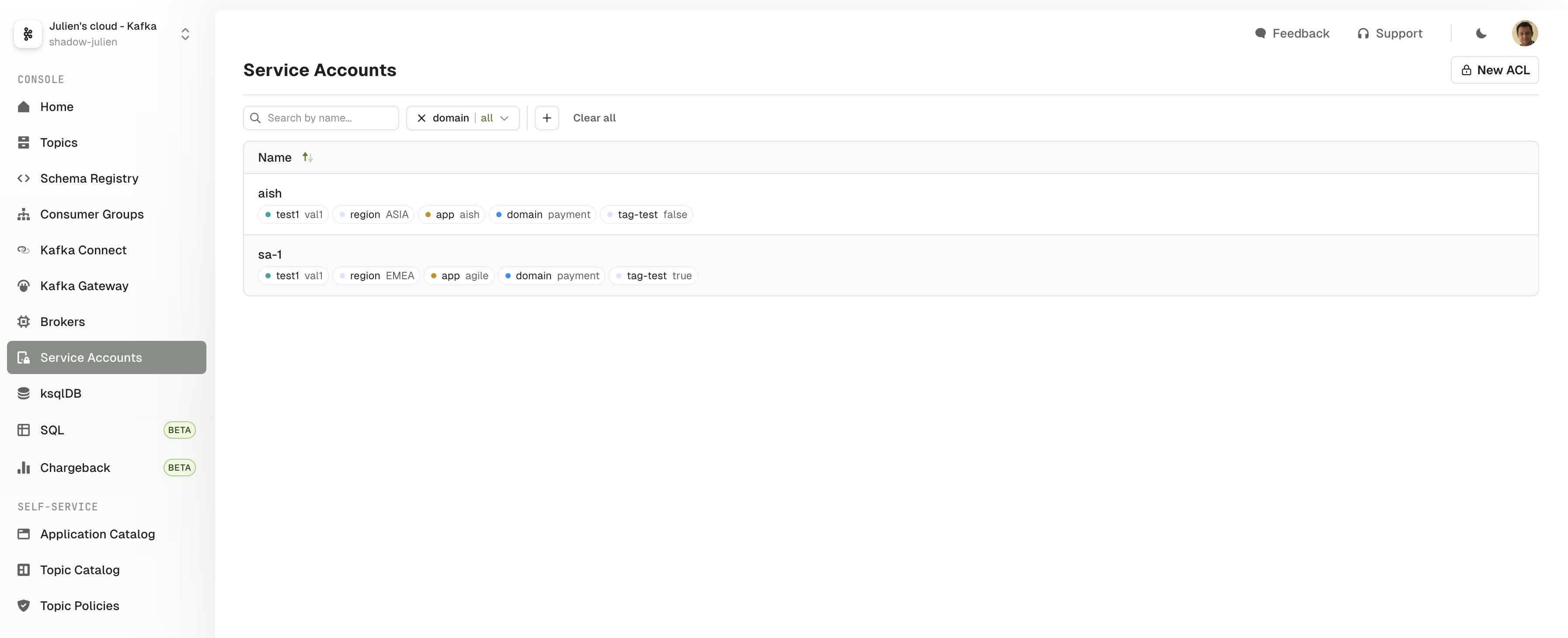
Self-service support for application managed service accounts
We’ve added a new mode for ApplicationInstance that allows application teams to have full control over their service accounts.This mode can be enabled in the ApplicationInstance with thespec.applicationManagedServiceAccount flag set to true.When enabled, Self-service will not synchronize the service account with the ApplicationInstance and will let the application team manage the service account directly.Application managed service accounts can be declared in the API and CLI using the application API key.Application group permissions now available on user permissions page
The user permissions page has been updated to show the permissions inherited when they belong to an ApplicationGroup.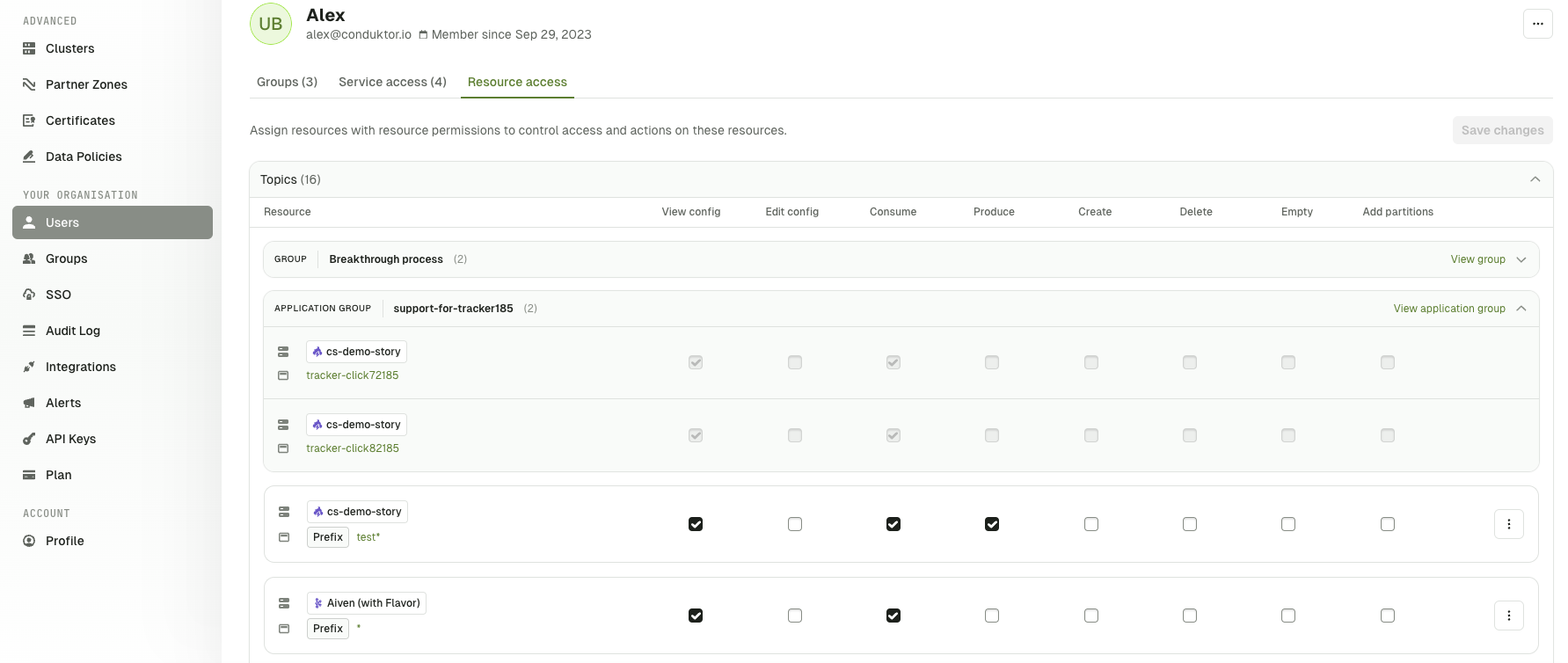
Conduktor Exchange
Exchange is a new Conduktor product aimed at helping you share your data securely with your external partners.Find out more about Conduktor Exchange.Introducing Partner Zones for third-party data sharing
Partner Zones is currently a Preview feature and is subject to change as we continue working on it.
- Dedicated pages that allows you to manage Partner Zones completely from the UI
- Support for Traffic Control Policies to limit the amount of data that can be consumed or produced by your partners
- Topic renaming capability to avoid leaking internal topic names to your partners
Quality of life improvements v1.31.0
- Added a “Groups” tab in the Application page which shows all of the Application Groups created via Self-service
- Improved the license plan page to show the start and end date of the license, as well as the packages included in the license
- Added the remaining days left in the sidebar when the license is expiring in less than 30 days
- Improved how a connector’s configuration is displayed in the raw JSON view by sorting the properties alphabetically
Fixes v1.31.0
- Fixed several issues Confluent Cloud Managed Connectors
- Fixed Pause/Resume connector
- Fixed Connector and Task Restart
- Fixed Connector Status (Running, Paused, etc.), previously displayed as “Unknown”
- Fixed a permission check issue when adding partitions to a topic
- Improved the serialization of
Stringandcom.fasterxml.jackson.databind.JsonNodetypes returned by custom deserializers - Fixed an issue parsing masked data when choosing the String format on data that cannot be parsed as JSON
- Added topics ending with
-subscription-registration-topicand-subscription-response-topicto the Kafka Stream filter - Fixed the edition of ownership mode of application instances
- Fixed the form for saving producer templates
- Fixed the navigation to go back to the home page of connectors when switching clusters
Known issues v1.31.0
- We are aware of more inconsistencies with Confluent Cloud Managed Connector support in Console. We are working on it.
- Task status is not always correctly displayed
- Various UI responsiveness issues
Features v1.30.0
- RBAC support for Conduktor SQL
- Add support for multi-hosts database configuration
- Delegating authentication to an identity provider
- More Audit Log CloudEvents into Kafka
RBAC support for Conduktor SQL
In a previous release, we introduced Conduktor SQL. It was restricted to Admins because it did not apply any permission model.This new update brings full RBAC support on Conduktor SQL:- Users & Groups can only see and query the tables for which they have an associated Topic permission in Console
- Data masking policies are applied (with limitations)
Add support for multi-hosts database configuration
You can now setup Console’s backing database for high availability(HA). If you have a PostgreSQL HA setup with multiple hosts, you can now configure a Console to JDBC connection to the database using a list of hosts.Delegating authentication to an identity provider
Console can now be configured to accept a JWT token from an external identity provider. It allows you to directly use your identity provider for managing access to Console. A common use case of this feature is to delegate authentication to your API gateway.More Audit Log CloudEvents into Kafka
We have made more events available for the Audit Log Publisher:- Kafka.Subject.ChangeCompatibility
- Kafka.Topic.Browse
- Kafka.Topic.ProduceRecord
- Kafka.Topic.SqlQuery
- Kafka.Connector.Restart
- Kafka.Connector.Pause
- Kafka.Connector.Resume
- Kafka.Connector.RestartTask
- Kafka.Connector.AutoRestartActivate
- Kafka.Connector.AutoRestartStop
Quality of life improvements v1.30.0
- Alert lists in the resource pages have been updated to show the metric and condition, the alert state and a new column “Last Triggered”
- Chargeback data can now be exported into a CSV file to enable easier integration with existing organization cost management data.
- The User permission page provides a clearer distinction between inherited and user-specific permissions.
- Topic policy validation errors message are easier to read when using the CLI
- Added support for Array and Boolean types in Conduktor SQL
- Added Kafka Key column and other metadata in Conduktor SQL Topics
Fixes v1.30.0
- Fixed a pagination issue in the SQL Indexed Topics view
- Fixed several instances where the CLI would not report the expected state change (Updated vs. Not Changed) on apply
Fixed a bug where SSO and LDAP sign ups were being rejected for users with upper-case letters in their email.
Fixed an issue where configuring Google OIDC without a
scope was throwing an exception.- Breaking changes
- Features
- Conduktor Chargeback - Track and Allocate Costs and Resource Consumption
- Console Homepage
- Consumer Group pages overhaul
- Self-Service Topic Catalog visibility
- Self-Service New Topic Policy Allowed Keys
- More Audit Log CloudEvents into Kafka
- Expanded Terraform Provider - Kafka Cluster, Schema Registry, Kafka Connect
- Quality of Life improvements
- Fixes
Breaking changes v1.29.0
Changes to Conduktor.io Labels
We have moved theconduktor.io labels previously available on Connector and Topic resources to new locations.We recognize this change breaches the API contract and have carefully considered its implications. We remain committed to minimizing breaking changes and will continue to do our best to ensure that such changes are rare and well-justified.As we expand the number of Conduktor-related features, this separation reduces the risk of conflicts, simplifies resource management, and provides flexibility for future improvements:- Labels used for sorting and filtering throughout the product
- Conduktor-specific annotations used to drive behaviors on the resources
metadata.labels.'conduktor.io/description'→metadata.descriptionmetadata.labels.'conduktor.io/description.editable'→metadata.descriptionIsEditable
metadata.labels.'conduktor.io/auto-restart-enabled'→metadata.autoRestart.enabledmetadata.labels.'conduktor.io/auto-restart-frequency'→metadata.autoRestart.frequencySeconds
Important Note for CLI Users
Applying YAML files with oldconduktor.io labels will fail in Conduktor Console 1.29. Be sure to update your YAML files to reflect the new labels.Example error for outdated YAML:Local Users Password policy update
Passwords for console Local Users configured through YAML and environment variables must comply with a new password policy. This change enforces the following password requirements:- At least 8 characters in length
- Includes at least 1 uppercase letter, 1 lowercase letter, 1 number, and 1 special symbol
Features v1.29.0
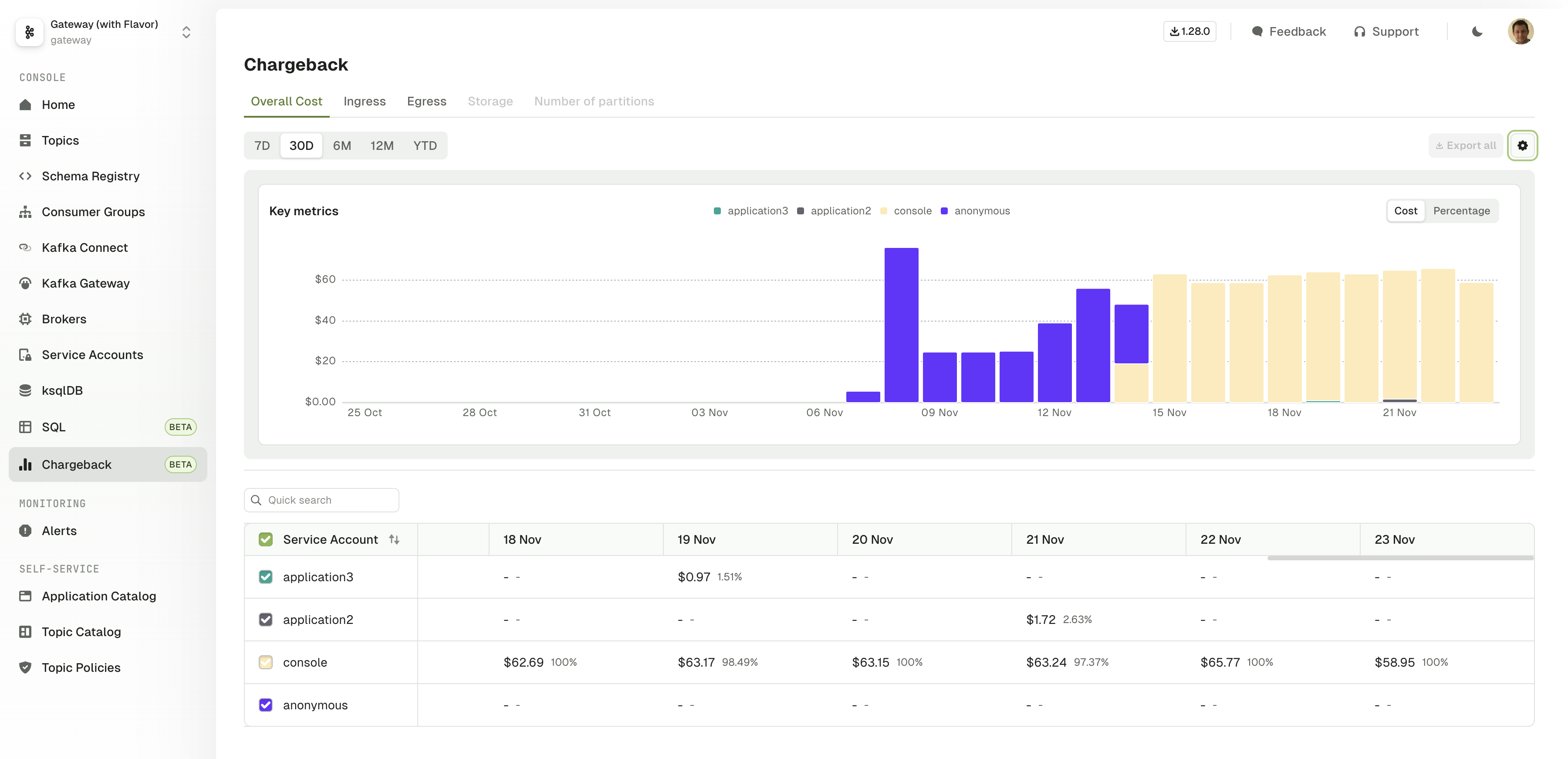
Conduktor Chargeback - Track and Allocate Costs and Resource Consumption
This is a preview feature and is subject to change as we continue working on it.
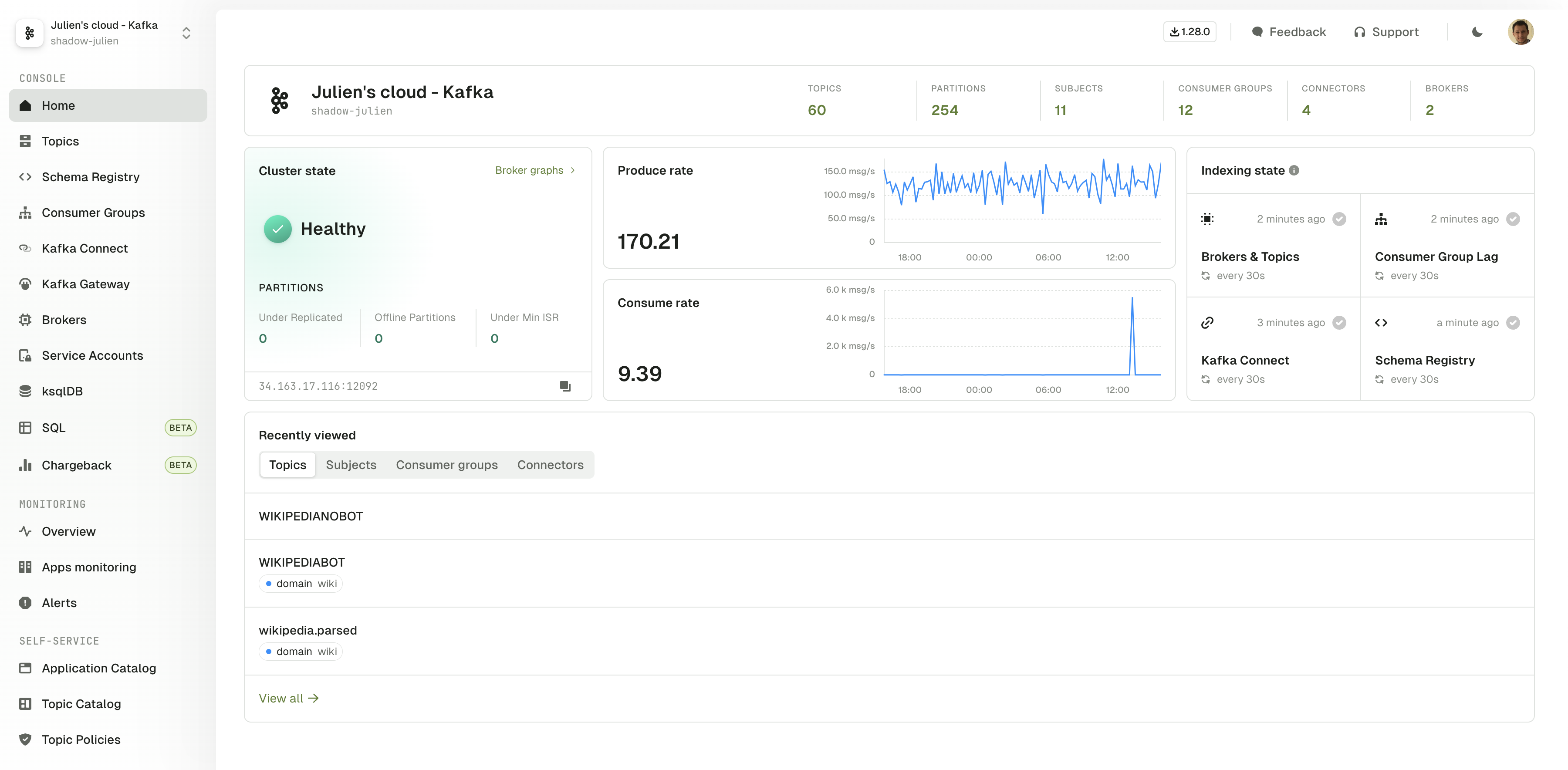
Console Homepage
The cluster homepage have been redesigned to present you with the most useful information in one single view:- The health of your Kafka Cluster with a few key metrics and graphs
- The state of Console Indexing modules for this Kafka Cluster
-
Quick access to your most recently viewed resources
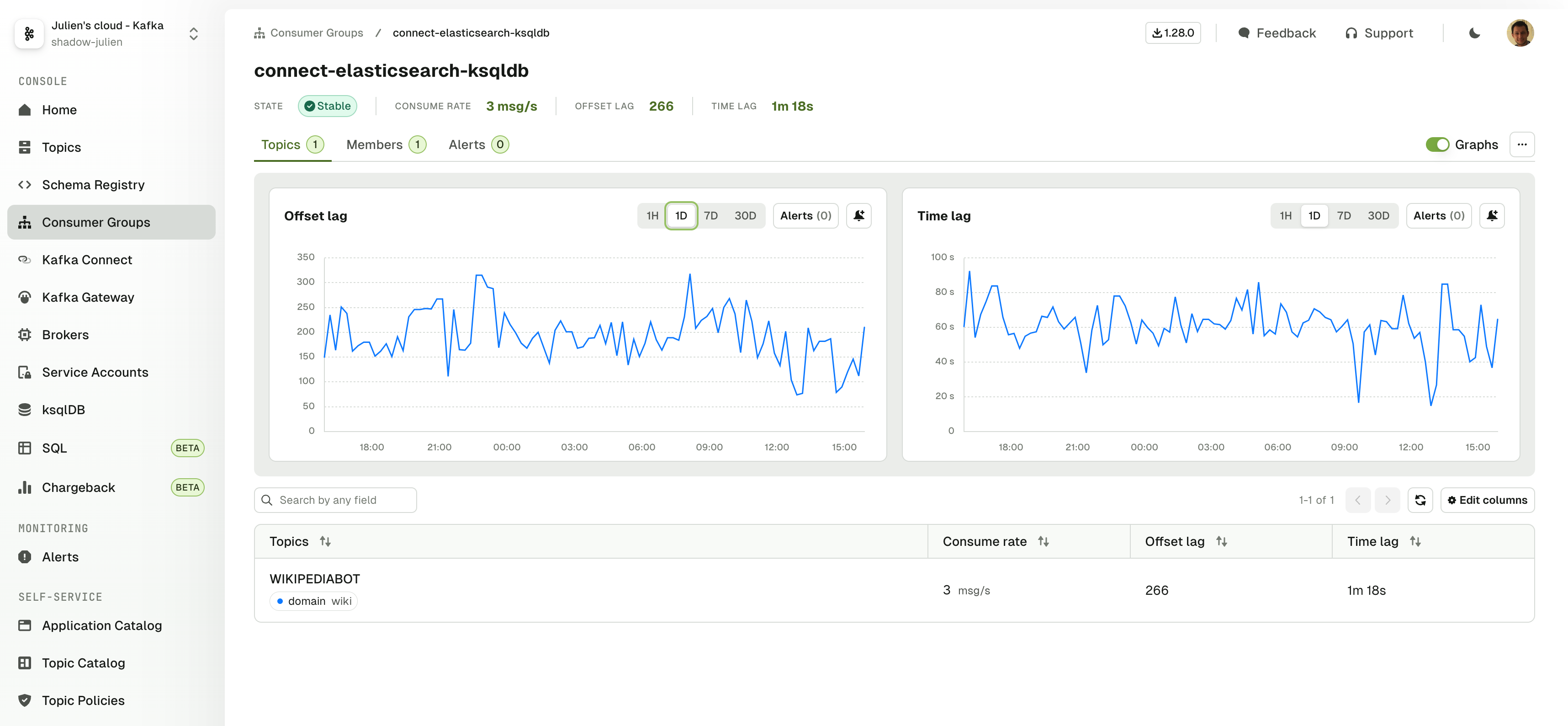
Consumer Group pages overhaul
Consumer group details page is now organized in a way that helps understand the status of your Consumer Group more easily:- Topics tab shows the Consumer Group info grouped by its subscribed Topics
- Members tab shows the Consumer Group info grouped by its active members
Self-Service Topic Catalog visibility
You can now choose which Topics should be visible in the Topic Catalog by annotating their YAML.Self-Service New Topic Policy Allowed Keys
We have added a new constraintAllowedKeys to our Self-Service Topic Policy that restricts the properties that can be configured on a Topic.More Audit Log CloudEvents into Kafka
We have made more events available for the Audit Log Publisher:- IAM.User.Logout
- IAM.User.Login
- Kafka.ConsumerGroup.Duplicate
- Kafka.ConsumerGroup.Delete
- Kafka.ConsumerGroup.Update ( when we reset the offset of the consumer group )
Expanded Terraform Provider - Kafka Cluster, Schema Registry, Kafka Connect
We’ve expanded the scope of our Terraform provider, you can now create additional resources: Kafka cluster with schema registry, and Kafka connect clusters using Terraform. With this version also comes some additional small fixes as requested by the community, see the dedicated provider releases page for the full list.All examples are available in our provider repo such as the below snippet for a Confluent Kafka cluster and schema registry (with mTLS) definition.Quality of life improvements v1.29.0
- Improved the performance of the Automatic deserializer
- Improved the performance of the Schema Registry indexing process
- Added support for Google Cloud Identity group claims
- Added License expiry warning in the UI when there is less than 30 days left
Fixes v1.29.0
- Fixed an issue where Custom Deserializers weren’t working as expected
- Fixed an issue where the ManageClusters permission wasn’t working as expected
- Fixed an issue that prevented creating a KafkaCluster and a Topic on that newly declared KafkaCluster in a single CLI apply command
- Fixed
/health/readinessendpoint to return HTTP 503 when the Postgres DB is down - Fixed an issue where the Message Count wasn’t updated to 0 when emptying a topic
- Fixed an issue where the Pause/Resume button wasn’t visible when a connector was in the Failed state
- Fixed an issue where the Topic creation failure reason wasn’t shown in the UI
- This helps understand why Topic Creation is rejected (useful for Gateway and Self-Service Topic Policies), and how to modify the topic create request to meet the policy requirements
Features
- Conduktor SQL
- Monitoring improvements
- Topic Monitoring
- Cluster Health
- New CLI/API resource Alert
- Shareable Filters
- Tags Become Labels
- Publish AuditLog CloudEvents into Kafka
- Logging API
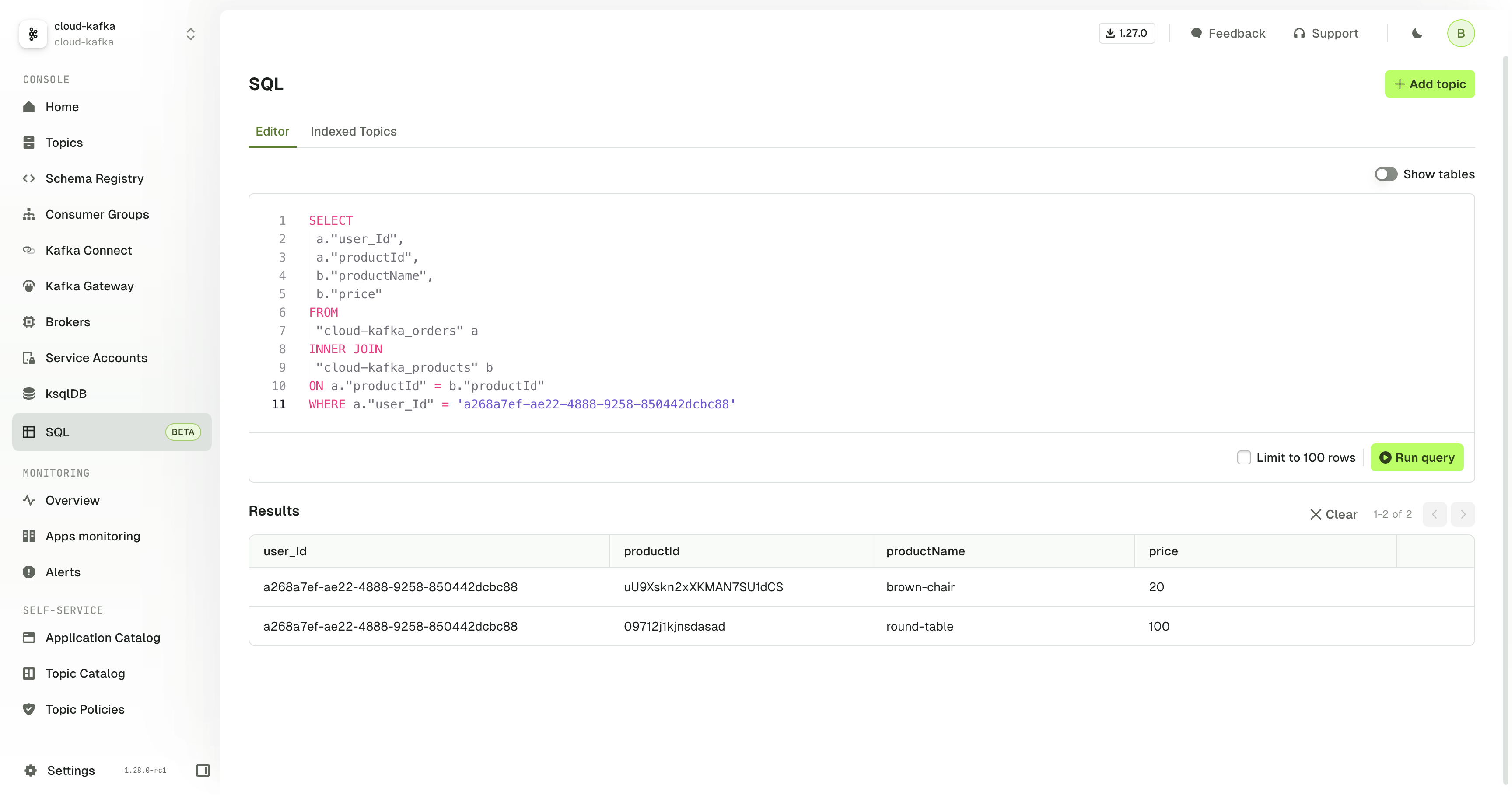
Conduktor SQL
Index data from Kafka topics in a database to enable data to be queried from the UI, API or CLI using SQL.This allows you to troubleshoot, sample, analyze, aggregate and join data through:- Querying Kafka message data
- Querying Kafka metadata (such as the offset, partition and timestamp)
Monitoring improvements
We are migrating our Monitoring dashboards into their respective resource pages for a more integrated experience.This migration will happen over the next few releases with our objective to remove the existing, generic Monitoring pages:- Overview will be refactored into Home page
- Cluster Health dashboards and alerts will move under Brokers page
- Topic monitoring will be integrated with Topics page
- Apps monitoring will be integrated with Consumer Groups pages
- Alerts will be integrated as tabs in all the resource pages, similar to the recent changes for Kafka Connect
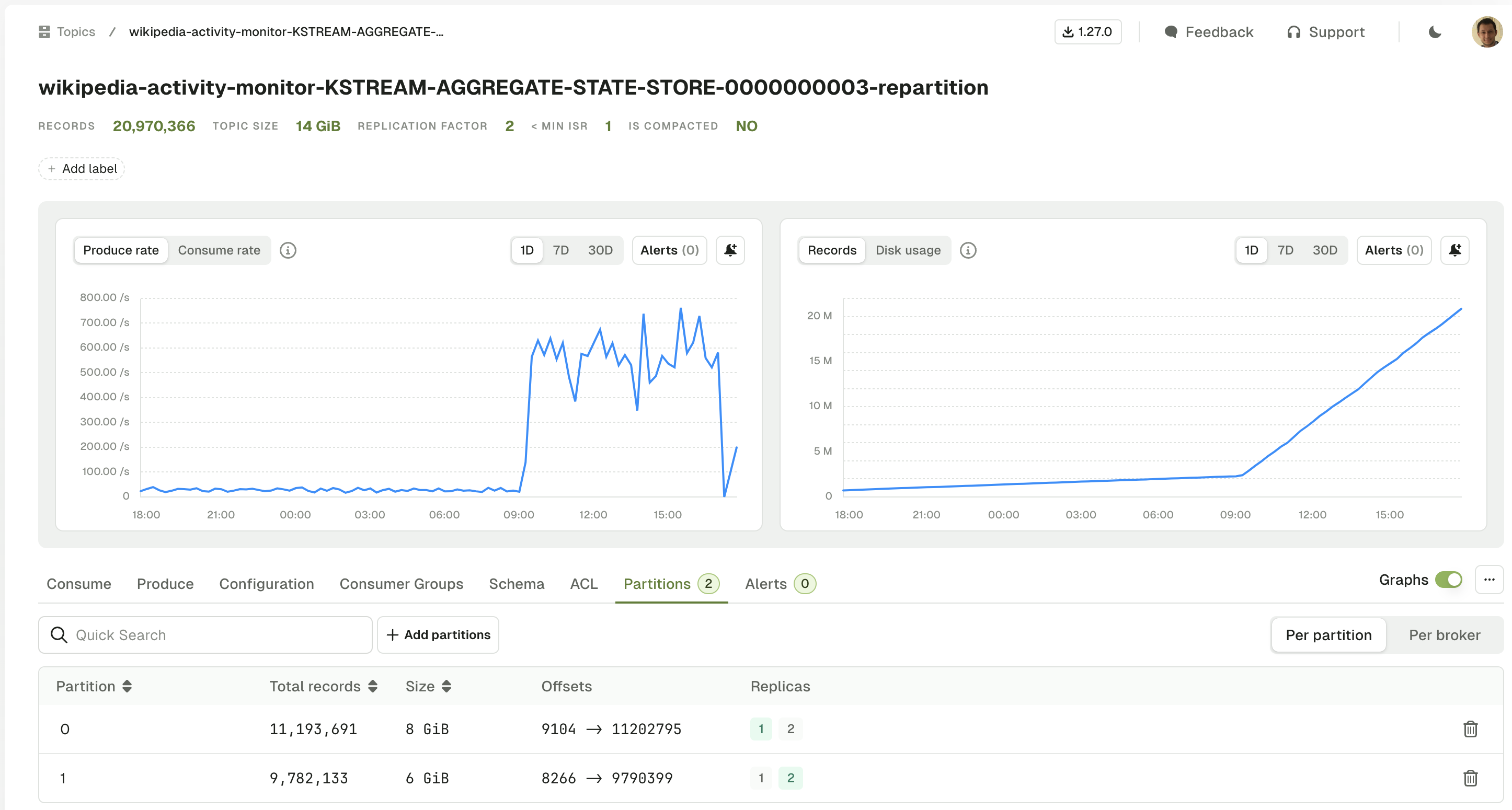
Topic Monitoring
The 3 existing graphs have been moved to the Topic details. We have also added a new graph to track the number of records in the topic.- Produce Rate and Consume Rate
- Disk Usage
-
Records (new)
Cluster Health
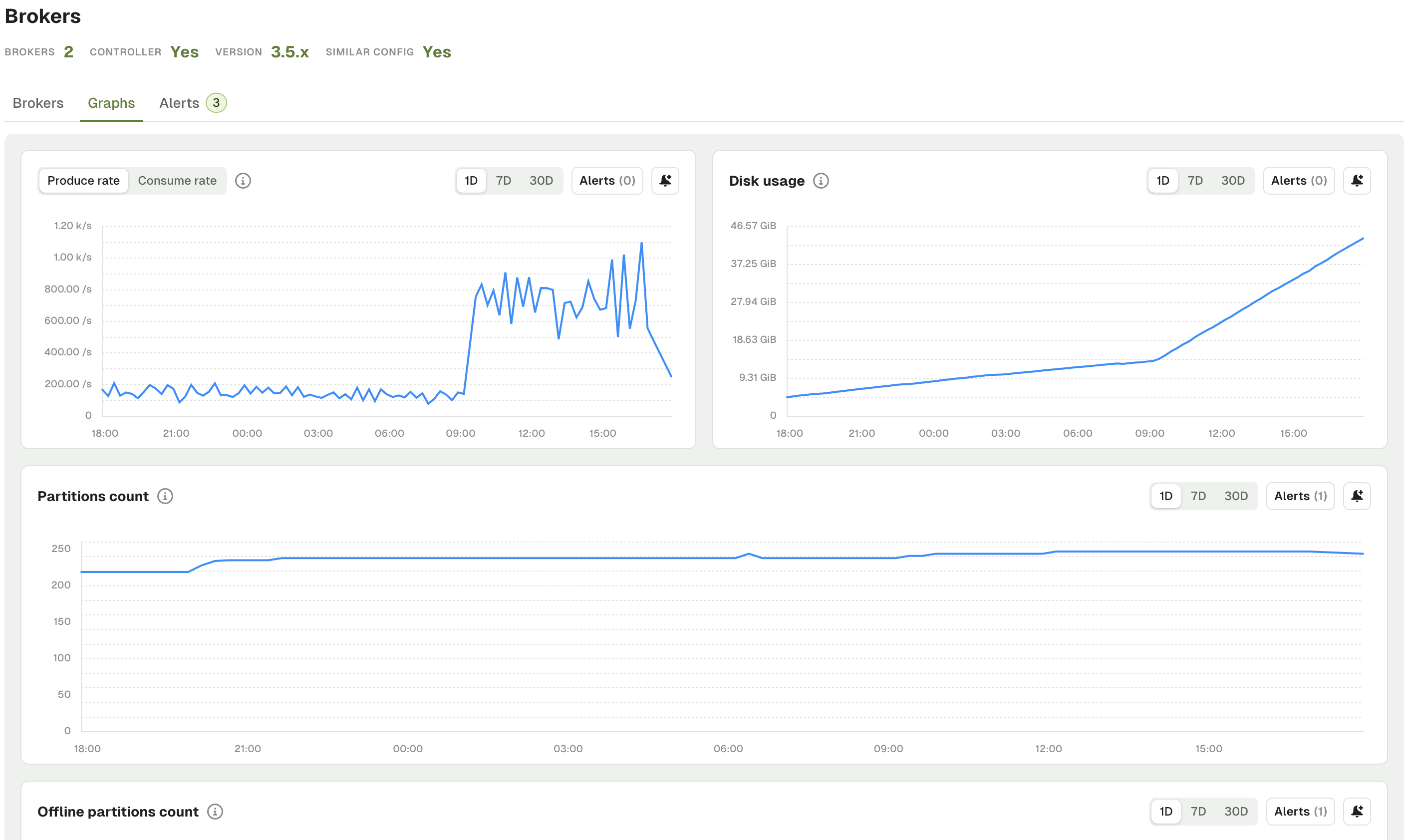
The charts and alerts are now available under the Brokers page with cleaner graphs.- Produce Rate and Consume Rate
- Disk Usage
- Partitions Count
-
Offline, Under Replicated and Under Min ISR Partitions
- Active Controller Count
- Unclean Leader Election
New CLI/API resource Alert
Alerts can now be created via the API or CLI in addition to the UI. Here’s a sample config:Shareable Filters
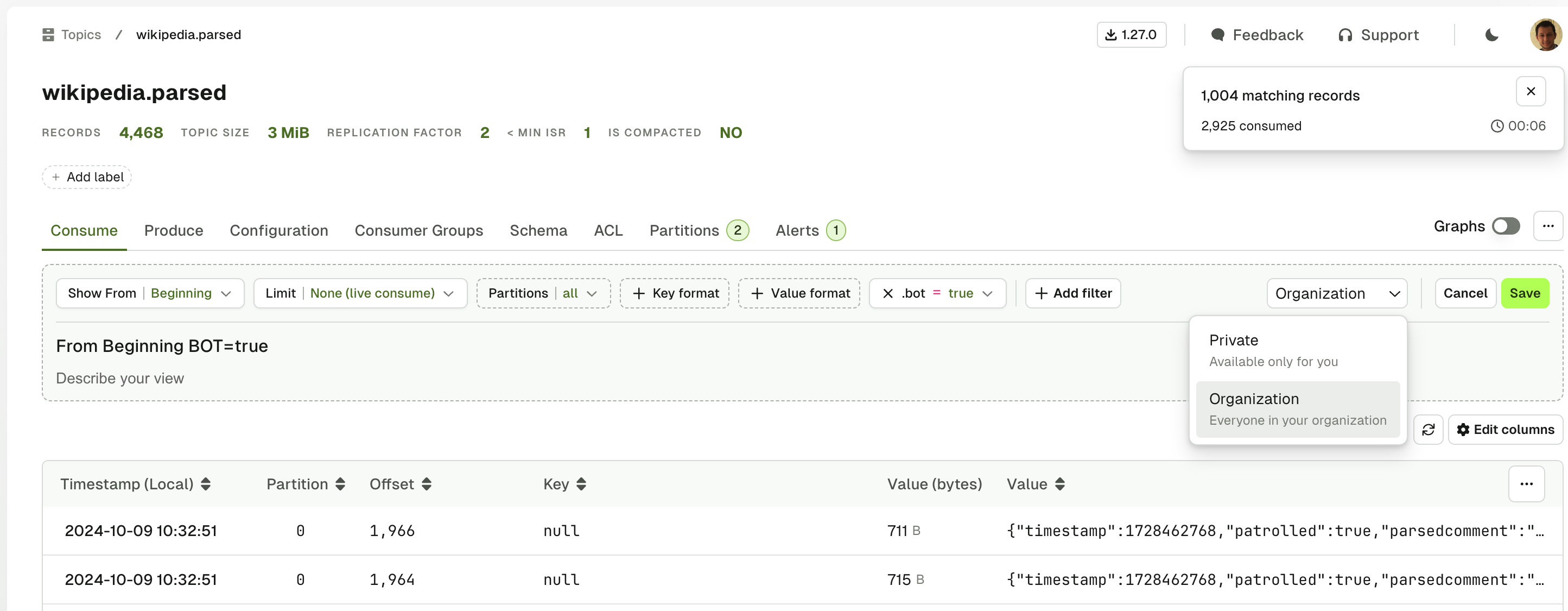
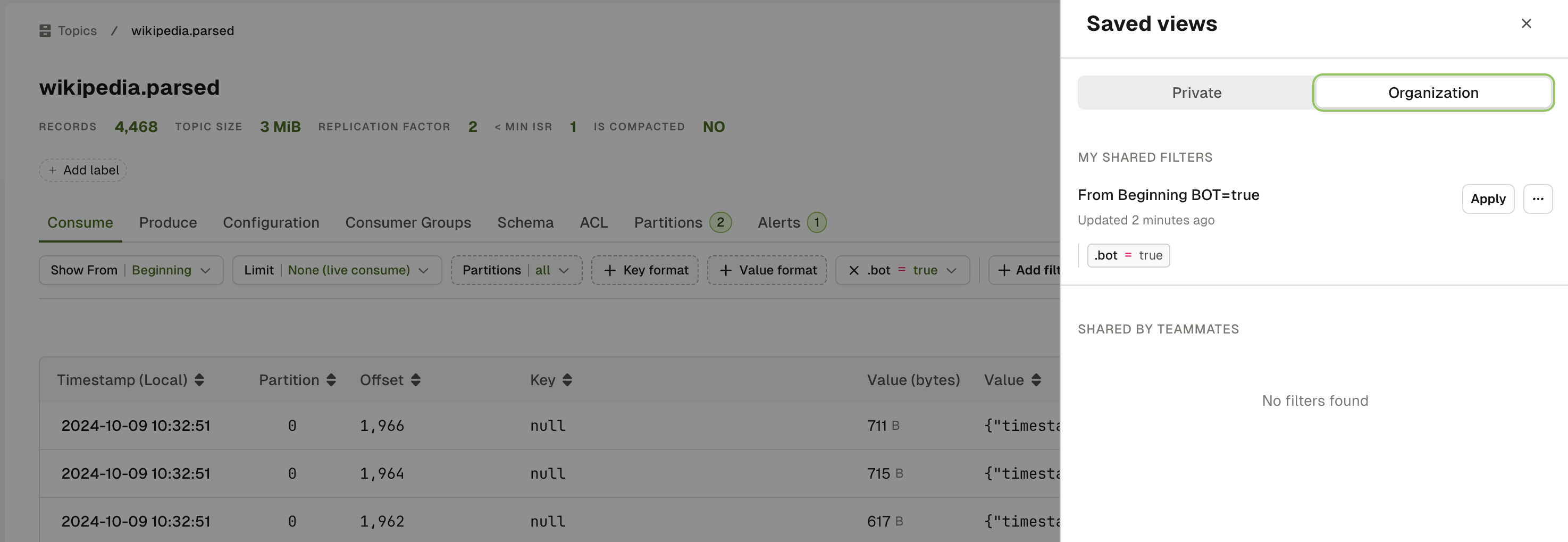
Filters in the Topic Consume view are now shareable. This brings a number of benefits:- Improved collaboration: Share pre-defined views to ensure users are looking at the same subset of data
- Time savings: Speed up troubleshooting and analysis with repeatable filters that share the same or similar criteria
- Consistency and accuracy: Standardized filters across teams and departments reduce the risk of errors or discrepancies that can occur when individuals manually create filters
Tags Become Labels
With the introduction of the Self-service resource manifests, we brought customers a means to annotate all their resources with labels. Labels are more structured than the existing Conduktor tags, thereby allowing for more precise filtering capabilities, as can be seen in the Topic Catalog.In this release, we’ll perform an automatic migration from Tags to Labels.Tags written with the naming convention<key>/<value> will automatically be added as similar labels:<key>: <value>
tag- prefix as follows: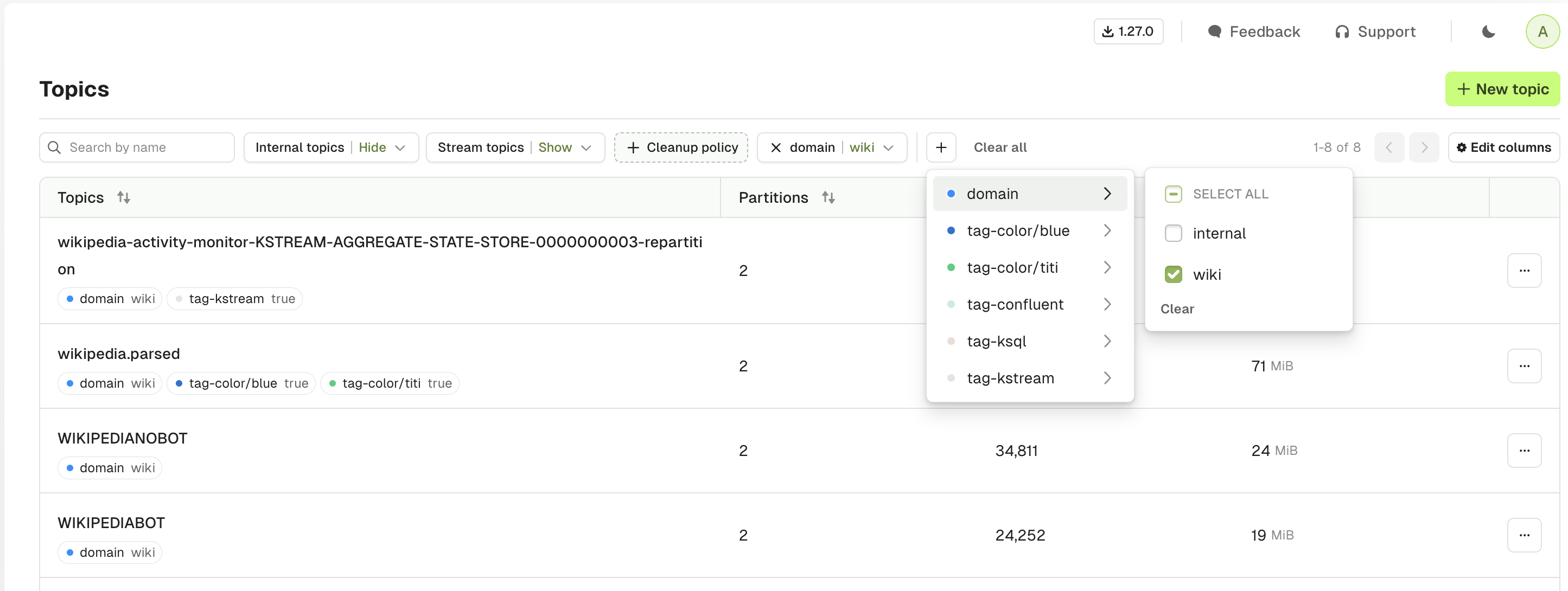
Publish AuditLog CloudEvents into Kafka
It is now possible to publish Console Audit Log events into a Kafka topic directly for any further use you may have for them, such as maintaining your own audit trail in other systems.The exportable audit log events have more detail compared to the current UI events, providing additional information about the event that has taken place.The events conform to the CloudEvents specification, a vendor-neutral format that follows the following structure:CDK_AUDITLOGPUBLISHER_CLUSTER & CDK_AUDITLOGPUBLISHER_TOPICNAME and events will start being produced to the destination topic.A full list of all the exported audit log event types is published on the Audit Log page.Logging API
Adjust the log level of Console without requiring a restart. We’ve added a new API endpoint to support targeted changes to log levels dynamically. See the full list of capabilities.Quality of life improvements v1.28.0
- Updated design and color theme
- Added navigation breadcrumb
- Enhanced error messages throughout the product
- Improved the connector 90 days heatmap
- Declaring an ApplicationInstance with resources ending in
*will now fail with this error messageCould not apply resource ApplicationInstance/my-app-inst: resource name 'appA-*' is not allowed. Use name 'appA-' with patternType PREFIXED instead
Fixes v1.28.0
- Fixed an issue with Topic Policy constraint Range where
maxvalue wasn’t inclusive andmincould greater thanmax - Fixed an issue where Topic Policies were not enforced on Topic configuration changes in Console
- Added an error message when using the copy to clipboard button (for API Keys for instance) fails
- Added checks on local user creation emails
- Added new optional environment variable
CDK_SSO_OAUTH2_0_OPENID_METADATADOCUMENTto modify the default discovery .well-known end-point - Fixed an issue where Avro messages using logical type UUID couldn’t be deserialized properly
- Fixed an issue with Cluster configuration page requiring
platform.certificates.createpermission to perform the TLS check - Fixed an issue with “Remove user from group” button which is now disabled for users added by external group mapping
- Prevented the deletion of a group when it is owner of an Application
- Fixed an issue with the “New version” button in the banner that was still showing despite being on the latest version
- Fixed an issue where connections to the AWS glue schema registry would disconnect after a certain time and struggle to reconnect
- Fixed an issue where the “Reprocess message” feature was converting empty string headers to null value
- Fixed all critical and high CVE in
console-corteximage - Fixed an issue with the metric
under_replicated_partitionswhen topics haveconfluent.placement.constraintsproperty
Improved performance of RBAC resolution when there is a large number of permissions.
Features
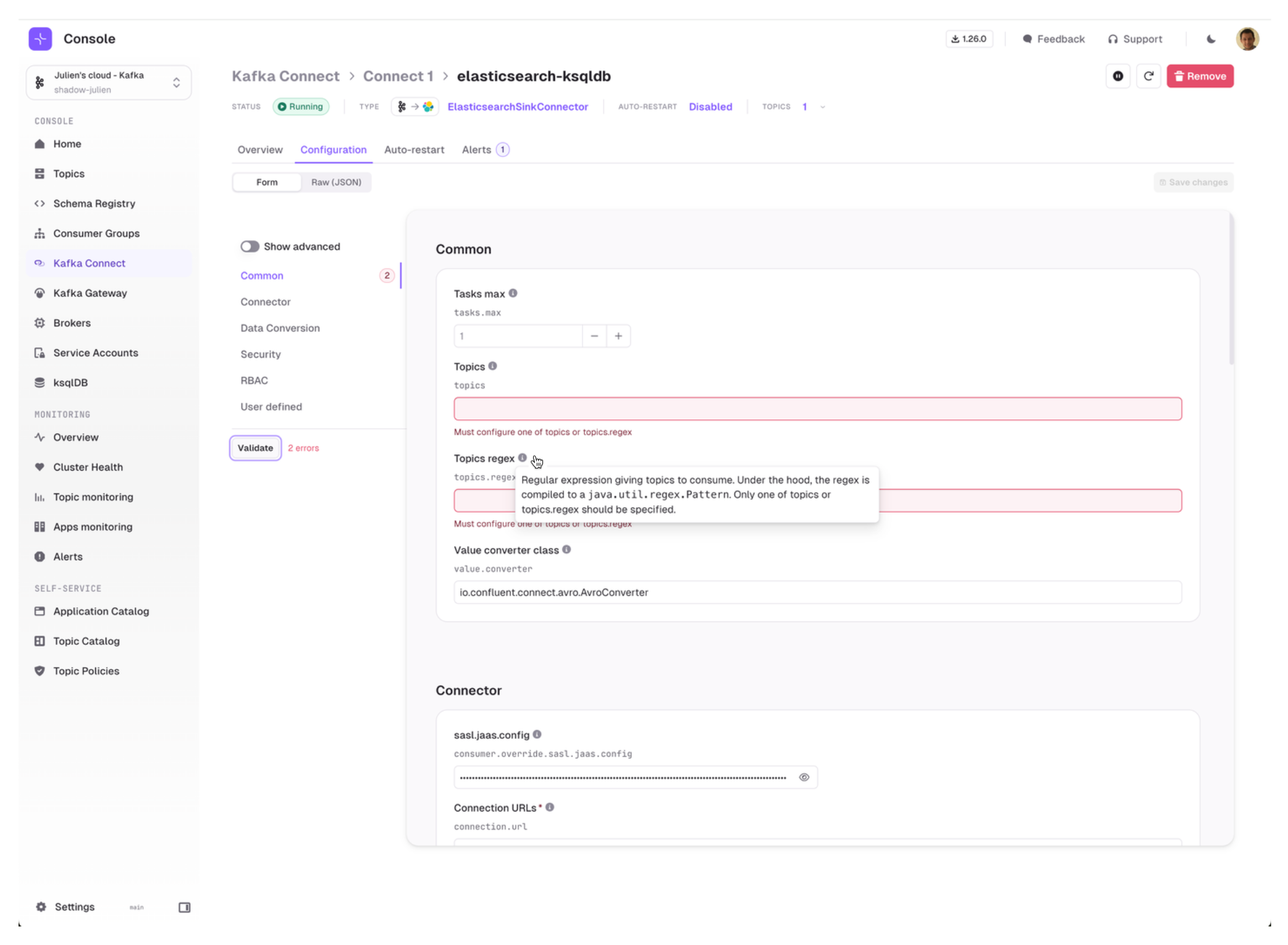
Kafka Connect Configuration Wizard
We are very excited to introduce our Configuration Wizard for Kafka Connect which is taking full advantage of the Kafka Connect Validate API:- Form is generated with structured configuration groups
- Much nicer error handling, attached to each individual field
- Embedded documentation that helps you understand which fields are required and what are their expected and default values
- Ability to toggle advanced configuration to visualize only the most important fields
-
Ability to switch seamlessly between Form View and JSON View at any time.
Alerts for Kafka Connect
On top of the Kafka Connect Graphs we shipped last release, we now have added the ability to create alerts on them.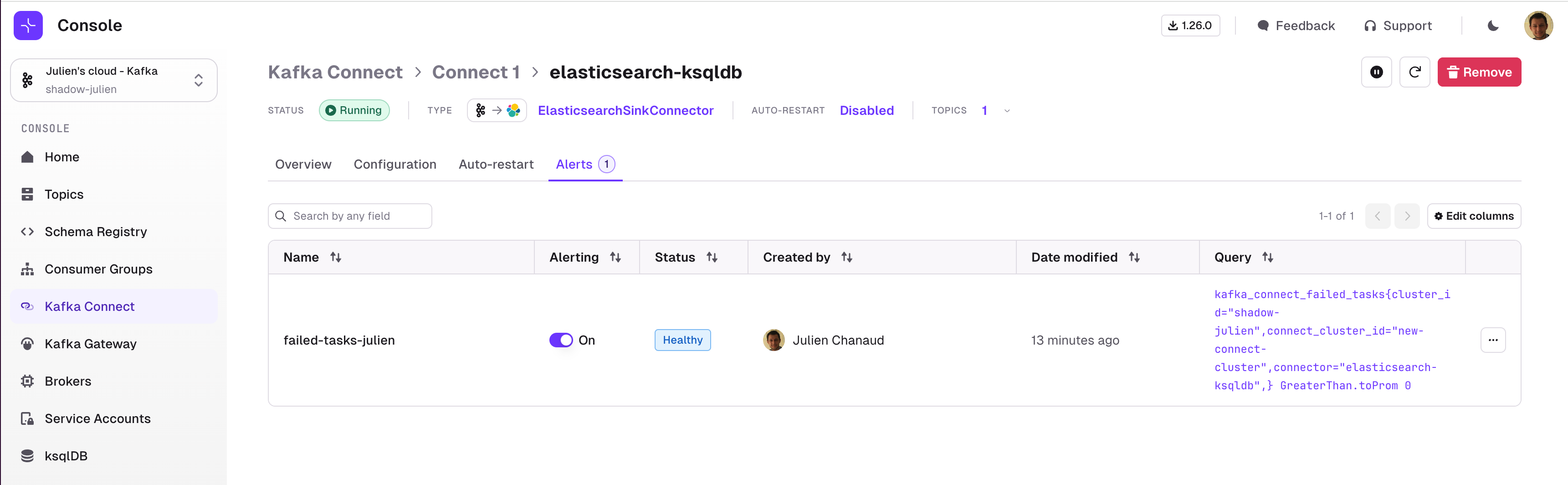
Self-service - Limited Ownership mode
To help organizations transition to Self-service more easily, we have added a new attribute on ApplicationInstance to let Platform Teams decide the level of autonomy to give to Application Teams.- ApplicationInstance resources configured with
ownershipMode: ALL, which is the default, delegates all permissions related to that resource to the Application Team - ApplicationInstance resources configured with
ownershipMode: LIMITEDdelegates only a subset of the available permissions to the Application Team
Quality of Life improvements v1.27.0
- Self-service: External Group Mapping is now available for
ApplicationGroup - The Login page now steers users towards their OIDC provider rather than basic auth when OIDC is enabled
Fixes v1.27.0
- Fixed an issue on Consumer group reset offset with the ToDatetime strategy
- Fixed an issue with Console indexing that could occur when deleting and recreating subject
- Fixed a recent regression with default replication factor when creating a topic
- Fixed a recent regression with Broker feature “Similar config” calculation
- Fixed a UI issue when Application Instance was created without any resources
- Fixed several issues around Microsoft Teams Integration to support Teams Workflow webhooks (Step by step guide)
- Fixed Kafka Connect client to use HTTP Proxy JVM configuration
- Switching Kafka cluster from the Topic details page now redirects to the Topic List
- Console doesn’t override the client.id property anymore
Deprecation warning for upcoming migration from Tags to Labels
With the introduction of the Self-service resource manifests, we brought customers a means to annotate all their resources with labels. Labels are more structured than the existing Conduktor tags, thereby allowing for more precise filtering capabilities, as can be seen in the Topic Catalog.In an upcoming release, we’ll perform an automatic migration from Tags to Labels.Tags written with the naming convention<key>/<value> will automatically be added as similar labels:<key>: <value>
Between now and the migration, we can help you rename your tags for a smooth transition to labels.Contact us as soon as possible if you would like support.
Features
- Manage Connectors using the CLI
- Self-service support for Connectors
- Enhanced UI and graphs for Kafka Connect
Manage Connectors using the CLI
Continuing with the Infra-as-code approach, we are happy to introduce CLI support for Connectors, providing an efficient and automated way to manage your Kafka Connect resources.Self-service support for Connectors
Application Teams can now manage their Connectors with Self-service.From now on, you can grant ownership to connectors on Self-service application instance.
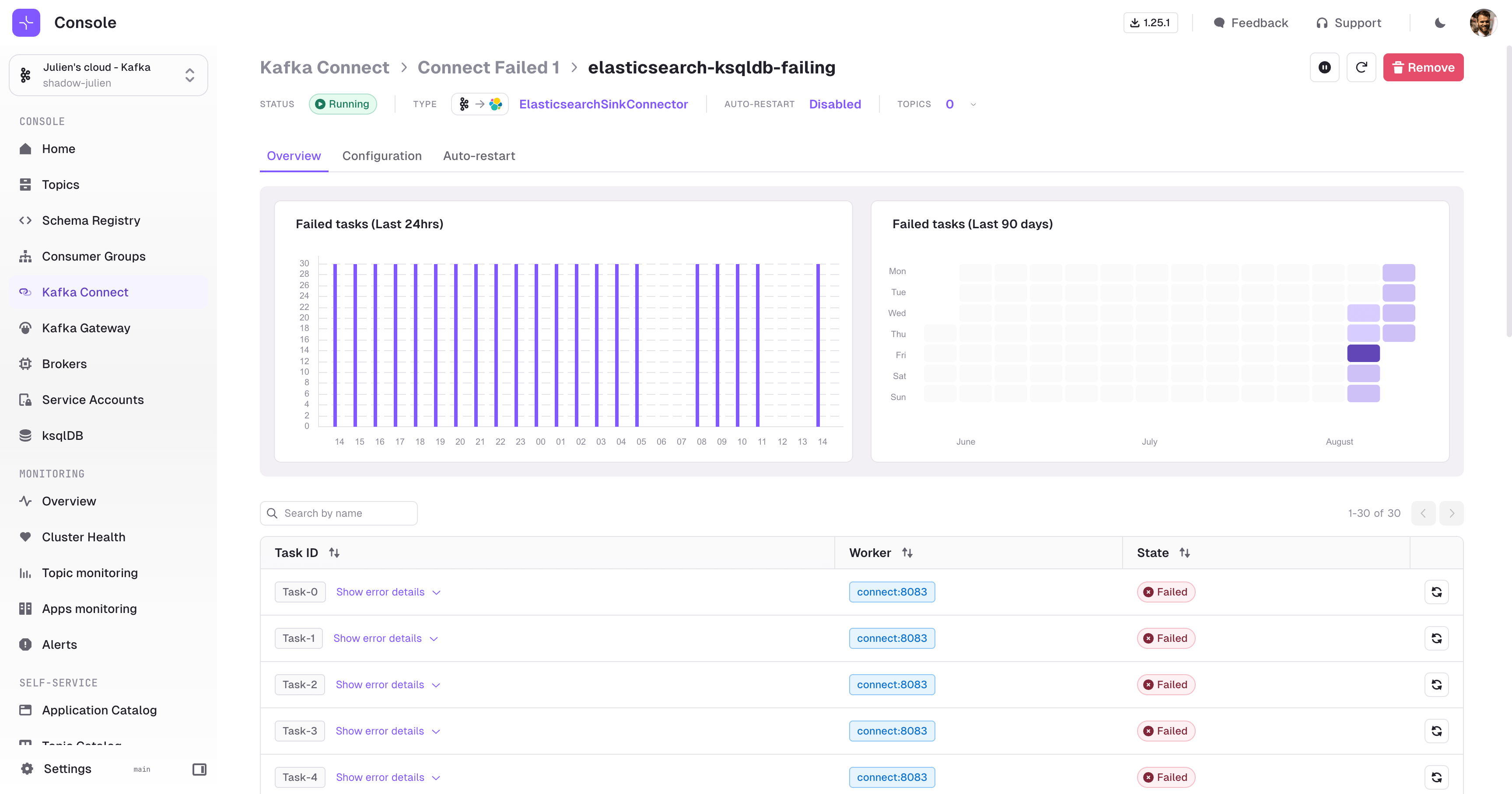
Enhanced UI and graphs for Kafka Connect
We have revisited the Kafka Connect UI in multiple ways to improve your experience:- Connect Cluster selection screen with a preview of Connector status
-
New graphs demonstrating the state of your Connector over time
Support for High Availability (HA) Console
Multiple Console instances can now be deployed in parallel to achieve high availability.This applies to the deployment ofconduktor-console, while conduktor-console-cortex is currently limited to a single instance. The design ensures minimal impact on the cluster by assigning only one instance to handle the indexing of Kafka data used for performance monitoring.Quality of life improvements v1.26.0
- The checkbox to skip TLS verification is now always visible
- The YAML for Topic object now allows number in
spec.configs. Previously it was mandatory to quote all numbers. - Self-service Topic Policies are now visible in the UI
Fixes v1.26.0
- Topic Policies from Self-service are now properly enforced from the UI, as well as both the API and CLI
- Fix Kafka Connect Cluster list showing invalid number of running tasks
Upcoming deprecation warning
With the introduction of the Self-service resource manifests, we brought customers a means to annotate all their resources with labels.Labels are more structured than the existing Conduktor tags, thereby allowing for more precise filtering capabilities, as can be seen in the Topic Catalog.In an upcoming release, we’ll perform an automatic migration from Tags to Labels.Tags written with the naming convention<key>/<value> will automatically be added as similar labels:<key>: <value>
Breaking changes
New Docker image name
We have renamed the Console docker image toconduktor/conduktor-console to clarify our product naming.Please modify your installation to reflect this change as we will now stop publishing a
conduktor/conduktor-platform image.Features
- Conduktor Console IaC compatible
- Shareable Message Page
- Large Messages Support
- Topic Catalog Details Page
- Audit Last Activity of Users
Conduktor Console IaC compatible
Console is now able to be fully deployed through an IaC approach with the following additions to Console 1.25 and CLI 0.2.7.Manage Cluster Connections
Manage your Console resource lifecycle with the addition of the KafkaCluster, KafkaConnectCluster and KsqlDBCluster objects to our IaC approach using the Conduktor CLI.Checkout the example below and find the full definition at Console Resources Reference documentation.Short lived token generation on startup
When spinning up Console, a token is needed to access the API. Previously, this had to be done in the UI which would not allow full IaC. Now, we have theconduktor login command which leverages the admin credentials to generate an API token, and allow the rest of the commands you may need to startup. This is expanded upon in the docs.Admin and Application Tokens
In addition to the startup token, you can now generate tokens for the appropriate scope, for admin and application level tokens. The docs will walk you through this.Shareable Message Page
Individual messages can now be accessed from a unique URL! Now you can link directly to a specific Kafka message for review or investigation, be that for sharing with a teammate, or commenting on a Jira ticket.From within the Consume page, select a message and use the ‘Share’ button to navigate to the standalone page. The standalone message page shows the key, value, metadata and headers in a single view. Switch between the JSON view or table view, and utilize jq for additional filtering of the value.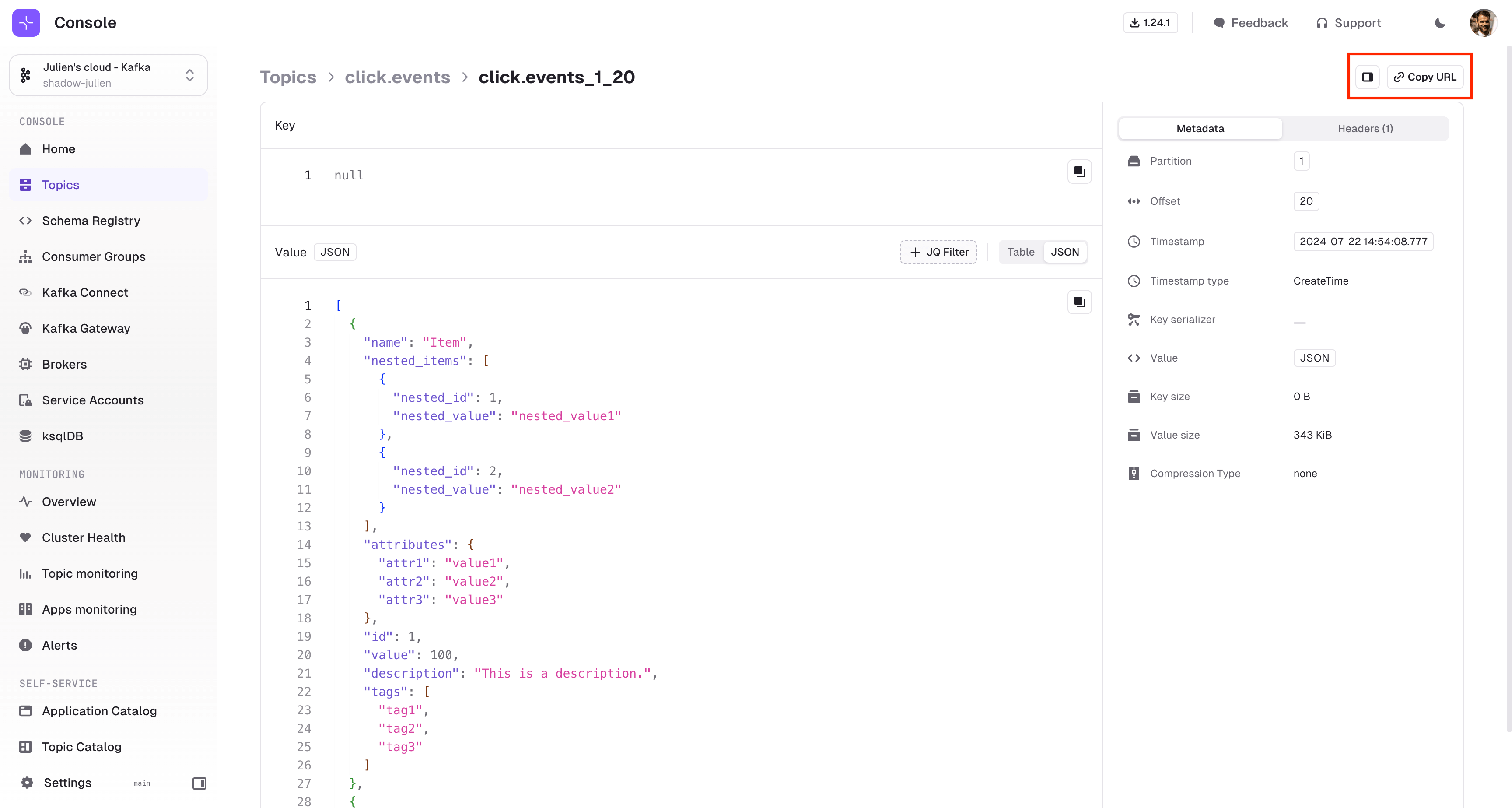
Large Messages Support
We have put a limit on the message sizes that are sent to the browser in the Consume page (100Kb). From now on, when a message is larger than this size, we’ll provide you with a link to access the individual message - this mitigates performance issues and still provides a path for troubleshooting, and sharing, large messages.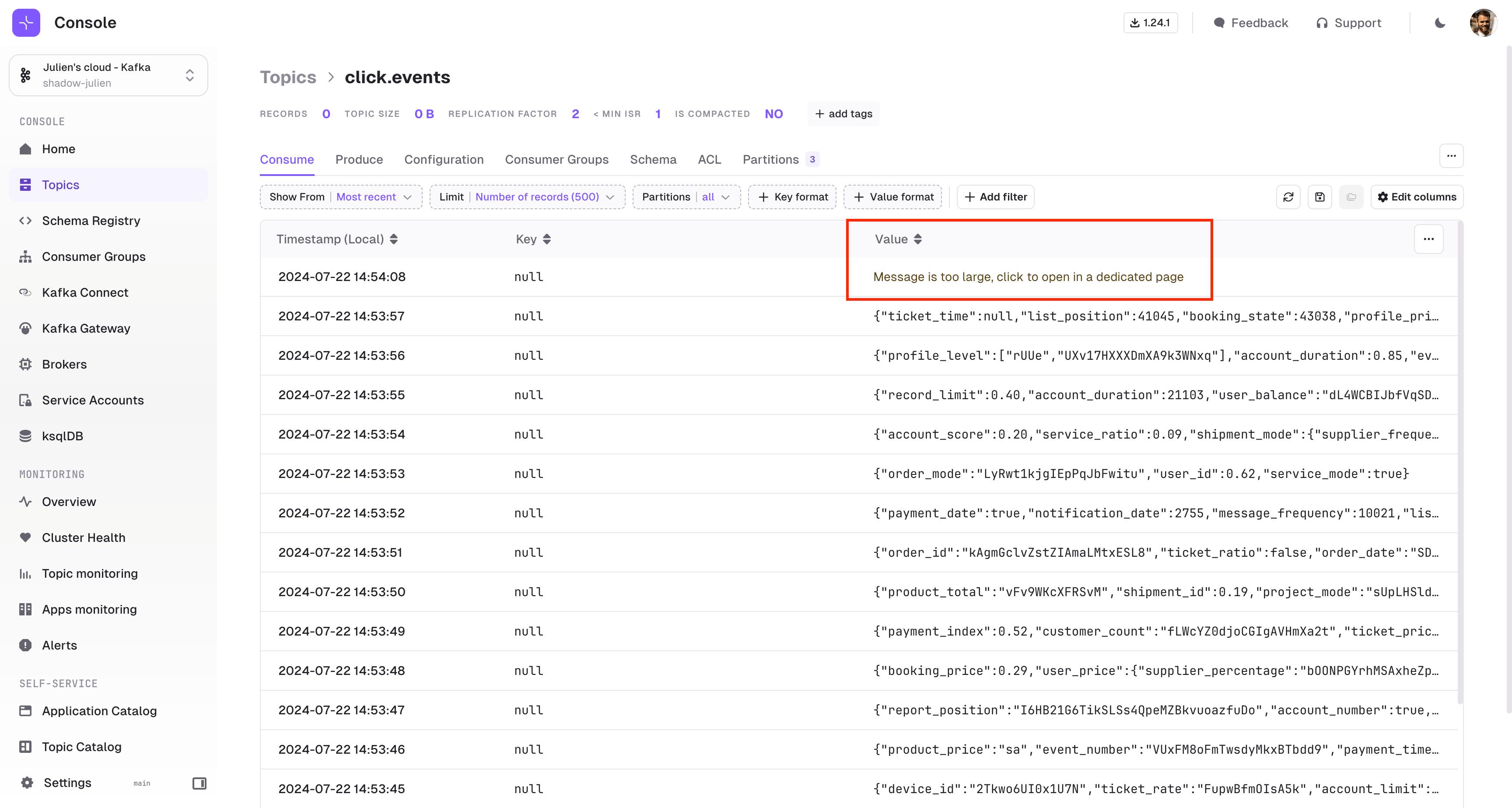
Topic Catalog Details Page
Expose contextual documentation about your Kafka Topics that exist in your organization with the Topic Details page. This helps democratize data to enhance its understanding and usage, and facilitate collaboration through a shared knowledge base.You can choose to open or lock editing of descriptions within the UI using specific annotations. Check the Topic Resource documentation for more information.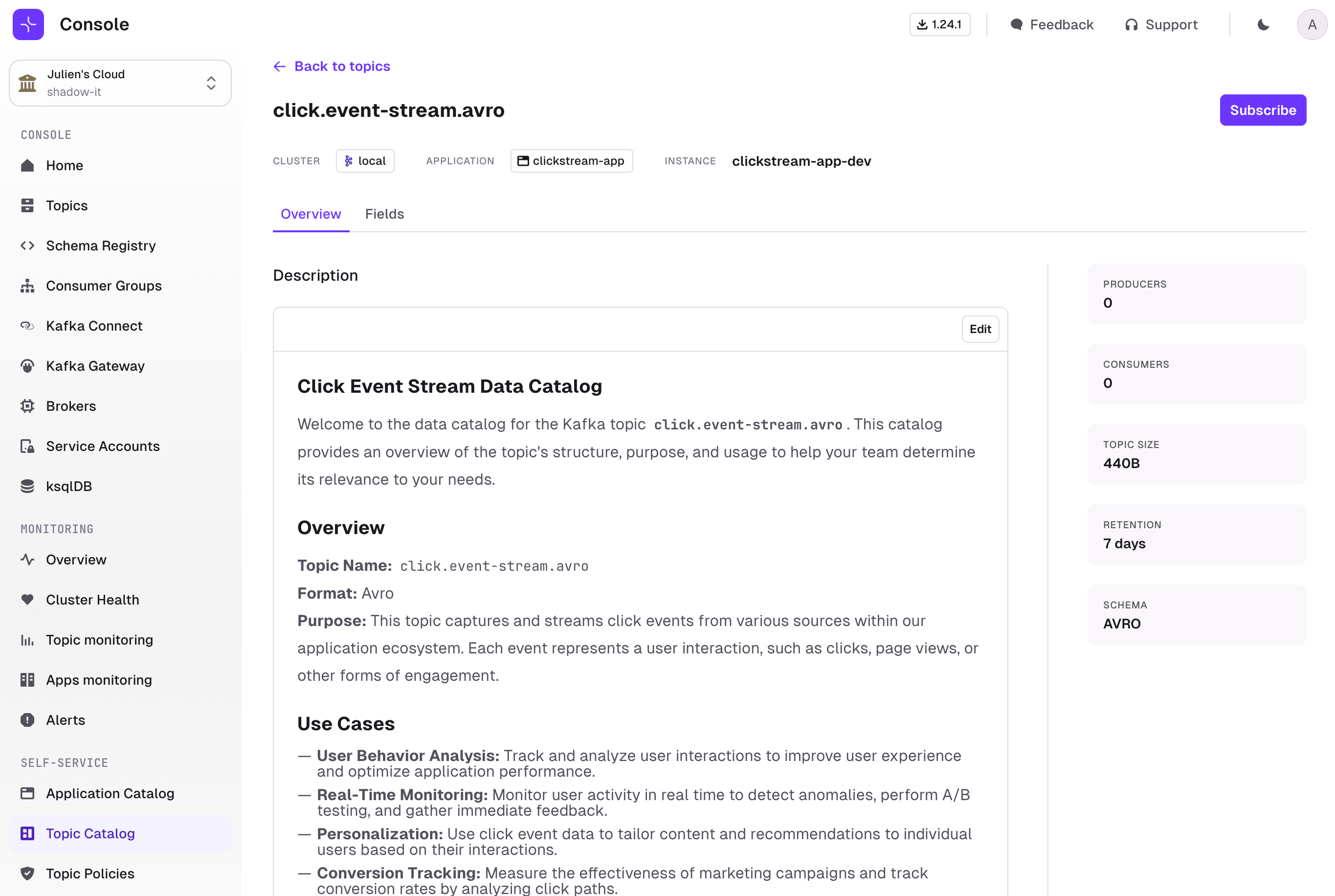
Audit Last Activity of Users
You can now audit the last activity date of users in Console.From within the Settings > Users page, you will see a new column ‘Last login’. Note that the user login event is also captured in the Audit Log.Quality of life improvements v1.25.1
- Introduced an intermediate screen for Kafka Connect, allowing you to segment Connectors by each Connect cluster
- Within a Connect cluster, introduced an icon for each connector that clarifies if auto-restart is enabled
- Topic Catalog Search is now case-insensitive
- Improved error message when trying to delete an ApplicationInstance that is referenced elsewhere
- Improved error message when assign ownership on resources already owned by another ApplicationInstance
- CLI delete command can now be applied at the file level, similar to resource creation through
apply -fyou can nowdelete -f
Fixes v1.25.1
- Fixed an error that occurred when configuring a KsqlDBCluster in the UI
- Fixed a UI issue that caused several dropdowns components to look wrong
- Fixed an error message where expected and actual topic replication factor were inverted in the CLI
- When deleting a Kafka Cluster from Console, the Indexed data is now properly deleted as well
- Upgrade dependencies vulnerable to CVE-2024-21634
Fixes
- Fixed a UI issue on Self-service Application Catalog and Topic Policies pages
- Fixed a UI issue on Topic Catalog when listing topics created with empty configs
- Fixed an issue with KqlDB connection test button
- Fixed an issue with the new delete users from group endpoint definition in OpenAPI spec
Breaking changes
New Docker image name
We have renamed the Console docker image toconduktor/conduktor-console to clarify our product naming.This is the last version where we publish our images using both names.Please modify your installation to reflect this change in advance of us deprecating the name conduktor/conduktor-platform.Change in ApplicationInstance Resource Type from GROUP to CONSUMER_GROUP
We have renamed the resource type inApplicationInstance from GROUP to CONSUMER_GROUP. This change is intended to prevent confusion with the newly introduced resources ApplicationGroup and Group.Features
- Self-service
- Subject
- ApplicationGroup
- Topic Catalog
- Manage Groups and Users using the CLI
- Topic list columns Produce Rate and Last Activity
- Active Data Policies in Topic Consume page
Self-service
There’s a host of new functionality available providing a truly powerful self-service release. This comes from the addition of two new resources: Subject and ApplicationGroup.Application Teams can now manage their Subject resource lifecycle through IaC with the addition of the Subject object.A new concept, ApplicationGroup lets Application Teams fully organize themselves within their Application scope to restrict who can do what over their resources within Console UI. It’s a form of delegated RBAC.Check out the definitions below and find the full list of resource definitions via the Resource Reference documentation.Subject
This creates a Subject in the Schema Registry.ApplicationGroup
Create an Application Group to directly reflect how your Application operates. You can create as many Application Groups as required to restrict or represent the different teams that use Console on your Application, e.g.:- Support Team with only Read Access in Production
- DevOps Team with extended access across all environments
- Developers with higher permissions in Dev
Topic Catalog
We’re expanding on the Topic Catalog, to help teams discover Kafka Topics within your organization. You can now filter on all the topics based on user-defined, business metadata.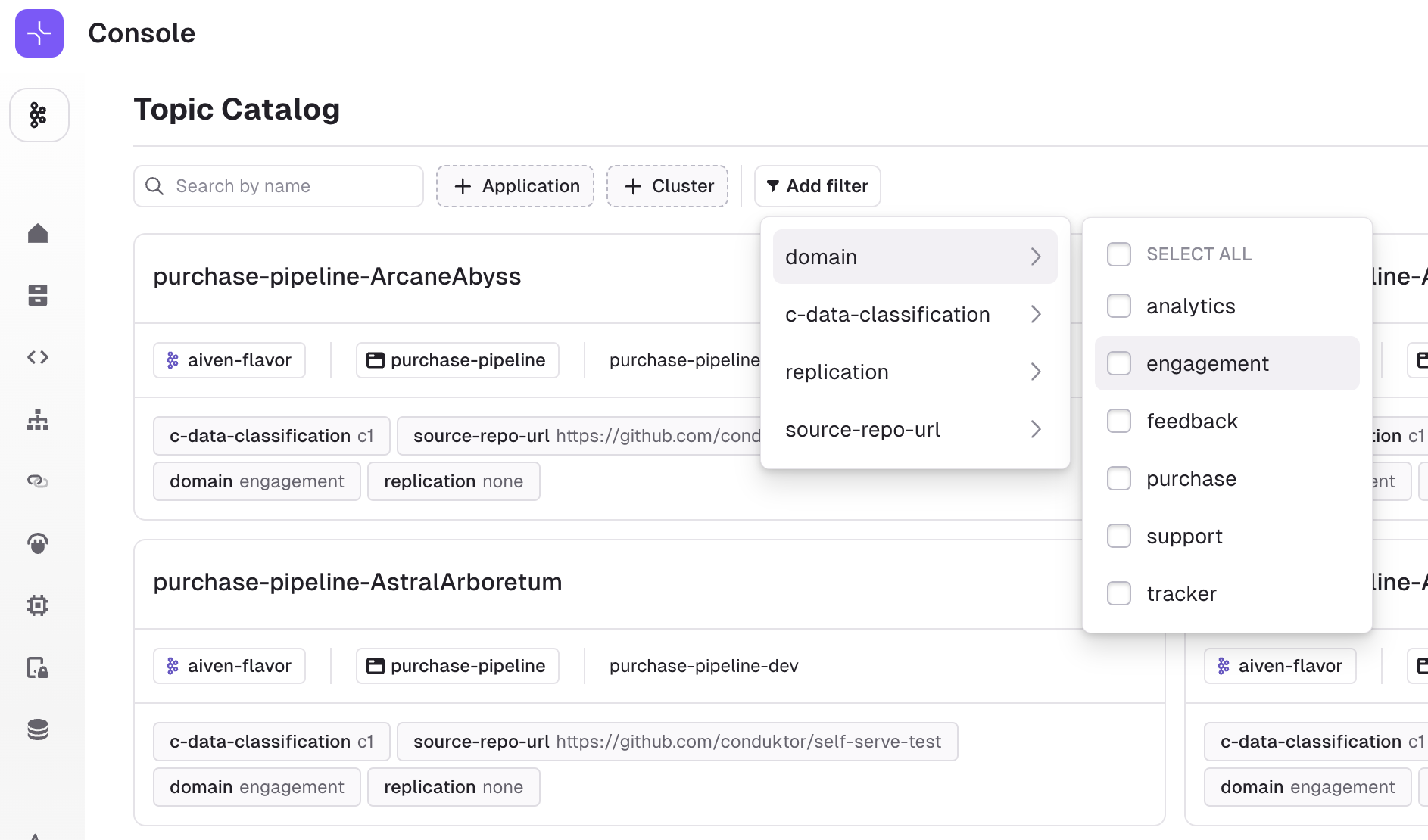
ApplicationInstancePermission snippet that grants the necessary access to Topics belonging to another Application.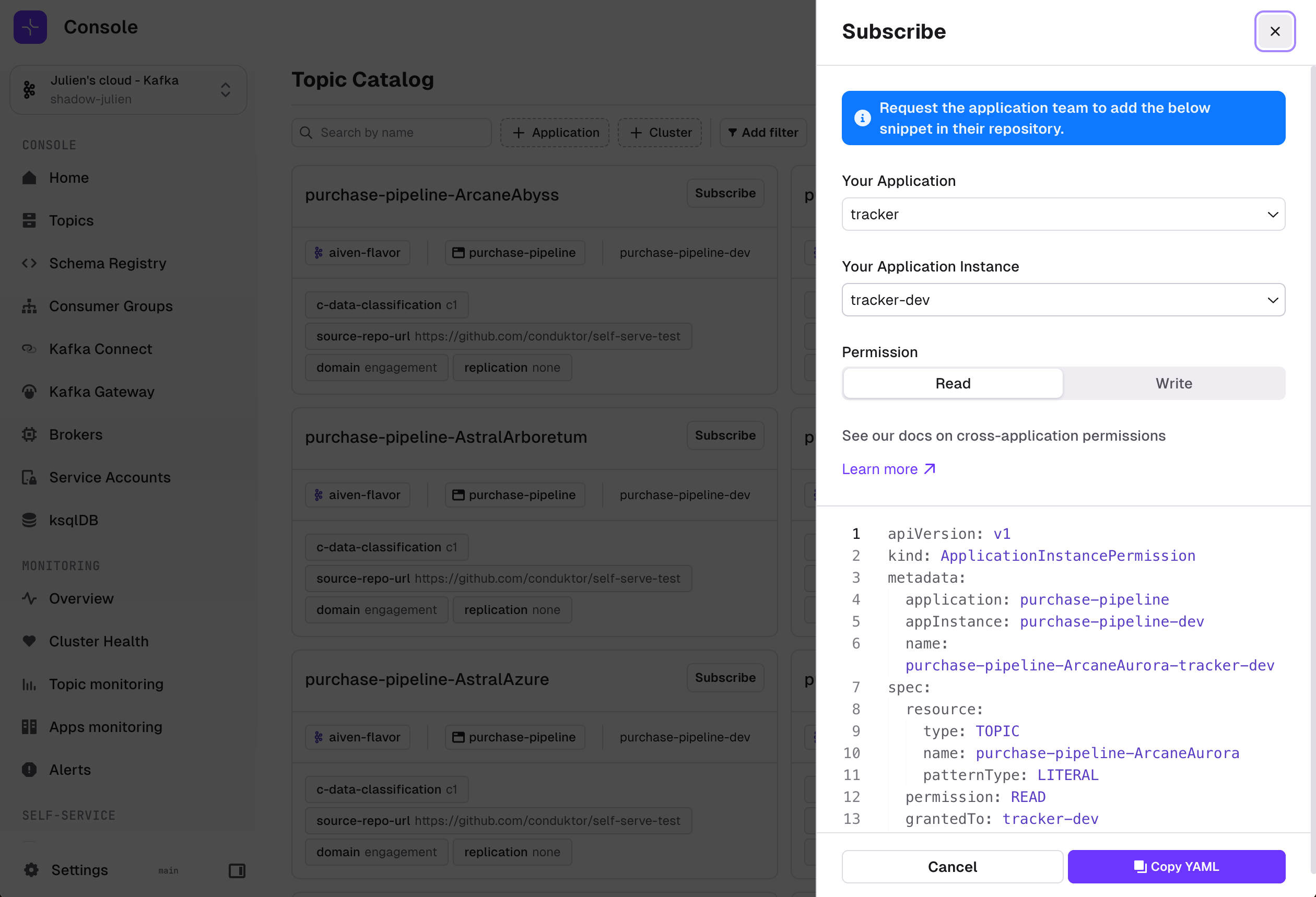
Manage Groups and Users using the CLI
Manage your Console Group and Permissions lifecycle through IaC with the addition of the Group and User objects. Check out the example below and find the full definition via the Resource Reference documentation.Topic list columns Produce Rate and Last Activity
We added two new columns to the Topic List to help you troubleshoot and understand Kafka better: Produce Rate & Last Activity.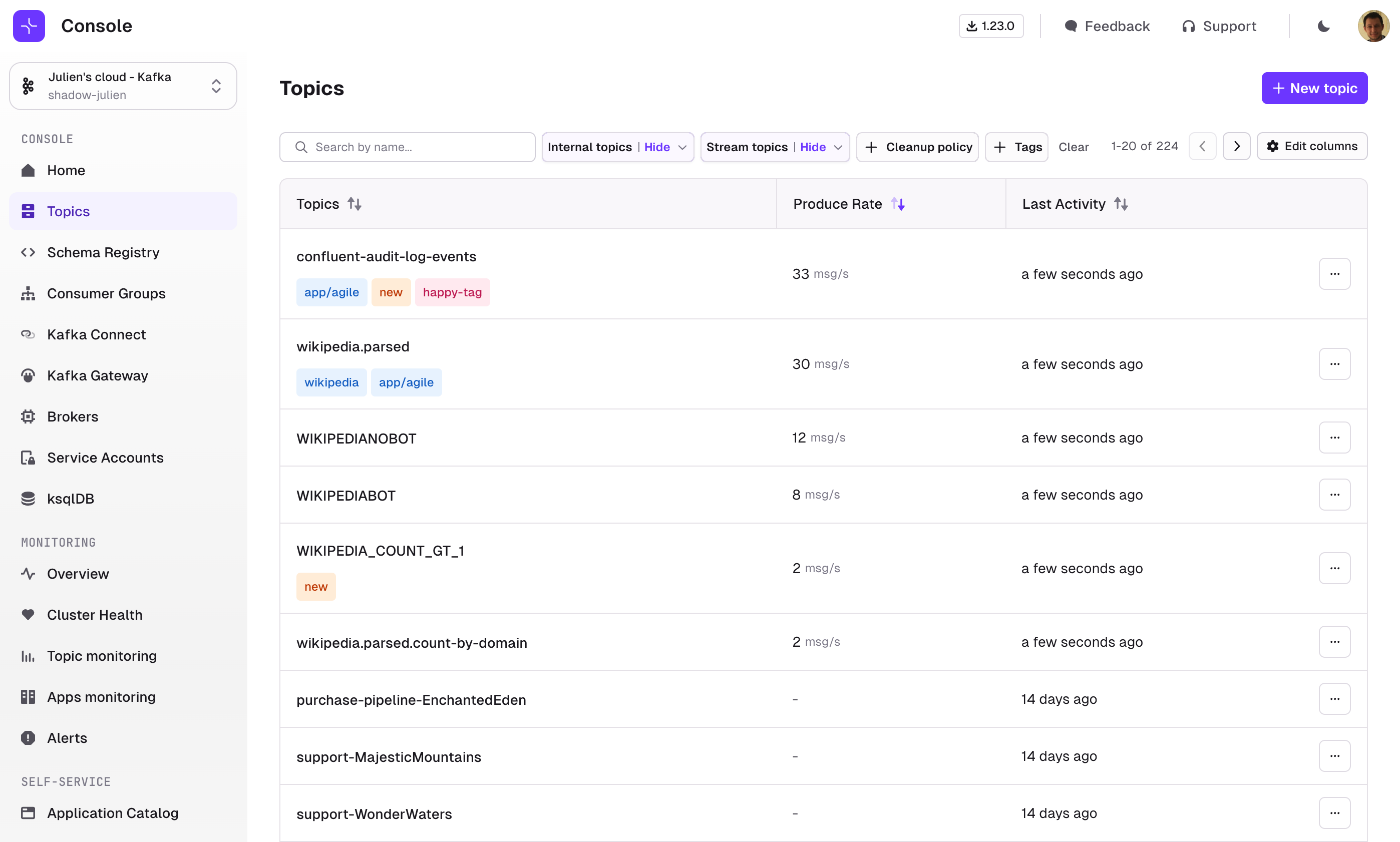
- Produce Rate is calculated from the two most recent offset values provided by our indexer.
- Last Activity is set to
Datetime.now()if the latest offsets have changed since the last Indexing
Active Data Policies in Topic Consume page
When exploring topics, fields masked by active Data Policies are now displayed in a different color, while the policy name is also now visible on hover.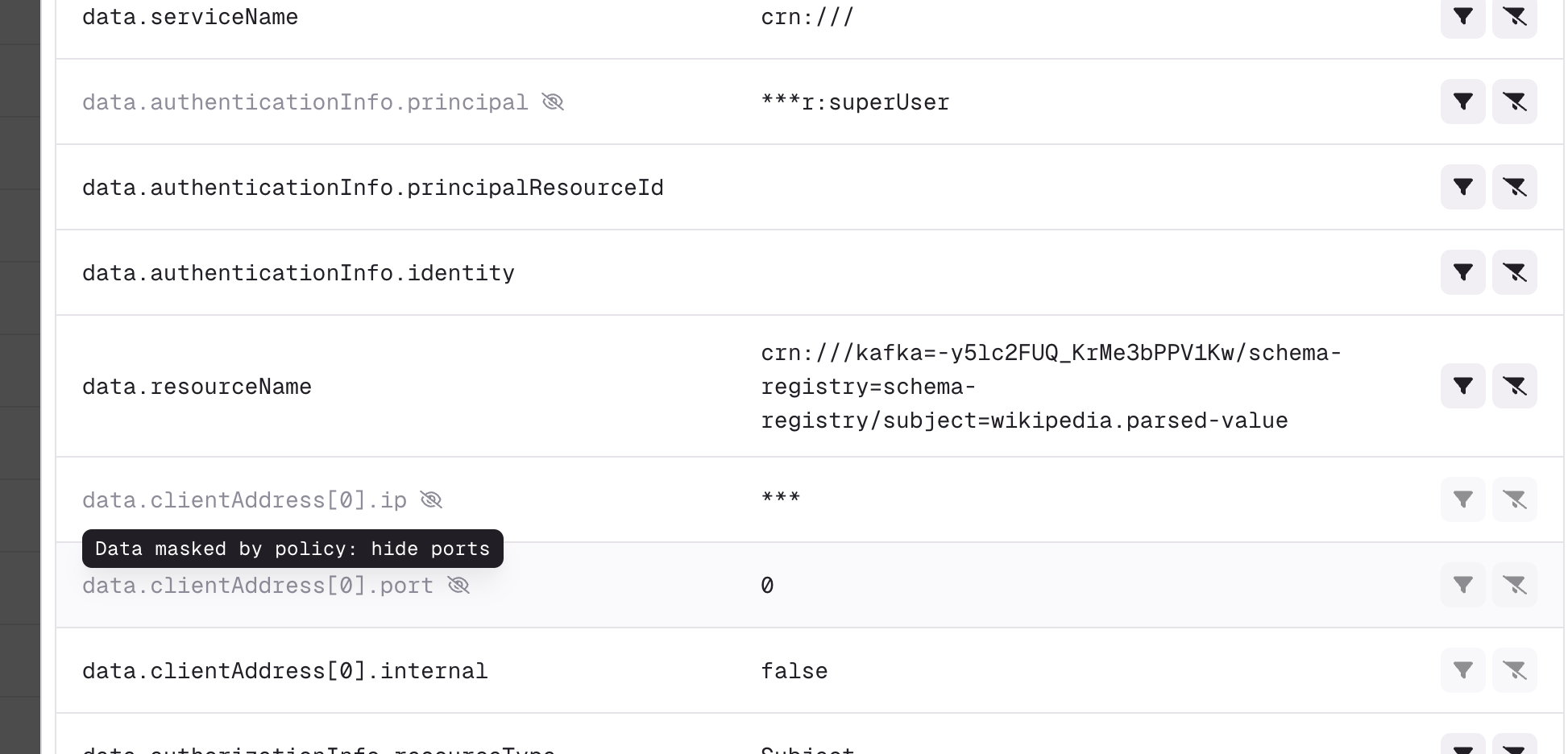
Quality of life improvements v1.24.0
Topic pages- You can now see all subjects associated to the Schema Id of the current message from the Message Viewer panel
- Added message Compression Type metadata in the Message Viewer panel
- Added buttons to navigate to previous and next message in the Message Viewer panel. Also works with the arrow keys
- The “Generate once” feature in the Produce tab now generates much more realistic, randomized messages, especially for Registry schemas and JSON
- Added a button to force re-balance active Consumer Groups in the Consumer Group details page
- Added a “Test connection” button when adding a KsqlDB cluster in Settings
- Added KsqlDB query Start From selector, equivalent to the
SET 'auto.offset.reset'command - Added an icon in the Kafka Connect list to inform that auto-restart feature is active
- When returning a Forbidden error, the missing permissions are listed in the error message
- New endpoint to add user to a group by email
- Env Variable changed from
CDK_TOKENtoCDK_API_KEYto set your Admin or Application API Key - Added support for Subject field
spec.schemaFile. Previous versions of the CLI will only acceptspec.schemainlined.
Fixes v1.24.0
- Clean monitoring metrics related to brokers that are unreachable
- Fix support of Avro byte arrays encoded as base64 when producing messages
- Fix bulk import of users in case a user already exist
- Fix user creation when the user is not admin but has the right permissions
- Fix class name selector when navigating from one Interceptor to another
- External group mapping: support extraction of roles from both string array and comma separated string
- Fix preview of consumer group offset reset when selecting a specific offset
- Data masking: trim name of policy and fix encoding for URL
- Monitoring: show error in UI if cortex is unreachable
- Fix schema that disappeared from the form input when schema was invalid
- Prevent the creation of an application instance with resources that overlaps
- Fix permissions when 2 application instances define resources on the same cluster
- Fixed an issue where apiVersion was displayed at the end using the CLI
Breaking changes coming up
New Docker image name
We have renamed the Console docker image toconduktor/conduktor-console to clarify our product naming.We will publish newer versions using both names for this release and the next release only. Please modify your installation to reflect this change in advance of us deprecating the name conduktor-platform.Features
- Self-service
- Topic
- TopicPolicy
- Topic Catalog
- Application API Keys
- Editable columns on the Consume Page
Self-service
There’s a host of new functionality available providing our first truly powerful self-service release. This comes from the addition of two new resources (Topic, TopicPolicy), application tokens, a topic catalog and service account synchronization.Application Teams can now manage their Topic resource lifecycle through IaC with the addition of the Topic object, and they can do this safely with Platform Teams putting in place a Topic Policy to restrict expensive configurations and enforce naming standards.Checkout the definitions below and find the full list of resource definitions via the Resource Reference documentation.Topic
This creates a Topic in the defined cluster.TopicPolicy
TopicPolicy lets Platform Team define governance rules to restrict Application Teams to create Topics with misconfigurations. This is also useful to enforce naming convention or metadata annotation by Application Teams.Topic Catalog
We’ve introduced the Topic Catalog, to help teams discover Kafka Topics within your organization. Quickly get visibility on ownership and business metadata on your choice for topics.Add topics to applications to see them appear within the catalog across all your clusters, searchable by name and labels.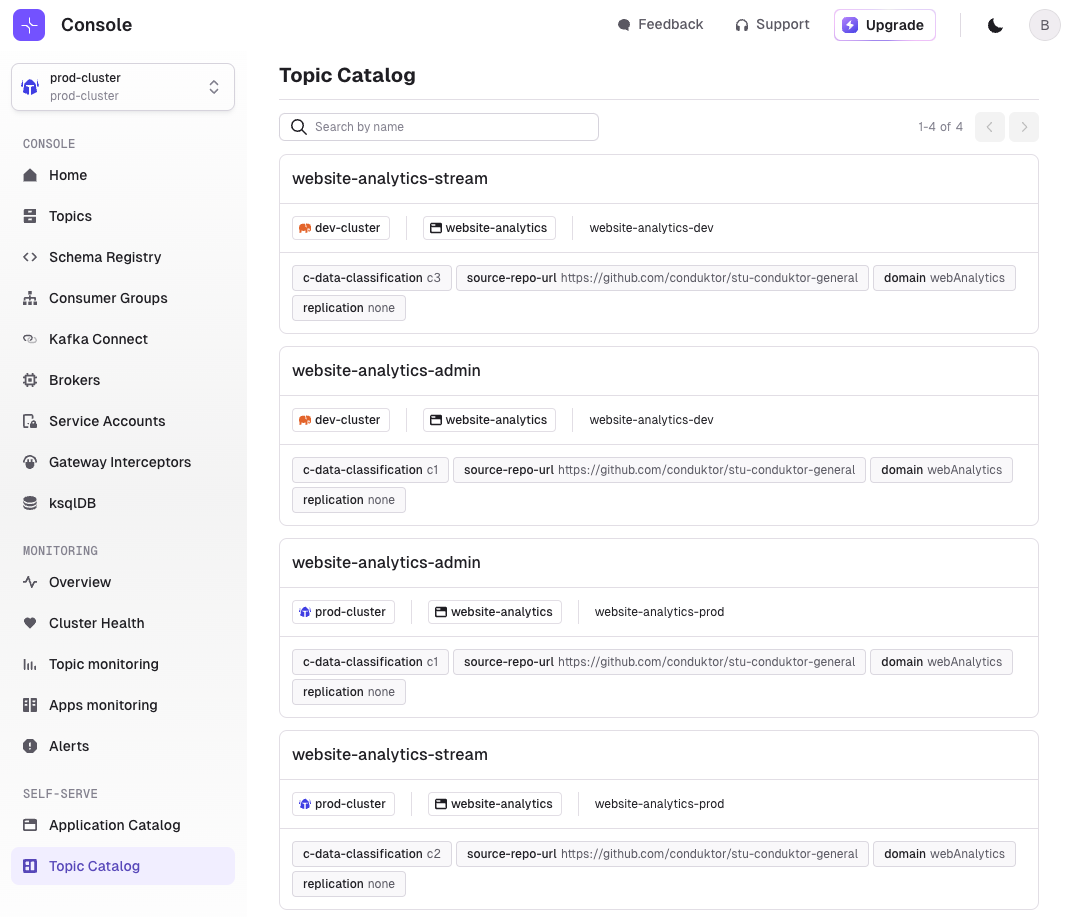
Application API Keys
Generate ApplicationInstance API Keys to create any ApplicationInstance scoped resources. Only ApplicationInstancePermission and Topic are supported at the moment.Use this Key with the CLI to use it manually or within CI/CD pipelines.In addition, Service Account’s ACLs are now synchronized with the permissions from ApplicationInstance and ApplicationInstancePermission resources.Read More about Self-serviceEditable columns on the Consume Page
You can now customize the columns you want to display in the Consume Page. Let us know if there’s any additional metadata you want to see!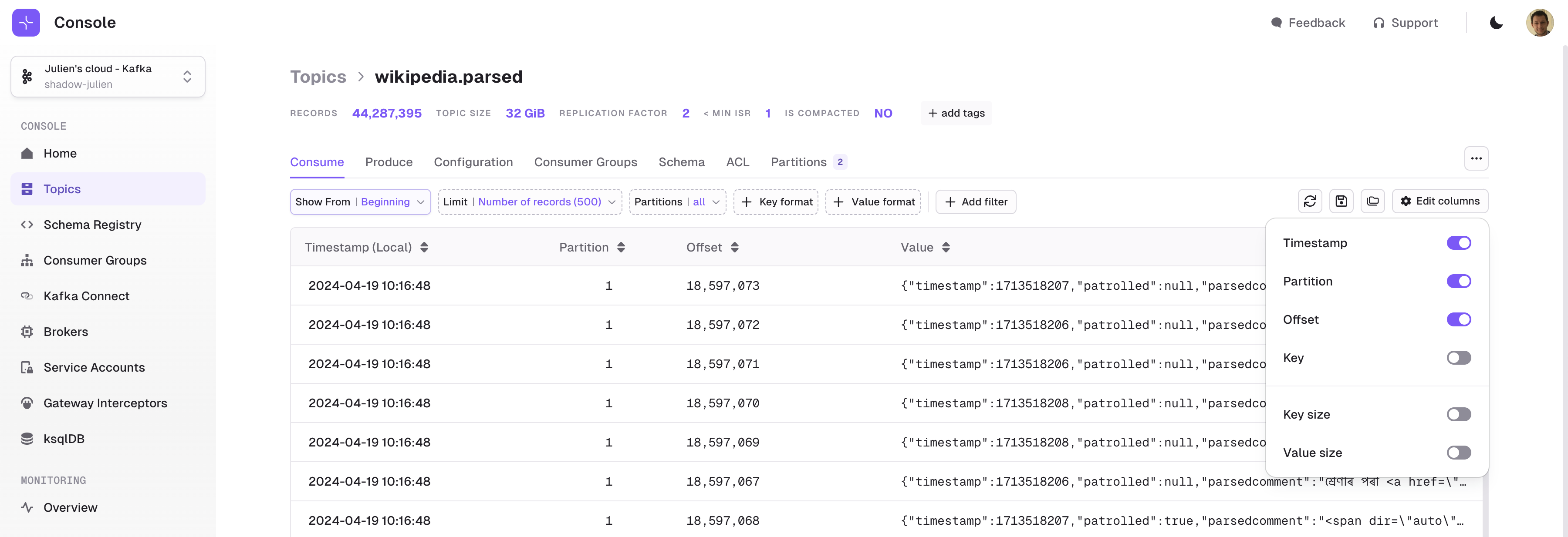
Quality of life improvements v1.23.0
Topic pages- SchemaId is now displayed from the Message Viewer panel
- Header count is now displayed from the Message Viewer panel
- The More Options ”…” button has been moved so that it’s available from every Topic details tab
- Added a check to prevent producing empty keys to a compacted topic
- Added an “Add partitions” button in Partitions tab
- The current schema is now inside a read-only area
- Increased the width of the side panel when creating/updating schemas
- Full height is used in the panel to show/edit the schema
- Kafka Connect List can now be sorted by the number of Tasks
- Removing a Connector now properly redirects the user to the Connector list instead of the Configuration tab of the deleted Connector
- Topics column is now sourced from more configuration keys (
kafka.topic,kafka.topics,topic,topics)
- Permissions on KafkaConnect and ksqlDB now properly display the name instead of the UUID
- Adding Users to Groups can now be done from the User details page directly
- Added the Group name in the UI to be used in the API or CLI
- Added Gateway version on the Interceptor List page
- Added a configuration option to toggle OIDC logout when logging out from Console
- Searching in screens now trims whitespace from the text supplied
Fixes v1.23.0
- Fixed an issue with the Test Connection button that didn’t work after a successful response
- Fixed an issue with the indexing of Confluent Cloud Managed Connect
- Fixed an issue with the Kafka Connect List where filter by Connect Cluster wouldn’t work in some cases
- Fixed an issue with the Schema Registry indexer not properly handling a retriable HTTP error (GOAWAY)
- Fixed an issue with the timezone selector scrolling when resetting offsets for a Consumer Group by timestamp
- Fixed an issue with SSO in Azure environments for users who are members of a large amount of Azure groups
- The following fixes have also been back-ported in 1.22.1
- Fixed an issue where two ACLs of the same name but with different pattern types (PREFIXED and LITERAL) were merged to the same group within the UI
- Fixed an issue with OIDC login that could cause an expired session to become stuck and prevent login attempts
- Fixed an issue with ksqlDB caused by not escaping the Stream or Table name in the query
Features
- Added support for Azure Managed Identity for Kafka authentication
- Implement OIDC logout. You may need to update your OIDC configuration to allow the root page of Console as a possible redirect URI
Fixes
- Fixed an issue where two ACLs with the same name but with different pattern type (PREFIXED and LITERAL) were merged in the same group in the UI.
- Fixed an issue with OIDC login that could cause an expired sessions to become stuck and prevent login in again.
- Fixed an issue with ksqlDB caused by not escaping the Stream or Table name in the query.
Breaking changes coming up
New Docker image name
We have renamed the Console docker image toconduktor/conduktor-console to clarify our product naming.We will publish newer versions using both names for the next two releases only. Please modify your installation to reflect this change in advance of us deprecating the name conduktor-platform.Features
Topic as a Service becomes Self-service
Self-service is a replacement for Topic as a Service. It is more centered towards a GitOps way of working, though we have performed a migration for existing TaaS applications to ensure a seamless transition to the new model:- Applications + Environments are migrated to
ApplicationandApplicationInstance - Cross Application accesses are migrated to
ApplicationInstancePermission - The Application list becomes Application Catalog
- At the moment, we decided that we should control everything from the CLI only. The UI will remain Read-Only for now, but the intention is to bring back UI-driven operations in a future release.
Conduktor CLI
Console now has a CLI! Get Started with it today.For now, we only support the following resources:- Application
- ApplicationInstance
- ApplicationInstancePermission
Custom Deserializers
Console’s support for Custom Deserializers is finally here: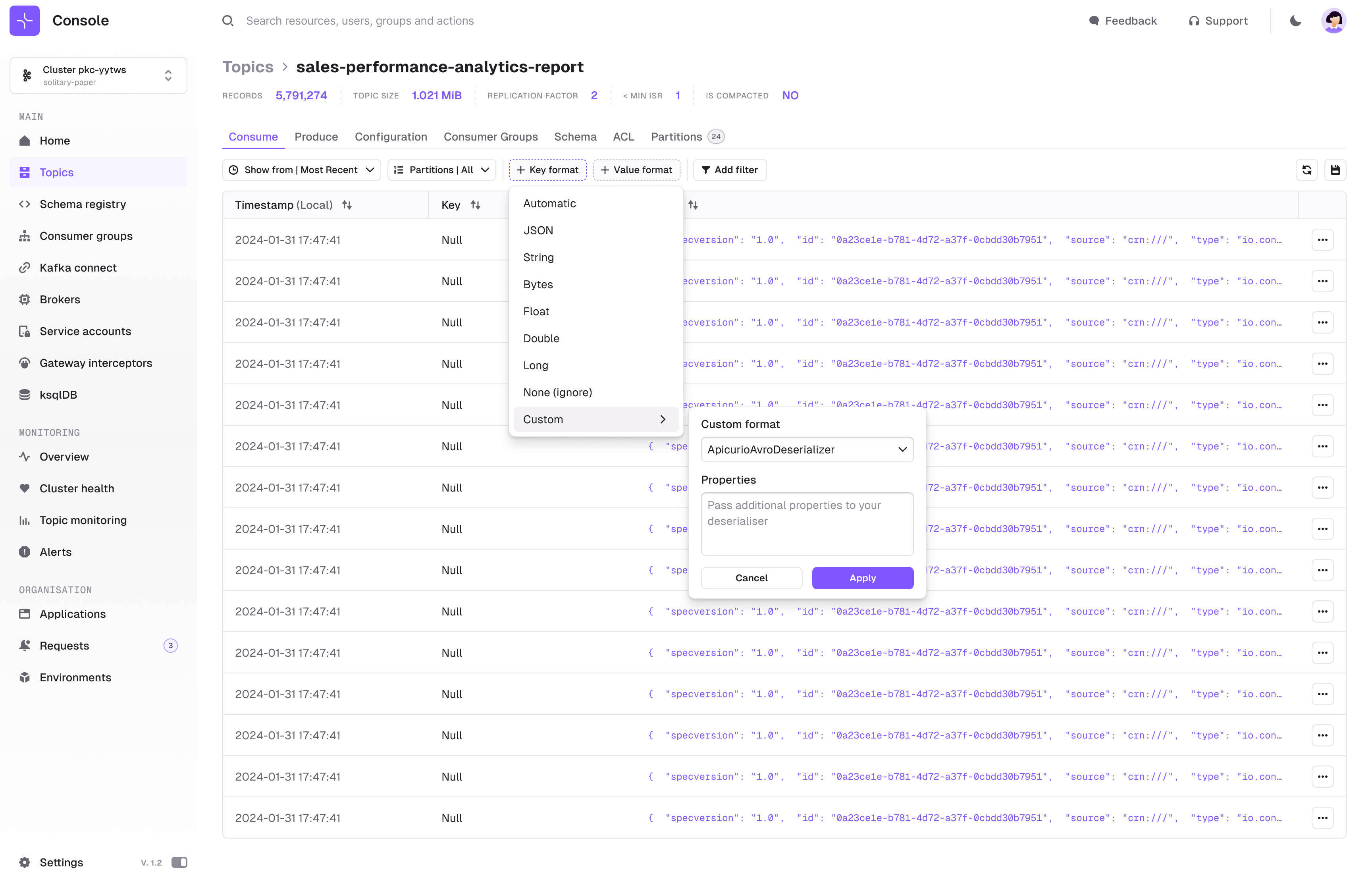
Fixes v1.22.0
- Fixed an issue with controller metrics in Monitoring when the Kafka cluster is using KRaft
- Added support for Broker, Connect, and ksqlDB
idfield and TLS authentication in the YAML configuration file and Environment variables. This implies you might have a duplicate Connect instance if you use a YAML file with an ID for your Connect cluster. Check the Environment Variables page for more details - Added new configurations to tune indexing batching and parallelization.
- Fixed an issue with Azure PostgreSQL preventing the Schema Registry page from displaying properly
Features
- Added support for Azure Managed Identity for Kafka authentication
- Implement OIDC logout. You may need to update your OIDC configuration to allow the root page of Console as a possible redirect URI
Fixes
- Fixed an issue where two ACLs with the same name but with different pattern type (PREFIXED and LITERAL) were merged in the same group in the UI.
- Fixed an issue with OIDC login that could cause an expired sessions to become stuck and prevent login in again.
Fix
- Resolved a problem causing a blank screen after login in certain situations, preventing users from accessing Console.
Breaking changes coming up
New docker image name
To clarify our product naming we have renamed the Console docker image toconduktor/conduktor-console.We will publish newer versions using both names for the next three releases only. Please modify your installation to reflect this change in advance of us deprecating the name conduktor-platform.Features
- ksqlDB
- Metrics available via Prometheus
- Smart tables for Connect and Schema Registry
- Add Local Users from the UI
- Fixes
ksqlDB
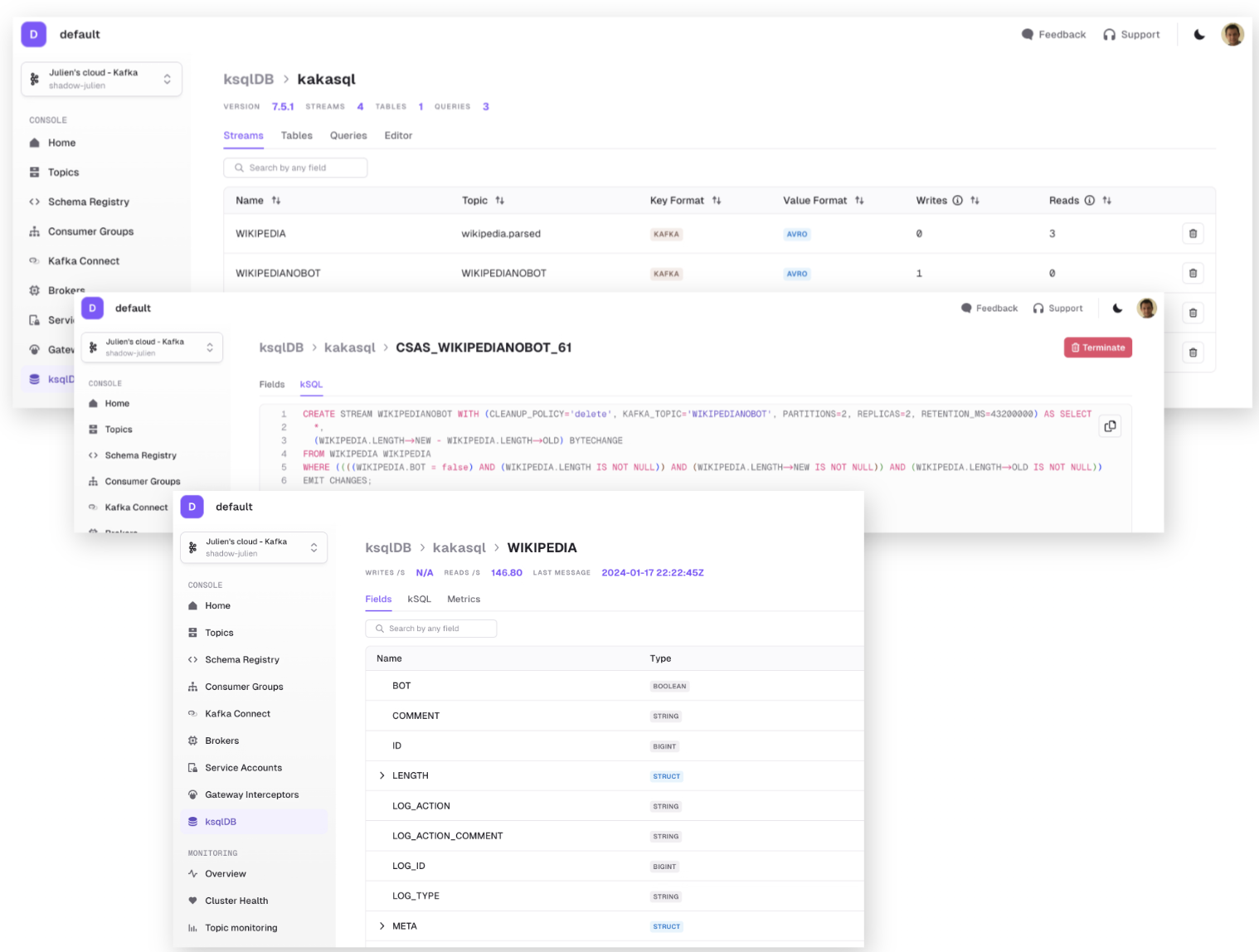
Say hello to seamless integration with ksqlDB for you and your team on Conduktor Console.Grant permission to whom can access the interface to create queries, setup new connections and visualise the existing connections.Now you can:
- Browse ksqlDB clusters that are connected to Console
- Visualize all the currently running queries as well as write your own queries or executes statements
- Visualize and act on the running Streams (resulting from CREATE STREAM statements) with the Streams tab
- Visualize and act on the running Streams (resulting from CREATE TABLE statements) with the Tables tab
- Show all the Persistent and Push queries currently running on the ksqlDB Cluster with the Queries tab
- Execute Pull and Pull Queries (SELECT) and Statements (CREATE, DESCRIBE, DROP, …) with the Editor tab
Subscribe to metrics via the Prometheus endpoint
Gain deeper insights into your system’s performance with metrics now readily available via the Prometheus endpoint. No need for yet another system to monitor, seamlessly integrate metrics directly into your external log system in the Prometheus format, allowing for effortless monitoring and optimization of Conduktor within your systems.You can monitor metrics such as under replicated partitions, total & failed connector tasks and consumer group lags. For the full list of available metrics checkout the docs.Smart tables for Kafka Connect and Schema Registry subjects
Get the answers you need quicker with the new tables. Sort by what matters, be that subject name, version count, latest version and more! For Connect there’s all the usual suspects: source/sink, topics, the connect cluster and importantly the state (e.g. Failed, Paused). Quickly find which connectors are failing with just one click.Choose what columns to hide the noise. Filter on name, tags and other resource metadata such as consumer group state.Add Local Users from the UI
Don’t have SSO ? Now you can add Users directly from the Users & Groups page in Settings, instead of modifying the config file and restarting the Console.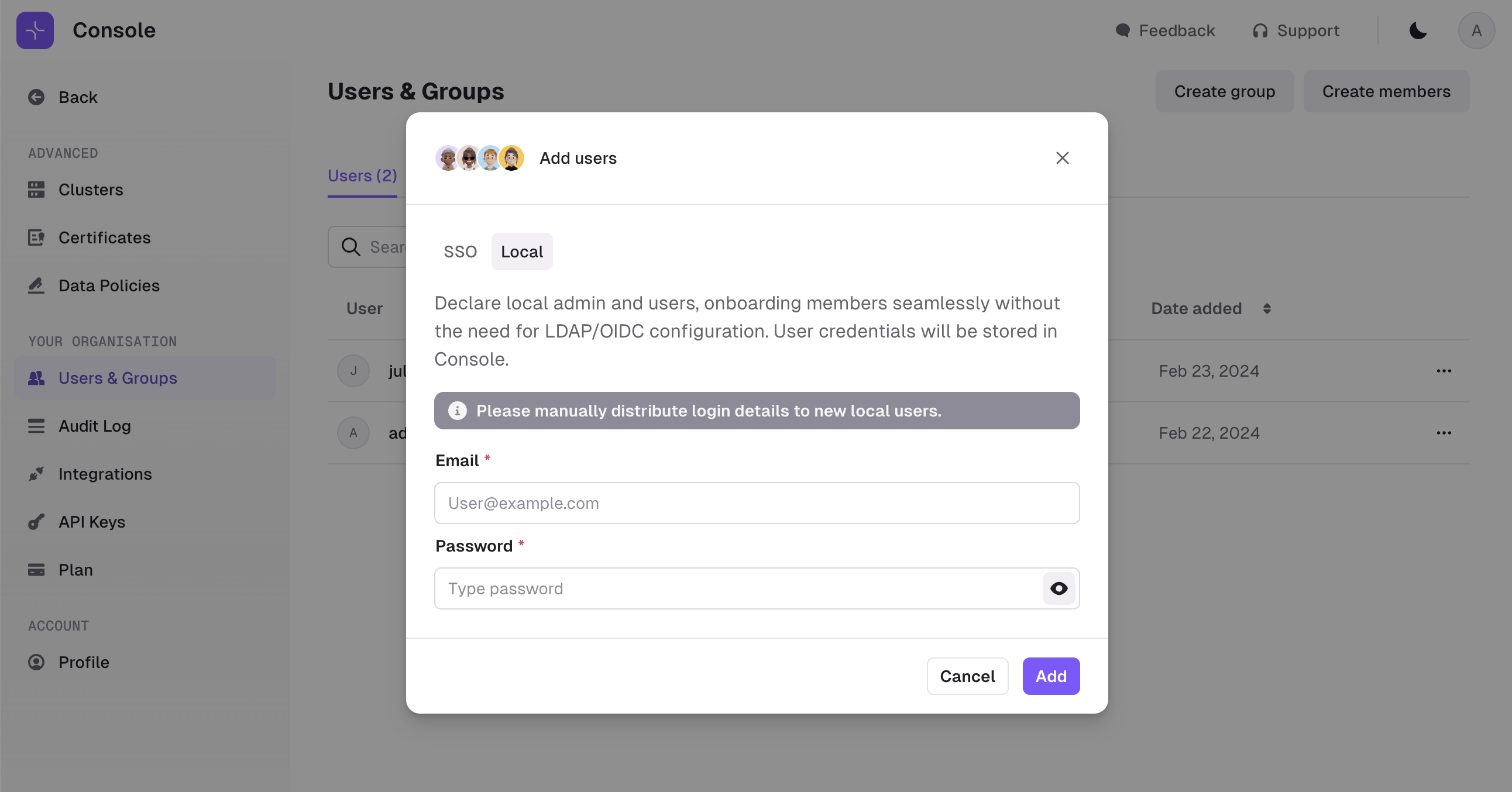
Fixes v1.21.0
- Added support for complex union-type avro messages in Console Producer
- Fixed a blank screen issue after login due to case-sensitivity bug with email address
- Fixed an issue where Message Reprocessing didn’t work after refreshing the page
- Resolved an issue with MSK role assumption
- Fixed an issue with custom certificates for Schema Registry and Kafka Connect
- Fixed several issues improving indexing performance on large clusters
- Increased cortex ingestion limits for large clusters
- Fixed an issue that occurs when
Group:ACLs are present
Features
UI Navigation Overhaul
Transition more seamlessly between different areas of the Console with a new UI experience. Everything Kafka related can now be accessed from the side bar, making it easier to navigate directly to your desired location in even fewer clicks. This change consolidates the app experience and puts all of Conduktor’s power at your fingertips!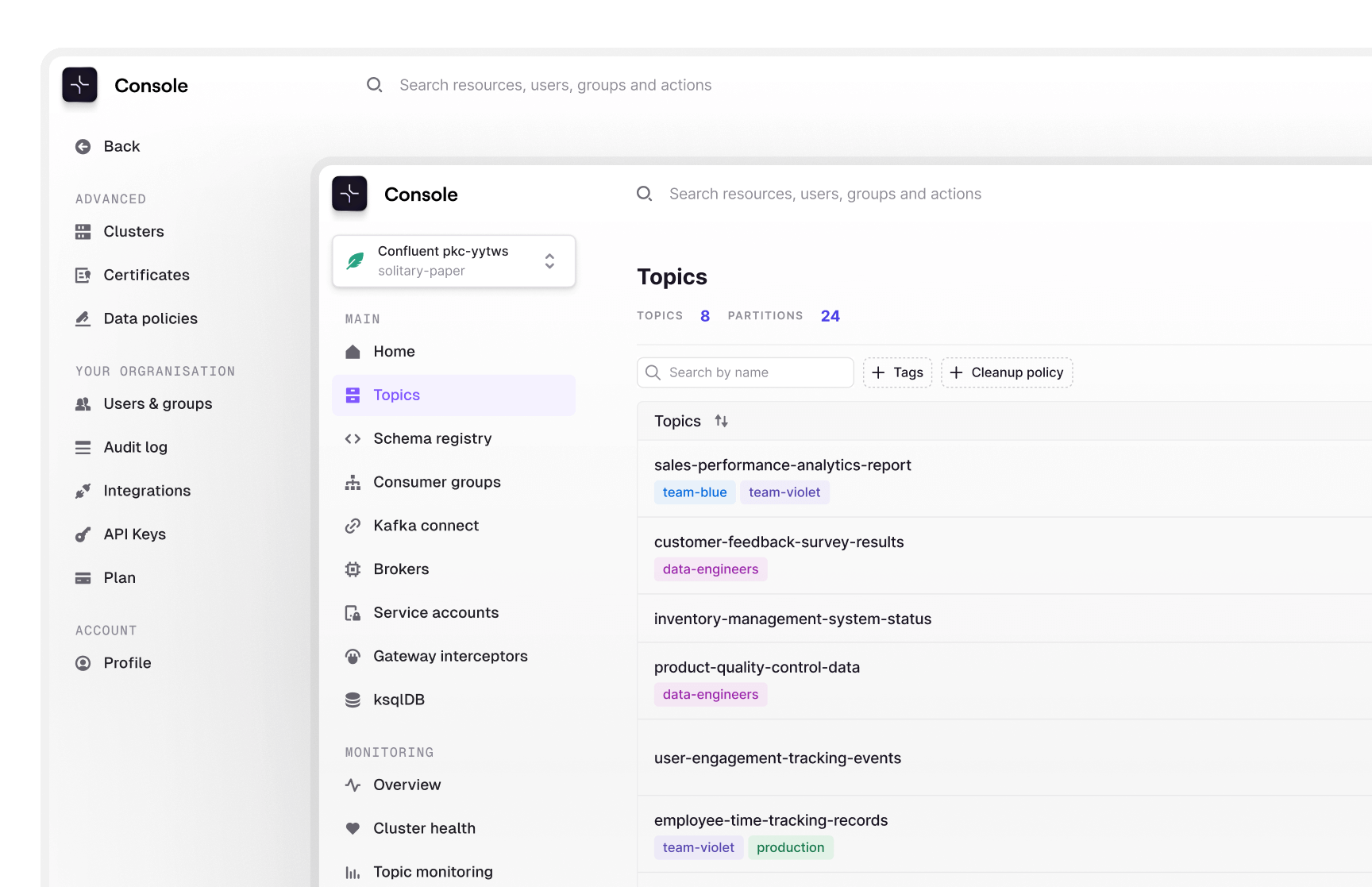
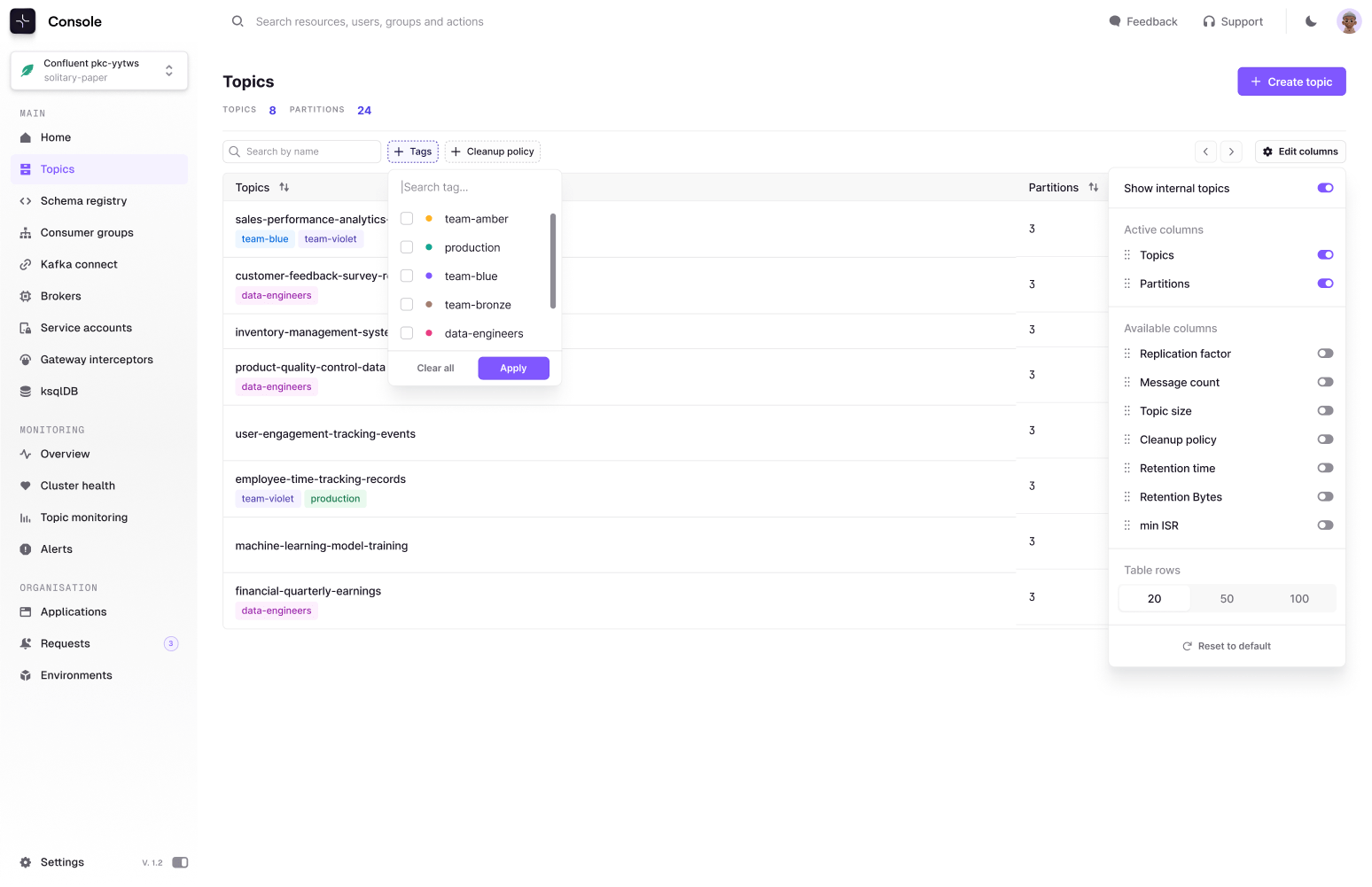
Sort, filter and customize the Topic and Consumer Group lists
It probably looks underwhelming on the surface, but trust us… it’s big!On the menu:- Sortable columns (size, messages count, partitions, …). You can now sort by what matters to you. For example, the highest message count or the most partitions.
- Instant results. We are not querying Kafka, so it’s fast whether you have 10 topics or 1,000 topics.
- Choose the columns that matter and hide away the ones that don’t.
-
Filters on name, tags and other resource metadata such as consumer group state.
Import records from CSV
Need to dump previously exported data back into Kafka? See how your application responds to pre-prepared test data? We (finally) got you covered! From within a topic, navigate to the producer tab to utilize the new import CSV functionality.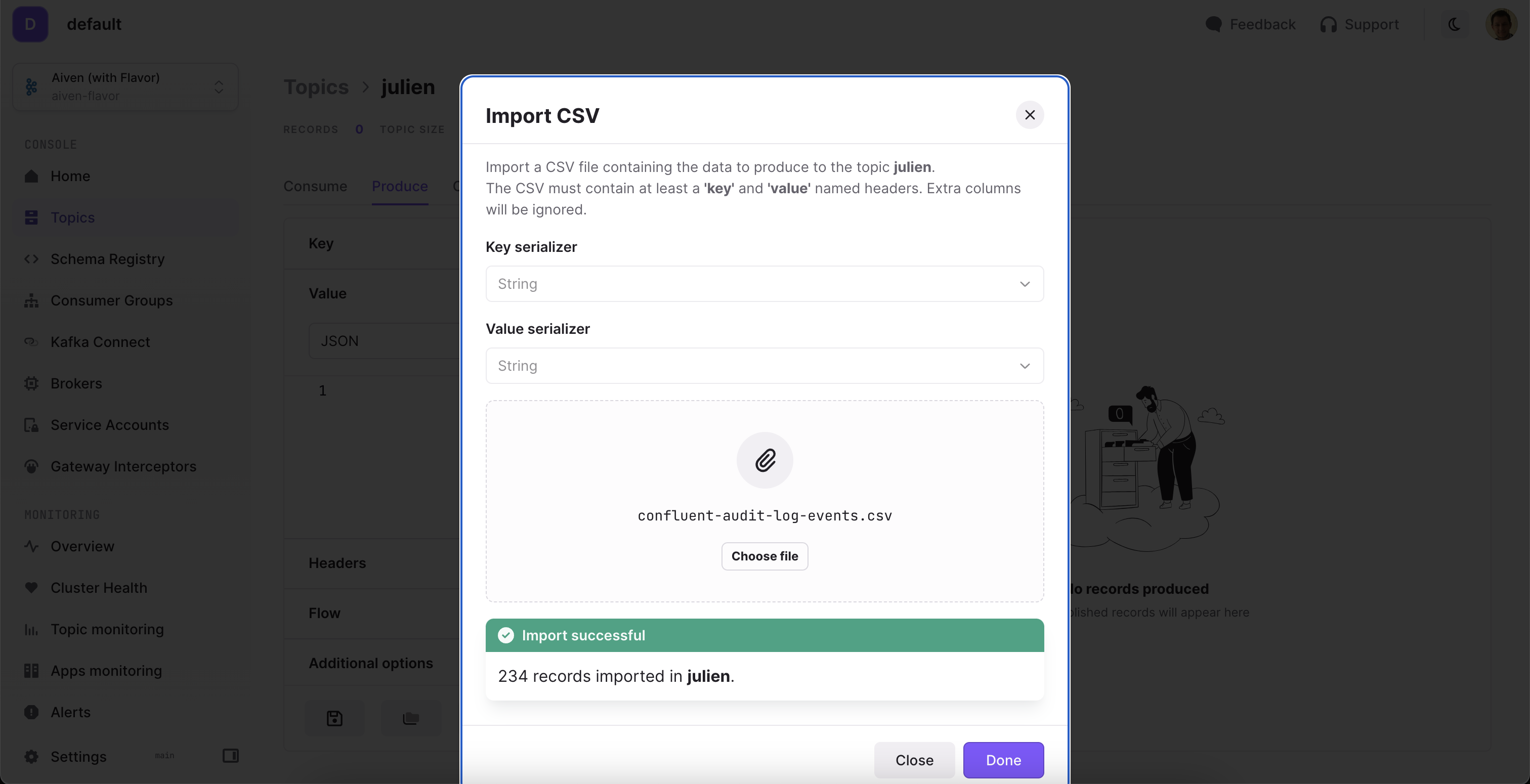
Other features and improvements
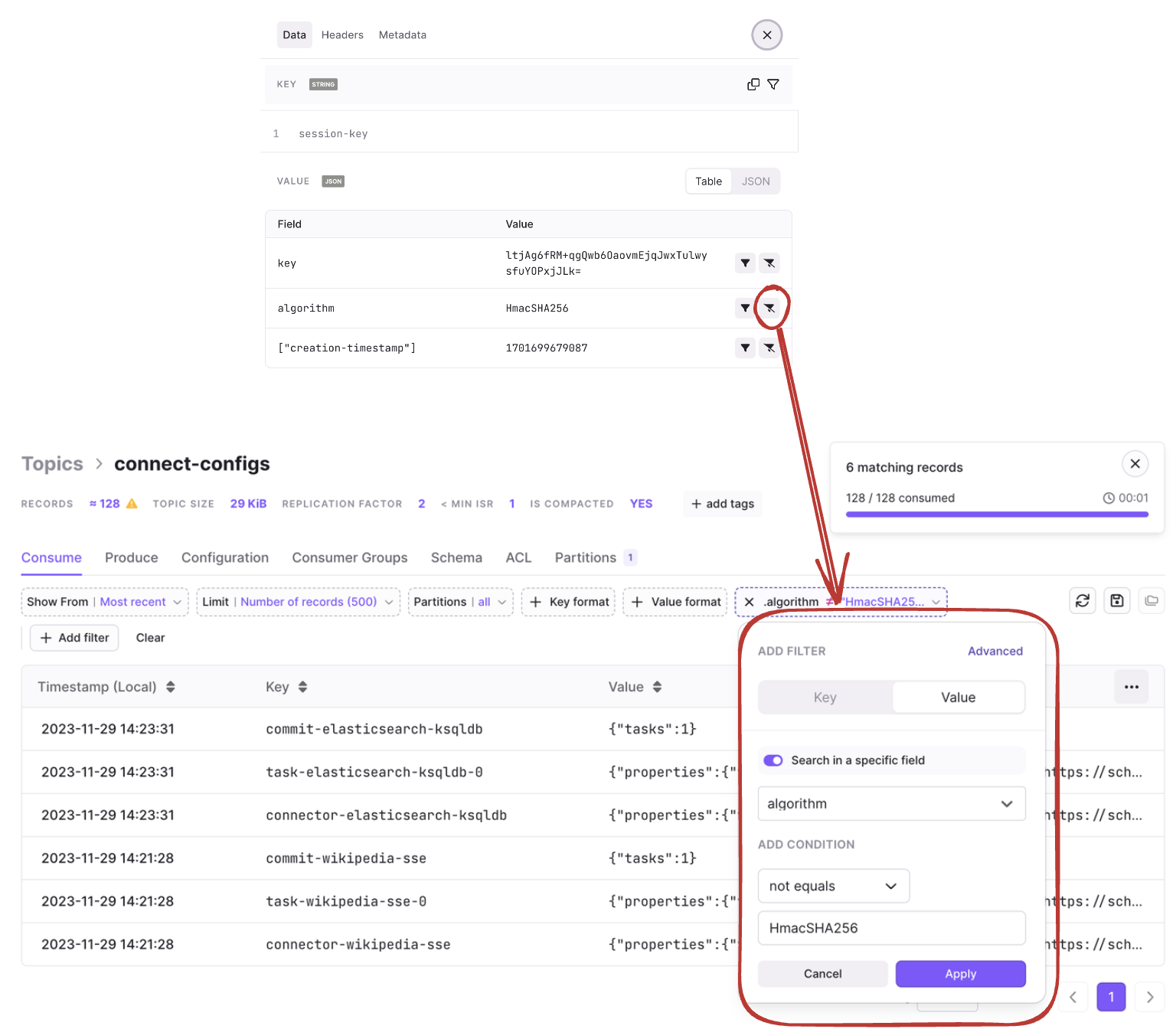
When adding a filter to search in a specific field, the input is now an autocomplete text field instead of a dropdown list. It’s now even quicker to create your own filters on the fly!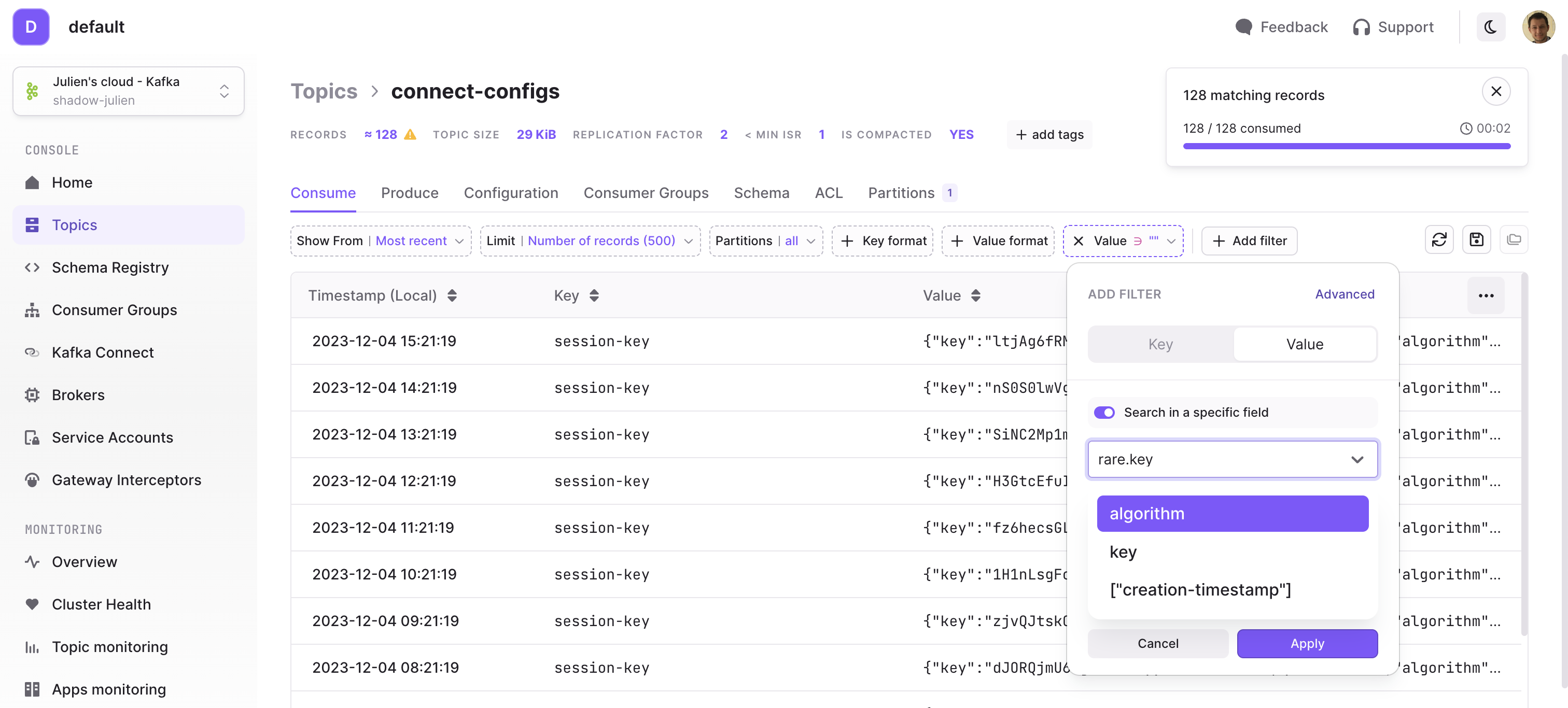
Fixes
- Hide Provider tab secrets on the Cluster Configuration page
- Adding an ACL in the Service Account page now adds the entry at the bottom of the list
- Modifying filters in Topic Consume page or Topic/ConsumerGroup Lists page now resets the view to page 1
- Removed labels (
member_host,consumer_idandclient_id) in monitoring metrics to limit data points duplication generated during consumer group re-balances. This could cause ingestion limit issues in Cortex for large deployments - Fixed an issue where wrong data could be displayed when recreating a different cluster with the same technical id
- Added support for Console certificates when making calls to Gateway API
- Optimized Memory configuration
-XX:+UseContainerSupport -XX:MaxRAMPercentage=70 -XX:MaxDirectMemorySize=100m - And many more UI fixes throughout the product
Fixes
- Fixed an issue with the Reset Offset Preview in the Consumer Groups details showing incorrect target offsets
- Fixed an issue with Service Account page where prefix ACLs were saved incorrectly (
prefix-*instead ofprefix-) - Fixed an issue with Service Account page where forcing an operation to “Not Set” caused an error on save
- Fixed an issue with Audit Log after upgrading from 1.18 and previous versions
- Fixed a UI issue where ACLs could not be deleted by non-Admin group members
- Fixed multiple UI issues with Topic As a Service
- Added new configurations for better OIDC support (
allow-unsigned-id-tokensandpreferred-jws-algorithm)
Fixes
- Massive improvement over the indexing time of your cluster. This is especially notable if you have a large number of consumer groups (> 200) on your Kafka cluster.
- Fixed an issue where Gateway Interceptors could be created/deleted by all users instead of Admin group members.
- Fixed an issue where Monitoring didn’t work for non-Admin group members.
- Fixed an issue that occurred when deleting a user from Console.
- Fixed a UI issue where ACLs were not editable by non-Admin group members.
- Fixed a UI issue where user could not pick the Kafka Connect cluster when creating a new Connector.
Features
- Features
- Consume live messages
- Consume messages infinitely
- Consume between dates (and obtain count statistics)
- Provider Integrations within Conduktor Console
- Conduktor Gateway Integration
- Aiven Cloud Integration
- Confluent Cloud Integration
- YAML and Environment Variables for Clusters
- Better memory configuration
- Fixes
Consume live messages
You can now consume live messages from within the topic consume screen. Simply set the limit filter to None and you’ll see new records flowing as they are being produced. Streaming data is beautiful, isn’t it? 😉
Consume messages infinitely
We have finally said goodbye to the 5000 records limitation! If you wish to consume 100k records, 10M records, or even an entire topic, it’s now possible! Note that for performance reasons, your browser will only store the most recent 5000 records available for browsing, or for use via the export feature.Warning, we’re not responsible for the sudden spike in your billing for Bytes-Out.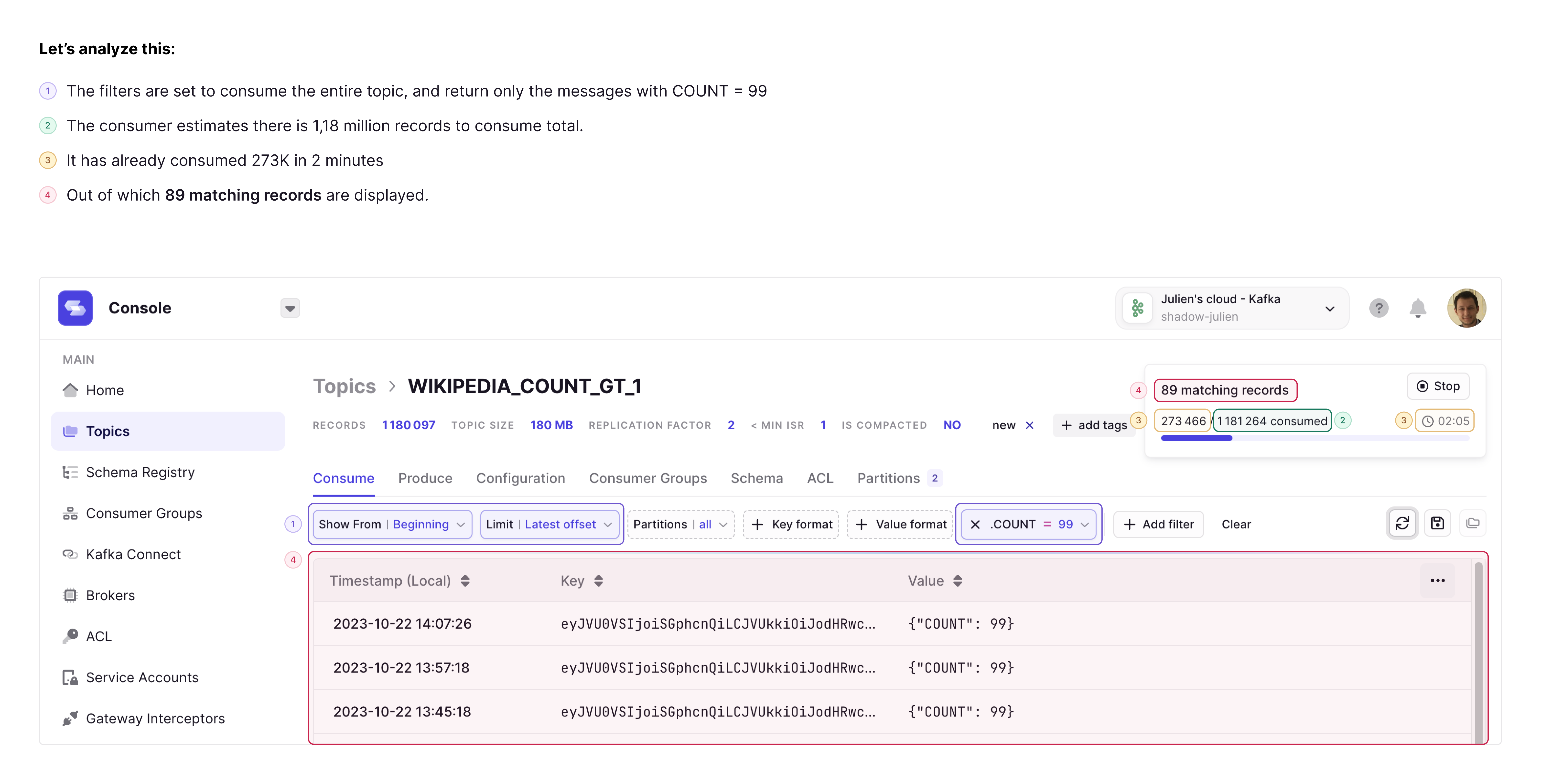
Consume between dates (and obtain count statistics)
If you want to know how many messages were produced between two datetimes, you now have a new limit option dedicated for this. Simply apply the following filters:-
Show from:
{datetime} -
Limit:
{datetime}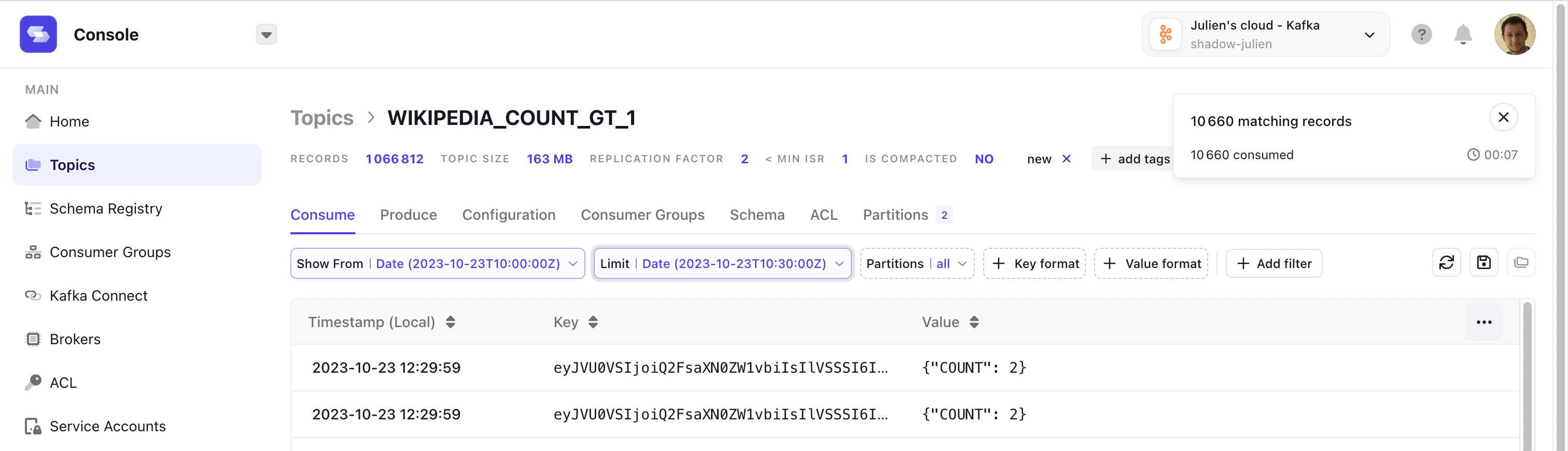
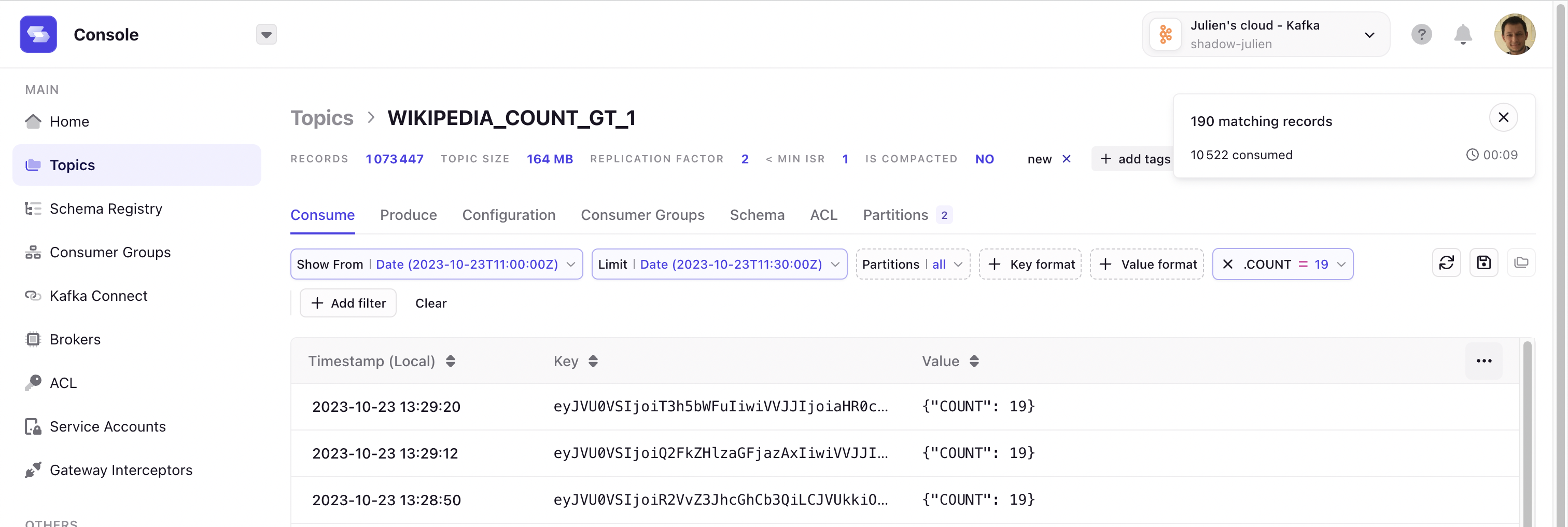
Provider Integrations within Conduktor Console
Connect with your Kafka Provider to manage their benefits directly in Conduktor Console. With this first iteration, we bring features to Console that are only available with the provider’s APIs.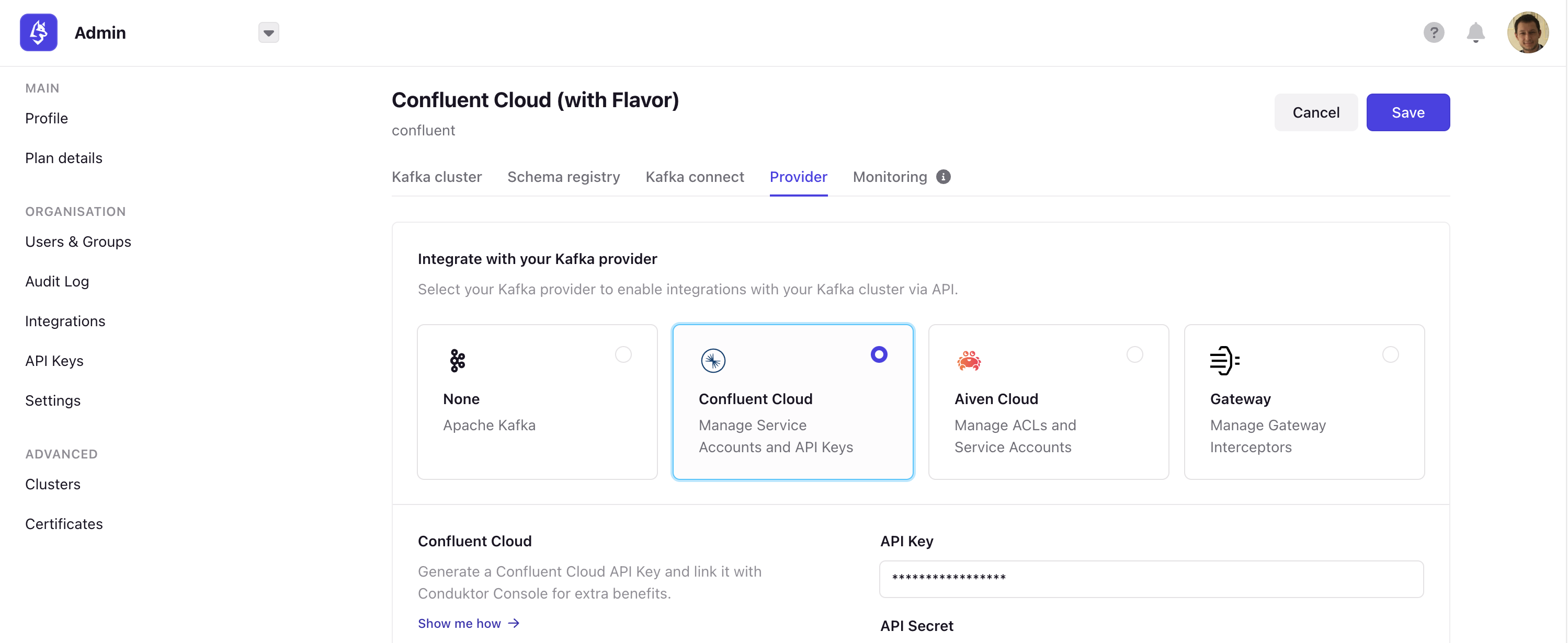
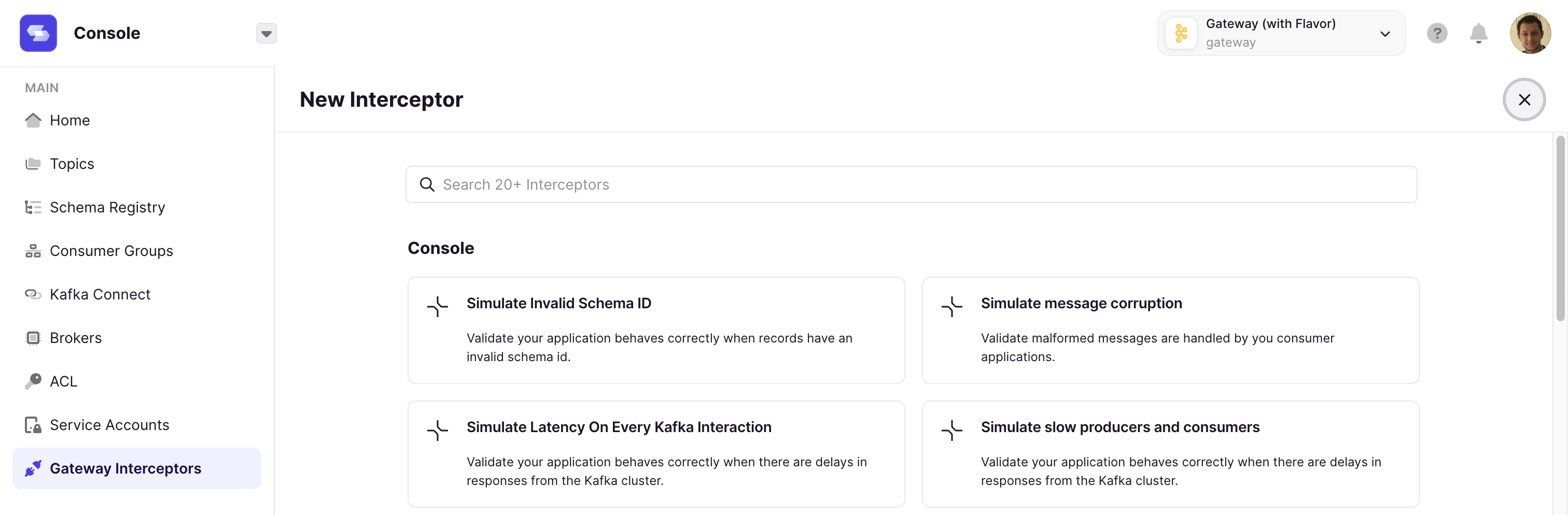
Conduktor Gateway Integration
You can now connect our other product artefact, Conduktor Gateway, to the Conduktor Console. This enables you to configure interceptors on Gateway virtual clusters through a dedicated set of pages accessible via the Gateway Interceptors tab.Note that you will need to be connected to a Gateway cluster to utilize this feature. You can explore interactive demos below:- Configure end-to-end encryption on Kafka topics
-
Enforcing governance on configurations when creating topics
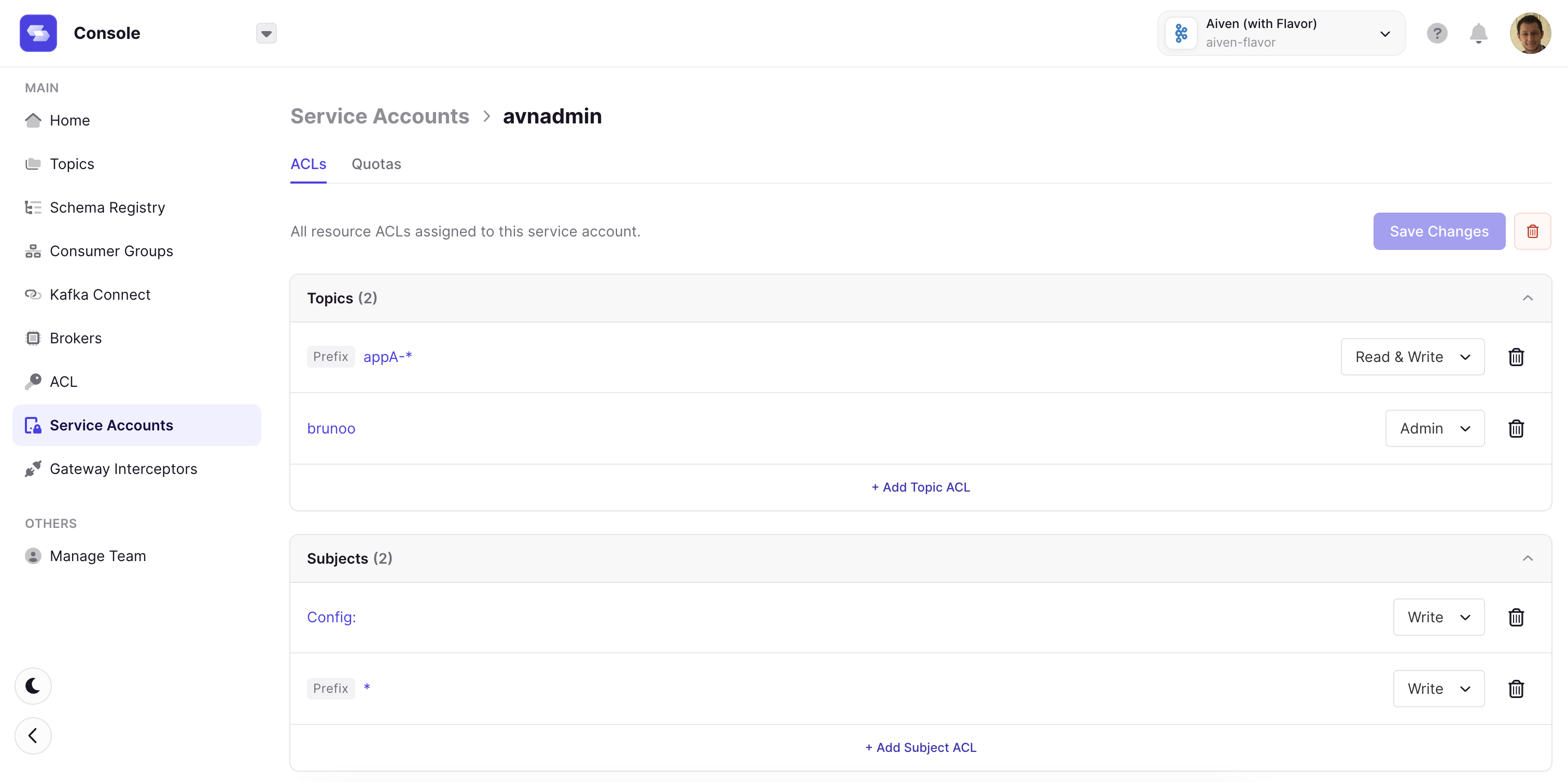
Aiven Cloud Integration
We now support the following resources from Aiven Cloud:- Manage Service Accounts
- Manage ACLs
Confluent Cloud Integration
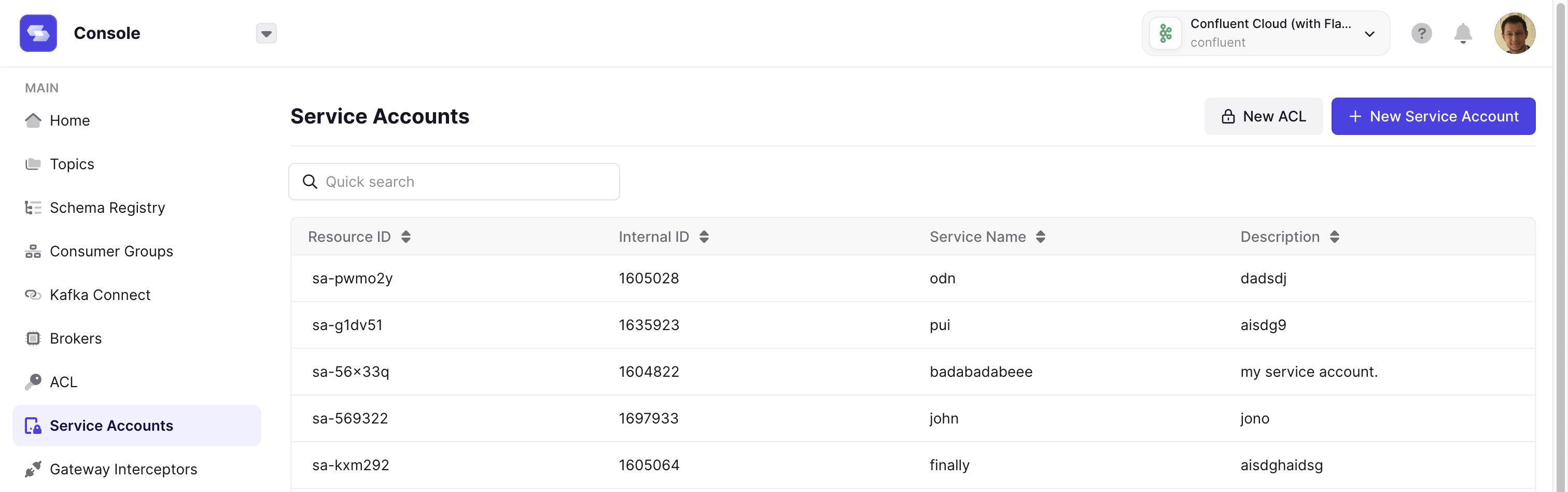
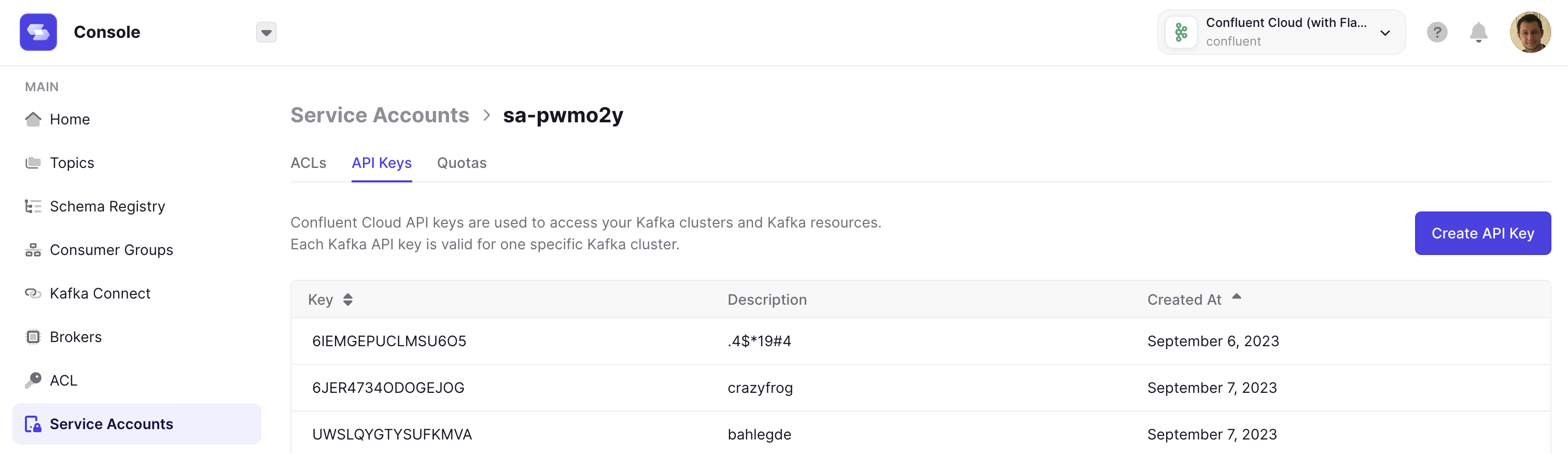
We now support the following resources from Confluent Cloud:- Manage Service Accounts & ACLs
- Manage API Keys
YAML and Environment Variables for Clusters
Kafka Clusters, Schema Registry and Kafka Connects configurations are now properly synced when configured from Yaml and Environment Variables (ie. GitOps way)Better memory configuration
RUN_MODE is gone! We now rely on container CGroups limits and use up to 80% of container memory limit for JVM max heap size. Our settings are the followingFixes
- Optimized the AdminClient instances usage across Console, by reusing a shared instance as much as possible. This will hugely decrease the number of AdminClient authentications.
- Fixed an issue on Consumer Group details where unassigned partitions were showing as part of an active member
- Fixed an issue on Consumer Group Page where pagination and search didn’t work together properly
- Fixed an issue with JS filters when keys contain special characters like ’.’ or ’-’ (Use
value["custom.key"]instead ofvalue.custom.key) - Fixed an issue where Console Group description could not be updated
- Added a message and link to documentation when browsing monitoring while it’s not configured
- Fixed an issue that sometimes forced users to cleanup their browser cache after restarting Console
- Removed output logs that were not useful and added others
- Added flushing metrics on AWS S3 or Azure Blob Storage when cortex shuts down, preventing monitoring data loss during restarts or updates
- Added support for array in Environments Variables (ie.
CDK_SSO_OAUTH2_0_SCOPES=scope1,scope2) - Added support for Cortex configuration overrides (mounting a file in
/opt/override-configs/cortex.yaml)
Fixes
- Fixed an issue that prevented Console to function properly with PgBouncer
- Fixed an issue where properties (
default.api.timeout.ms&request.timeout.ms) were mistakenly overridden, leading to possible timeouts on large Kafka Clusters - (1.18.3) Fixed a performance issue on the Topic List page, leading to possible timeouts on large Kafka Clusters
Fix
- Fixed an issue on the Consumer Group List page that caused the page to timeout with a high number of consumer groups.
Fixes
- Increased timeout from 30s to 5m when indexing snapshots (used for caching list pages) of Kafka clusters
- Fixed a DB issue that prevented authentication to succeed when the generated token was longer than 255 characters
- Fixed an issue with cortex (
conduktor/conduktor-platform-cortex) when console (conduktor/conduktor-platform) is configured with HTTPS - Fixed an issue where LDAP users could not see or configure Alerts under certain circumstances
This release contains several breaking changes so please read the entire release note prior to installation.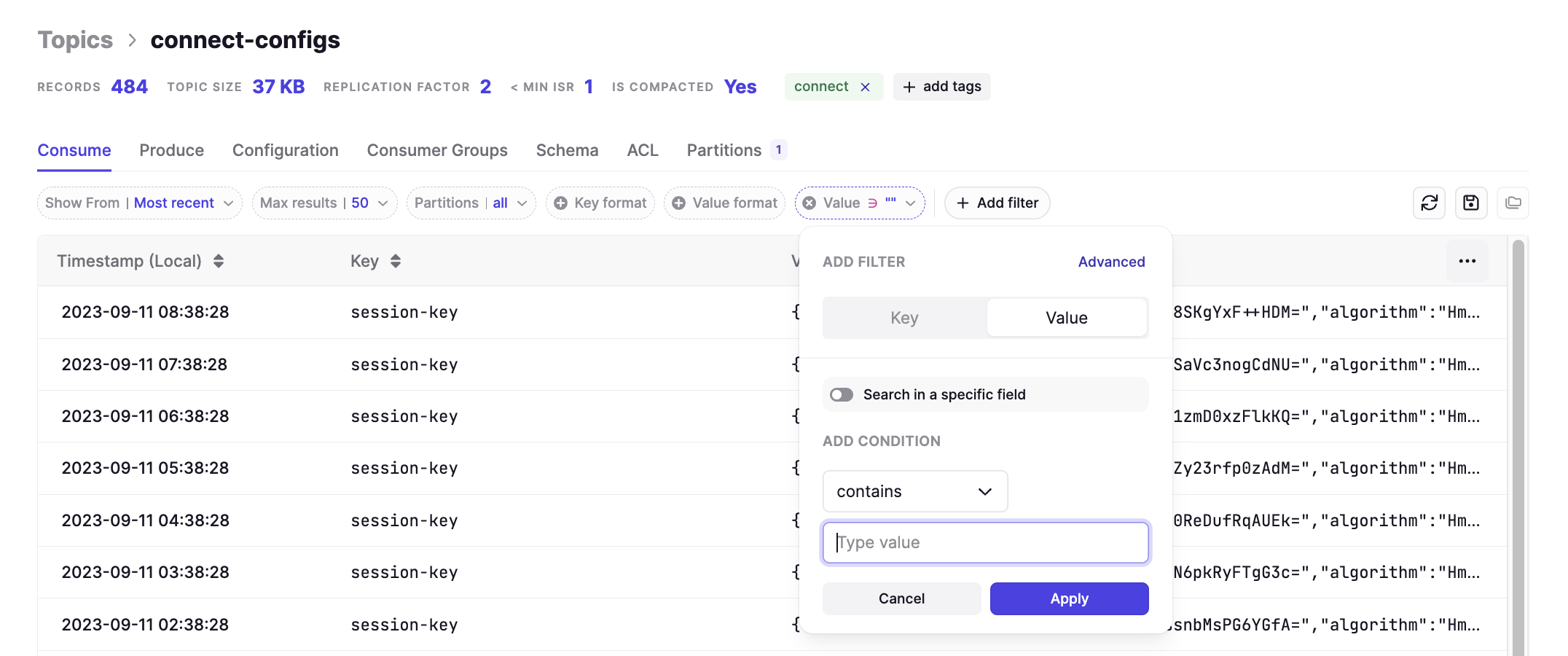
If you are currently deployed in prod using
If you are using higher
Visit our System Requirements page to see the changes.
Important changes to our internal architecture
We are cleaning up our Docker image to bring you a simpler, lighter, and generally more operable product.- We have extracted the ‘Storage & Alerting’ aspect of the Monitoring Solution from the base Console image and moved it to a dependency image
- If you didn’t use Monitoring, no further action is required from your part
- We have removed the embedded Postgres Database from the Docker image
- We have removed Testing from the base image
- We have rewritten our authentication module. If you have any issue with authentication using LDAP or OIDC with this new release Contact Conduktor Support
Features
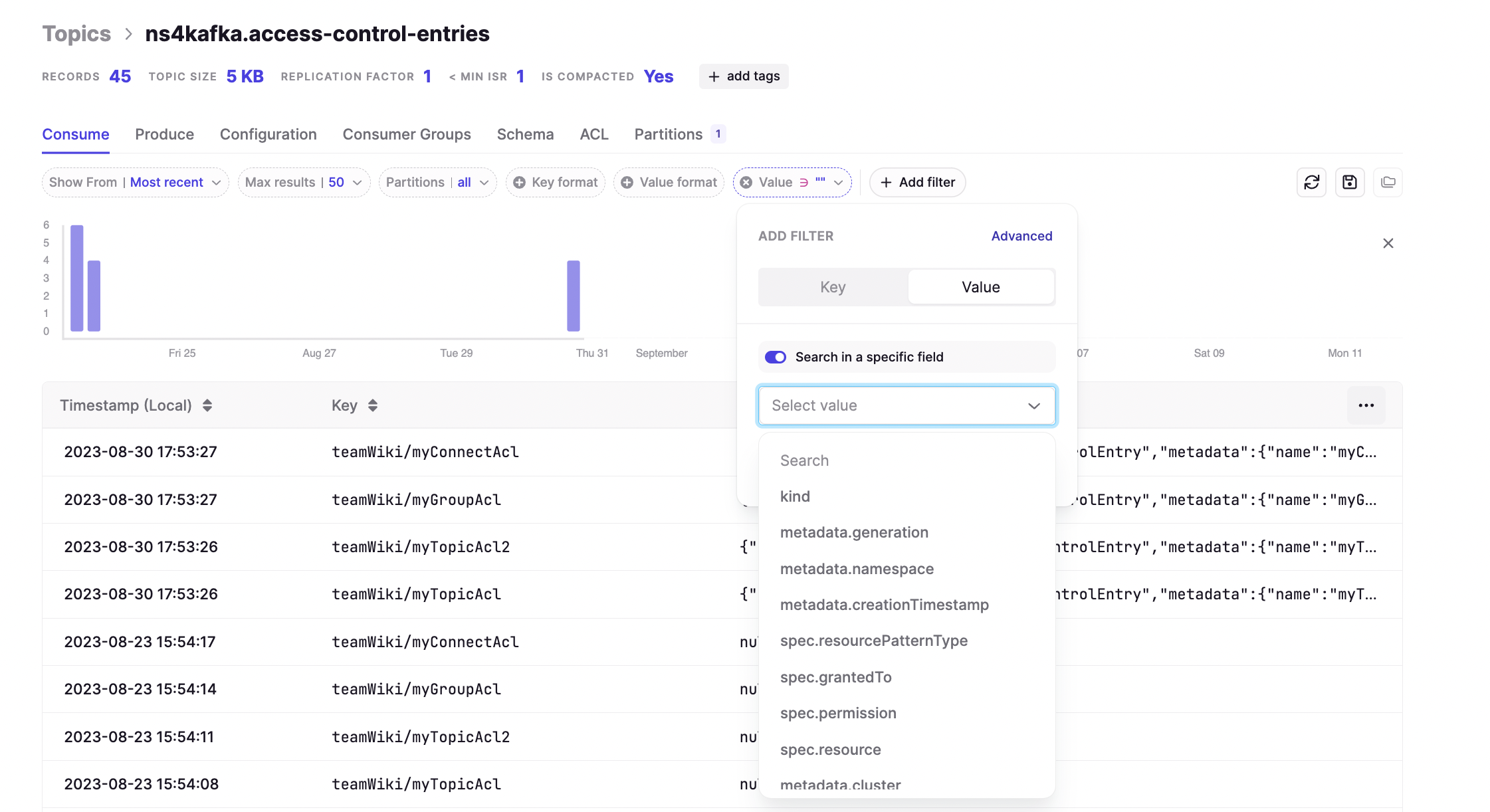
User Friendly Filters
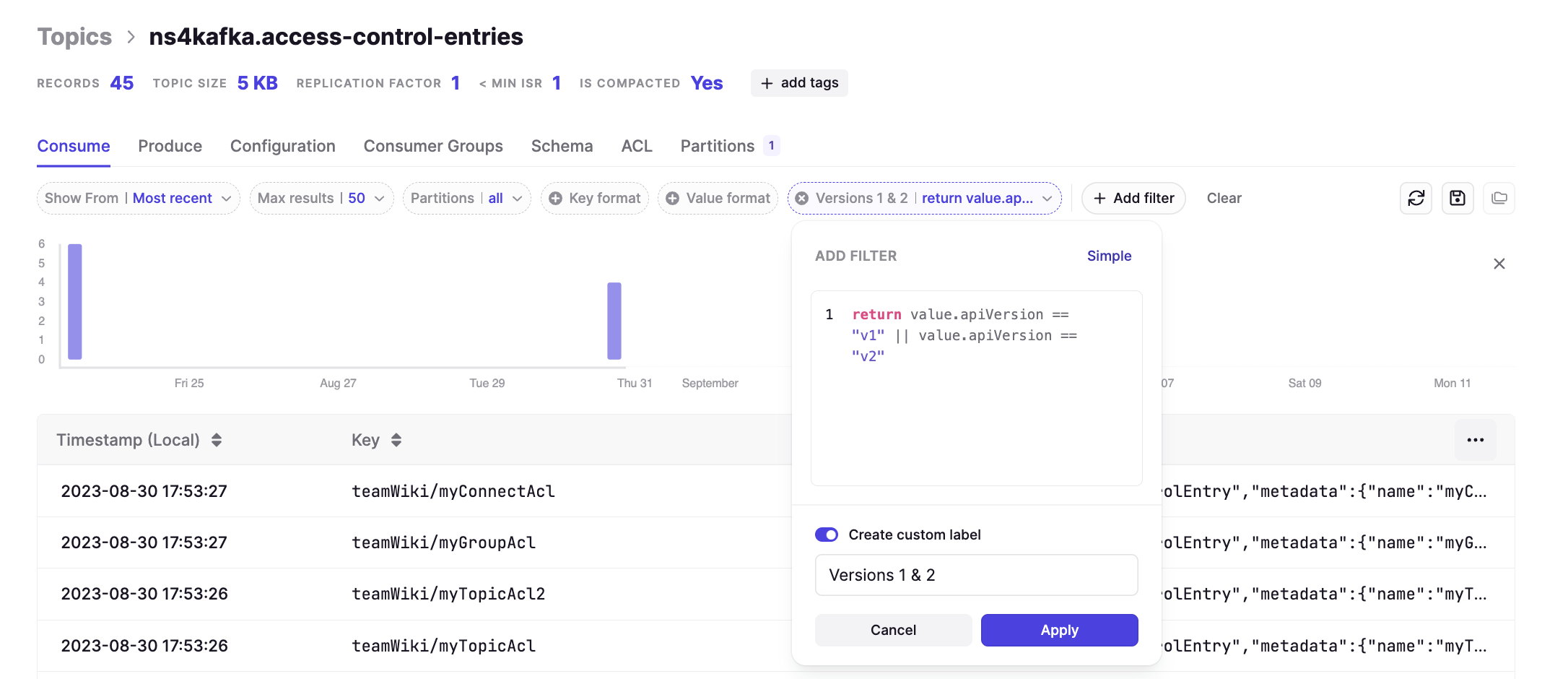
We have completely revamped our filtering UX in the Consume page to be more aligned with your day-to-day use cases. Now you can search your topics by combining any of the following filtering mechanisms.Simple Filters
Search for any text in your messages either in your Key, or Value, using basic operators like “equals” or “contains”.Field Filters
If your message is JSON, Avro or Protobuf, find values from specific fields. Operators can match the selected field type.Advanced Filters
For when you require more complex rules, Advanced Filters will give you the full power of JS to construct your own custom filters.New Design for Service Accounts & Kafka ACLs
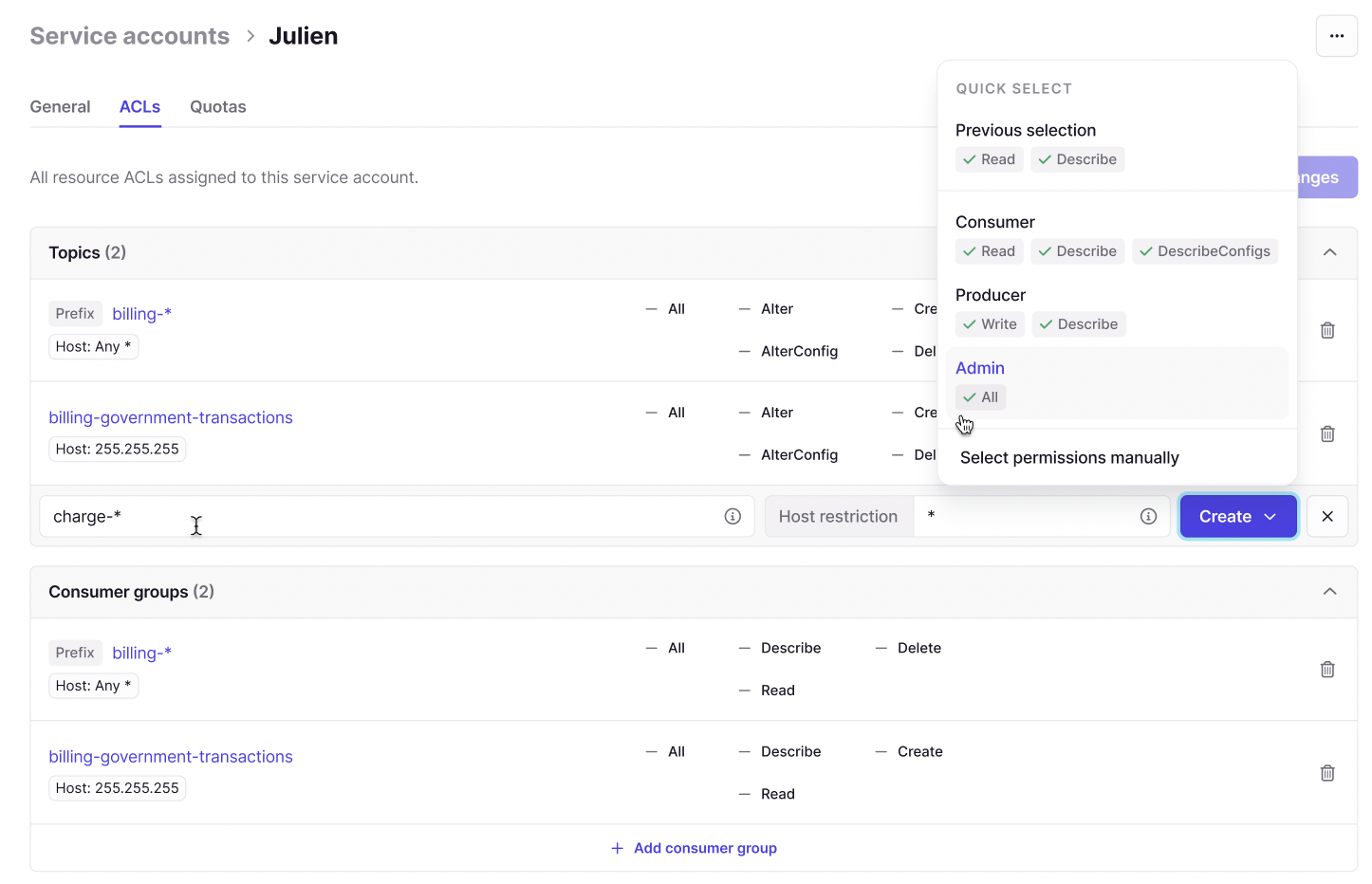
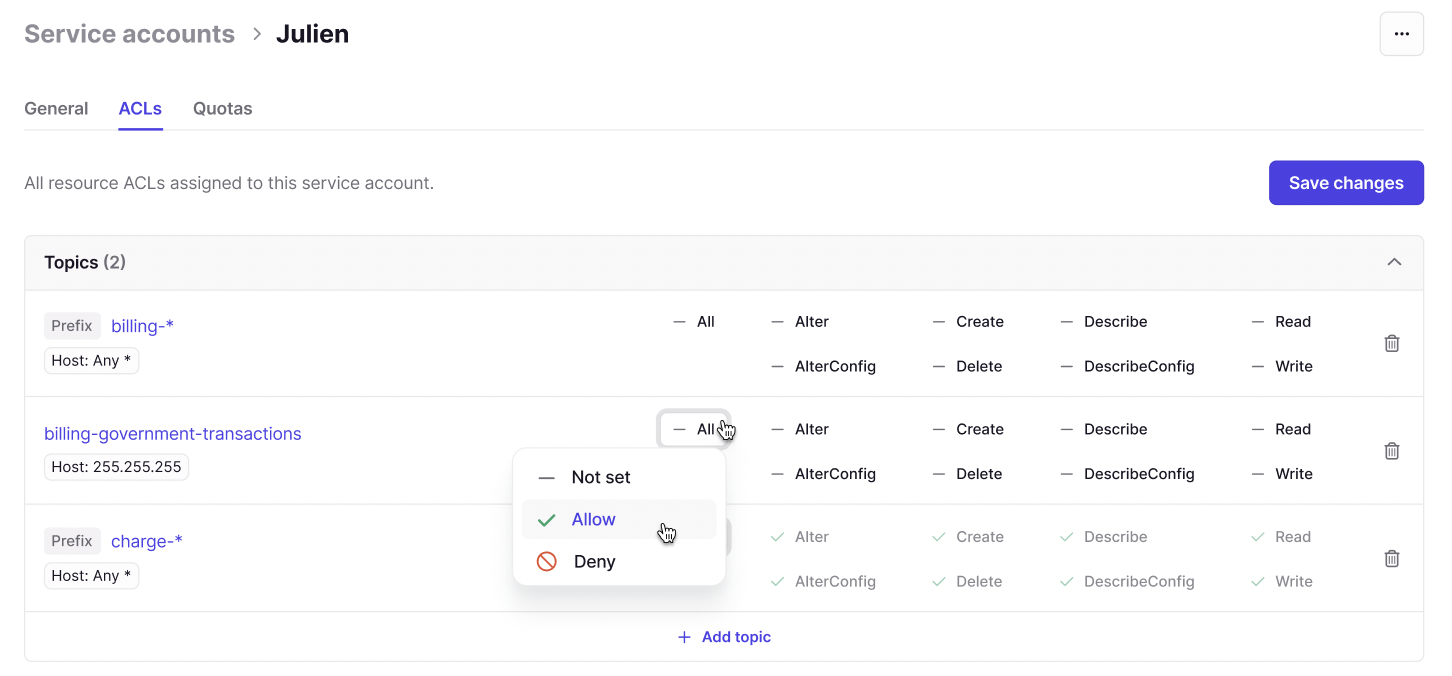
We’ve overhauled Kafka ACLs and service account management. Visualize, create and edit your Kafka ACLs right within the UI with a simple but powerful design. Pair this with our market leading RBAC capability to empower only those that need itReduced Memory Footprint
As a result of our improvements to our internal architecture, we are happy to share that we have lowered our hardware requirements.If you are currently deployed in prod using
RUN_MODE=nano or RUN_MODE=small, please update the RUN_MODE based on your available memory after looking at our documentation.If you are using higher
RUN_MODE, you can free up some memory and save on infrastructure costs.Visit our System Requirements page to see the changes.
Fixes
- Fixed a UI issue where Add Partitions wasn’t possible when using Firefox
- Fixed some UI issues with Kafka Connect and RBAC
- Added the “Last Indexed Date” info in the Consumer Groups List, to inform the user about the snapshot age
- Fixed an issue where Consumer Groups Details was populated from the snapshot, instead of AdminClient calls
- Fixed an issue where the Delete Consumer Group modal remained opened after deleting the Group
- Fixed an issue where users with Empty Topic permission were also allowed to Create Topics on the same scope
- Fixed an issue where users were logged out of Console when trying to access Datamasking without permission
Features
- Replace the alert threshold column with the full underlying query in the ‘Alerts’ table.
- When creating alerts, you can now type in the dropdown selection of the resource (e.g. topic name, consumer group name) to improve usability when creating/editing alerts.
Fixes
- Fix a case whereby saving alert did not preserve the consumer group name filter. Instead, saving or editing an existing alert would default to ‘all consumer groups’.
- Fix N/A representation of delay (lag/s) for consumer groups in ‘Apps Monitoring’ to be more helpful. Lag is now labelled as ‘infinite’ in cases whereby lag exists in the group, but no new data is being received and no members exist in the consumer group.
- Remove the default alert ‘No consumer group should be more than 3 minutes behind’ for new clusters added to your environment. This was causing false positives in customers environments (e.g. non-production groups) and therefore it’s advised to set alerts on explicit groups you wish to be alerted on. For existing clusters, if the alert is causing you to be notified on groups you do not wish for, then it’s recommended to deactivate this alert.
Known issue
- Upon adding a new Kafka Cluster, Built-in Alerts & Custom Alerts are not working. You must restart Conduktor after adding the Kafka Cluster for changes to take effect.
Fix
- Fixed an issue on the consumer group list screen which could inflate the number of members in a group. This was a result of migrating to the internal ‘snapshot’ cache for improved performance, and missing a case whereby we did not clean up old consumer group members.
Known issue
- Upon adding a new Kafka Cluster, Built-in Alerts & Custom Alerts are not working. You must restart Conduktor after adding the Kafka Cluster for changes to take effect.
Features
Overhauled RBAC (Role-Based Access Control)
Our new RBAC has finally arrived! The previous roles ‘Editor’ and ‘Viewer’ have been remapped to granular permissions for each associated resource.You can now precisely configure everything Conduktor & Kafka related to perfectly fit your requirements.More details can be found on the docs site.Give us feedback on this feature here.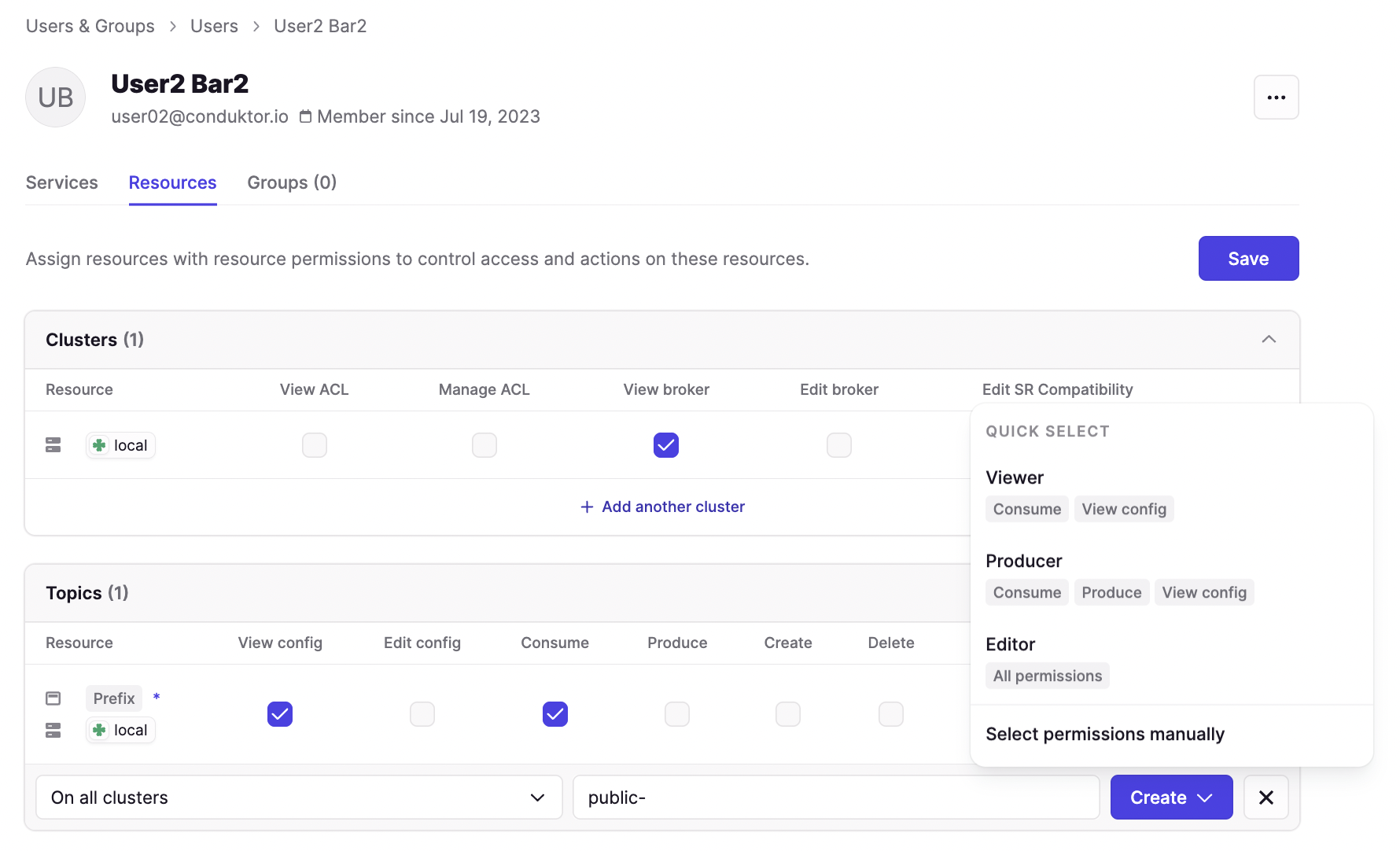
Public APIs & Support for Automation
We have opened Conduktor to being controlled using APIs.The first iteration covers the following resources:- Manage Clusters
- Manage Users, Groups and their respective Permissions (linked with our new RBAC!)
/docs of your deployment (i.e. http://localhost:8080/docs).Fow now, only members of the Admin group can generate API Keys and access the API.Give us feedback on what you would like to see in the API next here. You can also refer to the docs here.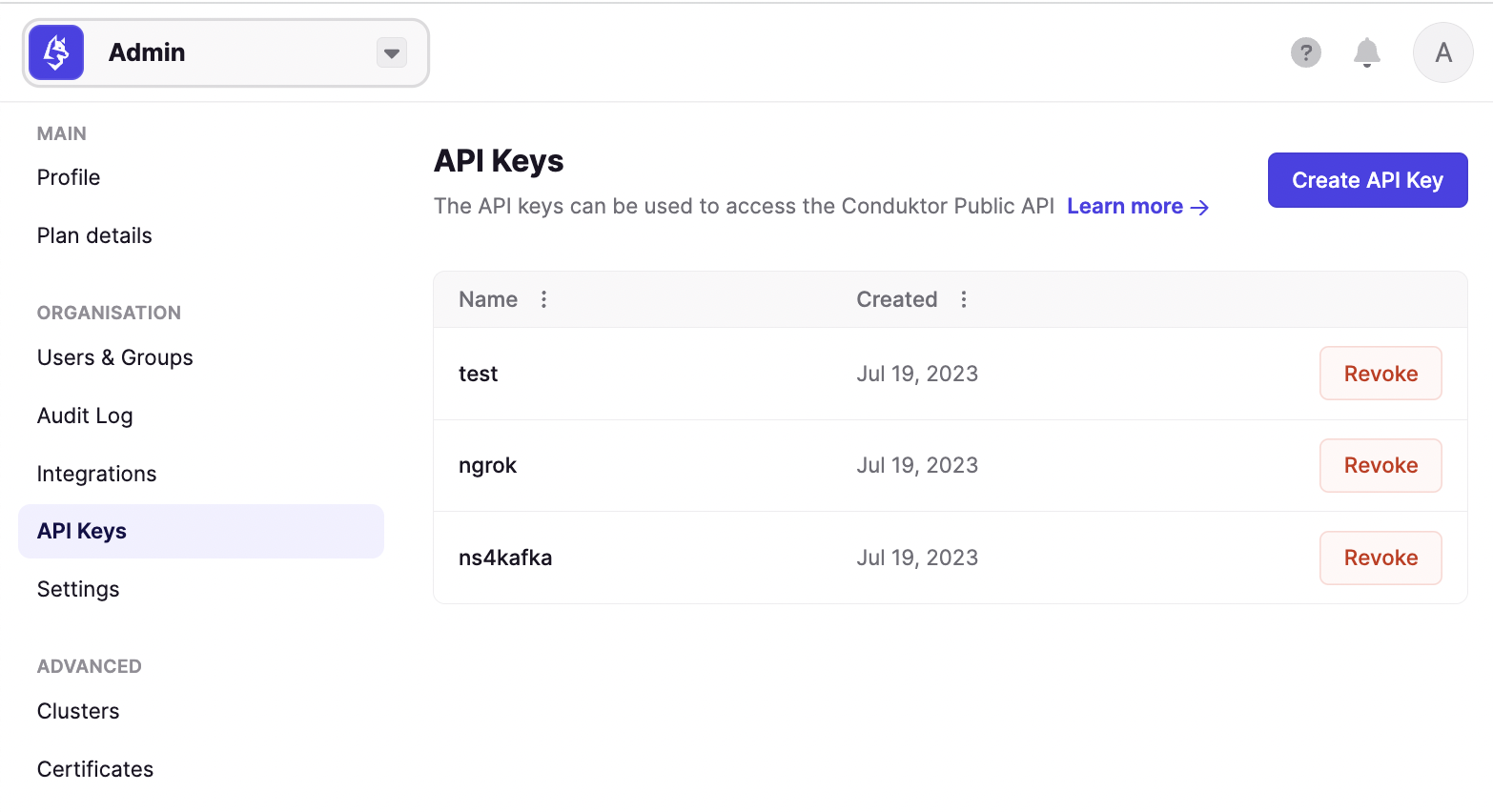
Major performance boost to both the Topic and Consumer Group List pages
Topic List and Consumer Group List are now served by snapshots which lead to a huge performance boost!To limit the impact on your Kafka Cluster, we have switched from direct AdminClient calls to an intermediate snapshot that we refresh every 30seconds behind the scenes.You should see a major performance improvement when listing your Topics and Consumer Groups, especially in larger environments. The snapshot serves all of your users which will drastically reduce the number of AdminClient calls in parallel and is updated every 30s.Service Accounts Page
A new “Service Accounts” item is available in the menu under ACLs. This is a new presentation of the ACLs, grouped by Service Accounts to drastically improve readability. For now it’s read-only, so continue to use the ACLs page if you want to Create/Delete ACLs.Let us know if you want more from this feature by providing feedback.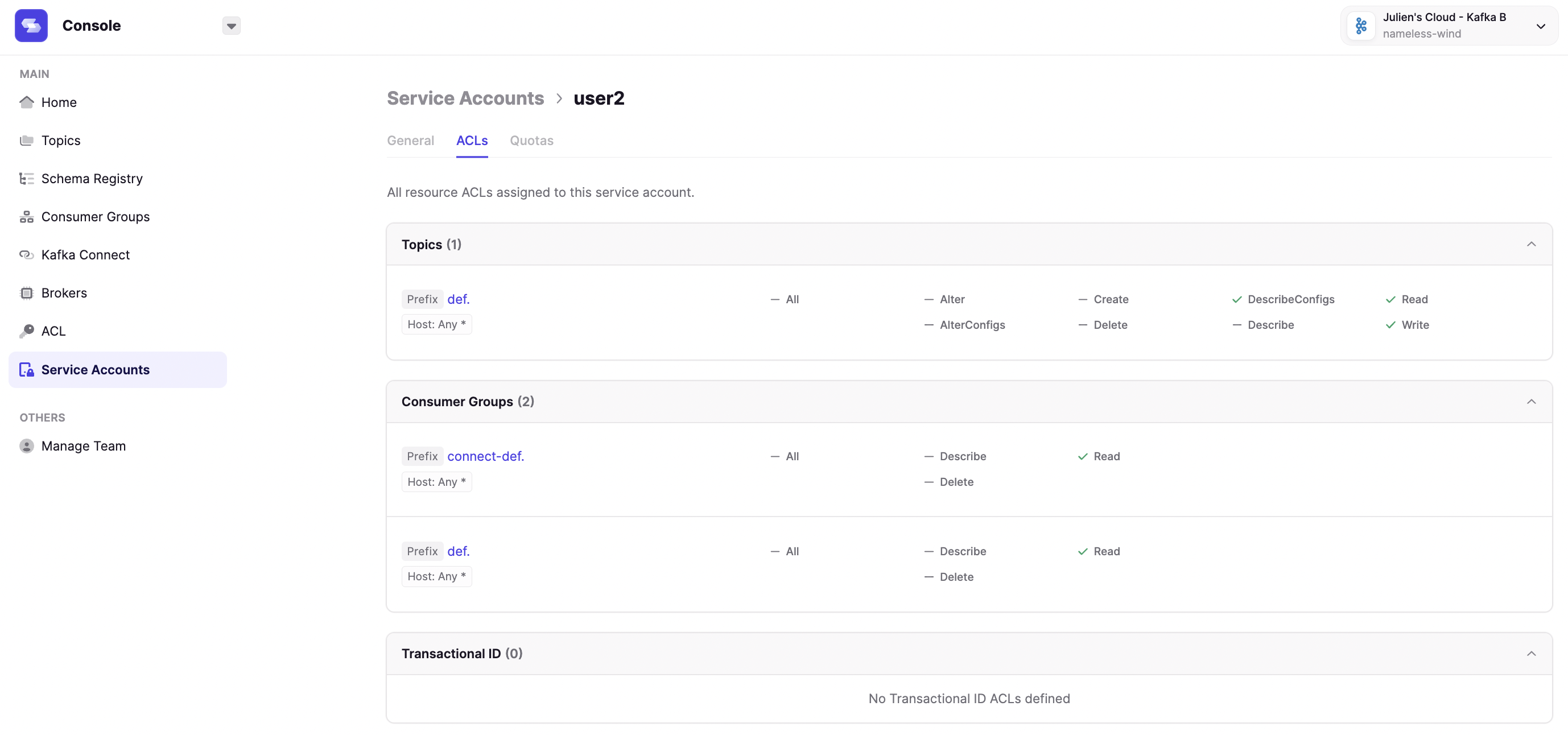
Table View in Consume with Quick Filters
When you click a message in the Consume page, you will now see the Table Structure view of the message.This works for most serializers that render JSON-compatible structures.Along with each key-value line, you will also have the option to build a filter directly from the message data.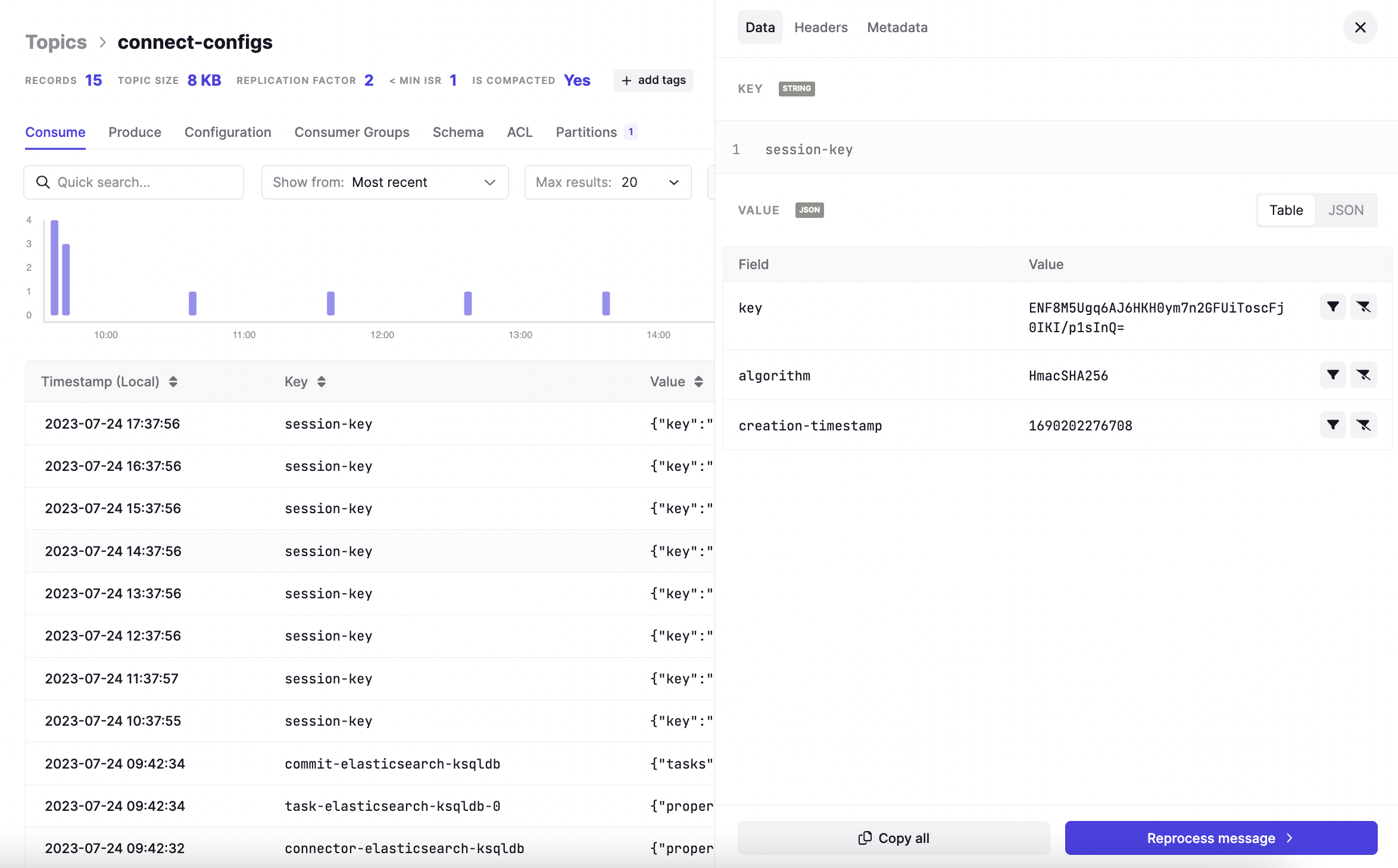
Precision regarding the timestamp timezone
In order to prevent confusion regarding the timestamp of the message, we have renamed the column ‘Timestamp’ to ‘Timestamp (Local)’. This shows the timestamp in your browser’s timezone configuration.To further alleviate any doubt, you can also mouse over the timestamp in the Consume page, which will present you with the ISO DateTime in UTC.
Fixes
- Fixed a UI issue where Clusters configurations that use Kerberos or Oauth did not render properly
- Fixed a regression where Kafka password was displayed in the logs
- Disabled IPV6 listener in the docker image
- Fixed a bug preventing to access Consumer Group Details page from the Consumer Groups tab in Topics Details page
- Added Connection Pooling to reduce the number of active connections to the database by 25%
- Removed an error message in Broker page when there was no partition on the cluster
- Added support for Amazon RDS Proxy
Known issues
- Upon adding a new Kafka Cluster, Built-in Alerts & Custom Alerts are not working. You must restart Conduktor after adding the Kafka Cluster for changes to take effect.
Features
Config ID maps to technicalID
When configuring initial setup using a .YAML, theid value will now map to the technicalID of the cluster setup.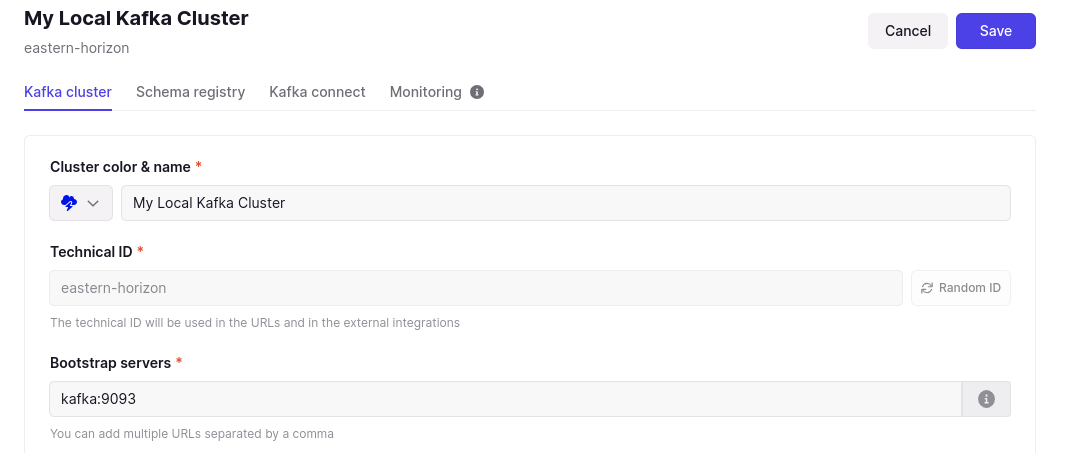
Set idle session timeout
Configurable maximum session lifetime for authentication was introduced in 1.16.1. You can now additionally set a value for idle session timeout. This will log your users out of Conduktor if they are inactive for a user-defined period of time. Read about how to use these new configurations in the docs.Fixes
- Large topic list handling. Some of our latest and greatest work wasn’t playing nicely when the number of topics was high, we’ve fixed that
- Improved offline environments. Some customers were experiencing issues when using completely offline environments, we’ve made some improvements to error handling, the error messages displayed and how we work with timeouts
- Connector restart history. One of our latest features for automatic connector restarts gave you all the lovely history so you can see what’s going on, perhaps too much ;). We’ve refined this so that each connector only displays it’s own history
- Connect first cluster improvements. When connecting your first cluster there were a few too many buttons available to click, which didn’t take you where you wanted to go. We have disabled more of those to make it even clearer on how to get connected
- App version label restored. Some of you have noticed the app version label in the UI was removed and want it back, we hear you. You’ll now find the current version of Console back where it was before, in the bottom left corner of the UI
- Squashed a bug with trailing slashes getting stuck on blank pages
- Improved error handling for tokens expiring
- Fixed a bug that prevented you to browse consumer groups with an empty name
Features
- Automatic connector restarts
- New home experience
- Configurable max session lifetime
- New ‘by broker’ view
- Show offsets in consumer group details
Automatic connector restarts (Preview feature)
Failed Connector tasks could already be restarted from within Console at the click of a button.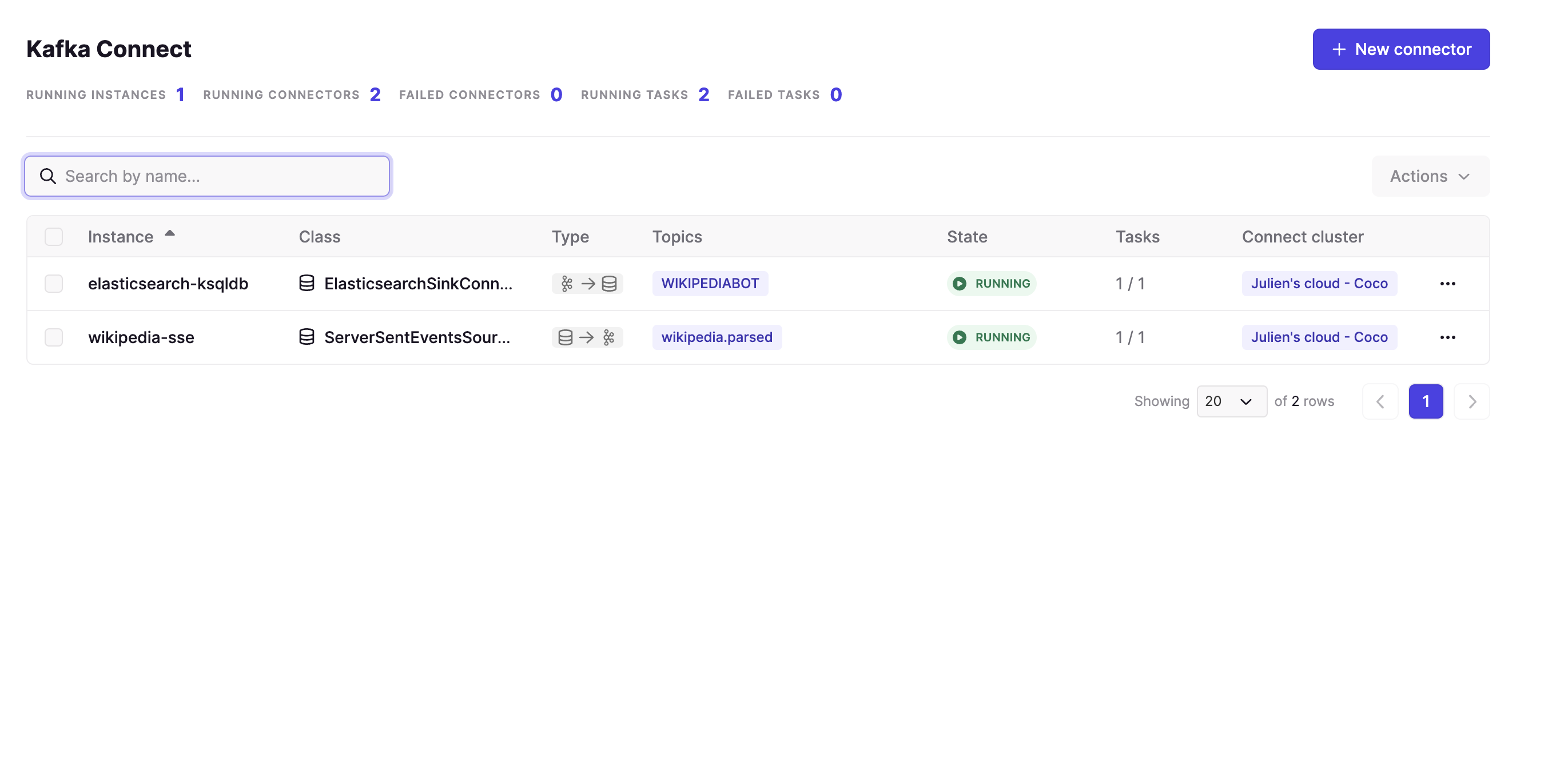
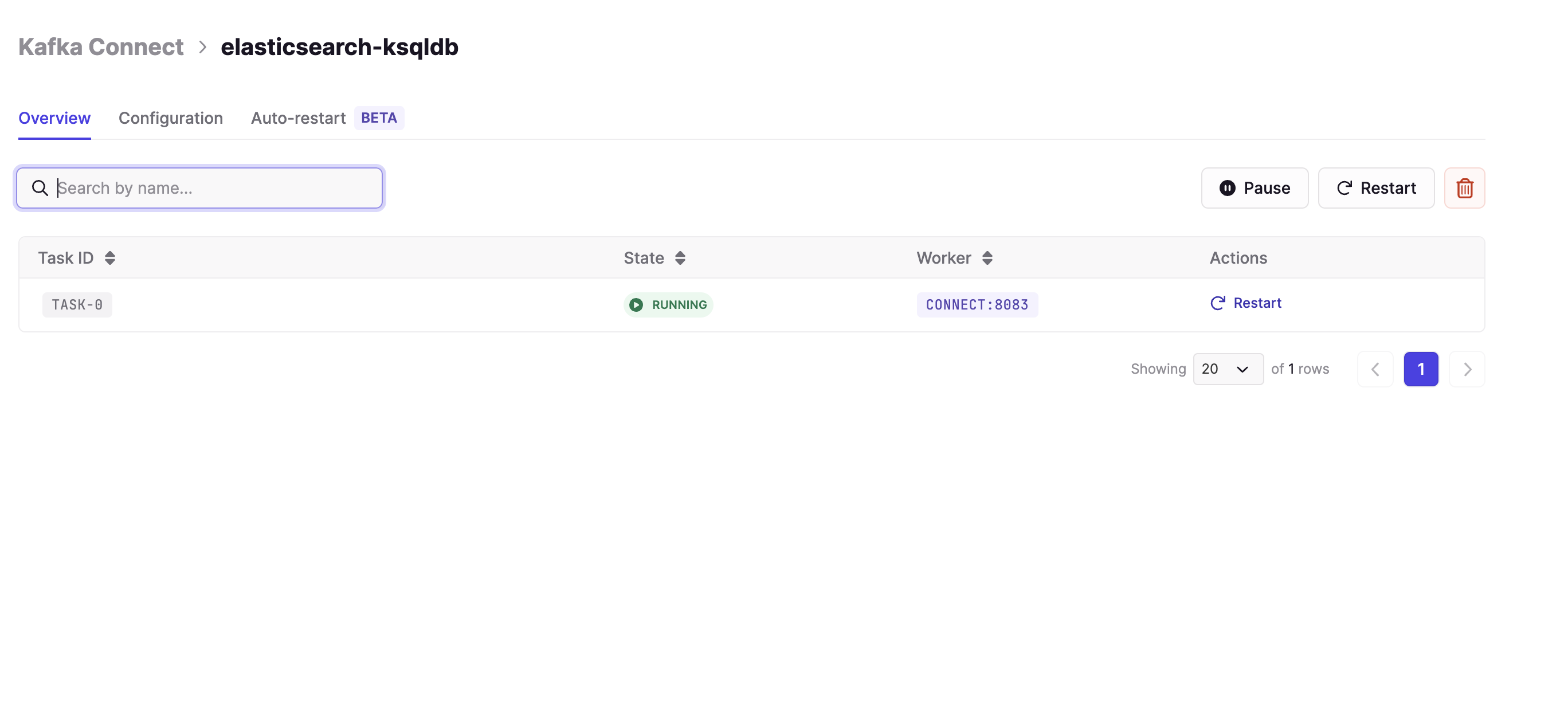
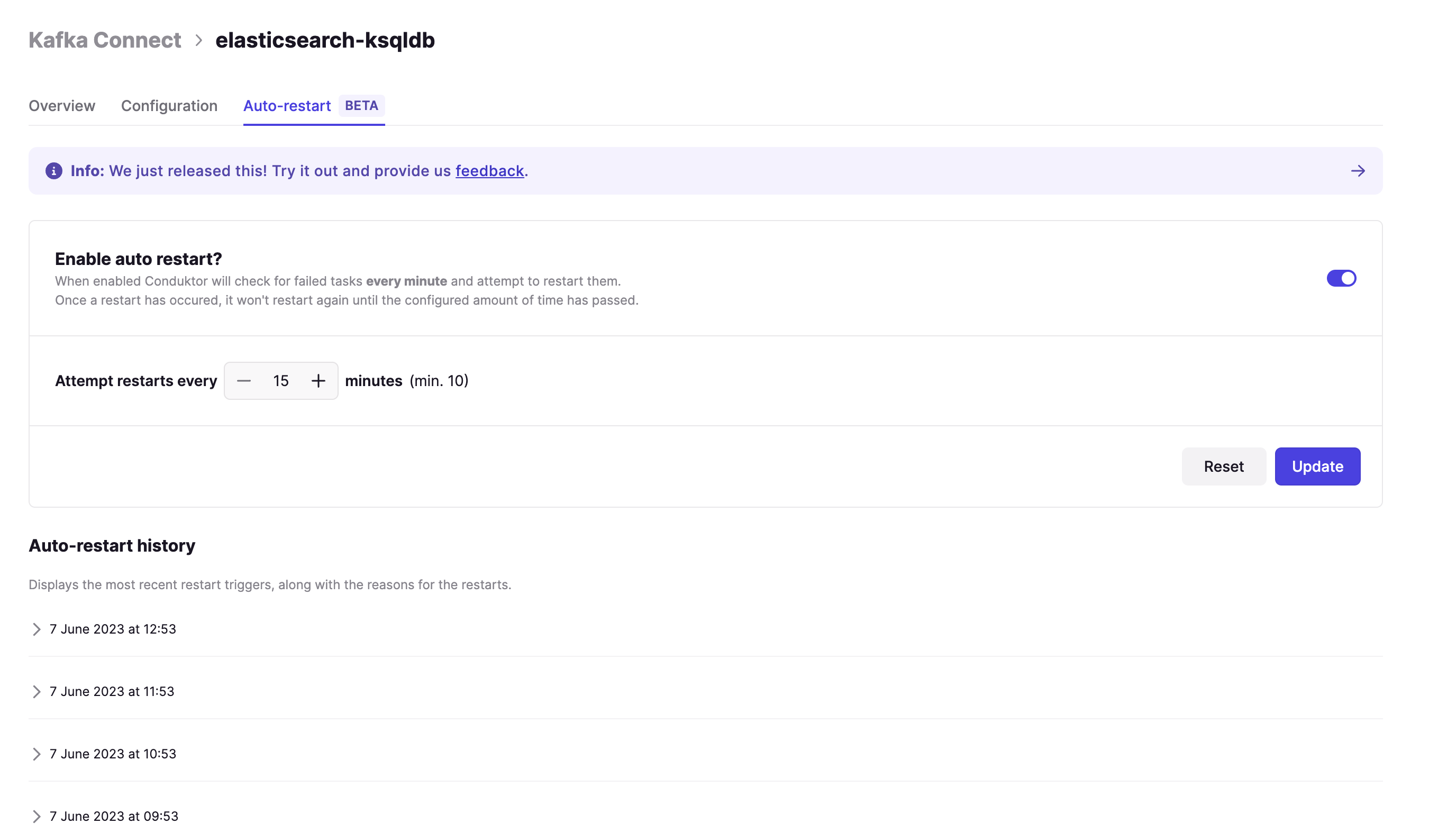
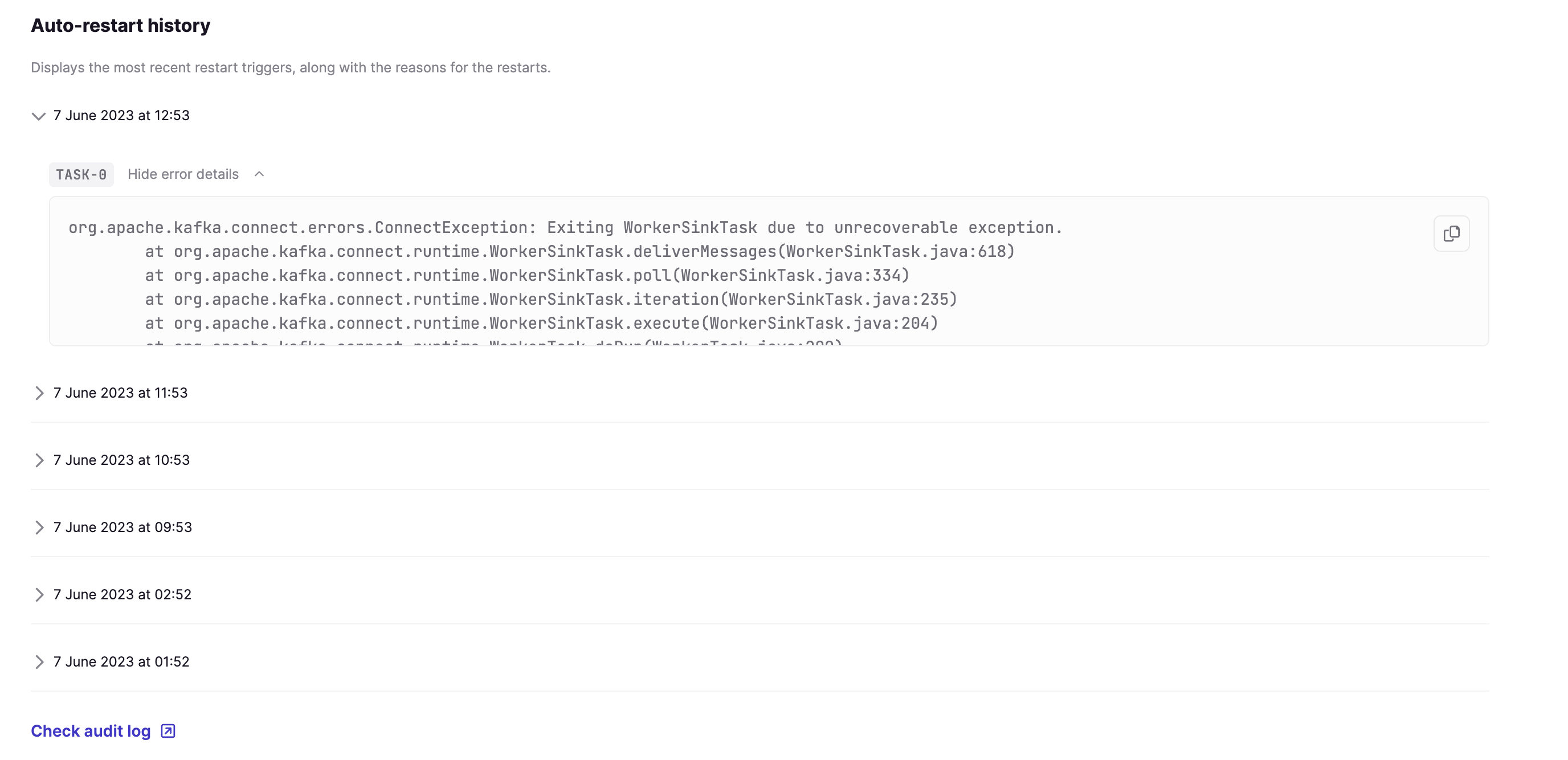
connector.RestartedTask audit event.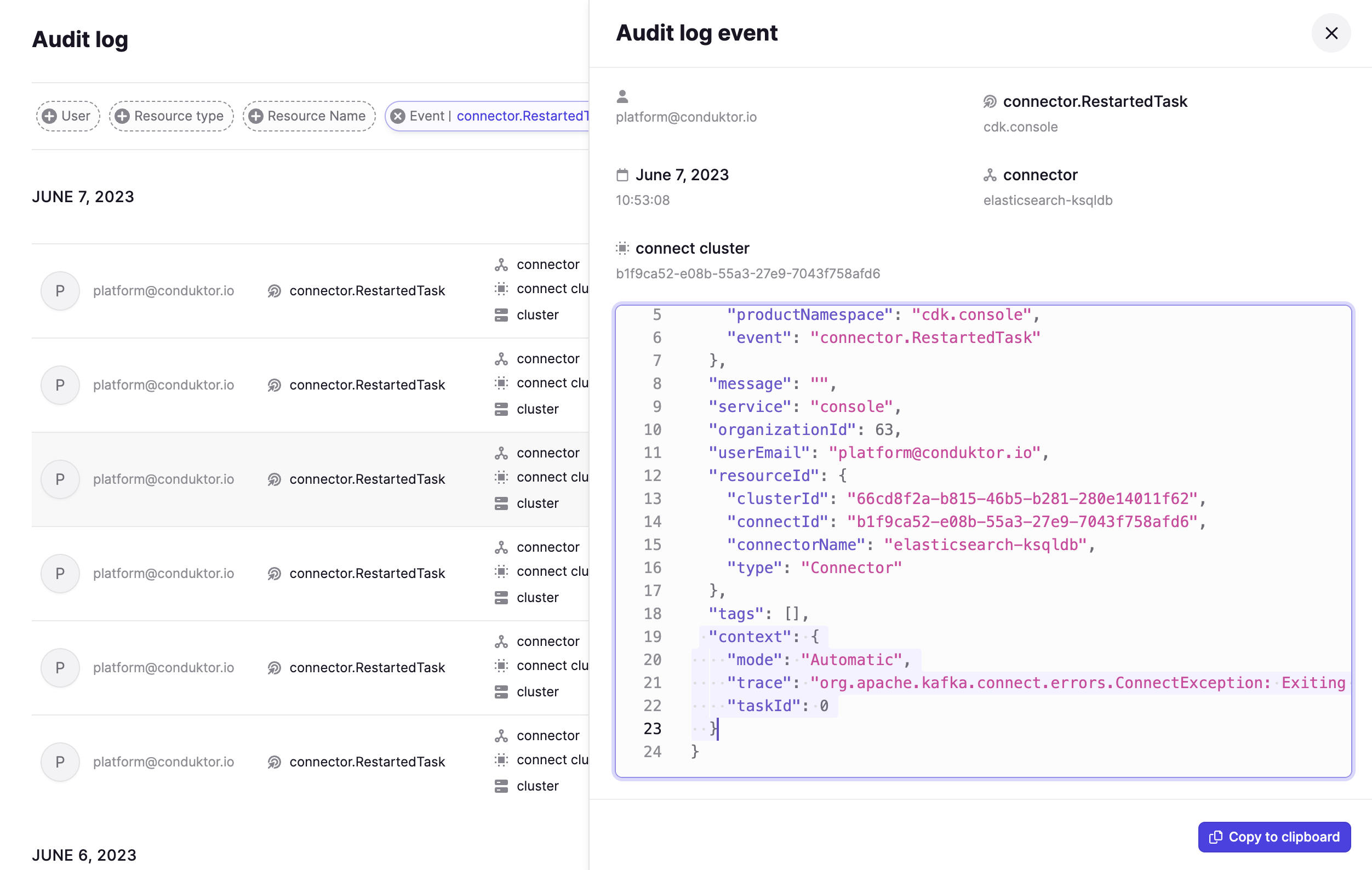
New Home experience
The Console home experience has been reworked to get you where you want to go quickly!From the homepage you can now jump straight into connecting your clusters, viewing your most recent topics, or managing users, groups and permissions. You will also find a few more handy quick links 👀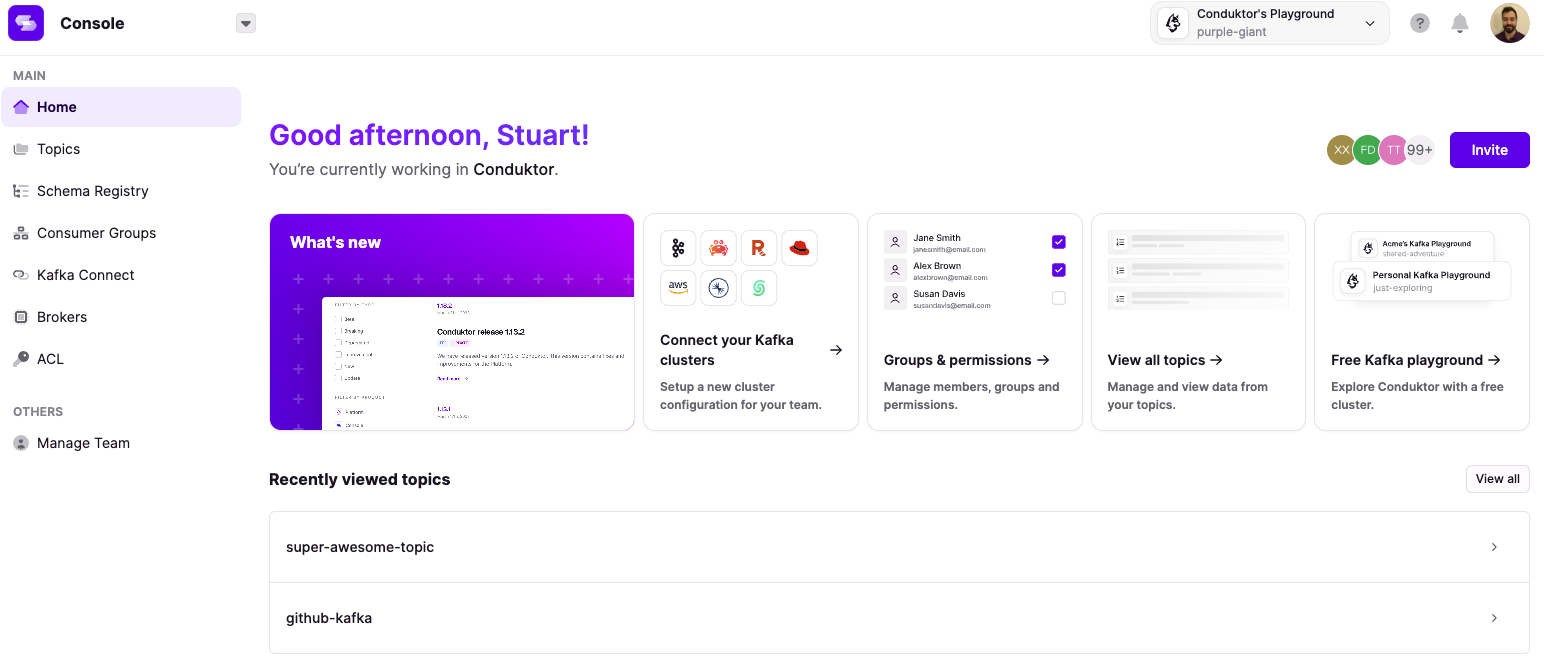
Configurable max session lifetime
You can now configure the maximum session lifetime for your users. This means your users will be forced to re-authenticate after a maximum period that you define.See the documentation on how to configure this value. Note that the current default value is set to 3 days.New ‘by broker view’
We have now added a new view in the Topics > Partitions tab that enables you to see a breakdown of partition leaders and partition replicas at a broker level.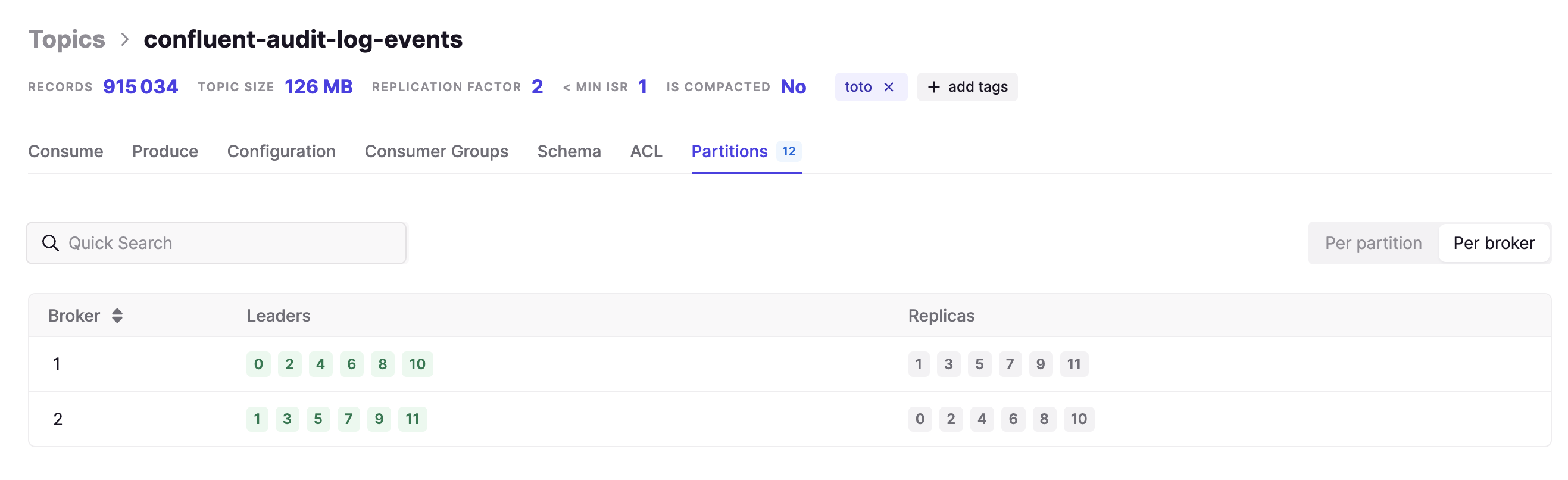
Show offsets in Consumer Group details
The Consumer Group details page has now been enriched with the ‘End Offset’ and the ‘Committed Offset’ for each Topic and Partition.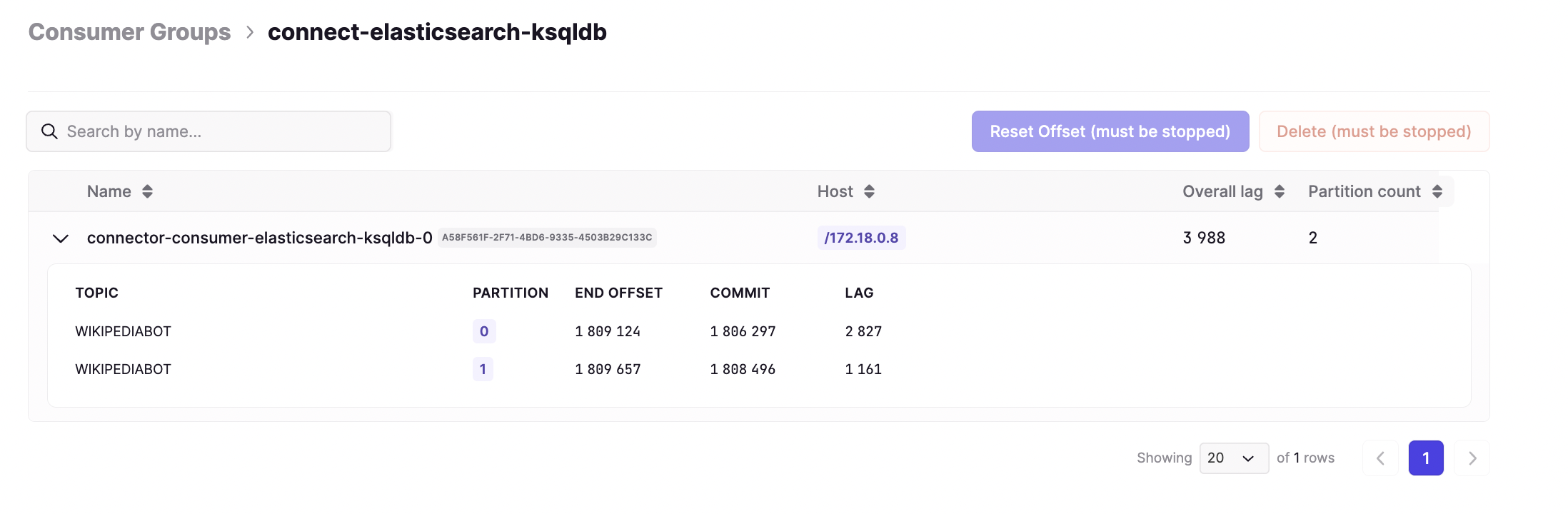
Fixes
- Fix the JQ filter in Console
- Fix showing metrics for consumer groups with blank name
- Slack channel alerting now supports 500 channels, previously it was restricted at 100
Monitoring
Features
Object storage support for external storage
You can now configure monitoring to export data to other additional object storage providers such as GCS, Azure and Swift. This builds on what was previously only support for S3.Fixes 🔨
Alert channel list increased to 500
- Fixed an issue when setting up alerts you could only pick from the first 100 channels that were available, now the list allows selection from up to 500.
Conduktor version 1.15.0 is now available, introducing various new features and optimizations. This release brings an enhanced Audit experience to Enterprise customers, data export functionality into Console, and organization-wide tagging of resources. See the full list of changes and release notes below.
Important changes
- Note that in 1.15.0, the Testing application will no longer be started by default in the on-premise deployment. This provides a performance optimization for those customers that are not currently using Testing. If you wish to start Testing alongside Conduktor, you should set an explicit environment variable.
Features
Give us feedback here-
Admin
- Audit Log has been completely revamped and enriched. Events now contain relevant contextual information (upon click), and logs can now be filtered by a range of criteria (user, resource type, resource name, event, cluster and date).
-
Console
- Tags are now organization-wide, meaning visibility of this additional metadata is shared amongst colleagues in your organization.
- You can now export data in either CSV or JSON format via the Consumer view.
- When using multiple JS filters in the Consumer view, these are now combined with logical AND instead of OR.
- New experience for showing statistics on each resource that enables more of the screen to be used for displaying data.
- Cluster selection RBAC: Visibility of clusters that can be selected now depends on the users data permissions applied through RBAC.
-
Testing
- Testing is now disabled by default when starting Conduktor. To start Testing alongside Conduktor, you should set an explicit environment variable.
- Note that in Conduktor 1.15.0, the Testing application will no longer be started by default on our on-premise deployment. It’s still available on our Cloud version.
TESTING_ENABLED to true when starting Conduktor.Why are we making this change?By removing the number of services started by default on-premise, this provides a performance optimization for customers that are not currently using Testing.-
Monitoring
- All monitoring metrics are now provided without any agent dependencies
Fix 🔨
-
Platform
- CVEs fixes
-
Console
- Support negative lag in consumer groups (cases whereby the last committed offset is greater than the latest offset)
- Security fix to stop exposing cluster configuration inside the UI.
-
Monitoring
- Computation of URP metric is set to 0 if we find
confluent.log.placement.constraintsin the cluster config orconfluent.placement.constraintsin the topic config. This avoids raising a false positive alert in case of a multi-region Confluent cluster. Note this logic will also be applied in Console in the next release.
- Computation of URP metric is set to 0 if we find
-
Governance
- Do not show error toast in Data Masking when a user/group no longer exists in a policy.
-
Admin
- Accept ”/” character in consumer group name
Conduktor version 1.14.0 is now available, introducing various new features and enhancements. This release includes performance improvements in the Console for loading Kafka data, support for MS Teams integration, the ability to add SSO users to your organization before their first login, and a simple onboarding wizard for easy setup. Important changes in this version include the requirement to update the configuration to define a root administrator. Check out the full list of changes below and update to Conduktor 1.14.0 to enjoy these new features and improvements.
Important changes
- This version requires a configuration update to ensure you have root administrator defined. This is mandatory for initialization of the platform, therefore you MUST update your configuration prior to upgrading.
Features
Give us feedback here-
Platform
- See important changes above. You must ensure you have a root administrator defined in your platform configuration.
- New onboarding wizard to help setup your environment for a new installation. This can be used to configure license, organization, database and SSO (Oauth2/LDAP) from inside the Conduktor UI. See docs.
- Added a memory available check at startup to prevent platform running in cases whereby the memory available is less than the memory required by the
RUN_MODEbeing used.
-
Console
- Long resource names are now wrapped to ensure the full string is always visible in the table.
- We have improved the performance of loading topic names and associated metadata in the topic list screen.
- We have improved the performance for loading subjects from schema registry.
-
Admin
- It’s now possible to add an SSO user to your organization before their first login. This allows you to allocate appropriate permissions prior to their first login.
- Notifications screen is now ‘Integrations’, with support added for Microsoft Teams.
-
Monitoring
- Request confirmation from users when deleting alerts.
- Reduced verbosity of logs from the topic scanner.
- Integration of Microsoft Teams notifications for alerting.
Fixes
-
Platform
- Clean some embedded PostgreSQL temporary files on container restart to prevent database startup error in some edge cases.
- Remove
Content-Lengthheader on web-socket requests, mitigating web-socket issues with some reverse proxy like Envoy.
-
Console
- Fix dropdown selectors in dark mode theme.
- Consumer: pretty print Protobuf records
-
Testing
- Fix variable definition export.
- Fix deletion of linked tasks.
-
Admin
- Every admin of the platform is now able to delete a user.
- Initialize organization during platform startup.
- For users in Trial, the upgrade license button is no longer crashing the UI.
Conduktor version 1.13.2 is now available, bringing bug fixes and improvements for the Platform, Console, and Admin solutions. The Platform fixes include addressing a regression related to the platform database connection default schema and fetching OIDC user information during login. The Console now supports references in schemas and fixes the color of the cluster name in dark mode. The Admin solution has reduced verbosity in logs and eliminated cluster configuration leakage. Update to Conduktor 1.13.2 to benefit from these bug fixes and enhancements.
Fixes
-
Platform
- Fix regression on platform database connection default schema used if changed from PostgreSQL default
- Now fetch OIDC user infos endpoint for user
emailclaim if not present in ID Token during login.
-
Console
- Support references in Schemas
- Dark mode: fix color of cluster name in cluster dropdown
-
Admin
- Logs: reduce verbosity and avoid cluster configuration leakage
Conduktor version 1.13.1 is now available, addressing bugs and improving HTTP proxy support. The Platform now correctly uses the configured external URL for SSO callback URL resolution, and OIDC SSO requests now utilize the
CDK_HTTP_PROXY_* configurations. Additionally, improvements have been made to HTTP certificate migration and various test scenarios. Upgrade to Conduktor 1.13.1 for these bug fixes and enhancements.Fixes
-
Platform
- Fix an issue whereby platform does not take hostname from
platform.external.url. Now the configured external url is always used for SSO callback url resolution. - Fix an issue whereby
CDK_HTTP_PROXY_*configurations were not being used for OIDC SSO requests. Also setCDK_HTTP_NON_PROXY_HOSTSdefault value tolocalhost|127.*when HTTP proxy is configured. See our Http Proxy configuration documentation for more details.
- Fix an issue whereby platform does not take hostname from
-
Testing
- Fix migration for HTTP certs and some test scenarios
Conduktor version 1.13.0 is now available, featuring performance improvements in the Console and the ability to sync Conduktor groups with external groups from LDAP/OAuth2.0 identity providers. This release also introduces new features such as external group mapping, DB support for TLS, and the option to force platform URLs. Additionally, improvements have been made to the Kafka Connect connection configuration and testing functionalities. Upgrade to Conduktor 1.13.0 for these exciting new features and fixes.
Important changes
- This version replaces
platform.fqdnconfiguration withplatform.external.url(used for SSO callback URL when using a reverse proxy).
Features
Give us feedback here- Platform
-
Console
- Support mTLS on Kafka Connect
- Improve the performance of the consumer and topic lists screen
- New design for the cluster dropdown has been implemented
-
Admin
- Configure Kafka Connect connection with mTLS
- Configure an icon to distinguish your clusters
-
Testing
- Add ‘Skip SSL’ functionality to HTTP tasks
Fix
-
Console
- Fix connectivity test with RedPanda clusters
Conduktor version 1.12.1 is now available, introducing RBAC support for Kafka Connect and providing mTLS support for Schema Registry. This release also includes improvements and fixes for the Console, Monitoring, Platform, and Admin solutions. Notable enhancements include the removal of default configurations, support for SSL truststore in Schema Registry, and the transition to agent-less monitoring. Upgrade to Conduktor 1.12.1 for these new features and bug fixes.
Important changes
- This version will delete existing user-defined alerts as the data in Cortex changed significantly with the switch towards agent-less monitoring
Features
Give us feedback here-
Platform
- Remove the default ‘localhost:9092’ cluster from Admin when starting Platform
- Remove extra local user user@conduktor.io from default platform configuration
- Print configuration resolution at platform startup if
CDK_ROOT_LOG_LEVELorPLATFORM_STARTUP_LOG_LEVELare set toDEBUG. See configuration properties and environment variables - Added missing EXPOSE directive with default platform port 8080 to the Dockerfile
- Console
-
Monitoring
- Monitoring is now moving to agent-less. Once you add a cluster in Admin, it will be monitored without any additional configuration.
-
Admin
- RBAC: Support specifying permissions for Kafka Connect
- Cluster: Add mTLS configuration for confluent schema registry
- Cluster: Configure the SSL auth by importing JKS
Fixes
-
Console
- Fix plain text connection with RedPanda clusters and Conduktor proxy
- Fix interaction between uploaded certificates and clusters configured with JKS truststore
- AWS Glue: Warn when schema creation fails due to incompatibly with previous version
- If the last used cluster no longer exists, we fallback to the first cluster in the list
- When creating a topic, we now validate the topic name directly in the UI
- Consumer: Fix blank screen when trying to open an Avro message
Conduktor version 1.11.1 is now available, focusing on resolving bugs and enhancing performance. This release includes fixes for the Console and Testing solutions, addressing issues such as out of memory errors with misconfigured SSL clusters and improving the performance of the cluster selector and consumer groups page. Additionally, improvements have been made to the Testing solution, restoring the Embedded Agent on restart and fixing Avro uuid logicalType support in the consumer. Upgrade to this version for a more stable and optimized Conduktor experience.
Fixes
-
Console
- Fix out of memory issues with misconfigured SSL clusters
- Performance improvements for cluster selector and consumer groups page
-
Testing
- Restore Embedded Agent on restart, and prevent deleting/regenerating the token
- Fix Avro uuid logicalType support in consumer
- Fix Checks UI losing the operator on edit
Conduktor version 1.11.0 is now available, bringing exciting new features and improvements. This release introduces support for AWS Glue Schema Registry, a new monitoring overview screen, and log level management by modules. Additionally, various fixes have been implemented to enhance the platform’s stability and performance. Upgrade to this version to leverage AWS Glue integration, gain valuable insights from the enhanced monitoring overview, and take advantage of the streamlined log management capabilities in Conduktor.
Features
Give us feedback here-
Console
- Support for
AWS GlueSchema Registry. - Topics: a new tab is available to explore the partitions details.
- Schema Registry: add the ability to review a schema even if it is malformed or erroneous.
- Kafka Connect: you can now select and
resetmultiple connectors at once. - Kafka Connect: the connectors view have been redesigned to improve its readability
- Support for
-
Monitoring
- New
Overviewscreen with globalhealth checkbased on URP, Offline Partitions, Active Controllers, Unclean Elections and Min ISR - Support for metrics without agent dependency: Message Count / s, Partitions count, Leader/Partition Skew, Active brokers, Active partitions, Active controllers, Total size of messages
- Log alerting failures as errors and enable retry on transient failures
- New
-
Platform
- Improve platform logs format and configuration by introducing new environment variable CDK_ROOT_LOG_LEVEL and CDK_ROOT_LOG_COLOR . More on log configuration on documentation.
- Add support for LDAP client context extra properties configuration.
-
Testing
- Improve agent logs, now displaying the server it connects to (SaaS or on-premise)
- Parsing errors in checks are now more verbose
-
Topic as a Service
- Teams around applications can be configured with RBAC roles.
Fix 🔨
-
Admin
- Prevent error on cluster update if the cluster was configured without
propertiesin input platform configuration. - Remove transitive permissions on
topic,subjectsandconsumer groupswhen apermissionis given on a cluster
- Prevent error on cluster update if the cluster was configured without
-
Console
- Consume: Fix WASM execution errors when using jq filters.
- Consume: Fix parsing of DLQ headers from Spring Boot Cloud Stream
- Consume: Immediately fail when ACL prevents from consuming a topic instead of hanging forever
- ACLs: Support ’:’ character in ACL principal names
- Improve performances of navigation and cluster connection status
- Consume/Produce: Fix an error related to schema registry when consuming or producing on MSK clusters configured without schema registry
-
Platform
- Fix input clusters configuration properties
jmx_scrape_portandnode_scrape_portthat was not used for cluster monitoring. - Test HTTPS certificate and key files permission at platform startup. see documentation
- Update internal JVM GraalVM to 22.3.1.
- Upgrade dependencies vulnerable to CVEs
- Fix input clusters configuration properties
-
Testing
- Fix schemas loading.
Conduktor version 1.10.4 is now available, addressing a fix related to RBAC permissions for schema subjects. With this update, users can set RBAC permissions on schema subjects that contain a / in their name. Upgrade to this version to ensure seamless management of RBAC permissions for all schema subjects, enhancing the security and control of your Conduktor environment.
Fix
- Now allow RBAC permission to be set on schema subjects that contain a
/in their name
Conduktor version 1.10.3 is now available, addressing an important fix related to cluster creation in the Admin interface. With this update, monitoring is automatically enabled when creating a cluster, ensuring a seamless and streamlined experience. Upgrade to this version to take advantage of this enhancement and enjoy a more efficient Conduktor workflow.
Fix
- When you create a cluster from Admin interface, monitoring is now enabled automatically
Conduktor version 1.10.2 is now available, bringing important improvements and bug fixes to the platform. Enhancements include a more streamlined migration process for users with an embedded database and resolution of issues related to the platform state and monitoring metrics. Upgrade to this version to benefit from a more stable and efficient Conduktor experience.
Major changes
- migration from 1.9.1 or earlier to 1.10.x is not possible with the embedded database mode
Fixes
- Platform
- Improve migration when using an embedded database (compatible with 1.10.2+ versions only)
- Resolve an issue with platform state in embedded mode
- Resolved an issue with some monitoring metrics which where not displayed anymore.
Conduktor version 1.10.1 is now available, addressing a platform issue related to forwarded HTTP headers in the authentication callback. Upgrade now to ensure a seamless authentication experience in Conduktor!
Major changes
- migration from 1.9.1 or earlier to 1.10.x is not possible with the embedded database mode
Fix
- Platform
- Resolve an issue with forwarded HTTP header in authentication callback
Conduktor version 1.10.0 is now available, introducing extended RBAC capabilities for Consumer Groups, Subjects, and ACLs. This release also includes improvements to the admin interface, enhanced certificate checks, new features in the Console, and updates in monitoring and testing functionalities. Upgrade now to leverage the enhanced RBAC features and enjoy a more secure and streamlined Conduktor experience!
 |
|---|
| Extended RBAC for Enterprise customers |
Major changes
- migration from 1.9.1 or earlier to 1.10.x is not possible with the embedded database mode
- Depreciation of internal
AUTHENTICATOR_JAVA_OPSenvironment variable in favor ofAUTHENTICATOR_JAVA_OPTS
Features
Give us feedback here-
Admin
- Improve the UX of removing users from organization
- Add audit logs for groups and cluster operations
- Enhanced support for certificate checks on Schema Registry and Kafka Connect
-
Console
- Consumer: You can now apply a jq filter to better visualize message data
- RBACs are now available for Consumer Groups, Subjects and ACLs
- New Brokers pages:
- Brokers list page: You can see the list of your Cluster’s Brokers
- Broker details page: You can explore the details of one of your Brokers
- Reset Offsets: New “Specific Offset” strategy to choose when to reset the offsets to
- Consume: Add support for Avro logical types
- ACLs: You can now create and delete ACLs in Console
- Schema details: The “Structure” tab displaying the structure of Protobuf Schema
-
Monitoring
- Dynamic cluster definition: You can now edit them in Admin and monitoring will pick them up on save
- Graphs are now updated smoothly as time passes
- Graphs correctly display time values on axis
- Improved handling of empty values
-
Platform
- Add support for HTTPS
- Support for HTTP proxies
Fixes
-
Admin
- The “Test Connection” button on the Schema Registry configuration page timeouts faster (5 seconds)
-
Console
- Fixed Subject Updating: When a Subject was created with a different strategy than “Topic Name”, updating the schema would create a new Subject instead of updating it
- Produce: We now produce
nullinstead of an empty String if the Key and/or Value input is empty - Confluent Cloud:
- The “Reset to default” feature on the Topic’s configuration was not working on Confluent Cloud
- Our Kafka Connect page was not incorrectly showing errors when some connectors were stopped
- Create new Connector: no error message was displayed when the Connector configuration was invalid
- Schema Registry configuration: The “Test Connection” return now a human readable error message explains what the issue is.
-
Monitoring
- Selecting custom dates is correctly applied
- Alerts update now and appropriately update the interface
- Better handling of NaN and undefined values for graphs
- Refreshing the graphs no longer execute when given fixed dates
-
Testing
- Increase defaults timeouts to solve flakiness issue with some providers
- Fix data masking behavior with topic preview
Conduktor version 1.9.1 is now available, addressing issues with consumer lag graph rendering in Monitoring. This release also brings improved error support for TLS checks, preventing admin removal, and resolving agent errors on Java 11. Upgrade to the latest version for a smoother Conduktor experience!
Features
- Platform
- File based environment variable
- An environment variable with the *_FILE suffix will be replace by the file content
- File based environment variable
Fix 🔨
-
Platform
- Use business name for relevant service in audit log listing
- Improve error support for TLS checks on Schema Registry and Kafka Connect
- Prevent the last admin in an organization from removing themselves
- Fix a rolling update issue due to DB pool size
-
Monitoring
- Fix the consumer lag graphs from the Apps Monitoring dashboard
-
Testing
- Fix agent error when running on Java 11
- Fix cryptographic error preventing access from insecure origins
Conduktor version 1.9.0 brings exciting new features, including support for running in an Openshift environment. This release also includes important changes and fixes for improved functionality. Explore the latest updates in Conduktor now!
Important changes
- Conduktor container now runs as a non-root user
conduktor-platformwith UID10001and GID0
Features
-
Platform
- Openshift support
- Add CDK_SSL_DEBUG flag to enable SSL debug logs
-
Topic as a Service
- Adds the capability to delete applications
- Adds the capability to delete an environment
Fixes
-
Platform
- Fix modules dependencies. Data masking is now enabled even if governance is disabled
-
Topic as a service
- Select owner after creation in the application form
- Improve service accounts fields in the application form
We are excited to announce the release of ! This version introduces a new certificate management mechanism for Kafka, Kafka Connect, and Schema Registry connections. Take advantage of the enhanced cluster configuration screens with authentication helpers in the Admin section. Additionally, this update brings numerous new events to the audit log, enabling comprehensive tracking of activities. Explore the complete list of audit events in the documentation. Other notable features include improvements to the Console, Monitoring, Topic as a Service, Testing, and Platform modules. Several bug fixes have also been implemented, resolving issues in Console, Data Masking, Monitoring, Testing, and Topic as a Service. Enhanced cluster configuration screens with auth helpers in Admin
 Upload certificates to support SSL cluster configurations
 Create Run Configurations in Testing for CI/CD executions
Enhanced cluster configuration screens with auth helpers in AdminUpload certificates to support SSL cluster configurationsCreate Run Configurations in Testing for CI/CD executionsFeatures
-
Platform
- Add ldapsearch tool to debug LDAP connections
-
Console
- Improve the UX when there are no clusters configured or when the cluster is unreachable
- Schema Registry - Schema details: new “Structure” tab displaying the structure of the Schema (only Avro is supported for now)
- Consumer Groups: You can now create new Consumer Groups from the Consumer Groups page
- New Audit Log events for Topics,Schema Registry,Consumer Groups and Connectors
-
Admin
- Organization wide certificates management - See Docs
- Cluster Configuration improvements
- Add the TLS auto discovery on the schema registry and kafka connectors
- Upload certificate ability if the TLS is discovered
- UI improvements for easier auth configuration with SASL, SSL and AWS IAM connections
- The authentication test now considers the “ignore untrusted certificate flag”
- The authentication test displays the error message in a panel.
-
Monitoring
- New UI graphing library being used with more detailed data point tracing (tooltip)
-
Topic as a Service
- Applications
- Access requests tab: You can now inspect if you have any topic access requests pending
- When you have pending requests - it will be indicated in the application list and in the “Access requests” tab
- Subscribed applications tab: you can now inspect which application has access to your application resources [by environment/by resource]
- Applications
-
Testing
- New way to integrate into CI, through a Run Configuration that you can update in the UI
- When creating a run configuration, we now provide helpers for major CI/CD platforms (Github Action, Circle CI, Gitlab, Jenkins)
Fix 🔨
-
Platform
- Ignore SSL validation is now working for LDAPS connections when setting
sso.ignoreUntrustedCertificate: true
- Ignore SSL validation is now working for LDAPS connections when setting
-
Console
- Performance improvements
- Kafka Connect: fix the metadata displayed
- Consumer Groups: display correctly newly created Consumer Groups
- Consumer Group View: Fix the sort on “Overall lag” column
- Schema Registry - Subjects list: We now display a “⚠️” icon when a Subject has an issue instead
-
Data masking
- Fixed caching issues
-
Monitoring
- Fix rendering for topic analysis metrics
-
Testing
- Fix missing Testing audit log events
- Allow overriding Content-type in HTTP headers
- Ignore orphan tasks
- Updated docs links to point to the new documentation site
-
Topic as a service
- Fix ‘External topic access’ table behavior
Important change when updating to Conduktor 1.18.0 (September 14th, 2023)
Monitoring
We are cleaning up our Docker image to bring you a simpler, lighter, and generally more operable product.In that regard, we have extracted the ‘Storage & Alerting’ aspect of the Monitoring Solution from the base Console image and moved it to a dependency image.Consequences:- If you didn’t use Monitoring: No further action is required on your part. You won’t be able to access the Monitoring module anymore.
- If you used Monitoring: read the documentation to understand how to deploy and configure the dependency image
conduktor/conduktor-console-cortex:1.18.0.
Embedded database
As having a Postgres database is one of the production requirements we have, we decided to remove the embedded Postgres database from the Docker image. That way, having a Postgres database is now required to deploy Conduktor Console. If you want to get started and discover the product, here are guide for Docker and Kubernetes.Testing
In line with the deprecation of the Testing module, we have removed Testing from the base image.Authentication
Finally, we have rewritten our authentication module due to all those changes, to move to something far simpler. If you have any issues with authentication using LDAP or OIDC with this new release, please contact Conduktor Support.Discover the latest version of Conduktor in 1.7.2, featuring a powerful data masking enhancement. This update introduces new data masking capabilities that allow you to define policies at the topic and user/group levels. Take control of your data privacy with scoped masking policies. For detailed information, refer to the documentation. This version also includes several bug fixes, addressing audit log events for Testing, links to external documentation, incorrect timestamps in the Admin’s Audit, and improvements to the notifications page.
Features
- Data Masking
- Scoped masking policies on topic, users and groups.
Fix
-
Testing
- Fix audit logs events for Testing
- Fix links to external docs from inside application
-
Admin
- Fixed timestamps in Admin’s Audit that were incorrect
- Fix the notifications page
Discover the latest version of Conduktor in 1.7.0, featuring a new diagnostic tool for Docker and exciting enhancements in the Console. The Platform introduces a diagnostic tool to help troubleshoot any issues you may encounter. Find detailed instructions in the documentation. In the Console, the Consumer Groups now offer a “Preview Table” in the “Reset Offsets” feature, allowing you to visualize the impact of your request before executing it. The Schema Registry gains support for all possible naming strategies, including Topic Name, Record Name, Topic + Record Name, and Custom. Additionally, the Admin section now displays error notifications when the “Test Connection” fails. This version also includes various fixes addressing LDAP group mapping, UI improvements, and faster timeout for the “Test Connection” button. Please note that some broken links to the old documentation site will be resolved in the next release.
Features
-
Platform
- If you face an issue with the platform, we introduce a diagnostic tool. Take a look at the documentation
-
Console
- Consumer Groups: new “Preview Table” in the “Reset Offsets” feature allowing you to see the effect your request will have before executing it
- Schema Registry - Create Schema form: We now support all the possible naming strategies:
- Topic Name
- Record Name
- Topic + Record Name
- Custom
-
Topic as a service
- We added a new concept of application that are linked to topics.
-
Admin
- When the “Test Connection” test fails, we now display an error notification
Fix 🔨
-
Platform
- Fix LDAP group mapping
-
Console
- Consume: The graph now displays time in a 24h format
- Produce: It was not possible to change the Charset when producing Strings
- Topics List: The table was needlessly refreshing the data when changing the Topic name truncation
- Schema Registry - Subjects list: We now display a “⚠️” icon when a Subject has an issue instead of showing a less useful and noisy error notification
-
Admin
- The “Test Connection” button on the Kafka Cluster & Kafka connect configuration page timeouts faster (5 seconds)
Additional Notes 📝
- Testing
- There are a number of broken links that still point to our old documentation site (docs.testing.conduktor.io).
Discover the latest version of Conduktor in 1.6.0, featuring exciting updates across the platform and its solutions. The Platform introduces LDAPS support, allowing for secure LDAP connections. Explore the new documentation site at docs.conduktor.io for comprehensive information. In the Console, a new “ACL” page provides a list of all ACLs in your Cluster (read-only for now). Additional Console enhancements include the ability to add new partitions to a topic, improvements in the topics list table, and enhanced link sharing capabilities in the Monitoring solution. The Admin section introduces TLS checks for the cluster’s bootstrap servers. This version also includes various fixes, addressing issues in the Platform, Console, Testing, Monitoring, and Admin sections, ensuring a smoother user experience.
Features
-
Platform
- Add support for LDAPS
-
Console
- New “ACL” page listing for all the ACLs of your Cluster (read-only for now)
- Topics: You can now add new partitions to a topic
- Topics list table: We removed the replication factor column from the table
- Topics list table: We changed how we truncate long topic names
- We’re now, by default, truncating the beginning of long topic names
- There’s a new option in the table menu to switch to the previous behaviour (whereby we were truncating the end of long topic names)
-
Monitoring
- It’s now possible to copy/paste any link and share them
-
Admin
- Add the TLS check on the cluster’s bootstrap servers
Fix 🔨
-
Platform
- Remove unused configuration fields (
auth.local-users[].groupsandslack-token)
- Remove unused configuration fields (
-
Console
- The “details” part of an error message was not scrollable
- Create Topic form: when an error was happening, the error was not always displayed in the UI
- Create Connector form: The error message displayed was not correct
- Create Connector form: The “validate” feature was not reporting the correct error
- Produce: Producing with random Avro was sometimes not working
-
Testing
- Fix agent connectivity hanging when using multiple instances of an agent
- Fix menu tooltips being displayed behind the canvas
- Fix loader not being centered
- Fix Text4Shell CVE from org.apache.commons.commons-text-1.9
-
Monitoring
- You can navigate back via your browser without encountering issues
-
Admin
- RBAC: changing a role did not remove old permissions
- As user with ‘read’ but without ‘edit’ permissions, I can browse the clusters as readonly
Discover the latest version of Conduktor in 1.5.1, packed with an array of upgrades across the platform and its solutions. The Console introduces advanced features like the ability to reset offsets based on a “datetime” strategy, duplicating Consumer Groups, updating Topics configuration, and resetting Topics configuration. The Platform brings enhanced functionality with support for external S3 storage for monitoring data and custom Truststore configuration for SSL/TLS connections. Additionally, LDAP connection for SSO now offers more configuration parameters. Testing gains a structured summary in the console and AWS IAM default credential chain compliance. Monitoring allows users to select a custom date/time range and displays the number of messages per second without configuring a JMX agent. The Admin section receives improvements with enhanced cluster UI and simplified clusters configuration. Several fixes address issues across the Platform, Console, Testing, and Data Masking, ensuring a smoother user experience.
Features
-
Platform
- Add support of external S3 storage for monitoring data. see documentation
- Add support of custom Truststore configuration for SSL/TLS connections. see documentation
- SSO : Add more configuration parameters for LDAP connection. see documentation
-
Console
- Consumer Groups - Reset Offsets: New “datetime” strategy to choose when to reset the offsets to
- Consumer Groups: You can now duplicate a Consumer Group
- Topics configuration: You can now update your Topics configuration
- Topics configuration: You can now reset your Topics configuration
- IAM support: Our
io.conduktor.aws.IAMClientCallbackHandlerclass used to configure IAM in the Platform now complies with the “credentials provider chain” mechanism of AWS.
It’ll first try to find your credentials/role on your machine, assoftware.amazon.msk.auth.iam.IAMClientCallbackHandlerwould do. If nothing is found, then it’ll use our mechanism. For more info, see documentation.
To summarize, ourio.conduktor.aws.IAMClientCallbackHandlerclass can now be used as a drop-in replacement ofsoftware.amazon.msk.auth.iam.IAMClientCallbackHandlerin your Kafka properties:
-
Testing
- Added a structured summary in console at the end of executions
- AWS IAM : default credential chain compliance
-
Monitoring
- It’s now possible to select a custom date/time range via the calender selection
- Number of messages in / s is now available even without configuring a jmx agent
-
Admin
- The clusters UI now supports read/write/delete (cluster, schema registry, kafka connect)
- The clusters configuration int the configuration file can be used as a 1st initialization but is not mandatory anymore to create clusters
Fix 🔨
-
Platform
- Remove unused configuration fields (
auth.local-users[].groupsandslack-token)
- Remove unused configuration fields (
-
Console
- Create Topic form: The replication factor was not aligned with the Cluster configuration
- Create Topic form: Improve error handling
- CTRL+F is now working in the data viewers
- Consumer Group: When “Overall Lag” and/or “Members” values were 0, they were displayed as N/A
- Sometimes, in the top-level bar of the app, your Clusters were reported as “Not connected” while they were connected
- Sometimes, when producing Avro data, an “Invalid JSON returned. Please try again” error was incorrectly displayed, and the produced data was not correctly displayed
-
Testing
- Fix agent connectivity hanging when using multiple instances of an agent
- Fix menu tooltips being displayed behind the canvas
- Fix loader not being centered
- Fix Text4Shell CVE from org.apache.commons.commons-text-1.9
-
Data Masking
- Fix the creation rule form when a lot of field are added. The “create button” stay accessible now.
Explore the latest version of Conduktor in 1.4.0, packed with exciting new features and essential bug fixes. The Console now offers advanced configuration options for topic creation, empowering users to customize all settings of the topic. The Platform introduces notifications for new Platform versions and enhances configuration by generating environment variables from the configuration file. In Data Masking, data masking rules are now applied before filters in the Console and Testing modules. The Admin section receives improvements with the introduction of technical IDs for clusters, enhancing URL shareability. Additionally, several bug fixes address issues across the Platform, Console, Testing, Data Masking, and Admin modules, ensuring a smoother user experience.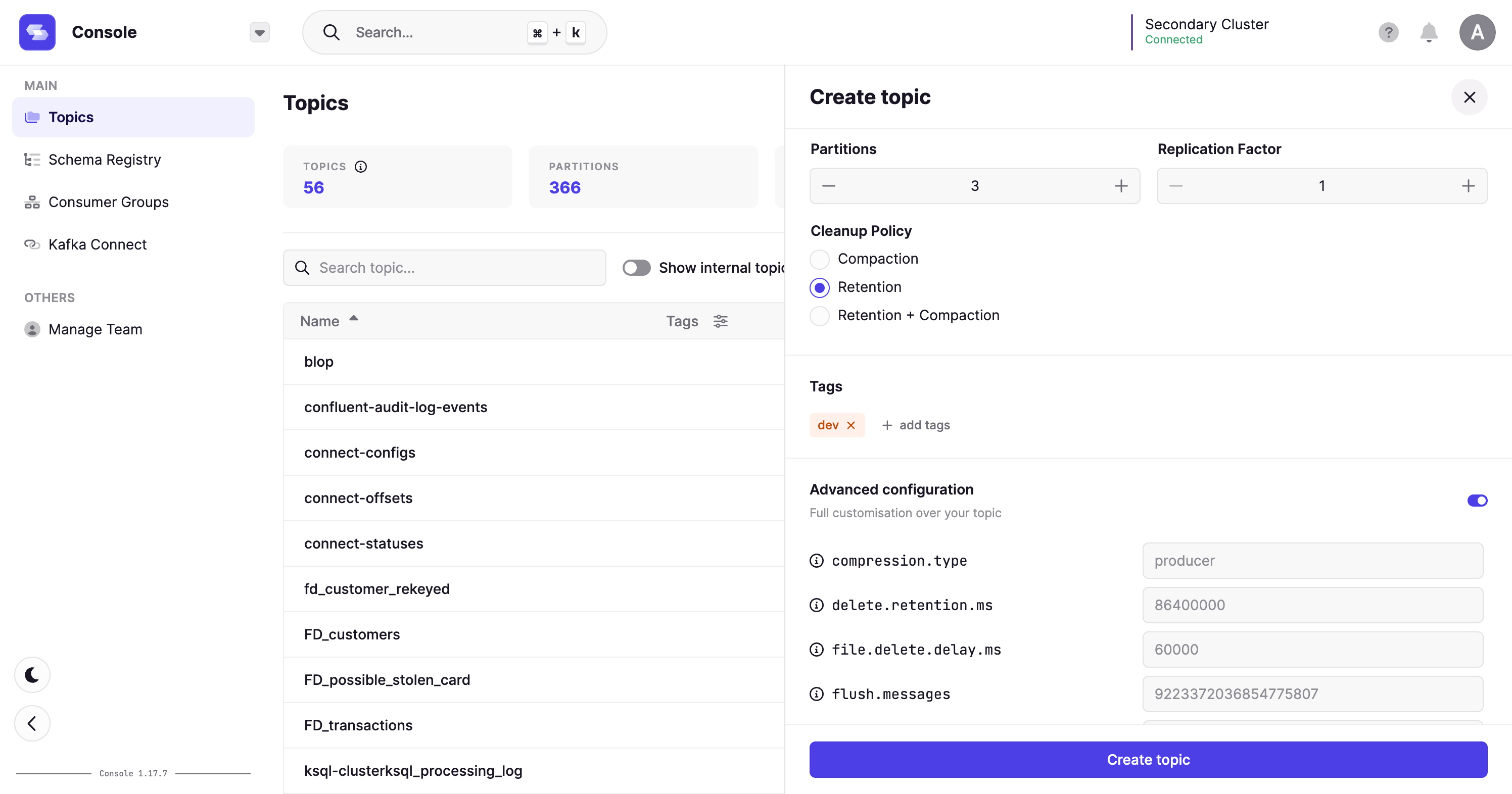
Features
- Platform
- Notify when a new Platform version is available
- Environment variable generation from configuration file https://conduktor.github.io/yaml-to-env/
- Console
- Create Topic form - Advanced configuration: The user can now configure all the settings of the topic
- Data Masking
- Apply data masking rules before filters are applied in Console and Testing
- Admin
- Clusters now have technical id. You can observe this on the cluster configuration screen inside
admin/clusters. Soon, URLs inside the Platform solutions will use this technical id, enhancing shareability of URLs.
- Clusters now have technical id. You can observe this on the cluster configuration screen inside
Fix 🔨
- Platform
- Fix authentication with SSO when no local user definition is provided
- Fix clusters[].schemaRegistry parsing from env
- Console
- Producer was producing too many messages when it was configured in automatic produce mode with an elapsed time stop condition
- Testing
- Prevent connecting two nodes at once
- Quota error on some executions
- Data Masking
- Add scroll to Policy form panel
- Admin
- Fix the cluster creation capacity for enterprise license
Discover the latest version of Conduktor in 1.3.1, packed with exciting new features and important bug fixes. The Console receives significant enhancements, including the ability to reset offsets in Consumer Groups with more flexibility, the option to delete a Consumer Group, and improved actions for managing Kafka Connect connectors. The Platform introduces support for the “ignoreUntrustedCertificate” feature in Single Sign-On (SSO). In the Testing module, agent version tracking and dark mode support are improved. Data Masking benefits from scope filtering and UI enhancements. Admin section receives a new sidebar design and improved cluster identification. Additionally, several bug fixes address issues across the Console, Testing, Monitoring, Data Masking, and Admin modules, ensuring a smoother user experience.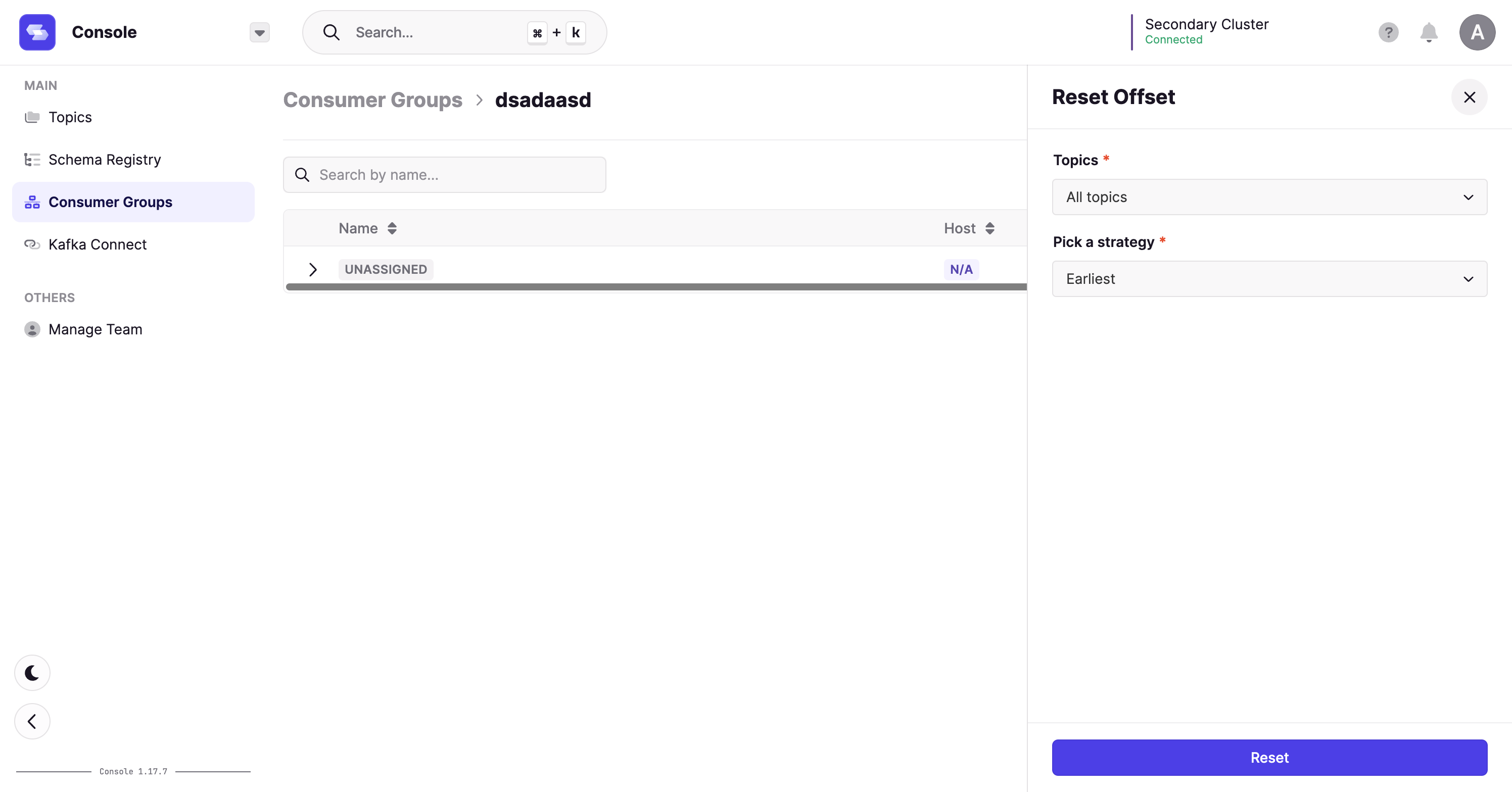
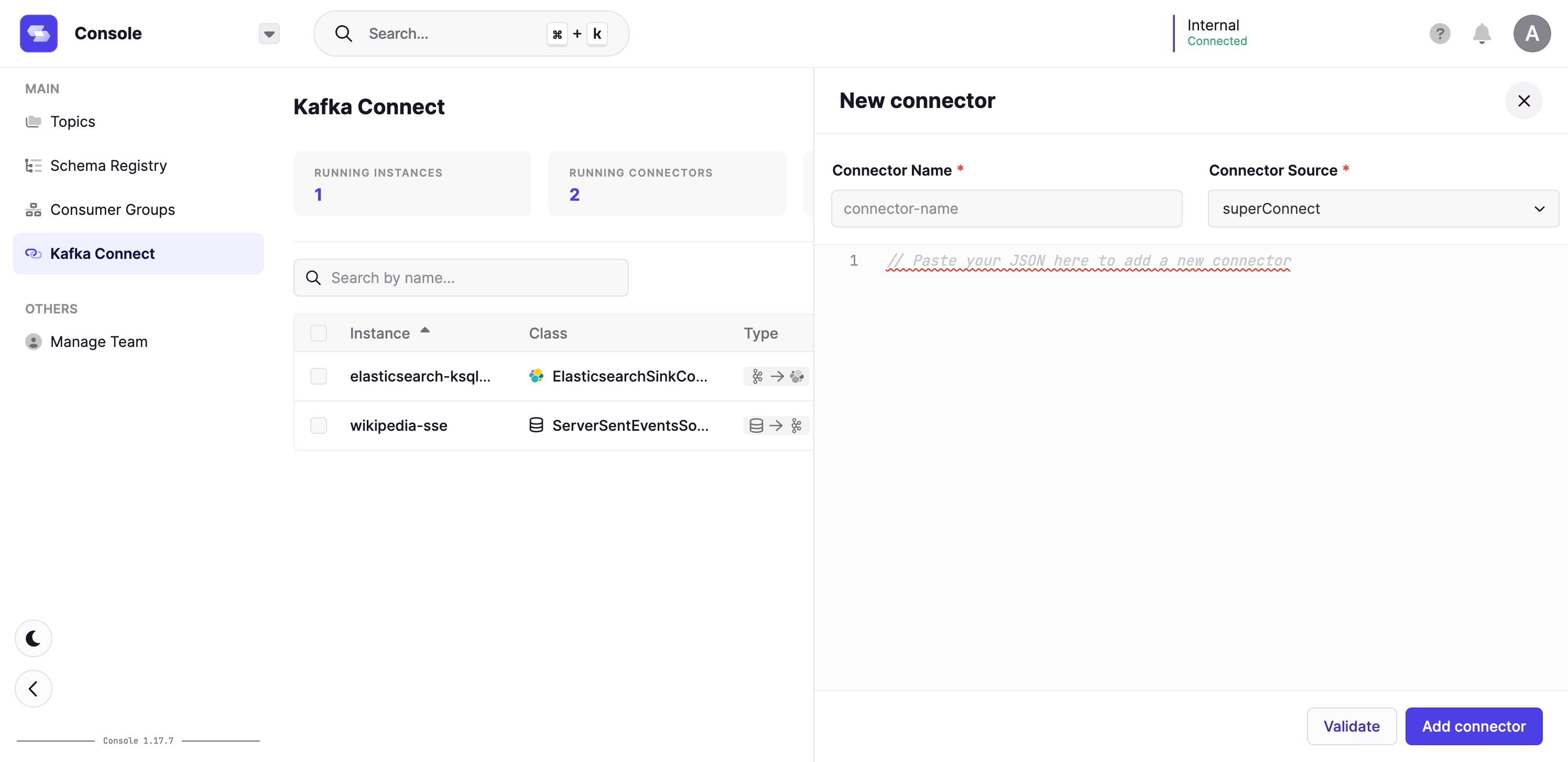
Reset Offsets
Connect: Create Connector
Features
- Platform
- Support ignoreUntrustedCertificate for SSO
- Console
- Improve error messages displayed to the user on Kafka errors
- Consume: The Bytes deserializer now uses the Kafka BytesDeserializer instead of returning a base64 version of the raw bytes
- Consumer Groups - Reset Offsets:
- It’s now possible to choose which Topic and which partition to reset
- New “shift by” option
- Consumer Group: You can now delete a Consumer Group
- Kafka Connect - Create new connector: It’s now possible to select on which Kafka Connect instance the connector will be created
- Kafka Connect - It’s now possible to select on which Kafka Connect instance the connector will be paused/resumed/restarted/deleted
- Testing
- Improve agent version tracking and related warnings
- Improve dark mode support
- Data Masking
- Implement scope filtering in datamasking
- UI improvements
- Admin
- New sidebar design
- Clusters have a human friendly “technical id” to ease url sharing
Fix 🔨
- Console
- Fix: Kafka Connect - The connectors data table is now refreshed when an action is performed on a connector
- Testing
- Fix: Screen/Modals freezing on some actions
- Fix: Can’t connect multiple edges to some nodes
- Fix: Reading large CSV files
- Fix: Text4Shell CVE from org.apache.commons.commons-text-1.9
- Monitoring
- Fix cluster discovery that failed in some cases
- Data Masking
- Fix: Number fields are not masked
- Admin
- Fix: Missing auth events in Audit log
Discover the latest version of Conduktor in 1.2.0, packed with exciting new features, testing improvements, and essential bug fixes. This release introduces the ability to override platform configurations through environment variables, offering enhanced flexibility and customization. The Testing module receives significant upgrades, including the option to load CSVs from S3-compatible storage, simplification of source selection in checks, and a new node for comparing data across multiple Kafka topics. Alongside these advancements, various bug fixes have been implemented, addressing issues in the Platform, Console, Testing, Monitoring, and Data Masking modules. Stay updated and leverage the full potential of Conduktor 1.2.0!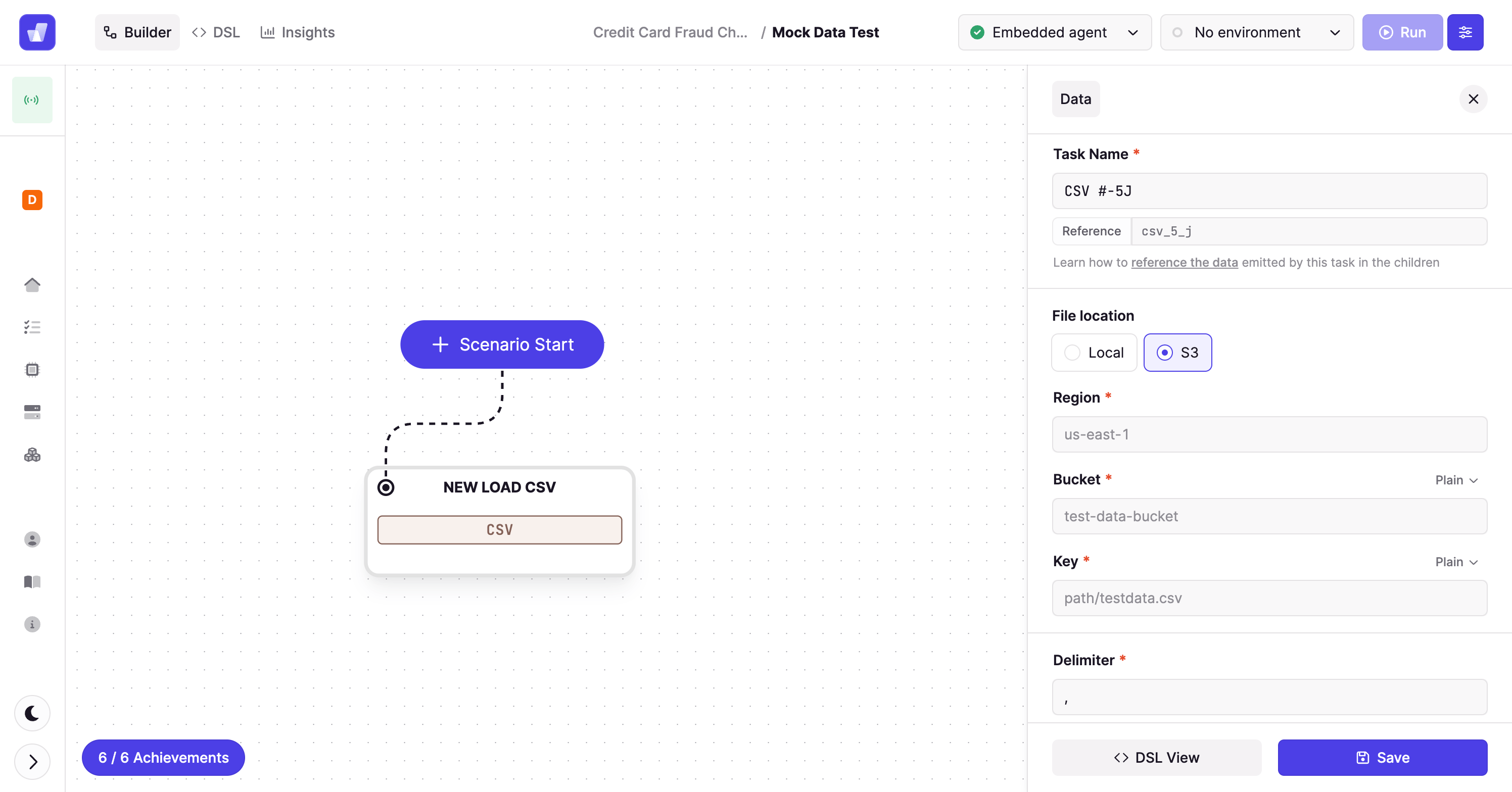
Load CSVs from S3 Compatible Storage
Previously it was only possible to load a file from a location that was local to your testing Agent. This new option for loading data from S3 into a test scenario brings much more flexibility. Specifically, it unlocks a more appropriate method for loading external files in automated tests that run in your CI/CD pipeline.Features
- Platform
- Platform configurations can be overridden from environment variables.
- Testing
- Simplify source selection in checks. Rather than remember the full jq prefix, we now provide a helper for the different data attributes you might want to test (message key, value, headers etc.)
- Add support of S3 in LoadCSV task
- Add a comparison data node that allows you to compare data across records consumed from 2 or more distinct topics.
Fix 🔨
- Platform
- Fix links in the help menu
- Enable solutions in the solution switcher to open in new tab
- Use the intercom widget on feedback tab
- Console
- Accept certificate chains in Kafka properties
- Quick search in data tables is now case insensitive
- Produce - partition selection dropdown was not working
- Kafka Connect - Improve connector definition validation
- Testing
- Accept certificate chains in Kafka properties
- Monitoring
- Lag metrics now work with TLS
- Clusters are now displayed as within other apps
- Data masking
- Fix masking delete policy
- Align policies table with Platform UI standards
Conduktor 1.1.3 introduces new features that enhance platform customization and expand support for Amazon MSK with IAM authentication. Users can now customize the platform’s listening port (CDJ_LISTENING_PORT) to fit their specific requirements. Additionally, the Console and Testing modules now offer support for Amazon MSK with IAM authentication, providing a secure and seamless experience. In the Testing module, users can re-generate tokens for created agents, enabling better control and security.
Features
-
Platform
- Customize Platform port with PLATFORM_LISTENING_PORT
- Support for MSK with IAM auth in Console and Testing - See documentation
-
Testing
- Re-generate the agent token after it’s been created
Conduktor 1.1.2 introduces PostgreSQL support for seamless integration and enhances the Console with advanced features for better Kafka ecosystem management.
Features
-
Platform
- Support for external PostgreSQL - see configuration documentation
-
Console
- Consumer Groups - Reset offsets
- Kafka Connect - Create, Update, Delete, Pause, Restart operations
- Schema Registry - Compare schema versions
-
Admin
- Test the connection on Schema Registry
Fix 🔨
-
Console
- Group search was using “startWith”, now it uses “contains”
-
Admin
- Fix clusters sort by date
New feature v3.10.0
New GATEWAY_SECURITY_MODE environment variable
This release introduces the GATEWAY_SECURITY_MODE environment variable which simplifies the security configuration by splitting out what manages authentication/authorization (valid values: KAFKA_MANAGED or GATEWAY_MANAGED) from how it should be managed (still set in the GATEWAY_SECURITY_PROTOCOL environment variable).This change:- deprecates the
DELEGATED_SASL_PLAINTEXTandDELEGATED_SASL_SSLsecurity protocols (though they remain supported for backward compatibility) - enables ACLs by default when managing security on the Gateway, by changing the default behaviour of the
GATEWAY_ACL_ENABLEDenvironment variable. ACL behavior is now derived from the security mode - is backwards compatible, supporting existing configurations while encouraging the new approach
Fixes v3.9.2
Fixed a security vulnerability incommons-beanutils (CVE-2025-48734).This release fixes the affected dependency to mitigate the risk associated with this CVE.Breaking changes v3.9.0
1. Gateway service accounts are now always required, when using PLAIN tokens
You’re impacted if
- your Gateway was not previously configured with the environment variable
GATEWAY_USER_POOL_SERVICE_ACCOUNT_REQUIRED=true - and your clients are connecting using PLAIN tokens without having a corresponding local service account already created.
Do you have to do anything?
- You must create any missing local service accounts that your tokens rely on.
- You can do this using the following command, adjusting your admin API credentials, host and name as appropriate
Why did we make this change?
Previously, PLAIN tokens could be issued to connect to Gateway without having to create the service account they are linked to. This could be configured to require that the service account exists using the environment variableGATEWAY_USER_POOL_SERVICE_ACCOUNT_REQUIRED.This change improves security and consistency by enforcing that all PLAIN tokens must correspond to a pre-existing local service account. The GATEWAY_USER_POOL_SERVICE_ACCOUNT_REQUIRED variable is now deprecated and will behave as if it was set to true.This enforces best practices that were previously only encouraged, meaning all tokens must have their service account already created on Gateway before they’re allowed to connect.We expect most customers to be unaffected as this setup is actively discouraged in the onboarding experience, as we recommend creating the service account before creating tokens.2. Local service account token signing key is now mandatory
You’re impacted if:
- your Gateway security protocol (for the client connection to Gateway) is
SASL_SSLorSASL_PLAINTEXT - and
GATEWAY_USER_POOL_SECRET_KEYwasn’t already set
Do you have to do anything?
- Yes. Set
GATEWAY_USER_POOL_SECRET_KEY. We recommend using the following command line to generate the hash:
Why did we make this change?
Previously, when we signed the tokens for the local service accounts, we used a key that’s set to a default value. The issue with that is that anybody who knows that default value is able to create their own tokens and connect to Gateway, if you’ve not changed the key.To prevent this, we now ask you to set the key and store it safely, so that nobody unauthorized could create identities.New features v3.9.0
Enhanced Confluent Cloud authentication with service account mapping
When using Confluent Cloud with delegated authentication, Gateway now supports automatically resolving API keys to their associated service account. This feature addresses key limitations of the previous approach:- Improved Interceptor targeting: Interceptors can now target service accounts directly
- Enhanced Chargeback capabilities: Usage tracking by service account instead of API key
- Elimination of manual mappings: Removes the need for administrators to maintain user mappings
Dynamic header Injection from record payloads
The header injection Interceptor has been enhanced to support deriving header values directly from record payloads.This powerful feature allows you to extract:- the entire record key or value and inject it as a header
- specific fields from record keys or values and inject them as headers
- Extracting values from JSON, AVRO, PROTOBUF serialized records
- Accessing record fields using dot notation
- Referencing the entire key or value payload
- Using mustache syntax for dynamic header values
Fix v3.9.0
HashiCorp Vault token refresh resilience
Fixed a problem where Gateway would stop scheduling HashiCorp Vault token refreshes after encountering an error during the refresh process. Previously, if Gateway attempted to refresh its Vault token during a Vault outage, it would fail to recover even after Vault became available again, requiring a Gateway restart.With this fix, Gateway will now:- continue scheduling token refreshes at the regular intervals
- automatically recover once Vault becomes available again
Conduktor Shield: optional compression before encryption when using full payload encryption
Kafka supports compression out of the box but with limited effect when the data is already encrypted. To improve this, Gateway now supports compressing full payload data before it’s encrypted (when the encryption Interceptor is configured).This new functionality is not enabled by default. To enable it, add the newcompressionType entry in the encryption Interceptor configuration to either ‘gzip’, ‘snappy’, ‘lz4’ or ‘zstd’.If the full payload encryption is configured for headers, record keys or record values, the respective data will now be compressed before it is encrypted.Find out more about encryption configuration.Fixes v3.8.1
- When using the alter topic policy Interceptor, allow updating only a subset of the enforced configurations.
- Correctly camel case capitalize upsertResult properties in API v2 responses
- Breaking changes
- Conduktor Shield
- New features
Breaking changes v3.8.0
New backing topic required for Gateway
An upcoming data quality feature requires a new backing topic in Gateway.When you upgrade to Gateway 3.8.0, a new topic_conduktor_gateway_data_quality_violation will be created.To change this default topic name, use the GATEWAY_DATA_QUALITY_TOPIC variable. Find out more about environment variables.Deprecating v1 APIs
The v1 APIs are now deprecated in favor of v2, introduced in Gateway v3.3.0 in September 2024.If you’re using the Conduktor CLI to operate Gateway, you’re not impacted. Find out which Gateway APIs are affected.If you’re using the v1 APIs, migrate to v2 APIs as soon as possible. Get in touch for support with migration. All v1 APIs will be fully removed from Gateway in v3.18.0.Conduktor Shield
General availability of cost-effective Crypto Shredding with Gateway KMS
This release includes general availability of the Gateway native crypto shredding feature for Conduktor Shield customers.The ‘gateway’ KMS type on encryption/decryption interceptors allows you to manage granular encryption keys for individual users/records without the prohibitive costs of storing each key in AWS KMS (which costs approximately $1 per key).Try out crypto shredding with our tutorial.Improvements since v3.7.0:- When multiple Gateway nodes are simultaneously processing data with the same secret Id for the first time, it’s now possible for multiple Gateway keys to be stored per secret Id.
Crypto Shredding requires every one of these keys to be deleted. To do so, the key store topic needs to be fully consumed and all of the keys associated with the required secret Id determined. Each will have a separate
UUID. - To efficiently re-use Gateway KMS keys for secret Ids, a new configuration option
maxKeyshas been added toconfig/kmsConfig/gateway/. It should be set to a number larger than the expected number of secret Ids. - The
masterKeyIdin config/kmsConfig/gateway/ is now validated and can’t use template variables.
New features v3.8.0
Support for delegated authentication using OAUTHBEARER
When using the OAUTHBEARER authentication mechanism, you can now useGATEWAY_SECURITY_PROTOCOL=DELEGATED_SASL_xxx. By default, Gateway will use the sub claim as the principal name. You can override this by setting the GATEWAY_OAUTH_SUB_CLAIM_NAME environment variable to the claim you want to use as the principal name.Support for Confluent Cloud Identity Pool
If you’re using OAuth support on Confluent Cloud, you can also setGATEWAY_OAUTH_USE_CC_POOL_ID environment variable to true to use the identity pool ID as the principal name.Support for delegated authentication using AWS_MSK_IAM
When using the AWS_MSK_IAM authentication mechanism, you can now useGATEWAY_SECURITY_PROTOCOL=DELEGATED_SASL_xxx. By default, Gateway will use the AWS access key ID as the principal name.Breaking changes v3.7.0
New backing topic required for Gateway
The Gateway KMS feature introduced in this release requires a new backing topic to store the keys.When you upgrade to Gateway 3.7.0, a new topic_conduktor_gateway_encryption_keys will be created.To change this default topic name, use the GATEWAY_ENCRYPTION_KEYS_TOPIC variable.Find out more about environment variables.Separator for super users
Super users in Gateway (specified in theGATEWAY_SUPER_USERS environment variable) are now separated by a semicolon ; instead of a comma ,.This change is to allow super users identified with mTLS using their full DN form (CN=writeuser,OU=Unknown,O=Unknown,L=Unknown,ST=Unknown,C=Unknown), and makes Gateway aligned with the Kafka configuration.This change doesn’t affect super users specified in virtual clusters, as they are specified using the YAML array.
Deprecating v1 APIs
If you’re using the Conduktor CLI to operate Gateway, you are not impacted.Check out the Gateway API reference to see which APIs are affected.We plan to remove the v1 APIs from Gateway in a future release. We’ll be removing all v1 APIs in Gateway v3.18.0.If you’re using the v1 APIs, please migrate to the V2 APIs as soon as possible. Get in touch if you need support with this migration.New features v3.7.0
- Preview feature: introducing cost-effective Crypto Shredding with Gateway KMS
- Support for AWS Glue schema registry
Preview feature - introducing cost-effective crypto shredding with Gateway KMS
This release introduces a preview feature that significantly reduces the cost and complexity of implementing crypto shredding at scale. The new ‘gateway’ KMS type allows you to manage granular encryption keys for individual users or records without the prohibitive costs of storing each key in AWS KMS (which costs approximately $1 per key).With this feature, you can maintain regulatory compliance and honor user deletion requests more efficiently by:- Storing only a single master key in your external KMS
- Securely managing thousands of individual encryption keys in Gateway’s internal key store
- Deleting specific user keys when needed, rendering their data permanently inaccessible
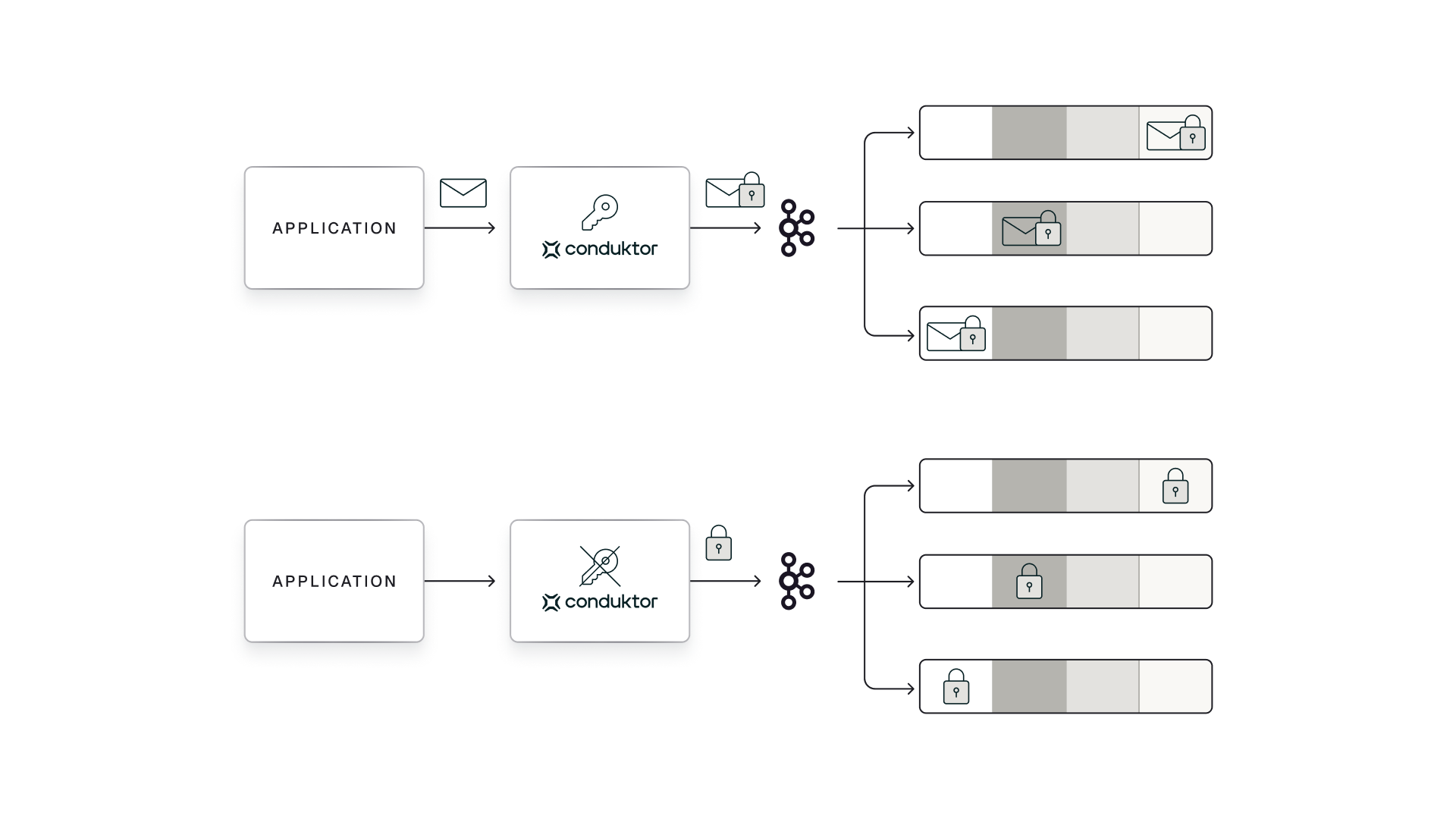
Support for AWS Glue schema registry
This release extends the support in Gateway for schema registries to include AWS Glue schema registry.The default choice is Confluent like schema registries, and is backwards compatible with previous gateway configurations.For AWS Glue schema registry, different settings are required to connect - check out the relevant plugin documentation.Feature changes v3.7.0
- Added support for
.in the name of theVirtual ClusterAPIs - More detailed errors unrelated to Interceptor validation added
Fixes v3.7.0
- Added
aws-java-sdk-stsdependency to allow assume role profiles when using AWS KMS - Added
jcl-over-slf4jdependency to see logs from AWS SDK
New features v3.6.1
- New metric
gateway.apiKeys.throttle_ms: sets the throttling time in Kafka responses per apiKey in milliseconds - Updated existing metric
gateway.apiKeys.latency.request_response: sets the latency to process a request and generate a response for each API key- It now tracks latency for all verbs (eg CONNECTION) not just FETCH/PRODUCE
Feature changes v3.6.1
- Changes to
Limit Commit Offset Plugin:- accuracy of rate limiting has been improved
action/throttleTimeInMsproperties did not work correctly and are now ignored
- Changes to
cluster ACLs:- when creating cluster ACLs using a programmatic API, only allow
kafka-clusterfor the name part of the resource. This makes Gateway consistent with Kafka.
- when creating cluster ACLs using a programmatic API, only allow
Fixes v3.6.1
- Fixed a problem with the Create Topic Policy plugin which would not apply overrides to default configurations from the underlying Kafka setup.
- Fixed a problem with
CreateTopics ACLsin Gateway which previously also required theCreate clusterpermission enabled. - Addressed a problem with Non Delegated SASL/PLAIN token credentials, where Gateway would continue to work after service account has been deleted. To enable this feature set the environment variable
GATEWAY_USER_POOL_SERVICE_ACCOUNT_REQUIREDtotrue(it currently defaults tofalse). - Fixed a problem in
AddPartitionsToTxnRequestwhere ACLs on transactionIds in new location were not being checked when Kafka API version was >= 4. - An un-authorized idempotent producer will now throw a
ClusterAuthorizationExceptioninstead of aTransactionalIdAuthorizationException, making Conduktor Gateway consistent with Kafka.
Features v3.6.0
Kafka cluster connection management
This release includes a set of enhancements to how Gateway manages connectivity to a Kafka Cluster. This provides greater stability and flexibility for how Gateway can be configured with the Kafka Clusters it’s connected to, and is a precursor change for future product releases.Encryption improvements
Encryption secret Id Mustache templates
The encryption now allows multiple mustache substitutions in a key secret Id configuration. Previously, only a single substitution was supported. E.g. This is now allowed:"keySecretId": "vault-kms://my-vault:8200/transit/keys/{{record.key}}-{{record.header.someHeader}}"Decryption failure modes
This release adds a new optional configuration to the decryption plugin to allow different modes of handling errors. There are two supported modes:errorPolicy: "return_encrypted"Previous - if there’s an error during decryption, then the encrypted data is returned.errorPolicy: "fail_fetch"New - if there’s an error during decryption, then the fetch that was reading the data is failed and the client will receive an error.
Schema registry access improvements
Read only schema registry access
Some of our Gateway plugins will deserialize and re-serialize messages in order to perform their functions. A side effect of this is that the serializer code would unnecessarily require write access to the Schema Registry. While there was no situation where Gateway would actually cause any updated or additional schema to appear, - we’ve altered the Schema Registry access to be read only. This avoids having to unnecessarily assign write permission for our Gateway Schema Registry connections if you’re using ACLs on your Schema Registry.Plugin validation of schema registry access
All Gateway plugins which access the Schema Registry will now validate that the configuration for the Schema Registry is correct when it’s added or updated in Gateway. Previously, this behavior was inconsistent and a few of our plugins would only detect incorrect configurations when they processed a message rather than when they were setup.Quality of life improvement v3.6.0
Added a new CLI commandconduktor run generateServiceAccountToken to generate the JWT for local service accounts. Update your CLI to version 0.4.0 or higher.Fixes v3.6.0
- Fix: CreateTopicPolicy and AlterTopicPolicy overrides. There were some edge cases where the desired overrides from the plugin config would not be applied. These plugins now behave consistently in all situations.
- Improvement: Removed some verbose logs and updated logging to be clearer. A general set of improvements has been made to Gateway logging, making some errors clearer and reducing repetition.
Breaking changes: local users
This breaking change only impacts Local Gateway service accounts generated through our token endpoints:
POST /admin/username/{username}POST /admin/vclusters/v1/vcluster/{vcluster}/username/{username}
Breaking changes: default SNI Host Separator
In this release we have changed the default value for the separator used in the SNI routing configuration from a period. to a dash -. This is in order to better allow the use of wild card certificates when certificates are in use.The format of the SNI routing host names is now as below:GATEWAY_SNI_HOST_SEPARATOR=.Find out more about SNI routing.Features v3.5.0
Use of In-memory KMS for encryption
Gateway has always supported the use of an in memory KMS for encryption in order to provide an easy-to-use setting for testing and developing your encryption config. This mode is not however meant for production use as the state of the KMS is lost when Gateway restarts, rendering any data encrypted with it unrecoverable.Before this release, the in memory mode was the default setting and would be used as a fallback if no valid external KMS was detected in the encryption setup.From this release, you must now explicitly opt-in to the in-memory mode for encryption using the prefix:in-memory-kms://If this, or any other valid KMS identifier, is not present the encryption plugin will now fail. This change is a precaution to prevent accidental misconfigurations resulting in the use of in memory mode and subsequent data loss.License expiry
We have altered the behavior of the Gateway when your license expires to provide a better experience. The behavior is now as below:- We have added new metric
gateway_license_remaining_dayswhich you can monitor to track the time left on your license - If the Gateway is currently running, do not automatically exit on license expiry. Rather, Gateway will now log a warning every hour that your license is expired:
- These warnings will start 1 week before expiry occurs as a notification, in the format:
- Finally, we now check your license earlier in the bootstrap sequence for Gateway, so it will fail fast with a clear message when your license is expired.
Quality of life Improvements v3.5.0
- Support for Kafka Clients up to v3.9
- Improved compatibility and logging for dealing with kafka-client versions and version negotiations
- Added support for multiple authentication mechanisms against Vault (AppRole, LDAP, …)
- Introduced a new configuration
enableAuditLogOnError(default:true) which enhances the errors which are logged when encryption/decryption fails - Improved error logging for expired tokens on authentication, to replace large stack traces with concise information
- Performance improvements for TLS handshakes, in particular to prevent repeated failed attempts overloading the gateway
- Several improvements to data quality and encryption config validation to provide better error reporting and feedback in the case of problems
General fixes v3.5.0
- Fixed an issue in ACL handling which caused an error if no topics were passed for an offset fetch request (being the case where the caller wants to retrieve offsets for all topics).
- Fixed an issue in Virtual Clusters which in some cases meant the ACLs for the physical Kafka clusters where exposed in error.
- Fixed an issue in the regular expression application in the data quality and SQL plugins, where
.*would not always match the entire value for a field - Fix an issue when creating both a service account and a service account group through the cli to ensure the order of operations is always correct, preventing intermittent failures in this case.
Known issues v3.5.0
- We are aware of an issue with
kcatwhen the new environment variableGATEWAY_MIN_BROKERIDis not aligned with the first BrokerId of your Kafka cluster- As a workaround, you can either define
GATEWAY_MIN_BROKERIDto your first Kafka BrokerId or usekcatwith the-Eflag
- As a workaround, you can either define
Upcoming breaking changes for local users
This breaking change only impacts Local Gateway service accounts generated through our token endpoints:
POST /admin/username/{username}POST /admin/vclusters/v1/vcluster/{vcluster}/username/{username}
New feature: correct offsets on concentrated topics
Concentrated Topics were reporting the offsets of the underlying backing topic. This caused Lag and Message Count metrics to be invalid.Correct offsets can now be enabled per ConcentrationRule.General fixes v3.4.0
- Fixed an issue impacting live consumption from concentrated topics within Console
- Fixed an issue with upserts in API V2 relating to service accounts (reporting updated when the status should be not changed)
- Fixed an issue related to Kafka 3.7 client support, ensuring topic id’s for alias and concentrated topics are distinct from their underlying topics
- Fixed an issue whereby audit logs were not being captured during cluster switching
- Fixed an issue with SQL topics when parsing topic names containing ”-“
Known issues v3.4.0
- We are aware of an issue with
kcatwhen the new environment variableGATEWAY_MIN_BROKERIDis not aligned with the first BrokerId of your Kafka cluster- As a workaround, you can either define
GATEWAY_MIN_BROKERIDto your first Kafka BrokerId or usekcatwith the-Eflag
- As a workaround, you can either define
Fix v3.3.2
Fixed an issue where the Producer Rate Limiting Policy would not honor its configuration.General fix v3.3.1
Fixed an issue where Gateway would close the client connection upon receiving certain API Keys in parallel of the initial Metadata Request.Upcoming breaking changes v3.3.0
This breaking change only impacts Local Gateway service accounts generated through our token endpoints:
POST /admin/username/{username}POST /admin/vclusters/v1/vcluster/{vcluster}/username/{username}
New features v3.3.0
- New V2 APIs and CLI support
- Support for HTTPS APIs
- Better UX for ACLs and superUsers
- Enable ACLs for Gateway (excl. Virtual Clusters)
- Enable ACLs for Virtual Clusters
- Encryption enhancements and support clarification
- Field-Level encryption: preserving message format to enhance usability
- Attempt to apply encryption to a message more than once will now fail
- Deprecated support for schema based (tag) encryption with Protobuf
New V2 APIs and CLI support
We’re excited to introduce our new Gateway API, designed for seamless integration with our CLI. This update allows you to deploy Gateway resources using infrastructure-as-code with straightforward, clearly defined concepts:- Interceptor
- GatewayServiceAccount
- GatewayGroup
- ConcentrationRule
- AliasTopic
- VirtualCluster
Support for HTTPS APIs
It is now possible to configure HTTPS and mTLS authentication on the Gateway HTTP APIs.Better UX for ACLs and superUsers
To coincide with the clearly defined concepts established in API V2, we are making changes to ACLs management in Gateway.- ACLs and Super Users on the Gateway (excluding Virtual Clusters) must be configured through Environment Variables.
- ACLs and Super Users on Virtual Clusters must now be driven explicitly through API/CLI.
Enable ACLs for Gateway (excl. Virtual Clusters)
Configure both environment variables:GATEWAY_SUPER_USERS is not set, it will default to GATEWAY_ADMIN_API_USERS for backward compatibility.Enable ACLs for Virtual Clusters
Example configuration:Encryption Enhancements and Support Clarification
Field-Level Encryption: Preserving Message Format to Enhance Usability
When applying field-level encryption prior to3.3.0, the encryption plugin would convert the message to JSON, and re-apply the schema format when the message was read back through the decryption plugin.In Gateway 3.3.0, we now preserve the schema format for Avro messages - meaning the same schema is used in the backing topic, and the data can be read directly from Kafka or without the decryption plugin at all.Fields which cannot be encrypted in-place (effectively any non-string field) have their encrypted value placed in the headers, and the field itself is given a default masking value. The default values are clarified below:Note that the same default values are now used across all relevant plugins when manipulating a non-string field - Data Masking, Partial Decrypt, and Encrypt on Fetch.
Attempt to apply encryption to a message more than once will now fail
If any of the encryption headers are detected in a message when encryption is about to be applied, then the encryption operation will fail. This is because applying encryption twice (or more) is currently not reversible.Deprecated support for Schema Based (tag) encryption with Protobuf
Note this is no longer supported, and the Gateway will now throw an exception if the encryption plugin attempts to apply schema (tag) based processing to a Protobuf message.Note that any data previously written in this mode can still be read back - as the decrypt does not use the schemas at all, rather it uses the message header to know what was encrypted.General fixes v3.3.0
- Large double values (where > Float Max) are now supported in field-level encryption for Avro and Protobuf
- Bytes and fixed fields now properly supported in field-level encryption for Avro
- Avro unions of two or more values (rather than just a value and a null) are now supported in field-level encryption for Avro
- Schema (tag) based encryption now checks and fails if its config is invalid
- It is not possible to encrypt the headers which the encryption plugin uses to manage its decryption process (as this would render the data unrecoverable)
- Improved log messages for Interceptors that reject actions, such as TopicPolicyPlugin
- Several improvements to the LargeMessage & LargeBatch Interceptors
- Fixed an issue where KCache topic initialization would fail silently and leave Gateway in an unusable state
- Added a new Environment Variable
GATEWAY_MIN_BROKERID(default 0) that allows for determinist mapping of brokers and ports - Improved network stability during Gateway scaling or Kafka topology changes
- Added support for overriding Kafka Producer properties used for Audit Log topic with
GATEWAY_AUDIT_LOG_KAFKA_environment variables - Removed metric
gateway.brokered_active_connections. This was equal to portCount with port mapping and always 1 in host mapping - Changed metric
gateway.request_expiredtags: nodeHost/nodePort are replaced by nodeId/clusterId - Fix default value for
GATEWAY_UPSTREAM_THREADconfig. The new intended default (number of CPU) previously was (2 x number of CPU). - Fixed an issue with
GATEWAY_ADVERTISED_SNI_PORTthat wasn’t working properly - Add log level for io.confluent packages in default log configuration
- Add default value to non mandatory configuration value for min and max bytes in FetchPolicyInterceptor
- Fix an issue with Concentrated Topics creation with Redpanda
Known issues v3.3.0
- We are aware of an issue with
kcatwhen the new environment variableGATEWAY_MIN_BROKERIDis not aligned with the first BrokerId of your Kafka cluster.- As a workaround, you can either define
GATEWAY_MIN_BROKERIDto your first Kafka BrokerId or usekcatwith the-Eflag
- As a workaround, you can either define
- It is not possible to add Service Accounts to GatewayGroups using API V2 unless they are previously declared as GatewayServiceAccount.
- This is not a wanted behavior, especially for OAuth or Delegated Kafka Authentication where declaring a GatewayServiceAccount should not be needed. We’ll address this issue in a follow-up release
- API V1 (user-mapping) is not impacted
- If you perform a rolling upgrade to 3.3.0, Gateway nodes in earlier versions will show the following error in the logs:
[ERROR] [KafkaCache:1007] - Failed to deserialize a value org.apache.avro.AvroTypeException: Expected field name not found: clusterId- This is fine and will not cause any further problems
- If you use Virtual Clusters and ACLs: After updating to 3.3.0, you must manage VirtualCluster’s ACL and superUsers through V2 API.
Upcoming breaking changes v3.2.2
This breaking change only impacts Local Gateway service accounts generated through our token endpoints:
POST /admin/username/{username}POST /admin/vclusters/v1/vcluster/{vcluster}/username/{username}
In an upcoming release, we will strictly enforce that the username and the token matches. This will help reduce inconsistencies and avoid unexpected behaviors.This breaking change is due for release 3.5.0.
For this hotfix release 3.2.2, and next product releases 3.3.0 and 3.4.0s, we’ll only raise the following warning in the logs:
General fixes v3.2.2
- Fixed a severe authentication issue with Gateway generated tokens that could lead to a different user being authenticated, effectively causing elevated privileges under certain conditions.
- Fixed an issue where
GATEWAY_SNI_HOST_SEPARATORcouldn’t be set to the value- - Fixed an issue where
GATEWAY_SNI_HOST_SEPARATORwasn’t properly taken in account - Fixed an issue with
GATEWAY_ADVERTISED_SNI_PORTthat wasn’t working properly
General fix v3.2.1
Fixed an issue when eitherGATEWAY_ACL_ENABLED or GATEWAY_ACL_STORE_ENABLED was enabled resulting in ACLs being enforced in undesirable scenarios.Breaking changes v3.2.0
Two new backing topics are required for Gateway
In the next release (3.3), we’ll bring a new API as well as support in the Conduktor CLI to manage Gateway concepts using infra-as-code approach.In preparation for this upcoming release, we are replacing some weakly-defined concepts in favor of strongly-defined concepts. The following are now clearly captured in the topics mentioned below:- Virtual Clusters that existed only through creation of UserMappings or Interceptors targeting
- GatewayGroups that existed only through UserMappings
_conduktor_gateway_vclusters_conduktor_gateway_groups
GATEWAY_VCLUSTERS_TOPICGATEWAY_GROUPS_TOPIC
Changes to ACL support on Gateway
With Gateway 3.1 we removed our dedicated ACL Interceptor in favor of a new environment variableGATEWAY_ACL_STORE_ENABLED. This variable was enabling ACLs in all scenarios, whether you used Virtual Clusters or not.Changes for Gateway v3.2.0
With Gateway 3.2, we are adding a new environment variableGATEWAY_ACL_ENABLED and modifying the behavior of the existing variable GATEWAY_ACL_STORE_ENABLED.From now on, the variables works as follow:Preview for Gateway v3.3
In the next release we’ll enhance ACLs to restore and expand the full set of features available before version 3.1.This will be achieved through the introduction of a CLI and APIs, making concepts like VirtualCluster first-class citizens.Enable ACLs for Gateway (excl. Virtual Clusters)
Configure both environment variables:Enable ACLs for Virtual Clusters
GATEWAY_ACL_STORE_ENABLED obsolete.General fixes v3.2.0
- Fixed an issue with Field-level Avro encryption/decryption relating to numeric fields:
- When using partial decryption with Avro schema registry, any numeric values (int, long, float, double) that are not being decrypted will instead be masked with the minimum (most negative) value for the numeric type
- This is to ensure the field is compliant with the original type in the Avro schema
- Fixed an issue with the ClientIdRequired Policy that wasn’t properly overriding the ClientId
- Fixed an issue to ensure all active connections are closed, and clients transition quicker to the new cluster during cluster switching
General fixes v3.1.1
- Performance is improved when using a large number of interceptors (backported in 3.0.5)
- Pre-create folders when using RocksDB as a cache backend
- Moved the Schema Id to the headers when using field level encryption with Avro
AclsInterceptorPlugin removed
Kafka ACLs are now fully integrated in the Core Features of Conduktor Gateway.If you were using the AclsInterceptorPlugin, make sure to enable ACLs while upgrading to Gateway v3.1.0.To enable ACLs set the environment variableGATEWAY_ACL_STORE_ENABLED=true.Features v3.1.0
- Concentrated Topics can now be created with auto-managed flag. Backing topics will be automatically created and extended.
- Added support for Azure Managed Identity for Kafka authentication
- Added an optional configuration for SNI routing to define the separator to use when building host domain for brokers
- Added more context relative to interceptors in Audit logs
- Added the client & version (kafka-client, librdkafka, …) of the client in the Audit logs on CONNECTED event
General fixes v3.1.0
- Added Schema Registry validation on encryption plugins
- Fixed an issue where the KMS Key would not be created if it didn’t exist
- Fixed an issue with logger API
Performance improvement v3.0.5
Performance when using a large number of Interceptors has been improved.Performance improvements v3.0.4
- Consumer group membership is no longer loaded synchronously
- Optimize hostname resolution for ACL
General fixes v3.0.4
GATEWAY_DOWNSTREAM_THREADandGATEWAY_UPSTREAM_THREADare now correctly gathering the number of cores- in
LargeMessageHandlingPluginplugin, honor correctly thelocalCacheExpireAfterWriteInSecondsproperty
Fixed an issue impacting the vault configuration key
uri when special characters (i.e -) are present in the hostname.General fixes v3.0.2
- Fixed a race condition when closing connections (i.e. when Gateway detects a broker is removed from the cluster) that was causing restarts/timeouts
- Fix duplicated key exception when rebuilding fetch request with duplicated topics
- FIX NPE when handling expired ApiVersions requests
- Added a check to validate schema registry connection and provide more meaningful errors for schema-based encryption
- Added a check against
defaultAlgorithmused in the encryption Interceptor to ensure it’s a valid enum value, and avoid overriding with defaults - Fixed an issue with
externalStorageset totruein the encryption Interceptor that was failing to store headers in a separate internal topic - Ensure that if the encryption algorithm is changed, a new entry appears in the internal topic used to store headers
- Default namespace is now applied properly on schema-based encryption
- Added support encryption/decryption of AVRO
bytesandenumstypes
General fixes v3.0.1
- Fixed some issues with Encryption when the value is a tombstone.
- Fixed some inconsistencies between the OpenAPI Spec and the actual implementation.
- Fixed a memory leak when using the default
GATEWAY_UPSTREAM_CONNECTION_POOL_TYPE. - Added a startup check to prevent an incompatible configuration:
GATEWAY_UPSTREAM_CONNECTION_POOL_TYPE=ROUND_ROBINwith delegated authentication.
This major release of the Gateway brings functionality around targeting your interceptors more specifically, adding additional data quality & filtering tools and a host of rework under the hood for improved reliability & robustness. This can be seen in the form of reworked authorization to more closely align with what you’re used to in the existing Kafka world and a more intuitive experience when working with the enhanced functionality Conduktor brings in concentrated and alias topics.
Features v3.0.0
Interceptor targeting
Interceptors can now target more specifically than the previous scopes of vcluster and username. They can now be targeted at the global, vcluster, group(new), or service account level. Below are some areas and examples where targeting interceptors brings great power in their flexibility.Apply interceptors on groups, across several service accounts, without duplicating the interceptor
On a given Kafka cluster, each application may have different policy requirements.Applications could be part of an organization’s domain (finance, HR, Sales, etc.) or grouped by another dimension, such as data sensitivity. Platform teams will want to manage rules that apply to multiple applications at a “group” level.Override behavior at a more specific service account, or group level
Rather than apply interceptors across a wider domain, they may want to zoom in and target a specific application to override the wider defaults.Examples:A project from a domain is more advanced and doesn’t need the safeguarding protections applied to the wider group.- They know how to size topics correctly and are allowed a higher limit on partitions for topic creation, than the rest of the group
- Everyone is required to have compression enforced by default, but for this specific team they are allowed to remove it to meet a low latency requirement
Data quality validation rules across fields, using CEL
Validate data across fields using Common Expression Language. Before we could define rules for fields within a schema, a great way to ensure data quality catching the data before it hits the cluster. Now, we can relate fields to each other. We can bring together data quality and business rules within our schema.An example for age and email checks in our schema:Filter messages on topics, using CEL
Topic filtering can now be done with a simple plugin rather than building yet another pipeline. Effortlessly tailor message filtering rules to your use cases, ensuring only the most relevant data reaches your consumers.Similar to how we allow you to filter data using SQL, you can now use CEL. By leveraging CEL expressions, you gain the flexibility to filter messages based on various attributes such as record key, value, partition, timestamp, header, and offset, offering unparalleled control over your data consumption.Suppose you want to filter messages where the timestamp is greater than a certain threshold and the record key matches a specific pattern. With the enhanced CEL topic filtering feature, achieving this becomes straightforward as posting a plugin with the config:Topic multiplexing enhancements
Several enhancements have been made when working with concentrated topics for topic multiplexing. Concentration can now be achieved on the default vcluster,passthrough.
UX has been adjusted from using patterns only in favor of concentration rules, which have a dedicated part of the API.Alias topic enhancements
Alias topics (dedicated to referencing another topic within your cluster, see the docs for more) have been reworked for a more intuitive experience. Alias topics no longer replace the physical topic during interactions, but are seen as another topic. This will help in use cases related to migration, when applications use different topic names, and when exposing more topics within vclusters.Default vcluster rework
The default vcluster,passthrough, now has users associated with it by default rather than being rejected. This behavior can be reverted through configuration; see the docs for more.General fixes v3.0.0
- Fixed an issue that was prefixing consumer group names with Gateway in certain virtual clusters
- Simplified the security protocol experience, dropping the need for
GATEWAY_MODE(s) to be defined, instead using Kafka standard security protocols orDELEGATEDsecurity protocols. Refer to the docs for more - Less noisy metrics
- Configuration topics are now prefixed with the clusterID to prevent unintentional
- The PUT HTTP verb is now supported throughout the API
- ARM build is now available for the distro and distro-less images, to provide more flexibility to your deployment machine choices
Fixed
GATEWAY_SECURED_METRICS=false not allowing access the Prometheus metrics without security.Schema based encryption
You can now define your encryption requirement directly within your Schemas.Here is an example using json schema where we specify that we want to encrypt thepassword and visa fields, with their corresponding keySecretId.
We also tag the location field as PII and GDPR.KMS now use cloud managed identities by default
To prevent setting up manual connectivity, KMS are now using cloud managed identity by defaultCache KMS Time to Live
You can now cache the KMS keys for a certain amount of time. This is useful to reduce the number of calls to your KMS.keyTtlMs: The key’s time to live in milliseconds. Default is 1 hour, disable the cache by setting it to 0Override Header Injections
Header config can now be further enforced with overrides, the plugin now supportsoverrideIfExists with default set to false. When set to true, the plugin will override the header if it already exists in the request. This can be useful for if a required piece of metadata is missing in the header, you can add something automatically whilst ignoring the ones that have set the value.SSL Principal Extraction
The SSL principal extraction is now configurable withGATEWAY_SSL_PRINCIPAL_MAPPING_RULES it will follow the same rules as Kafka.General Fixes v2.6.0
- Quieter responses to Prometheus by not publishing HTTP quantifiers in the response
- Topic configuration is now returned in all Gateway modes
- Additional tools have been added to the base image to help with setup and debug: lsof, iotop, htop, iftop
PUT can be used in both the User API and the Interceptor API to create resources when they don’t already exist.Schema-based data contract validation
Check and enforce data quality at the schema level, preventing outages from missing or badly formatted records.Gateway can now validate payloads against specific constraints for AvroSchema and Protobuf using the same validations provided by JsonSchema, such as:- Number:
minimum,maximum,exclusiveMinimum,exclusiveMaximum,multipleOf - String:
minLength,maxLength,pattern,format - Collections:
maxItems,minItems
name is too short (1 < 3), hobbies has too few items (3 < 5) as well as the topic and field level information.Example: Without validationSQL data quality checks on produce
Check data quality with a SQL statement before it hits the cluster, ensure the data produced is valid.If we want ourcars topic only to allow messages where the cars are red AND younger than 2020, we can write this out as a SQL statement in the plugin’s config, and post it to the Gateway, e.g.record is not produced because year is not > 2020, or because color is not red. These error messages will also added to the message header.We also have a demo for you to try yourself.Set config fields using environment variables
Be able to alias all Interceptor config fields using environment variables.Set client ID on action
ClientId is an optional field that helps identify applications within your Kafka. Requiring this is set presents opportunities such as speedier debugging by narrowing down which applications affect which messages, or quota management.Rather than simply block messages that don’t have it set, you can instead choose to override the message metadata to set one. This can be done on all Kafka verbs i.e. produce, consume, admin actions and more.ARM build
Conduktor Gateway is now available in an ARM build, not just AMD, to provide more flexibility to your deployment machine choices.Interceptor API Upsert Support
The Interceptor API will now upsert (create if doesn’t exist, update if exists) when makingPUT calls.General fixes v2.5.0
- Fixed support for additional Kafka topic configuration properties such as
retention.ms = -1
User management unification
We refactored all authentication process to unify some concern across all authentication mechanism in Gateway.Previously, the gateway user was defined differently depending of your authentication choice (mTls, SASL plain, SASK Oauthbearer, Delegated). This made user management and Interceptor targeting complex.Today we’ve uncoupled the authentication process from the user identification to leverage theUserMapping added in Gateway 2.2.0, for all authentication processes.All successful authentication process will result in a Principal based on exchanged credentials (See information below to know how principal is detected based on your choice). This principal will be used to search in UserMapping the associated gateway user and it’s information.You can now easily create and manage Gateway users, associate them to your authentication provider and define gateway information in the same fashion.New authentication flow : 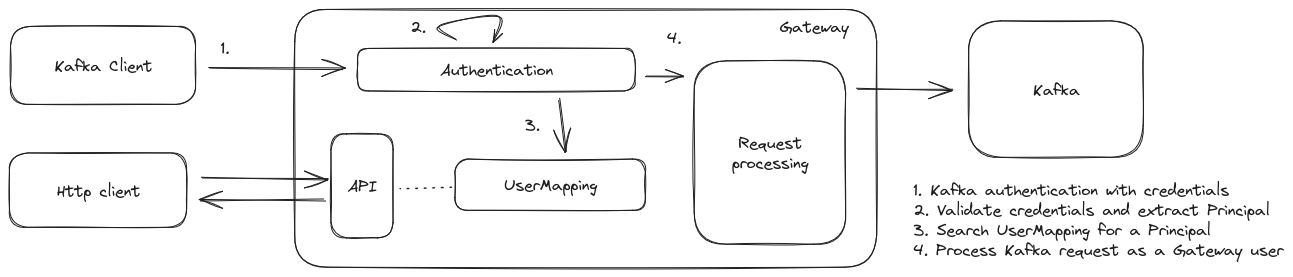
API change
The followingUserMapping http API’s now provide an optional body field principal to be able to define the principal for a mapping./userMappings/v1/userMappings/v1/vcluster/{vcluster}
FAQ
- Do I need to recreate all my users?No, you don’t. This new unified flow is compatible with existing credentials and if a mapping doesn’t exist it will detect the Gateway User based on authentication information. User mapping will always have priority over authentication specific information like claims for SASL with Oauthbearer. That means that you can start managing your users withUserMapping while keeping your existing credentials.- What is the principal extracted for my authentication ?Here is the list by authentication mechanism that will be used as source for the principal:- Is a principal and username the same thing?No, depending on your authentication provider, the principal (the authorization id exchanged and validated) could be complex to manage. To solve this issue, a
UserMapping defines a username and a principal.principalis the field used to search for a user based on an authenticationusernameis the field to identify and target a user for Gateway processes (ACL, Interceptor targeting, …)
principal is not defined when creating a UserMapping we define that the principal is the same as username.Concentrated topics
Logical partitions are no longer automatically remapped to another partition when their backing partitions are deleted.Virtual clusters
Virtual clusters are currently under rework and this release introduces some deprecations:- We removed flags for Virtual topics no longer used
- We remove the ability to mark a real topic as physically deleted (a legacy product feature)
- We removed some string interpolation in the real topic concentration that were unused
- We deprecated some fields in the response of the internal APIs (these APIs will probably go away in the next release)
General fixes v2.4.0
- Concentration: Fix transaction support (but the support is still a bit experimental)
- Concentration: Fix retention not emulated on
policy=compacted,deleted - Concentration: Fix retention emulation issue that could cause some message to reappear after decreasing retention
- Disabled auto topic creation in more scenarios
Enhancements
Gateway mode
You can now choose to setup your gateway in one of the following modeKAFKA_SECURITYwhere your credentials and ACL handled your target Kafka clusterGATEWAY_SECURITYwhere your credentials and ACL handled by GatewayVCLUSTERwhere your virtual clusters, credentials and ACL handled by Gateway
GATEWAY_FEATURE_FLAGS_SINGLE_TENANT and GATEWAY_FEATURE_FLAGS_MULTI_TENANCY are migrated automatically.ACL fixes
Few ACL ordering/conflict patterns are now resolved. We are now following KIP679Better error management
Upon duplicate UserMapping creation we are now returning aSTATUS_CODE_CONFLICT error code (or 409).Gateway and Broker config
Gateway properties are now visible in the broker properties page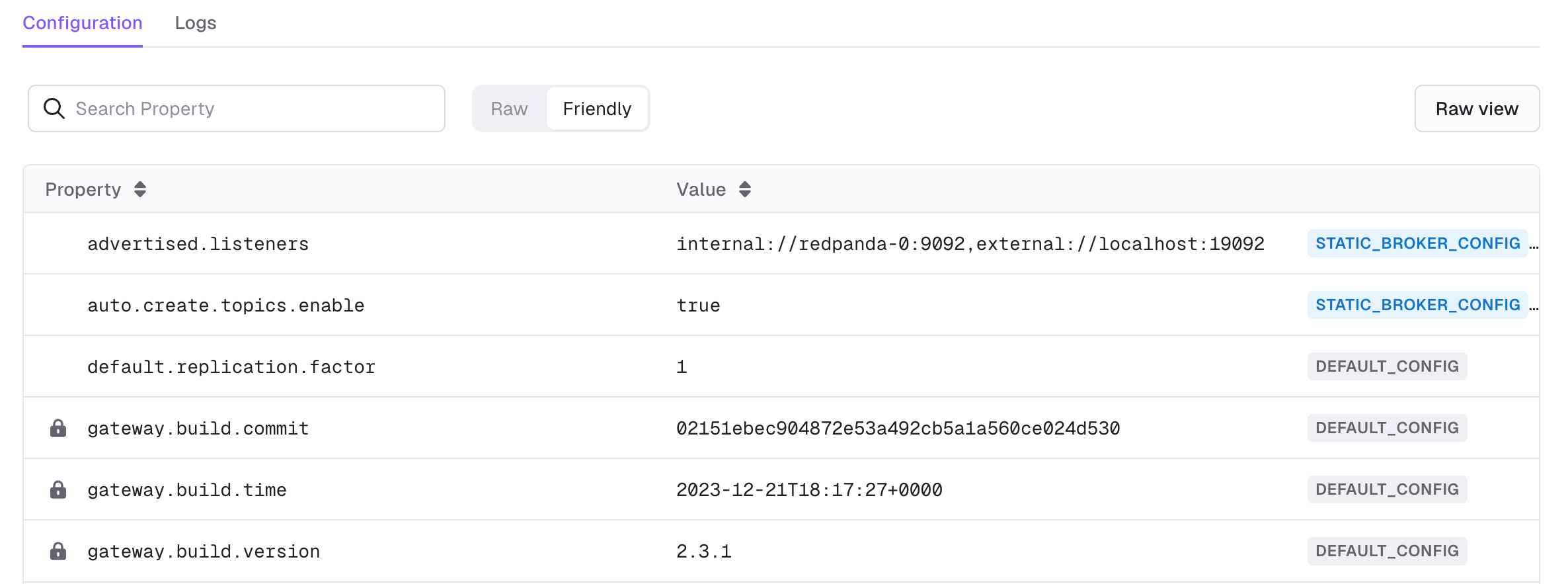
General fixes 🔨
- We renamed
DuplicateResourcesPluginintoDuplicateMessagesPluginto better reflect the intent of the plugin.
Features
Passthrough enhanced API UX
New API paths have been added to the API for when GW is in the defaultPassthrough mode. This simplifies some of the Interceptor paths by removing the need to include /vcluster/passthrough/. 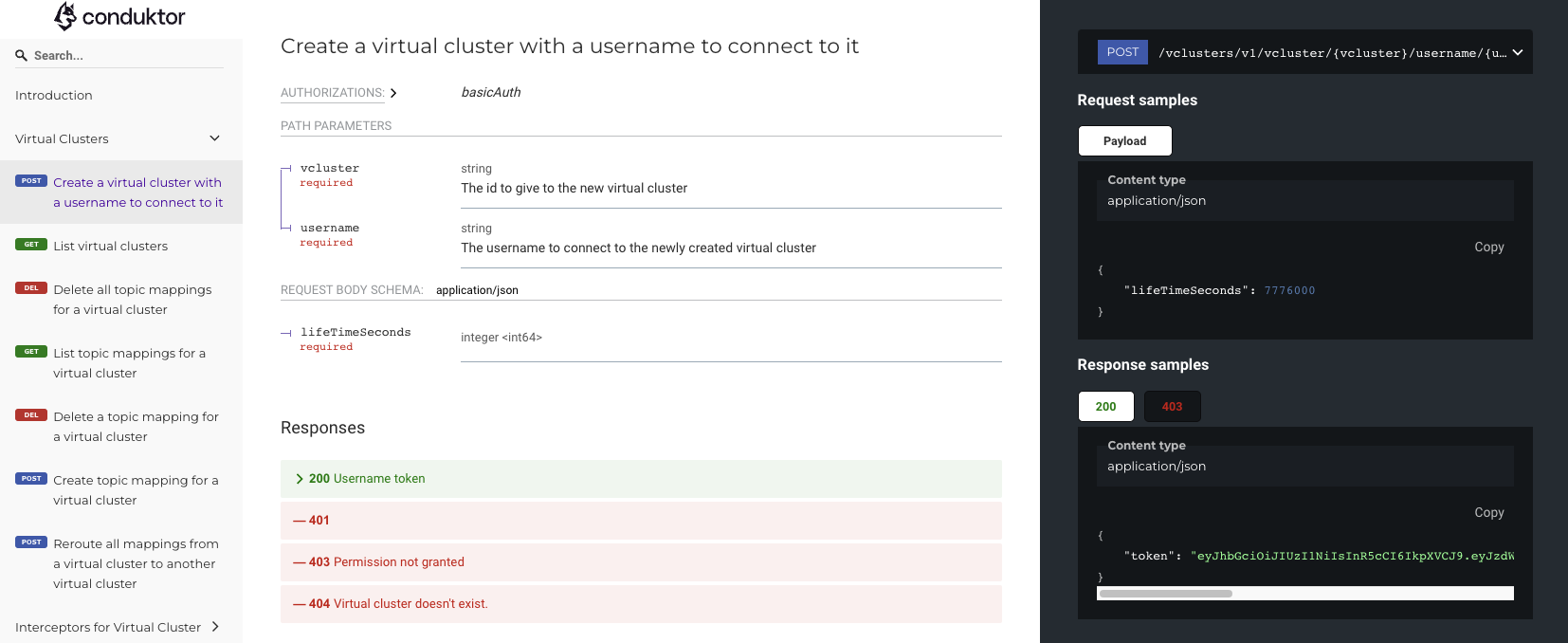
Simple secret management
Previously secrets had to be defined in the configuration of Interceptors. Now, secrets can be stored on the client side setup in an environment variable which can be used by the Interceptor.BeforeEnhancements
Encryption
You now have the option of storing encryption configuration within a topic, rather than in the headers of the messages. This is a design option to be considered. Storing in the topic requires less storage, but now messages are no longer self-sufficient and will depend on this topic data. Set the environment variable for the name of the topic to be used and you’re good to go. See the docs for more.Audit log filtering
Finding an issue or a specific event in your Kafka isn’t always straightforward, especially on many physical, or virtual, clusters. With enriched properties of the audit log we can now filter on;- Topic names
- APIKeys
- VCluster names
- Usernames
- Consumer Group Ids
- topicPartitions
General fixes
- Changed behavior for field level actions to be more lenient. Gateway will ignore fields that don’t match the encryption or masking Interceptor configuration, rather than throwing an exception
- Changed behavior for Oauth authorization to be more secure. Gateway will prioritize Conduktor user-mappings when looking for which vcluster to connect to, if no user-mapping exists it fallback on claims, if no claim exist, the authorisation fails.
- Fixed some typos in logs
- Bumped some internal versions to reduce CVE risk
- Fixed an issue that prevented the use of large message support on MSK
- Reduced image size through some optimizations
- Product analytics startup event restored, minimal Gateway start data is collected on launch to enhance product development. This can be deactivated with the environment variable
- Removed stack trace dumps on Safeguard catches
- Fixed SQL topics in single-tenant Gateway mode
- Further fixes for our Helm chart deployment options
Features
Full message encryption
Conduktor Gateway gives you the flexibility and power of field-level encryption. However, sometimes you just want the simplicity of having the whole message encrypted. With the latest release you can now use the encryption plugin to encrypt the entire message at once.Config for the Interceptor requires connection to your KMS, or built-in, as well as how you wish to encrypt.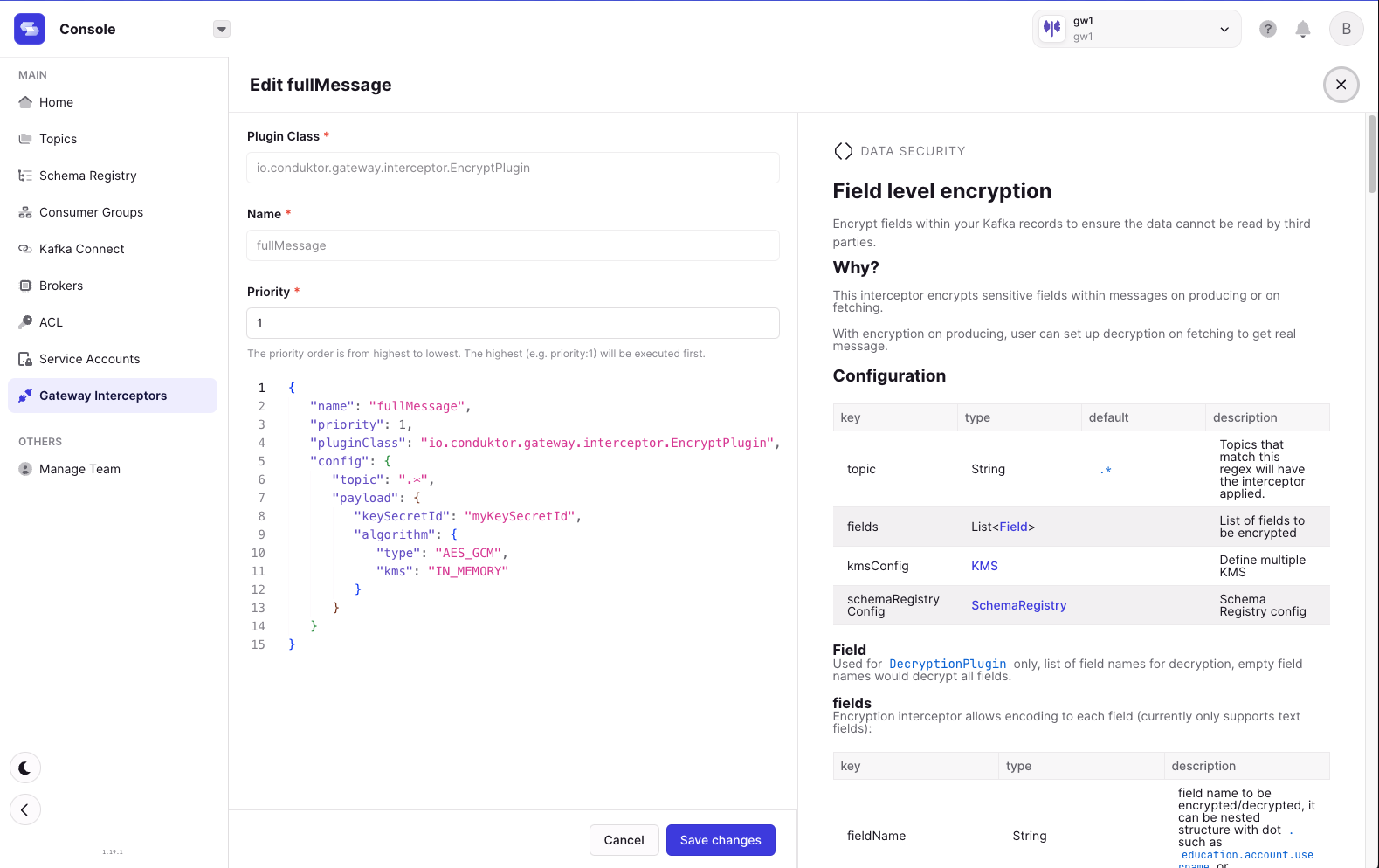
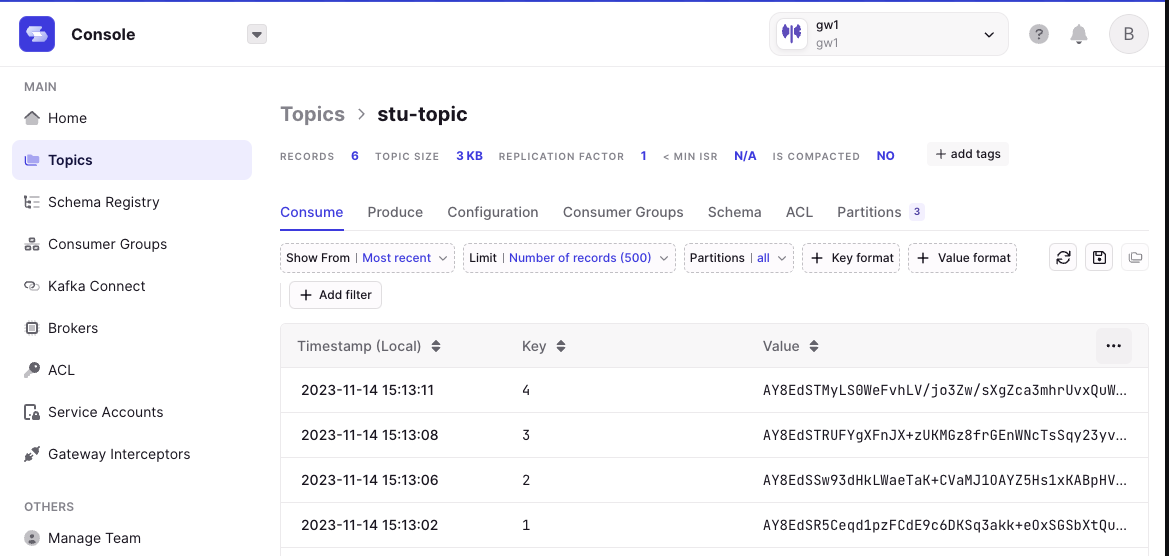
Fixes
Feedback to altering concentrated topics
Concentrated topics will provide clear error messaging if you try to modify them. As concentrated topics from Conduktor are protected, in order to avoid disrupting a topic that is the source to several different applications, modifying anything other thanretention.ms is prohibited. Now feedback is provided when attempting to do so.General fixes 🔨
- sql topics are now visible in Console when using passthrough mode
- More rigorous masking of potential secrets in logs
- More persistent garbage collection of consumer groups
- More performance when running many Interceptors at once
Features
ACL support
We now support ACL in virtual clusters, just enableAclsInterceptorPlugin and you’re in an ACL protected world! All your acl pipeline will work out of the box.You can follow our ACL DemoAdditional metrics for auditing
Additional metrics for Kafka API keys to aid in auditing and debugging applications. Two new metrics are available via the Prometheus endpoint, the total errors per API key and the current inflight API keys, both are available on virtual cluster and username level. Checkout the monitoring docs for more!gateway_current_inflight_apiKeys_total{apiKeys="Metadata",username="anonymous",vcluster="passthrough",} 10598.0Cache
Cache moved from core to theCacheInterceptorPlugin pluginGeneral fixes
- There are some request types with fire and forget pattern. In such scenarios Gateway now behaves better
- Various performance and memory improvements from; threading model, task queue and cache refinements
- Less verbose logging
Features
Usage metrics per topic and vcluster
Thegateway.bytes_exchanged.topic metric now shows the total bytes exchanged, for a specific topic. This can be measured on fetch or produce.gateway_bytes_exchanged_topic_total{vcluster="vcluster-test", topic="topic-test", apiKeys="Fetch"}Field level decryption
Decryption can now be performed on a field level basis enabling encryption of several fields and then selective decryption of fields depending on the user (application).Fields can be defined in the decryption Interceptor configuration;OAuth principal to vcluster mapping
When you don’t have the luxury to specify claims, we now provide the ability to map Oauth principals to vclusters, for usernames, through the Gateway API.For example; here you are mapping the username,conduktor to the vcluster, my-vcluster.General fixes 🔨
- Patched ACLs visibility to be isolated across vclusters
- Consistent use of trailing slashes in the API calls, will now work including the
/or ignoring it is supported - Set Gateway’s GID in the distro baseimage to 1000, to aid in container management and interactions
- Fixed an issue with create topic policy enforcement compatibility on different compression types
- When running clusters with several thousand topics Gateway application performance has been improved
- Better SSL support during cluster switching
Features
Support Vault login/password
When configuring the connection to the Vault Key Management System (KMS), you have two options for authentication: using a token, or a username password pair. You can choose one of the following methods based on your security requirements and environment:- uri
- token (Token auth method)
- username (Userpass auth method)
- password (Userpass auth method)
- version
Add black/whitelist of properties
Define which properties can or cannot be modified by safeguarding the configuration of the alter topic and alter broker policies. You can now define which parts of the config cannot be modified, and what do to when an attempt to change them happens. e.g. if you want retention time for topics on this virtual cluster to not be modified, you can add them to the blacklist.Enhanced Gateway caching
Fixed an issue where part of the caching functionality available in GW could lead to a memory leak in certain conditions. It can now also support consumption of multiple topics mixing between those that are cached or not cached.Improved handling of invalid Kafka properties
Previously, when invalid Kafka properties (variables, including custom, with prefixKAFKA_) were detected Gateway may fail to start. Now, they are logged as invalid with a WARN and excluded from the connection properties.Additional debugging tools
The Gateway distro image version now runs with agateway user, rather than running as root. The recommendation for production where security is required remains the distroless image variant.An additional debug API documentation is available at /debug', with the same login credentials as the admin API. This provides admins with additional debug and maintenance operations such as changing the Java logger level or interacting with topic mappings.General fixes 🔨
- Fixed an issue where consumer group policy and limit commit offset policy might not be enforced
- Fixed an issue where some scenarios could lead to inconsistent partitions on concentrated topics
- Improved handling on some Kafka properties to WARN
- Safer SSL Keystore loading. Gateway will now shutdown when provided keystore is invalid. This behavior will apply at startup and when keystore is reloaded over time
- Display username in audit for expired tokens. When a token expires or there is an error, we now set
usernameas theusernamerather thananonymous
Features
Addition of a consumer group policy
You can now ensure smooth Kafka consumer group operation by enforcing naming policies on groupId, clientId and policies on timeouts.Consistent vcluster name in passthrough mode
Historically when running in Passthrough mode, we had a unique vcluster for each user. Now all users will share the same vcluster namedpassthrough.Expired token error includes username
When a token was expired or another token error, we always setusername as anonymous. Now, if a token has expired, we’ll set username with it’s username claim info.General fixes 🔨
- Fix a bug where we could surface internal headers on concentrated topics which would confuse Kafka streams
- Fix a bug in
CreateTopicsverb handling whenvalidate_only=true, we would create the actual topic ProducerRateLimitingPolicynow requiresmaximumBytesPerSecondto be explicitly setCachingInterceptor now better handles transaction markers- When creating interceptors with empty config this is now surfaced as an error
Features
Support OAuth SASL Mechanism
We now support OAuth allowing you to connect clients without having to change from your existing authentication setup. For more info on setup checkout the docs or contact us directly.Security provider / FIPS
New encryption security providers are now available when encrypting data. The security provider is set via a feature flagGATEWAY_SECURITY_PROVIDER, and the options available are:You can now be FIPS compliant when doing field level encryptionREST Audit
All admin API calls are now logged in the audit log.Dynamic port allocation
When not defined theGATEWAY_PORT_COUNT variable is now computed on the fly, rather than static allocation on start.
Note that the recommended production value is double the number of Kafka brokers.Support all properties when protecting topics
When putting interceptors in place to protect the creation of topics, or altering of topics, we have expanded our support for policies to be defined by all properties in the Kafka topic configs.SCRAM Passthrough
Gateway’s passthrough mode has been expanded to supportSASL_SCRAM.General fixes 🔨
- More clarity to some of our logging error messages, more clear what to do for a failure
- Improved garbage collection to clean up topic mappings upon deletion
- Fixed an issue with virtual topics not behaving correctly in Passthrough mode
- Improved API handling on Passthrough mode with better feedback when incorrectly attempting virtual cluster operations
- Fixed a formatting issue when requesting details on an Interceptor from the internal API
- Improved handling when doing mass deletes in parallel
- Fixed an issue with priorities on interceptors
General fixes
- More detailed API responses from the admin API. 201 & 203 codes now returned, as well as additional messages on create and deletion of resources
- Fixed an issue fetching offsets for invalid partitions
- Fixed an issue to more thoroughly delete topics
- Improved robustness when creating or deleting topics at higher throughputs
- Fixed an issue with consumer groups on deletes
General fixes
- Moved configuration of mTLS to the environment variable level, checkout the docs for more
- Improved some API responses to more clearly reference virtual clusters and interceptors
- Fixed an issue listing offsets with latest version of Confluent, 7.5.0
- Improved handling for scenarios where topics are altered outside of Gateway
General features
mTLS support for clients to Gateway
Gateway now supports mTLS connections between clients and the Gateway. We are constantly expanding our offering to meet the demands of our customer’s environments and are excited to bring mTLS compatibility.Metrics on Prometheus
Gateway exposes several health metrics on the available endpoint to help you monitor the health of your deployment. Checkout the docs for the available metrics on our docs site. If there are any you would need or like to see don’t hesitate to submit a feature request on our public roadmap.General fixes 🔨
- Fixed an issue with token generation where a small percentage generated would be invalid, requiring an early regeneration
- Improved handling of timeout errors: Clients will now be better informed when timeout issues occur.
General fixes
- Improved error handling on start: When faced with issues to do with missing keystores or inadequately configured port count, we’ll throw you some better error messages
- Improved robustness of memory handling during network outages
- Improved robustness for the audit log
- Improved robustness when scaling
- Renamed
GATEWAY_HOSTtoGATEWAY_ADVERTISED_HOST: Don’t worry it will still work with the old value too! - Include token detail on expiry: When tokens expire the token detail is provided in the expiry message
General features
Passthrough security for a simple setup experience
You have several options when connecting your clients to Gateway. We have added the option for Passthrough security for a simple, quick setup experience. With Passthrough security Gateway passes the existing credentials straight through to the backing cluster with no further checks. This is likely what you will use out of the box.API overhaul for an improved developer experience
Our admin API for creating virtual clusters, adding plugins and more has been overhauled for a much simpler and more consistent experience. It is available on your local http server for the version you are running or check it out online! developers.conduktor.io.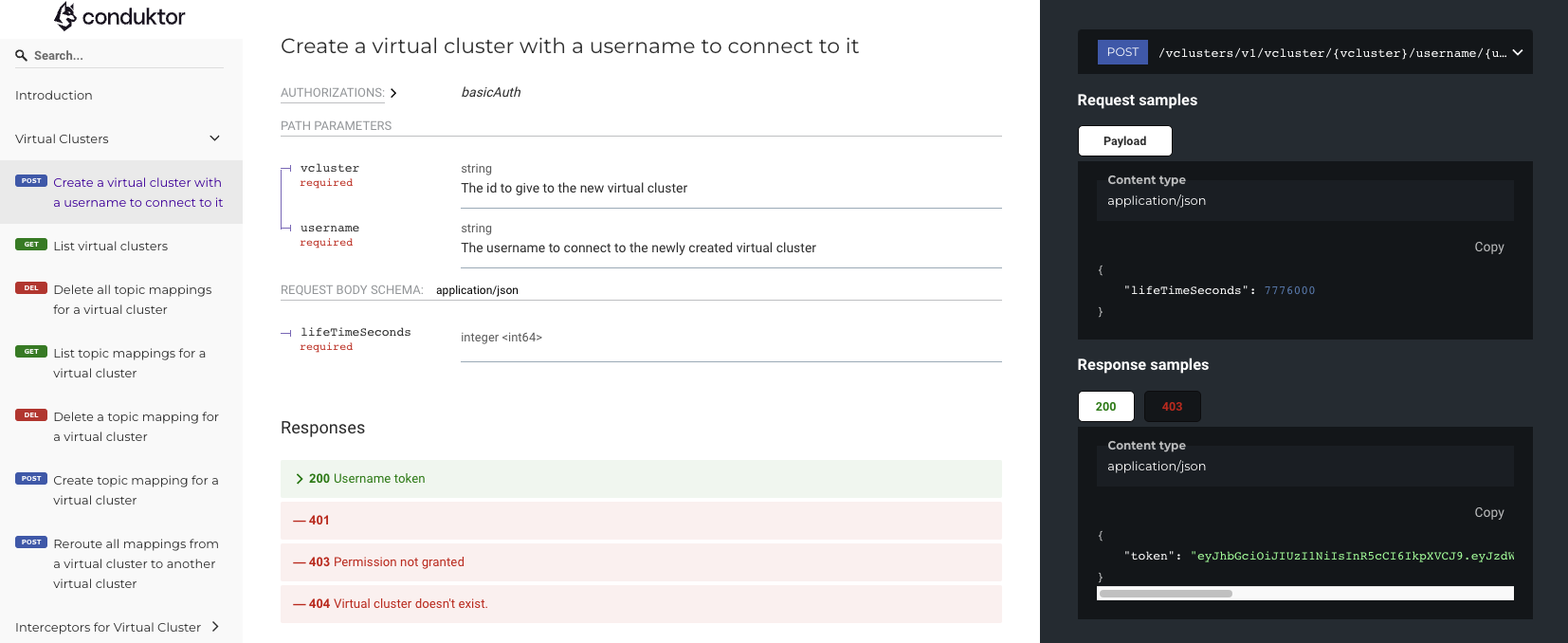
Simple OOTB load balancer
A simple load balancer that will randomly select an instance of Gateway as connections are routed, allowing you to get started without having to setup any load balancer from the start.Log Datetime format configurable to suit your setup
Date time format of log can now be updated using theLOG4J2_TIME_FORMAT env var (Default is set to yyyy-MM-dd'T'HH:mm:ss.SSSZ). Options for patterns are available on the log4j site.Troubleshooter & Distroless product variants now available
Gateway is now available with an additional variant of the image, the default image now has enhanced debug tools embedded (curl / kcat / nc / kafka cli) to help with your setup and everyday usage. For those who want the top level of security a distroless variant is also available where needed to meet tighter security requirements in production.Conduktor Data Security
Encryption for partners
When working with external partners sharing data can be difficult, time consuming or costly. Gateway now offers a straightforward solution to this industry problem, encrypting field-level data for certain Kafka consumers only. By creating a username with the ‘consume’ encryption plugin, it allows your organization to share data with external partners, without the need to duplicate data or make additional architecture changes.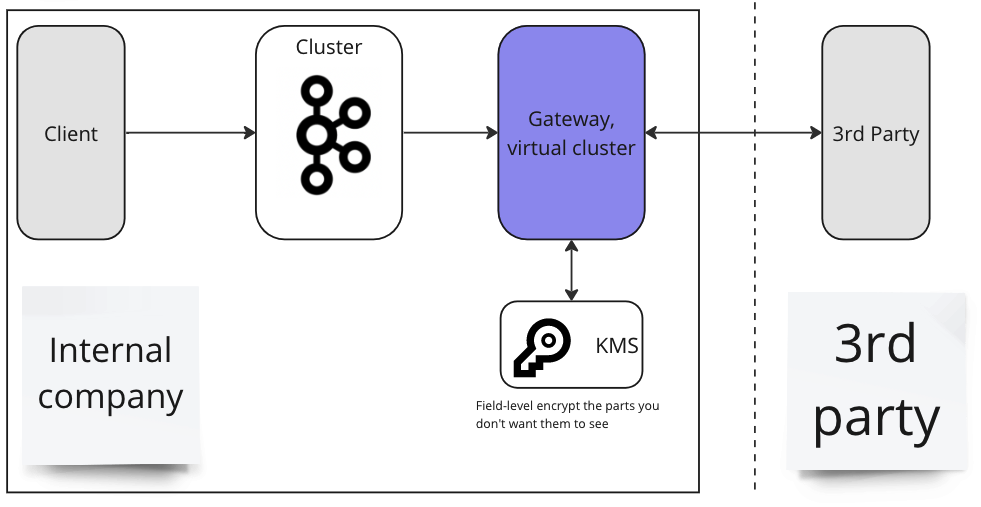
Encryption and Masking support for non-string fields
Gateway encryption now supports values beyond type string, this is available for avro, protobuf and json formats.Support for dynamic secret keys
Gateway can now support dynamic secret keys, in this way you can delete keys for decryption thereby cryptographically shredding this data forever.Conduktor Governance
Additional header injection fields
New fields for the header injection plugin including; Virtual cluster name, Username, Client id, Gateway instance ip, Gateway Version, ApiKey version, Timestamp (this is the timestamp of the injection).Enhanced error reporting
When interacting with several of the Governance features to safeguard your Kafka the topic(s) that are affected are returned in the error message back to you. This detail is provided in the topic creation, topic alter, produce and limit join group policies.'Request parameters do not satisfy the configured policy. Topic 'cars' with retention.ms is '5184000000', must not be greater than '432000000'