

Ask Conduktor is a preview feature, available from Console 1.49.0. It’s turned off by default and, in this release, only Console administrators can use it.
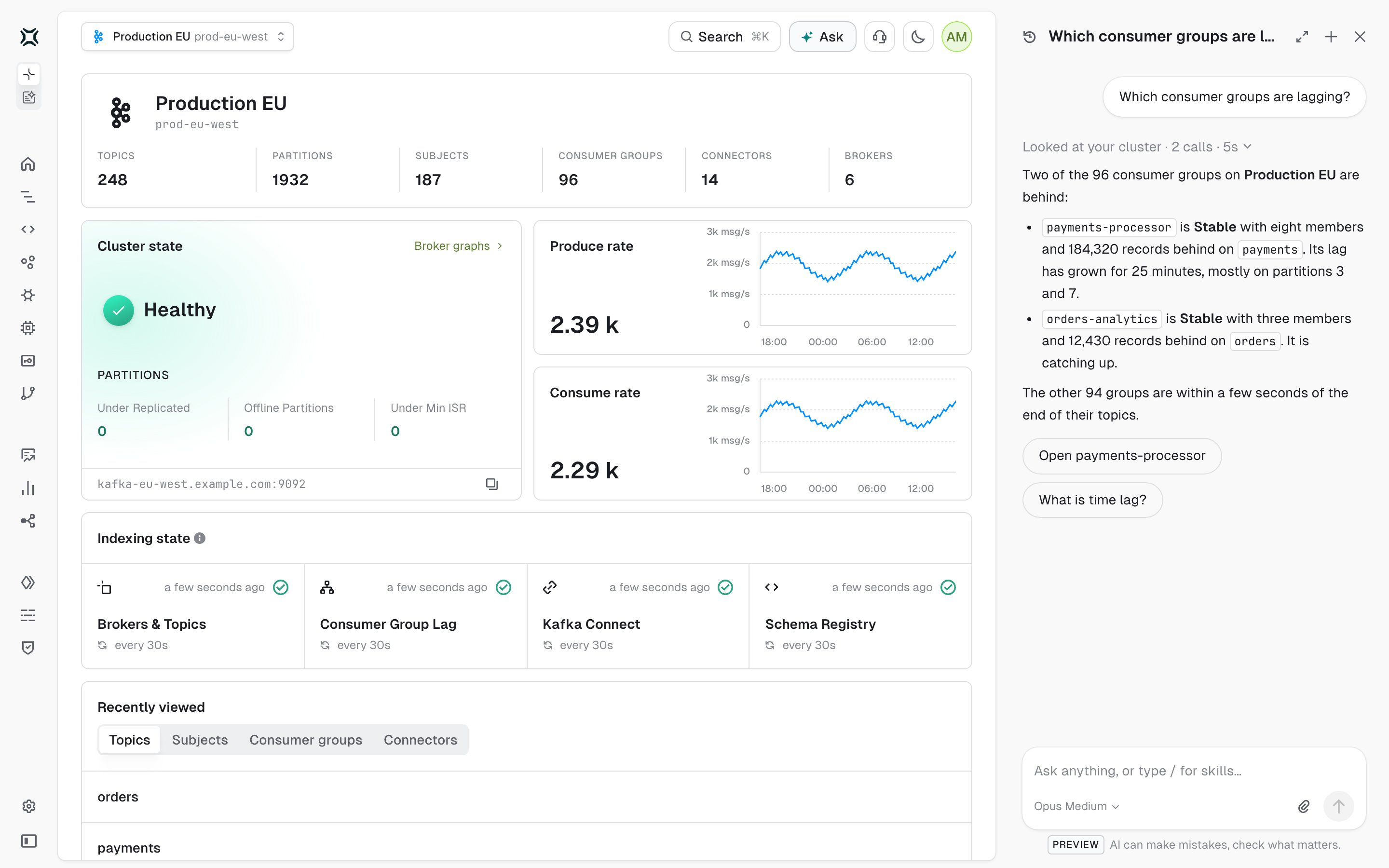
What you can do with Ask
Prerequisites
Turn on Ask
Ask is a deployment setting. Set it in the Console YAML configuration file or as environment variables, then restart Console.- YAML
- Environment variable
These settings are also listed in the Ask properties of the Console configuration reference.
To check the setup, sign in as an administrator. The Ask button appears in the top bar. If agents are disabled or Console has no model connection, Ask shows the steps that are still missing instead of a question box.
Ask a question
1
Open Ask
Click Ask in the top bar, or press Cmd+J on macOS or Ctrl+J on Windows and Linux. Ask opens in a panel beside the page, which stays usable. The same shortcut closes it.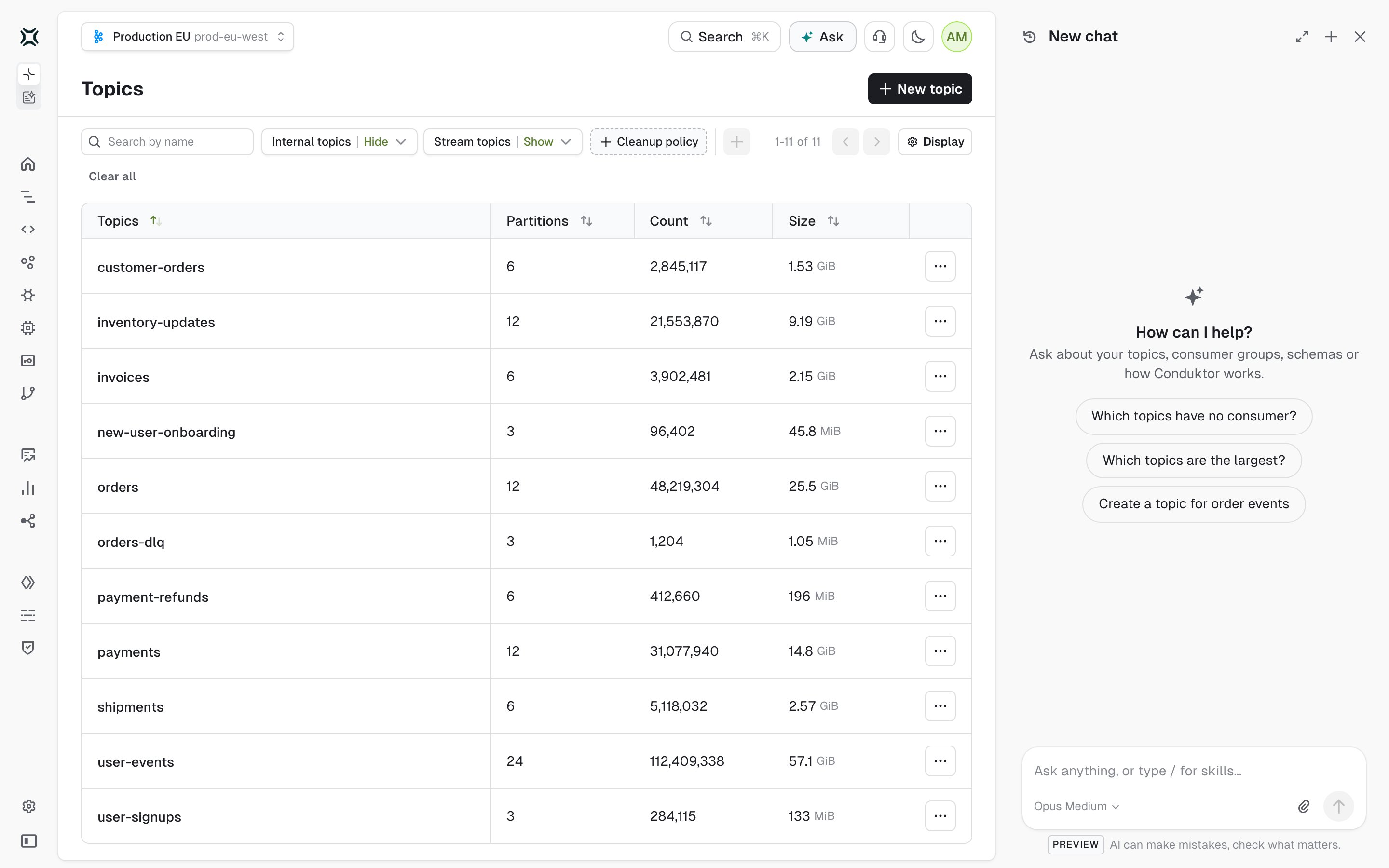
2
Type your question
Ask suggests a few questions that fit the page you’re on. Pick one or type your own, then press Enter or click the send button. To start a new line, press Shift+Enter.Ask shows each step as it works: the lookups it runs in your platform, the documentation it searches and what it does on the page. Click Stop to end an answer early.
3
Follow up
Keep asking in the same chat: Ask remembers what came before. Under its newest answer, Ask may offer up to three next steps, such as a page to open, a documentation page to read or a follow-up question.
- Open in full view to carry on the same chat on its own page. See how to use Ask in full view.
- Start a New chat.
- Open History to reopen one of your recent chats or to delete one.
Check how Ask reached an answer
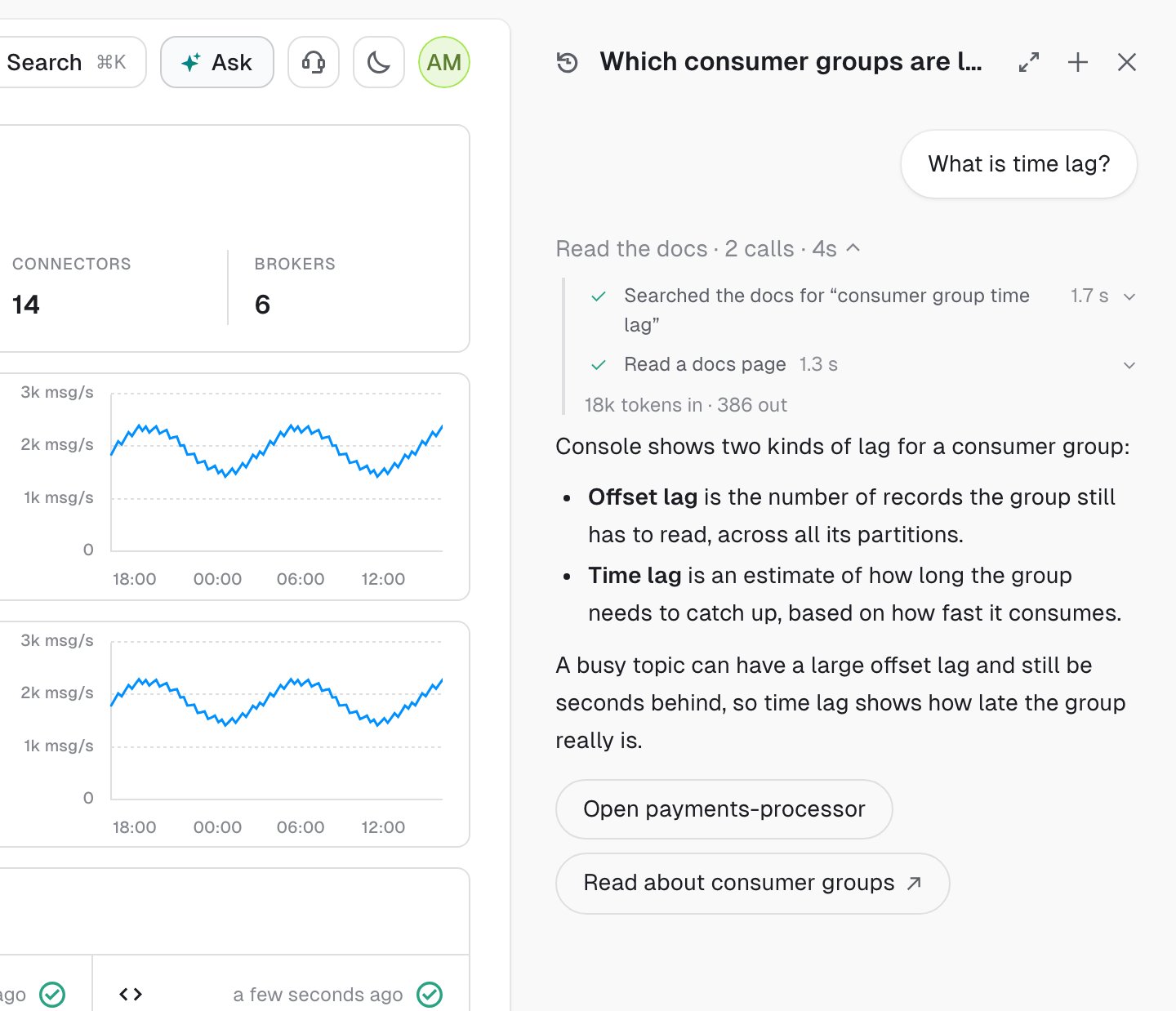
When Ask looks something up or works on the page, a line above the answer shows where it looked, how many steps it took and how long the answer took:
Click the line to see each step and how long it took, with the number of tokens the answer used. Click a step to see what Ask asked for and what came back.
Add screenshots to a question
Attach, paste or drop up to four images on a question, such as a screenshot of an error or a dashboard. Ask accepts PNG, JPEG, GIF and WebP images.Choose the model that answers
When Console has more than one model connection, the question box shows the one that answers. Click it to pick another. Ask uses your choice from your next question and remembers it in your browser.Run a skill from the catalog
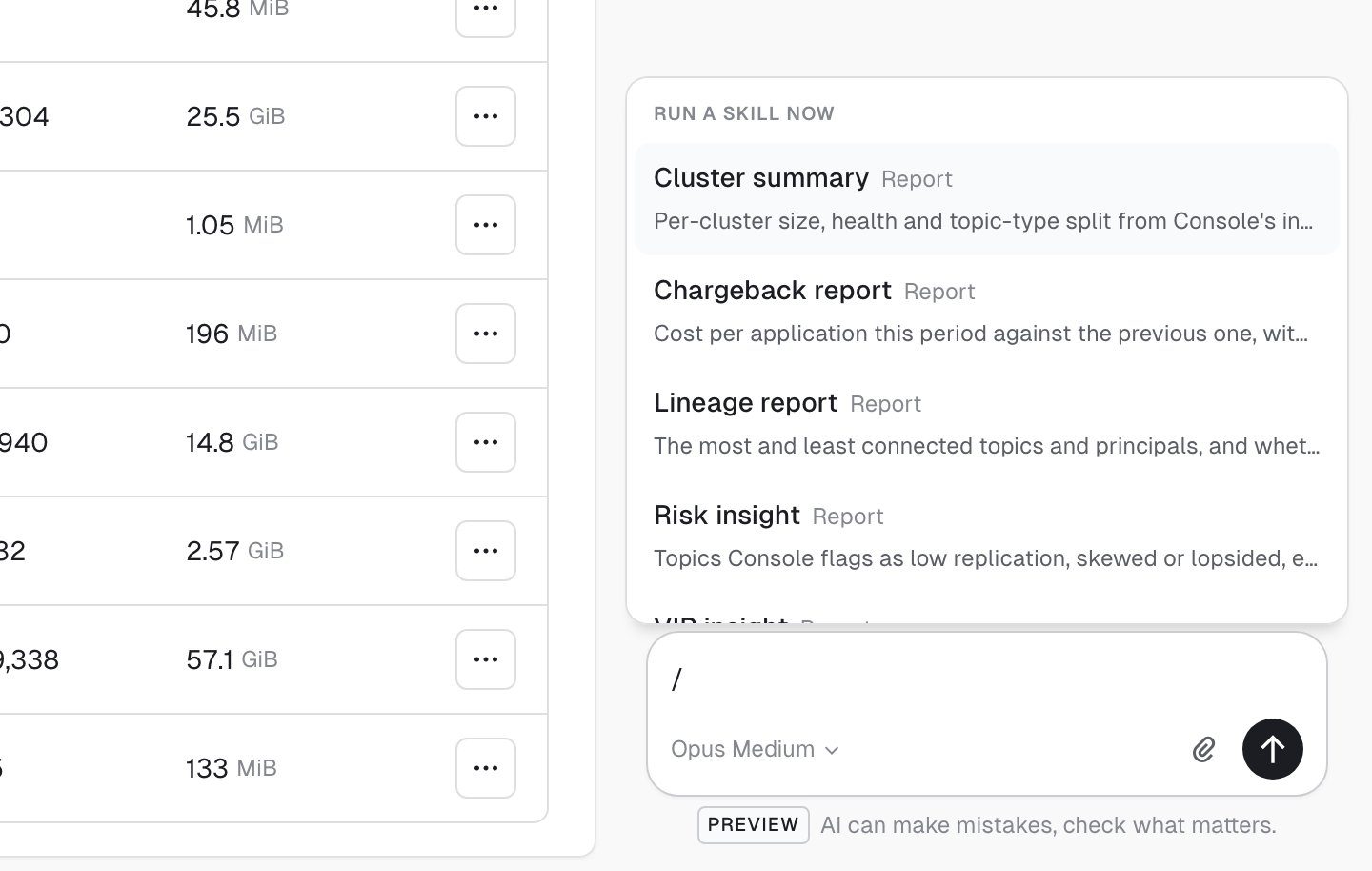
Skills are the tasks from the agent catalog, such as Cluster summary. To list them, type/ in the question box, then keep typing to filter the list by name. In full view, you can also click Skills.
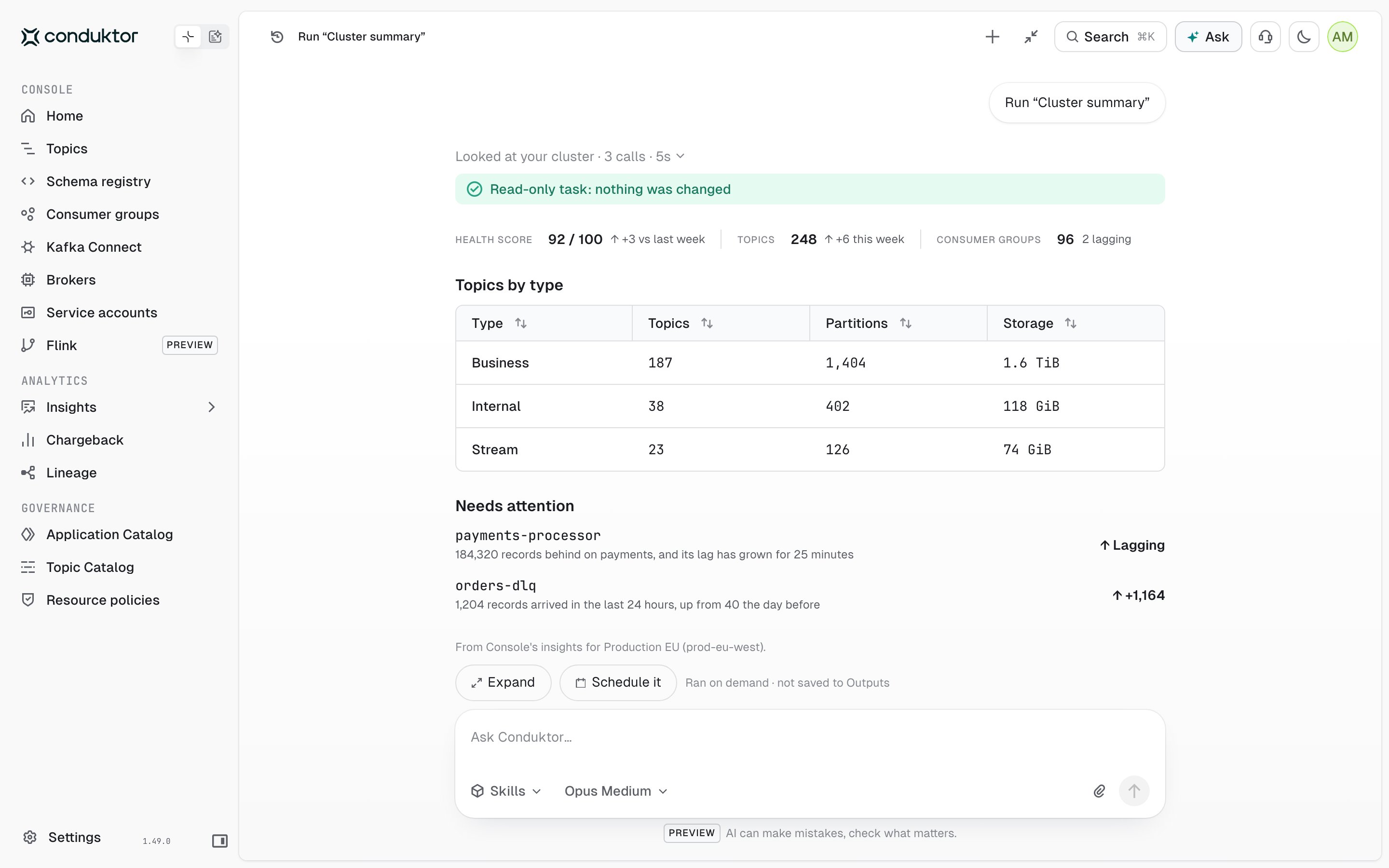
- Expand to read the result in a wider pane, with more room for its tables.
- Schedule it to run the same task regularly. Ask opens the form to create an agent with the task selected.
Use Ask in full view
Full view gives the chat the whole page, with more room for long answers and reports. To open it, click Open in full view at the top of the panel. The chat you have open carries on there.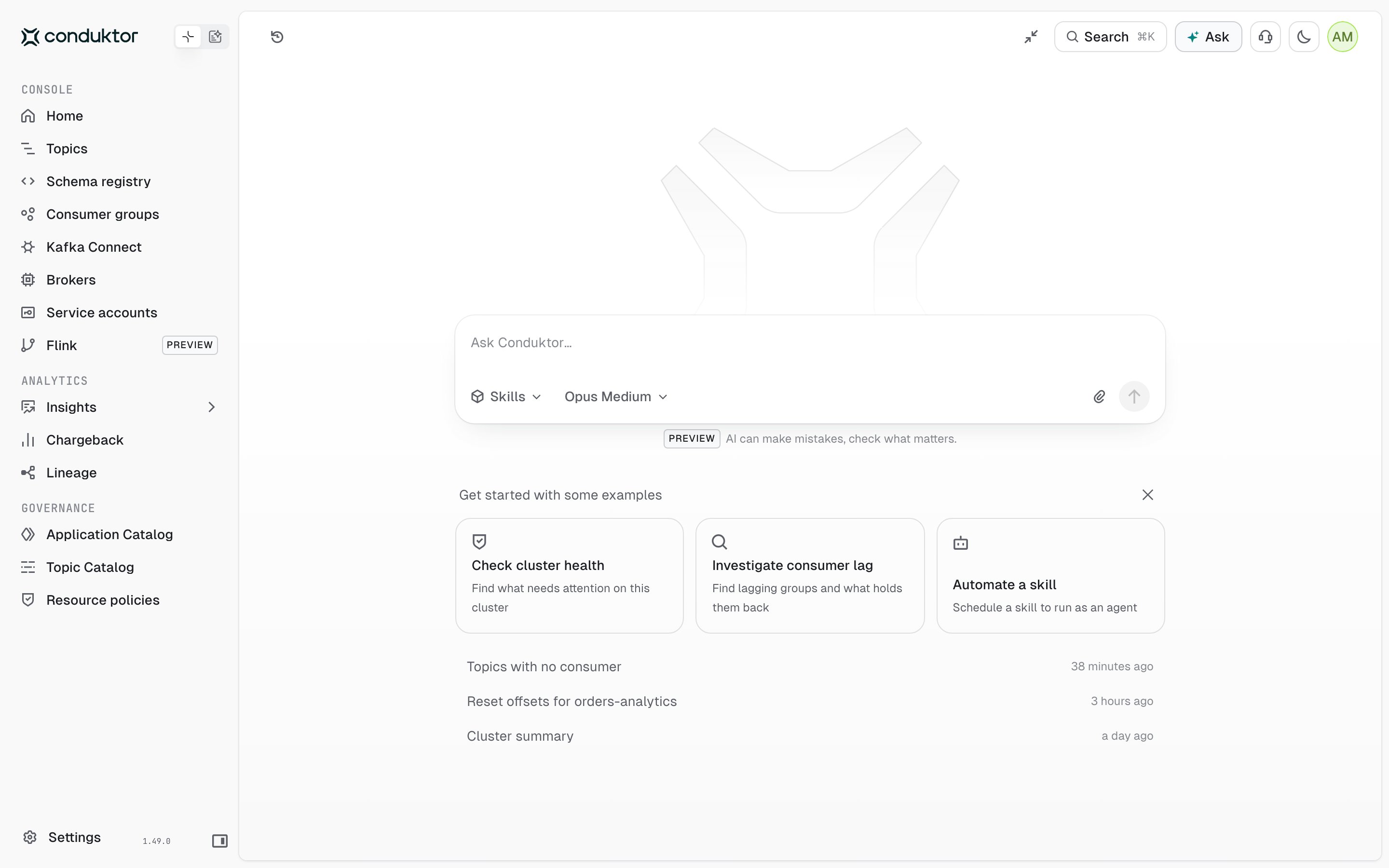
- Examples to start from, such as Check cluster health. Click one to ask it. To remove the examples, click Hide examples. They stay hidden in that browser.
- Your three most recent chats. Click one to reopen it.
- History to reopen one of your recent chats or to delete one.
- New chat to start again, once you’ve asked a question.
- Minimize to go back to the page you came from, with the chat in the panel.
Let Ask work the page for you
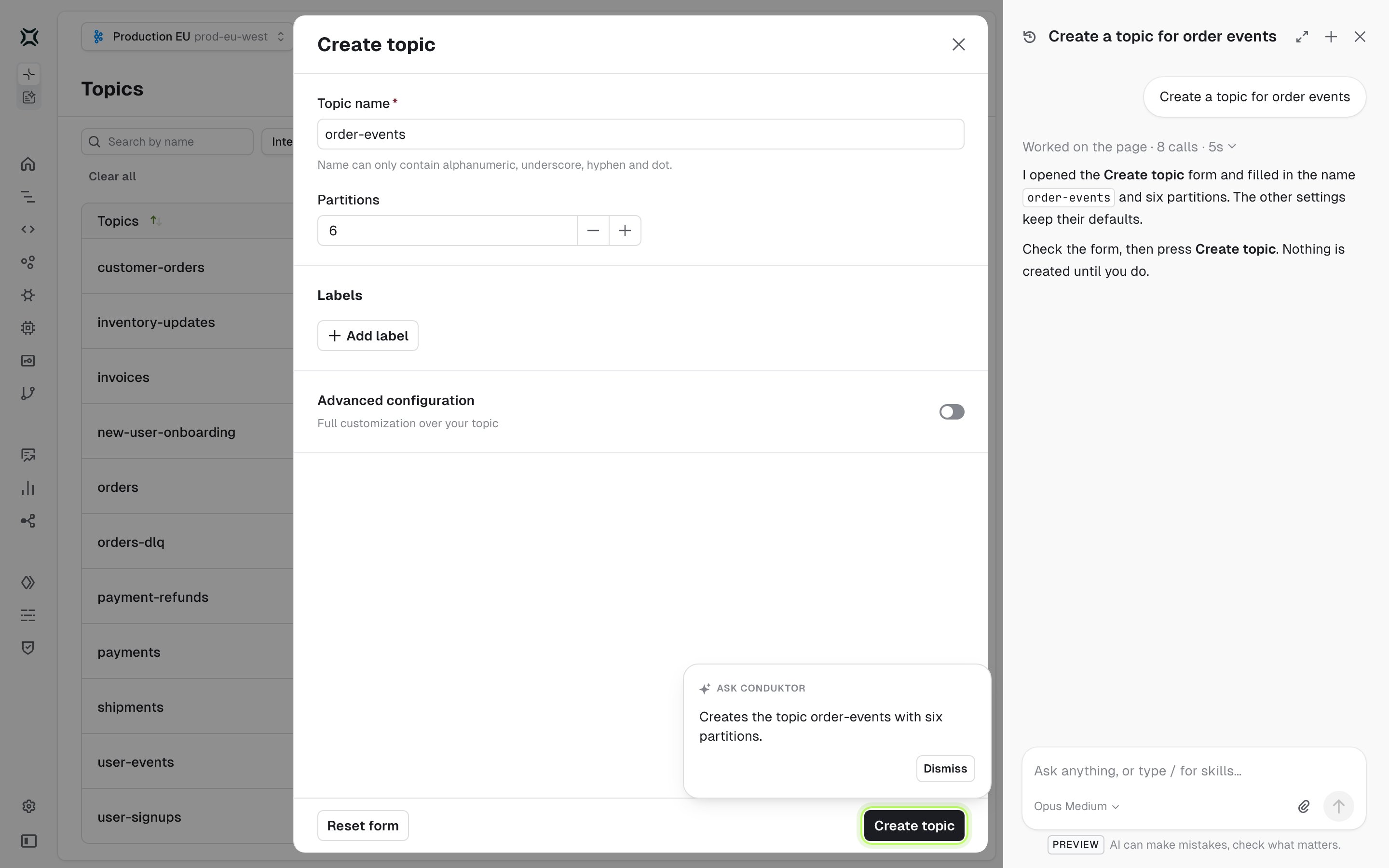
Ask can operate Console the way you would: go to a page, open a dialog, fill in fields and pick options. Ask it to create or change something and it prepares the form, then stops. Ask never makes a change on its own. It has no tool that writes to Kafka or to Console, so the only way it can change anything is through the page. Every change on the page needs you to press the button:- Ask doesn’t press buttons that apply a change, such as Create, Save, Delete or Reset. It fills in the form, highlights the button and asks you to press it. Nothing is created, changed or deleted until you do.
- Ask doesn’t type in password fields, or in fields that ask you to type a name to confirm. It points at them for you to fill in.
What Ask can see and where your data goes
Ask acts as you. Every lookup it makes is checked against your own Console permissions, and Ask can only read: it has no tools that change your Kafka resources. To answer a question, Console sends your model provider:- your question and the earlier messages of the chat
- the images you attached
- a description of the page you have open, including its text
- the results of the lookups Ask ran, such as topic configurations, consumer group lag or records from a topic
Limits
Ask is built for short answers, so its limits are tighter than an agent run’s:- An answer is limited in how long it can take and how many lookups it can make. If Ask stops before it finishes, ask a narrower question.
- Each user can have one question in progress at a time, and each Console node answers four at once. Change both with the settings above.
- Each question spends from the token budget of its model connection (
max_tokens).
Troubleshoot Ask
The Ask button isn’t in the top bar:interactive_agents.enabled isn’t set on the running Console, or you aren’t signed in as an administrator.
Ask shows setup steps instead of a question box: agents are disabled, or Console has no model connection. Set up Conduktor Agents, then restart Console.
Ask doesn’t answer from the documentation: Ask reads the Conduktor documentation over the internet, from https://docs.conduktor.io/mcp. The request comes from the Console server, not from your browser. Console checks that address once, when it starts. If the check fails, Ask runs without the documentation until the next restart. It still answers from your platform and the page.
The usual causes are:
- The Console server has no route to the internet, for example in an air-gapped environment. Ask can’t use the documentation there.
- A firewall or an outbound proxy blocks the request. Allow outbound HTTPS (port 443) from the Console server to
docs.conduktor.io. - The documentation is turned off. Check that
interactive_agents.docs_urlisn’t set to an empty value in the Console configuration.